

Download ENCO DAD Digital Audio Delivery (The Industry Standard for Professional Radio Automation) from this link…

Overview of ENCO DAD Software
Table of Contents
ENCO DAD (Digital Audio Delivery) is a professional-grade radio automation system designed to power the broadcast operations of radio stations worldwide. Developed by ENCO Systems, a trusted name in broadcast technology since 1983, this software provides a comprehensive, end-to-end solution for content management, scheduling, and on-air delivery. Instead of managing audio files and logs manually, broadcasters use ENCO DAD to streamline complex workflows, ensuring a polished and uninterrupted listening experience. From community stations to large commercial networks, ENCO DAD provides the stability, precision, and advanced tools required for modern radio broadcasting.
Key Features of ENCO DAD
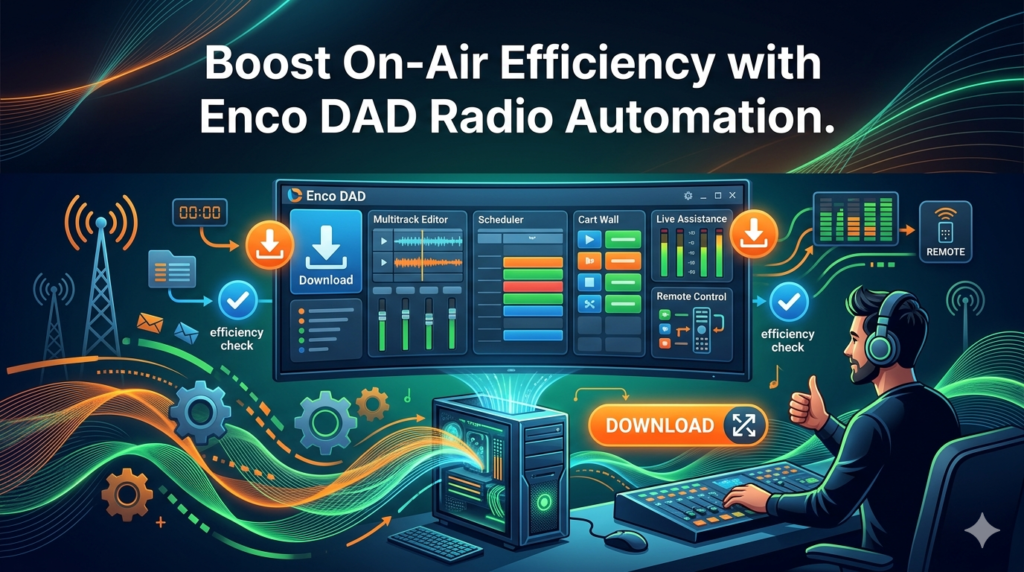
ENCO DAD distinguishes itself through a robust feature set that caters to both the technical and creative sides of broadcasting. Here are the core functionalities that define the software:
Intelligent Playlist and Media Management
At the heart of ENCO DAD is its powerful database-driven media management system. It moves beyond simple file storage, offering an “audio warehouse” where tracks, commercials, sweepers, and jingles are cataloged with metadata. The drag-and-drop interface allows operators to build complex playlists quickly, while the system manages audio file formats and database integrity in the background.
Comprehensive Scheduling Capabilities
The software provides granular control over broadcast schedules. Users can create detailed clocks and logs, specifying exact times for music sets, syndicated shows, commercial breaks, and network news. This ensures that every second of airtime is accounted for and executed according to plan, with the flexibility to handle irregular scheduling or special programming events.
Live Assist and Unattended Automation Modes
ENCO DAD offers the flexibility of both live assist and full automation. In Live Assist mode, on-air talent can use the intuitive interface to “hot-key” sound bites, jingles, and phone calls, creating a dynamic, engaging show. For overnights, weekends, or smaller stations, the software seamlessly switches to full automation, playing scheduled content without any operator intervention.
Seamless Hardware Integration
A key strength of ENCO DAD is its ability to integrate with professional broadcast hardware. It connects directly to mixing consoles, broadcast consoles, microphone channels, and external audio processors. This integration allows for physical start buttons, fader starts, and tally lights, giving operators the tactile control they expect in a professional studio environment.
Advanced Audio Processing Engine
To ensure a competitive, high-fidelity on-air sound, ENCO DAD includes a suite of advanced audio processing tools. Built-in features for multiband compression, parametric equalization, look-ahead limiting, and level normalization help maintain consistent audio levels across all content—from vintage recordings to modern, heavily compressed tracks—protecting the station’s audio chain and listener experience.
Remote Voice Tracking for Distributed Workflows
ENCO DAC (DAD Access Client) enables broadcasters and voice talent to record voice tracks and segments remotely over a network. This feature is essential for modern workflows, allowing stations to incorporate talent from different cities or countries. These pre-recorded tracks integrate perfectly with the main automation schedule, creating a live sound without requiring the talent to be physically in the studio.
What’s New in the Latest Version of ENCO DAD
ENCO continuously updates the DAD platform to meet the demands of IP-based broadcasting and modern IT infrastructures. While specific version numbers change, recent updates to the ENCO DAD ecosystem have focused on:
-
Enhanced DADanywhere Web Interface: Improvements to the browser-based remote control and monitoring tools, allowing engineers and managers to oversee operations from any device.
-
DADac (DAD Access Client) Enhancements: Updates to the remote voice tracking client for better stability, audio quality, and integration with cloud-based production workflows.
-
ENCO enCloud Integration: Deeper integration with ENCO’s enCloud platform, facilitating easier cloud-based management, backup, and disaster recovery for radio automation systems.
-
API and Third-Party Integrations: Expanded API (Application Programming Interface) capabilities for better connectivity with traffic and billing systems, music scheduling software, and other broadcast business tools.
System Requirements for ENCO DAD
ENCO DAD is a professional application that requires a stable, high-performance environment. It is typically installed on dedicated workstations within a broadcast studio. While requirements vary based on the specific configuration (e.g., number of audio channels, database size), the general guidelines are:
Minimum Recommended Configuration:
-
Operating System: Professional-grade Windows OS (e.g., Windows 10/11 Pro or Windows Server), fully optimized for audio and with all unnecessary background services disabled.
-
Processor: Multicore Intel Core i5 or i7 processor (or equivalent).
-
RAM: 8 GB or more (16 GB+ highly recommended for larger stations).
-
Storage:
-
System Drive: Fast SSD (Solid State Drive) for the OS and software.
-
Audio Drive: High-capacity, high-speed HDD or SSD array for audio file storage. RAID configurations are recommended for redundancy.
-
-
Audio Hardware: Professional ASIO or WDM-compatible sound cards or audio interfaces from manufacturers like Digigram, AEQ, or Audioscience.
-
Network: Reliable, low-latency network connection for remote clients, database access, and network audio.
Note: Always consult the official ENCO documentation or a certified ENCO integrator for hardware specifications tailored to your specific station’s needs.
Installation Guide for ENCO DAD
Installing ENCO DAD is a complex process that involves hardware integration and network configuration. It is highly recommended that installation be performed by a qualified broadcast engineer or an authorized ENCO dealer. The general steps include:
-
System Preparation: The installation technician prepares the dedicated PC by applying a “Windows Optimizations” script. This disables power-saving features, automatic updates, and non-essential services to ensure low-latency, uninterrupted audio performance.
-
Hardware Installation: Professional sound cards or audio interfaces are installed in the PC and connected to the studio’s mixing console and monitoring system. Drivers are configured for optimal performance.
-
Software Installation: The ENCO DAD software is installed, and the database structure is initialized on the selected storage drives.
-
Device Configuration: The software is configured to recognize the installed audio hardware and map the physical input and output channels.
-
Network Setup: Network settings are configured to allow communication between the main DAD server and any remote clients or ENCO DAC workstations.
-
Initial Database Import: The station’s existing audio library is imported, cataloged, and analyzed by the DAD database.
How to Use ENCO DAD: A Basic Workflow
While ENCO DAD is a deep and complex system, a standard on-air workflow follows a logical pattern:
-
Prepare Content: Import new music, commercials, and promos. Edit metadata (artist, title, length, category) within the DAD database.
-
Build a Log: Use the scheduler or a third-party music scheduling program to generate a daily play log. This log is imported into ENCO DAD, populating the playlist for the day.
-
Go Live (Live Assist Mode): The on-air talent arrives. They load the day’s log, and the system is ready. During a song, the talent can use the mouse or keyboard hotkeys to cue up the next commercial break, a jingle, or a pre-recorded interview.
-
Transition to Automation: At the end of the live shift, the talent simply locks the door. The system, still running the same log, automatically transitions to the next scheduled item, continuing the broadcast without human intervention.
-
Monitor Remotely: The program director or station manager can use the DADanywhere web interface to monitor the playlist, audio levels, and system status from a remote location.
Best Use Cases for ENCO DAD
ENCO DAD’s scalability and feature set make it suitable for a wide range of broadcast applications:
-
Commercial FM/AM Radio Stations: For high-profile stations that demand flawless execution, advanced audio processing, and tight integration with traffic and billing systems.
-
Public Radio and NPR Member Stations: For managing complex schedules that include nationally syndicated content, local news, and fundraising drives.
-
Community and Campus Radio: For providing a professional, reliable platform that is easy enough for student volunteers to learn but powerful enough for the station to grow into.
-
HD Radio and Internet Radio Channels: For managing multiple channels of content from a single system, perfect for broadcasters with HD2/HD3 or niche online streams.
-
Automated & Syndicated Networks: For cable FM channels or networks that run fully automated, satellite-fed content with local commercial insertion.
Advantages and Limitations of ENCO DAD
Advantages
-
Industry Standard & Stability: ENCO DAD is renowned for its rock-solid stability, a non-negotiable requirement for professional broadcasting.
-
Scalability: The system can grow from a single on-air workstation to a complex multi-station, multi-channel network.
-
Powerful Database: Its underlying database architecture allows for incredibly fast searching, sorting, and management of large audio libraries.
-
Excellent Hardware Support: It integrates seamlessly with a vast ecosystem of professional broadcast hardware.
-
Dedicated Support: ENCO provides professional technical support and has a large community of certified dealers and integrators.
Limitations
-
Steep Learning Curve: The sheer depth of the software can be overwhelming for beginners without formal training.
-
Hardware Dependent: It requires professional-grade audio hardware and a well-maintained PC, which represents a higher initial investment compared to consumer-grade software.
-
Cost: As a professional enterprise solution, it is significantly more expensive than basic automation software or free options.
Alternatives to ENCO DAD
Depending on budget, station size, and required features, several alternatives to ENCO DAD exist in the market:
-
Rivendell: A powerful, open-source radio automation system. It’s a feature-rich alternative but requires significant technical expertise to install and maintain.
-
WideOrbit (WO Automation): A major competitor to ENCO, widely used in large commercial radio groups. It offers similar enterprise-level features for traffic, scheduling, and automation.
-
StationPlaylist Studio: A popular choice for smaller and medium-sized stations, especially in the UK and community radio sectors. It offers a good balance of features, usability, and affordability.
-
Mixxx: A free and open-source DJ software. While capable of basic automation for internet radio, it lacks the advanced scheduling and management tools required for professional broadcast.
-
RadioDJ: A free, popular automation software for Windows. It has a strong community and many features, making it a viable low-cost alternative for smaller stations, though it lacks the enterprise support of ENCO.
Frequently Asked Questions
1. Is ENCO DAD difficult to learn?
Yes, ENCO DAD is a professional-grade system with a steep learning curve. While basic playback can be learned quickly, mastering scheduling, database management, and advanced features requires formal training or significant hands-on experience.
2. Can I use ENCO DAD for my internet radio station?
Absolutely. ENCO DAD can be configured to output an audio stream for internet broadcasting just as it would for a traditional FM transmitter. It is an excellent choice for professional internet radio stations that require high reliability and advanced features.
3. What kind of computer do I need to run ENCO DAD?
You need a professional, reliable PC, typically a business-class tower with a powerful processor, ample RAM, and SSD storage. It is not recommended to run it on consumer-grade laptops or budget desktops due to stability and audio performance requirements.
4. Does ENCO DAD work with Windows 11?
ENCO provides official support for specific, stable versions of Windows that are optimized for professional audio. While it can run on Windows 11, it is crucial to check the latest compatibility documentation from ENCO and apply the necessary Windows optimizations.
5. What is the difference between ENCO DAD and ENCO DADac?
ENCO DAD is the core automation server and on-air software that runs in the studio. ENCO DADac (DAD Access Client) is a separate client application that allows users to record and edit voice tracks remotely and then transfer them to the main DAD system for playback.
6. Can I schedule commercials and music in advance?
Yes. ENCO DAD has comprehensive scheduling capabilities. You can either use its internal scheduler or, more commonly in professional settings, integrate it with dedicated third-party music scheduling software (like Selector or MusicMaster) and traffic systems to create detailed, automated logs days or weeks in advance.
Final Thoughts
ENCO DAD remains a cornerstone of the radio broadcasting industry for a reason. It is not merely a player; it is a complete broadcast management ecosystem built on a foundation of stability, precision, and power. For broadcasters who demand the highest level of control over their on-air product and need a system that can scale with their ambitions, ENCO DAD represents a benchmark in radio automation technology. While the investment in hardware, software, and training is significant, the return in terms of operational efficiency, broadcast quality, and peace of mind is substantial, solidifying its place as a trusted tool for professionals dedicated to the art and science of radio.
Premium Software Support Service
If you need professional help with software installation, setup, or technical configuration, our team is available to assist you.
Contact & Support
For quick assistance and latest updates, connect with us using the links below:
🔹 Direct Telegram Support
https://t.me/PlayoutKing
🔹 Official Telegram Updates Group
https://t.me/yourgroup
Service Policy
- Remote testing available through AnyDesk before confirmation.
• Verify the setup and performance before completing the order.
• Support available for single or multiple systems.
• Step-by-step guidance to ensure smooth installation and working environment.
Our goal is to provide reliable technical assistance so your software runs smoothly without interruptions.