
Overview of SteelX Industrial
Table of Contents
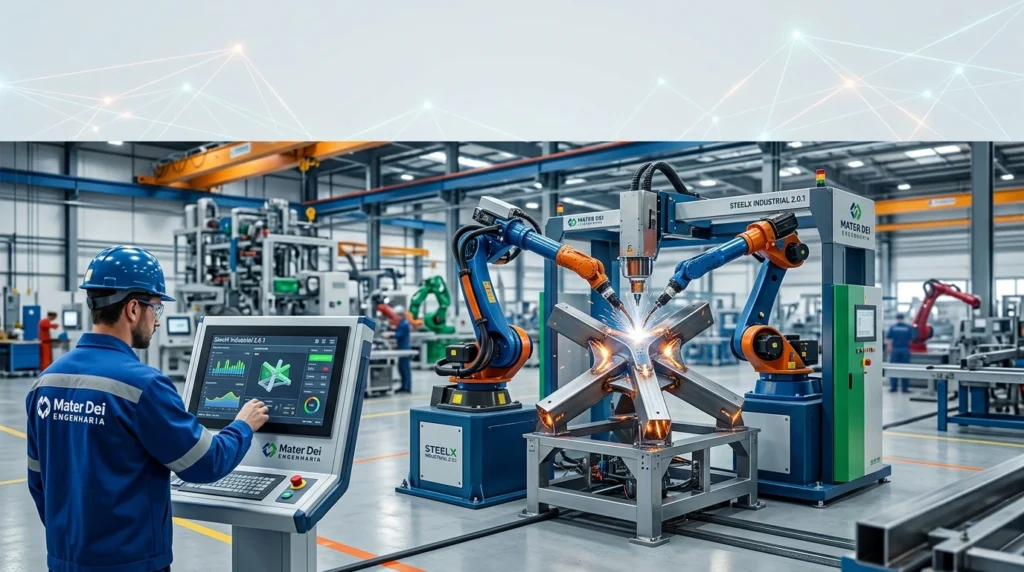
SteelX Industrial operates as a productivity bridge for structural engineers, steel detailers, and fabricators who already rely on Autodesk Advance Steel but require functionality beyond its native toolkit. The plugin integrates directly into the Advance Steel interface, running within the familiar AutoCAD-based environment while adding specialized industrial component libraries, automated detailing routines, and enhanced data-exchange capabilities.
The software is designed around the specific demands of industrial construction. Unlike general-purpose steel detailing tools, SteelX Industrial concentrates on the non-standard, repetitive, and highly customized elements that characterize process plants, heavy manufacturing facilities, and industrial frameworks. Its developer, Mater Dei Engenharia, is a Brazilian engineering company specializing in steel structure solutions, and SteelX Industrial represents their flagship software product for the international steel detailing community.
Key Features
SteelX Industrial delivers a focused set of capabilities that address the most time-consuming aspects of industrial steel detailing. The following features distinguish it from baseline Advance Steel functionality.
Advanced IFC Export with BIM Properties
The plugin provides comprehensive IFC export supporting both IFC4 and IFC2x3 formats. Exports preserve full 3D geometry, color coding by layer, and BIM properties embedded per element. Assembly grouping is maintained—beams, plates, and fasteners remain linked together—ensuring models remain fully usable in Autodesk Revit, Navisworks, and BIM 360.
Advanced Work Packaging (AWP) Integration
SteelX Industrial incorporates built-in AWP capabilities, allowing users to assign Construction Work Areas (CWA), Construction Work Packages (CWP), and Installation Work Packages (IWP) directly to model elements. These assignments carry through to IFC export, supporting project planning, scheduling, and on-site coordination in large-scale industrial projects.
Industrial Component Libraries
The plugin includes extensive libraries of company-standard and industry-standard components tailored specifically for industrial steel structures. These cover pipe racks and support structures, equipment platforms and walkways, staircases, ladders, handrail systems, and structural steel connections typical in process plants.
Automated Detailing and Documentation
Automation targets repetitive detailing tasks through intelligent connection macros for industrial assemblies, automatic numbering and part identification, accelerated generation of fabrication drawings, and Bills of Materials (BOM) production. These automations reduce manual effort and minimize human error in high-volume detailing workflows.
Custom Macros and Standards Compliance
The plugin supports custom macros that enable firms to enforce detailing standards consistently. Outputs—including drawings, BOMs, and CNC data—can be configured to comply with company or regional requirements without manual intervention.
Parametric Industrial Modeling Tools
For industrial plant frameworks, SteelX Industrial offers parametric tools covering multi-span continuous buildings, crane beams, braking trusses, crane stops, walkway supports, and batch axis-grid creation. Industrial-specific connection libraries address non-standard nodes such as rigid beam-column end plates, crane beam primary-secondary connections, truss web members, and equipment support hinges.
What’s New in SteelX Industrial 2.0.1
SteelX Industrial 2.0.1 continues the plugin’s evolution toward deeper industrial specialization and broader compatibility with the Advance Steel platform. Based on the development trajectory established in the 1.6.x series, version 2.0.1 is positioned as a stability and refinement release within the mature 2.x line.
The most consequential compatibility milestone carried into 2.0.1 is full support for Autodesk Advance Steel 2024 through 2027. This range ensures that firms on current or near-future Advance Steel releases can deploy SteelX Industrial without version conflicts. The plugin’s IFC export pipeline, including color-by-layer output and per-element BIM properties, remains a core differentiator, particularly for teams that need to move steel models into Revit, Navisworks, or BIM 360 for coordination and clash detection.
AWP functionality—assigning CWA, CWP, and IWP to model elements—continues as an integrated feature rather than a separate module, reflecting the growing adoption of Advanced Work Packaging methodologies in industrial construction management. For organizations upgrading from earlier releases, the 2.0.1 designation signals that the core feature set introduced across the 1.x series has reached a stable baseline, with refinements directed toward performance consistency and platform alignment rather than radical architectural changes.
Note on version specificity: Publicly available release notes for the exact 2.0.1 build are limited. The feature descriptions in this article reflect the documented capabilities of the SteelX Industrial product line as evidenced in version 1.6.x documentation and community resources. Readers should consult Mater Dei Engenharia directly for a definitive changelog of version 2.0.1.
System Requirements
Because SteelX Industrial is an add-on rather than a standalone application, its system requirements are tied to the host Autodesk Advance Steel installation.
| Component | Requirement |
|---|---|
| Host Application | Autodesk Advance Steel 2024, 2025, 2026, or 2027 |
| Operating System | Windows (64-bit), matching Advance Steel’s supported OS |
| Processor | As required by Advance Steel (multi-core recommended for large models) |
| RAM | Adequate for Advance Steel; 16 GB or more recommended for industrial-scale assemblies |
| Storage | Sufficient space for Advance Steel installation plus SteelX Industrial plugin files |
| Display | As per Advance Steel graphics requirements |
The plugin runs inside the AutoCAD-based Advance Steel interface, so no separate runtime environment or licensing server is needed beyond the Advance Steel installation itself. Firms should verify that their Advance Steel version falls within the 2024–2027 compatibility window before deployment.
Installation Guide
SteelX Industrial installs as an integrated plugin within an existing Advance Steel environment. While the exact installer workflow may vary by distribution channel, the general installation sequence follows the pattern typical of Advance Steel add-ons.
Pre-Installation Checklist
-
Confirm Advance Steel version. Open Advance Steel and verify the release year (2024–2027). The plugin will not function with unsupported host versions.
-
Close all Autodesk applications. Ensure Advance Steel and any related AutoCAD processes are fully terminated before beginning installation.
-
Obtain the installer from an authorized source. Mater Dei Engenharia distributes SteelX Industrial through official channels and authorized resellers. Use only legitimate, licensed copies.
-
Back up custom Advance Steel configurations. If your organization has customized tool palettes, prototypes, or standards databases, create a backup before installing any add-on.
Installation Steps
-
Run the SteelX Industrial installer and follow the on-screen prompts.
-
When prompted, select the Advance Steel installation directory or allow the installer to detect it automatically.
-
Complete the installation and restart Advance Steel.
-
After restart, verify that the SteelX Industrial ribbon tab, toolbar, or menu appears within the Advance Steel interface. If the plugin does not load, consult the installation documentation for activation or configuration steps specific to your license type.
Post-Installation Verification
Create a small test model containing an industrial component—such as a simple platform or pipe rack segment—and confirm that SteelX-specific commands, component libraries, and export options are accessible. Testing IFC export on a small assembly early in the deployment process helps identify any environment-specific configuration issues before production work begins.
How to Use SteelX Industrial
SteelX Industrial is designed to be used within existing Advance Steel workflows, not as a replacement. The following outline describes a representative usage pattern for an industrial steel detailing project.
Step 1: Model the Primary Steel Framework
Begin by modeling the main structural frame using Advance Steel’s native tools or SteelX Industrial’s parametric framework generators. For industrial buildings, parametric tools can accelerate the creation of multi-span continuous frames, crane beams, and column-base configurations.
Step 2: Populate Industrial-Specific Components
Use the SteelX Industrial component libraries to insert pipe racks, equipment supports, platforms, walkways, ladders, and handrail systems. These libraries contain preconfigured, standards-aligned components that reduce manual modeling of repetitive industrial elements.
Step 3: Apply Intelligent Connections
Deploy the plugin’s connection macros to generate industrial-specific nodes—rigid beam-column end plates, crane beam connections, truss web member joints, and equipment support hinges. Connection parameters can be synchronized across similar members in batch, reducing per-node manual adjustment.
Step 4: Assign AWP Data (When Applicable)
For projects using Advanced Work Packaging methodologies, assign CWA, CWP, and IWP tags to model elements. This metadata is preserved through IFC export and supports downstream planning and field coordination.
Step 5: Generate Drawings, BOMs, and CNC Data
Use SteelX Industrial’s automated detailing routines to produce fabrication drawings, Bills of Materials, and CNC cutting files. Custom macros can enforce company or regional standards across outputs, reducing manual review cycles.
Step 6: Export for BIM Coordination
Execute IFC export in IFC4 or IFC2x3 format, preserving geometry, color coding, BIM properties, and assembly groupings. Import the resulting file into Revit, Navisworks, or BIM 360 for multidisciplinary coordination and clash detection.
Best Use Cases
SteelX Industrial is purpose-built for scenarios where general-purpose steel detailing tools leave gaps. The following use cases represent the plugin’s strongest fit.
Industrial Plant Construction
Process plants, manufacturing facilities, and heavy industrial buildings contain extensive non-standard steel elements—equipment supports, pipe bridges, access platforms—that fall outside the scope of standard structural framing libraries. SteelX Industrial’s component libraries and parametric tools directly address these requirements.
Pipe Rack and Equipment Support Detailing
Pipe racks and equipment supports require repetitive but varied connection details, often governed by process and mechanical constraints rather than pure structural logic. The plugin’s industrial connection libraries and automated detailing routines reduce the manual burden of documenting these elements.
Platform, Walkway, Ladder, and Handrail Systems
These secondary steel elements are labor-intensive to detail individually. SteelX Industrial provides integrated generation and adaptation tools, including self-adjusting handrail segments that accommodate corners, openings, and equipment clearances.
Projects Requiring AWP-Driven Data
Owners and contractors adopting Advanced Work Packaging need steel model data tagged with CWA, CWP, and IWP assignments. SteelX Industrial’s native AWP integration eliminates the need for separate data-enrichment workflows before IFC export.
Firms Retaining Advance Steel After Maintenance Mode
Organizations that have standardized on Advance Steel and do not plan to migrate to another steel detailing platform can use SteelX Industrial to extend the platform’s useful life. The plugin adds capabilities that Autodesk is no longer developing, protecting existing software investments.
Advantages and Limitations
Advantages
-
Deep industrial specialization. The plugin targets industrial structures—pipe racks, equipment supports, platforms, ladders—rather than attempting to serve all steel detailing markets. This focus yields component libraries and automation routines that general-purpose tools cannot match.
-
Extends a maintained platform. For firms committed to Advance Steel, SteelX Industrial adds modern BIM and AWP functionality without requiring a platform migration.
-
Assembly-level IFC fidelity. The export pipeline preserves assembly groupings—beams, plates, and fasteners linked together—which simplifies coordination in Revit and Navisworks.
-
Standards enforcement through macros. Custom macros help firms produce consistent drawings, BOMs, and CNC data that comply with company or regional detailing standards.
-
Broad host compatibility. Support for Advance Steel 2024 through 2027 gives organizations flexibility in upgrade timing.
Limitations
-
Dependent on Advance Steel. SteelX Industrial is not a standalone application. Its value is entirely contingent on an active Advance Steel installation, and its feature set is bounded by what the host platform exposes.
-
Narrower community and third-party ecosystem. As a specialized add-on from a regional developer, SteelX Industrial has a smaller public knowledge base—tutorials, forums, and troubleshooting resources—compared with larger international steel detailing platforms.
-
Limited public documentation on version 2.0.1 specifics. Release notes for the exact 2.0.1 build are not widely published, which can complicate upgrade planning for detail-oriented IT and engineering teams.
-
Industrial-only scope. Firms working primarily on conventional building structures, bridges, or miscellaneous metals may find the plugin’s component libraries and automation less relevant to their day-to-day workflows.
Alternatives to SteelX Industrial
Teams evaluating SteelX Industrial may also consider the following tools, depending on their host platform, scope, and geographic standards requirements.
Graitec PowerPack for Advance Steel
PowerPack is a well-established productivity add-on for Advance Steel, offering connection generators, drawing automation, and workflow enhancements. It competes in the broader Advance Steel add-on market and may appeal to firms seeking a larger international support ecosystem.
SolidSteel parametric for Autodesk Inventor
For organizations using Inventor as their primary design platform, SolidSteel parametric provides an integrated steel design solution covering profiles, connections, stairs, Bills of Materials, and manufacturing data. It serves plant construction and mechanical engineering contexts but operates within Inventor rather than Advance Steel.
ConSteel
ConSteel is a structural analysis and design application for steel and composite structures, with links to Tekla Structures and StruCad. It addresses analysis and design checking rather than detailing automation, making it complementary rather than directly competitive in all cases.
Advance Steel Native Tools (Baseline)
For firms with limited industrial-specific requirements, native Advance Steel remains a viable baseline. SteelX Industrial is most compelling when industrial component libraries, AWP integration, or enhanced IFC export fidelity are operational necessities rather than conveniences.
Frequently Asked Questions
What is Mater Dei Engenharia SteelX Industrial 2.0.1?
It is a third-party add-on for Autodesk Advance Steel, developed by Brazilian engineering company Mater Dei Engenharia. The plugin extends Advance Steel for industrial steel structures, adding component libraries, automated detailing, AWP integration, and enhanced IFC export capabilities.
Which versions of Autodesk Advance Steel are compatible with SteelX Industrial?
SteelX Industrial is documented as compatible with Autodesk Advance Steel 2024 through 2027. Users should confirm exact version compatibility before installation, as add-on support can vary by point release.
Does SteelX Industrial work as a standalone steel detailing application?
No. SteelX Industrial is a plugin that runs inside the Advance Steel environment. It requires an existing Advance Steel installation and does not function independently.
Can SteelX Industrial export models to Revit and Navisworks?
Yes. The plugin’s IFC export supports IFC4 and IFC2x3 formats, preserving 3D geometry, color coding, BIM properties, and assembly groupings. Exported models are intended for use in Revit, Navisworks, and BIM 360.
What is Advanced Work Packaging (AWP), and how does SteelX Industrial support it?
AWP is a project management methodology used in industrial construction. SteelX Industrial allows users to assign CWA, CWP, and IWP tags to model elements, and these assignments carry through to IFC export for planning and field coordination.
What types of industrial structures is SteelX Industrial designed for?
The plugin targets industrial plants, pipe racks, equipment supports, platforms, walkways, ladders, handrails, and structural steel commonly used in process plants.
Is SteelX Industrial a replacement for Autodesk Advance Steel?
No. It is an extension, not a replacement. SteelX Industrial adds capabilities that Advance Steel does not natively provide, particularly for industrial-specific detailing and BIM data workflows. Advance Steel remains the host modeling and detailing platform.
Where can I obtain a licensed copy of SteelX Industrial?
Licensed copies should be obtained through Mater Dei Engenharia or its authorized distribution channels. Avoid unofficial sources; using unlicensed or modified software carries legal, security, and data-integrity risks.
Final Thoughts
Mater Dei Engenharia SteelX Industrial 2.0.1 addresses a well-defined gap in the steel detailing software market: the space between general-purpose Advance Steel functionality and the specialized demands of industrial construction. Its component libraries, AWP integration, and assembly-aware IFC export are substantive differentiators for firms working on pipe racks, equipment supports, and process-plant steel—projects where standard structural detailing workflows often require extensive manual workarounds.
The plugin is not a universal solution. Organizations outside the industrial sector, or those without an Advance Steel installation, will find limited relevance. But for the specific audience it targets—industrial steel detailers, engineering firms, and fabrication teams committed to the Advance Steel ecosystem—SteelX Industrial 2.0.1 represents a practical, focused productivity layer that extends the platform’s usefulness at a time when Autodesk’s own development has slowed.
Firms considering adoption should verify version compatibility with their exact Advance Steel release, request a definitive 2.0.1 changelog from the developer, and evaluate the plugin against their specific industrial project mix. When those checks align, SteelX Industrial offers a credible path to more efficient industrial steel detailing without abandoning a familiar modeling environment.
Our Paid Service
“We do not sell or provide any software. We only offer professional support services. If any software on your system is not working properly, or you are facing installation errors, crashes, or any other technical issue — just contact us. We will help you fix the problem quickly and remotely via AnyDesk. No software will be provided from our side — only expert troubleshooting and support.”