
Overview of Zixi Broadcaster
Table of Contents
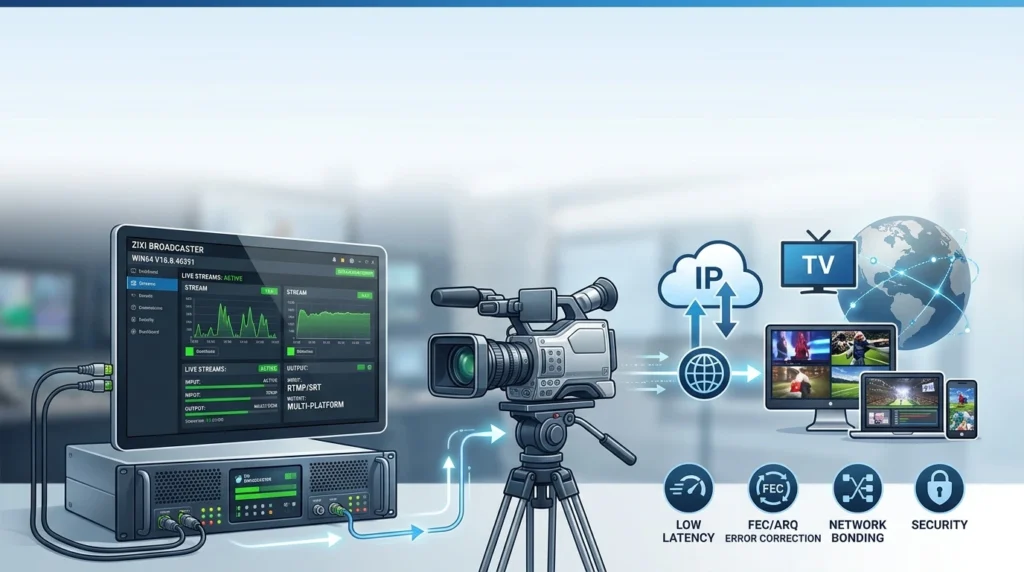
Zixi Broadcaster is best described as a universal media gateway. It accepts live video from multiple contribution protocols, normalizes the stream through error correction and in-flight processing, and delivers it to downstream targets with mission-critical reliability. The platform supports more than 14 industry protocols and is designed to operate on-premises, in public or private cloud, or in hybrid environments.
The software is part of a broader ecosystem anchored by the Zixi protocol—a proprietary transport mechanism that combines forward error correction (FEC), automatic repeat request (ARQ), and hitless failover to maintain stream integrity across lossy networks. For Windows operators, Broadcaster Win64 provides the same gateway functionality as the Linux build, with a native installer and a browser-based management interface.
Key Features
Zixi Broadcaster’s feature set is oriented toward professional broadcast contribution, distribution, and workflow orchestration.
Protocol Interoperability and Stream Normalization
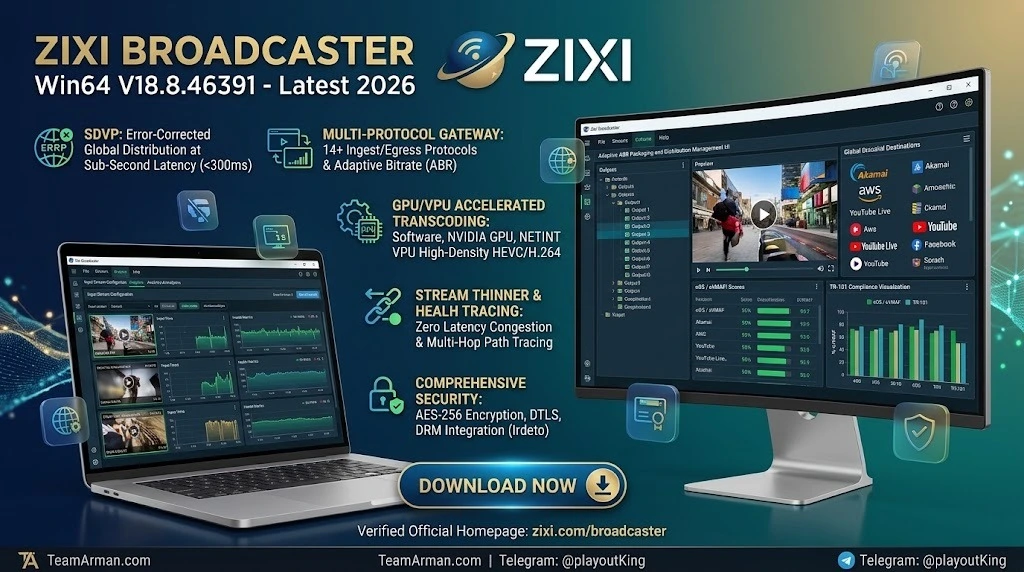
Broadcaster ingests and outputs across a wide protocol matrix, including the Zixi protocol, SRT, RIST, RTMP, HLS, and MPEG-TS. It performs protocol conversion and PID mapping, allowing a stream delivered via one transport to be re-published over another without external middleware. Stream normalization capabilities—such as CBR conversion, PAT/PMT repetition adjustment, and error concealment—help ensure consistent output quality regardless of input inconsistencies.
Live Transcoding and Adaptive Bitrate
The gateway includes live transcoding for creating multiple bitrate renditions from a single input, supporting MPEG-2, H.264/AVC, and H.265/HEVC decoding and encoding. Adaptive bitrate outputs can be generated for HLS distribution, and Broadcaster can pull adaptive playlists to switch between bitrates automatically. Version 18 expanded transcoding acceleration through NETINT Quadra VPU support and improved recognition of NVIDIA Ada GPUs.
Reliability and In-Flight Processing
Broadcaster’s reliability layer includes hitless failover groups, stream thinning for congested links, and upstream protocol metadata that records health statistics at each transport stage. The Stream Thinner feature reduces bitrate on congested Zixi-protocol outputs by selectively dropping P- and B-frames while preserving audio and metadata synchronization—without invoking the transcoder. SCTE-35 ad-insertion signaling and ESNI integration enable precise, condition-based feed switching for live events.
Security and Content Protection
Input streams can be encrypted with AES-128/192/256, and Broadcaster integrates with Irdeto DRM for HLS adaptive stream encryption using Fairplay and Widevine. Billing codes can be applied to sources, targets, and transcoded streams to track and differentiate traffic for commercial purposes.
What’s New in V18.8.46391
The v18.8.46391 build is a maintenance release within the Broadcaster v18 line, focused on targeted improvements rather than architectural changes. Two changes define this version:
-
Display Aspect Ratio adjustment in transcoding. Broadcaster can now preserve a source’s screen resolution while changing the display aspect ratio from 4:3 to 16:9. The scaler filter is applied when the encode width or profile width differs from the source width, enabling correct presentation of legacy SD content in modern widescreen workflows.
-
Custom positioning for WebVTT captions. Operators can specify the on-screen position of WebVTT captions delivered through Broadcaster, offering greater control over caption placement for downstream compliance and viewer experience.
These refinements sit on top of the broader v18 platform foundation, which introduced upstream protocol metadata, NETINT transcoding acceleration, SRT library v1.5.4, and enhanced SCTE-35 handling for HLS inputs.
System Requirements (Windows)
Zixi Broadcaster Win64 runs on 64-bit Windows environments, though the installer also accommodates 32-bit deployments. Zixi’s documentation specifies the following baseline for Windows:
| Component | Minimum / Recommended |
|---|---|
| CPU | Intel Pentium G5400 dual-core, Celeron J3160 quad-core, i3/i5/i7 dual-core, Xeon quad-core or above (Westmere+); AMD Ryzen or EPYC quad-core or above |
| RAM | 4 GB minimum |
| Network | 1 Gigabit network card (minimum) |
| Operating System | Windows Server 2016/2019 (32- or 64-bit); Windows 10/11 (32- or 64-bit) |
Source: Zixi documentation
Important Windows-specific notes. Zixi recommends Linux for workflows requiring high availability. If Windows is a hard requirement, Windows Server OS is preferred for 24/7 operation, and desktop Windows installations should have automatic updates disabled and background service priority preferred. Several features are not supported on Windows: WebRTC preview and WebRTC input, ARM/AWS Graviton processors, AgentZ telemetry and statistics collection for ZEN Master, Trace Route network path analysis, and the High Performance Network Stack.
Firewall configuration must permit TCP port 4444 for the Broadcaster GUI, port 22 for SSH remote tunnel if enabled, and the relevant streaming ports defined in Zixi’s Network Port Settings.
Installation Guide
Zixi Broadcaster is distributed through the Zixi Customer Portal, not through public download mirrors. Installation requires a valid license and portal credentials.
Step-by-Step Windows Installation
-
Download the installer. Log in to the Zixi Customer Portal, navigate to Software, select Zixi Broadcaster, and choose the Windows download for v18.8.46391.
-
Run as Administrator. Right-click the installation file and select Run as Administrator. The License Agreement window appears.
-
Accept the license and choose install location. After agreeing, select the folder for Broadcaster files. The default is the Zixi folder within Program Files.
-
Assign a Broadcaster ID. Enter a name for the Broadcaster/ZEC ID. The default name is the local host.
-
Complete installation and configure ports. Click Install. Before or immediately after completion, open the required ports in Windows Firewall (or any third-party firewall) according to Zixi’s Network Port Settings documentation.
-
Log in and activate. The Broadcaster login page opens in the browser. Use the default credentials admin / 1234 for the initial login, then proceed to license activation.
How to Use the Software
Broadcaster’s workflow centers on three objects: inputs, outputs, and failover groups. The browser-based UI exposes each through dedicated tabs.
Adding an Input Stream
From the Broadcaster navigation menu, open the Inputs tab and click New Input. Enter a Stream ID that exactly matches the stream name configured on the contributing encoder (the match is case-sensitive). Select the protocol (RTSP, RTMP, UDP, SRT, or Zixi protocol), set the maximum concurrent outputs, and configure stream parameters such as video and audio UDP ports, latency, and time-shift recording if needed. Encryption can be enabled at the input level with AES-128/192/256, and the generated key must be shared with the receiving party.
Creating Outputs and Distribution Targets
Once an input is live, create outputs from the Outputs tab. Broadcaster supports push and pull models across Zixi protocol, SRT, RTMP, HLS, and MPEG-TS. For HLS outputs, adaptive bitrate renditions can be generated through the transcoder. For platforms such as YouTube, create an RTMP output using the destination’s stream URL and stream key. SCTE-35 signaling can be injected for ad insertion, and ESNI integration allows conditional feed switching during live events.
Monitoring and Failover
The Matrix view provides a consolidated status of all active streams. Failover groups can be configured to switch between primary and backup sources automatically; v18 improvements include memory-use and overflow statistics for no-merge failover groups. The TR-101 analyzer offers transport-stream health visibility, including CC errors, PID mapping, and DAR/display resolution exposure.
Best Use Cases
Zixi Broadcaster is engineered for workflows where delivery reliability and latency control carry operational or contractual weight.
Live Sports Contribution and Distribution
Sports broadcasting is Broadcaster’s most established use case. The platform delivers ultra-low-latency feeds for live events, with hitless failover and stream thinning maintaining continuity through network fluctuations. ESNI integration enables real-time switching between feeds based on pre-set conditions—for example, automatically falling back to a backup source or substituting a localized feed during a live match. NHRA, the drag-racing sanctioning body, selected Zixi specifically for ultra-low-latency delivery to its distribution partner.
Satellite Replacement and Primary Contribution
Broadcaster allows broadcasters and sports entities to reduce dependency on satellite by moving contribution workflows onto IP networks. Zixi positions this as a “satellite transition” path, retaining broadcast-grade reliability while improving scalability and operational flexibility. National TV distributors use Broadcaster to centralize content from many stations and deliver normalized 4K/HDR feeds to cable operators and vMVPDs.
B2B Distribution and Partner Delivery
The gateway’s protocol conversion and trust-boundary features simplify onboarding of distribution partners. A single normalized input can be republished to multiple downstream destinations across different protocols, reducing the operational overhead of maintaining separate encode chains for each affiliate or platform.
Advantages and Limitations
Advantages
-
Proven reliability at tier-1 scale. The Zixi protocol’s combination of ARQ, dynamic FEC, and hitless failover has been hardened on high-stakes live events, and Broadcaster inherits that transport resilience.
-
Deep protocol interoperability. Support for 14+ protocols and built-in protocol conversion reduces the need for external gateways in mixed-technology environments.
-
Managed-network option. ZEN Master provides orchestration, multi-site monitoring, and SLA-backed delivery across regions—a differentiator when contractual uptime is required.
-
Transcoding flexibility. Live transcoding, adaptive bitrate generation, and hardware acceleration via NETINT and NVIDIA GPUs give operators control over output ladder design.
Limitations
-
Opaque, contract-based pricing. Zixi does not publish list pricing for Broadcaster. Commercial terms are negotiated per contract, with usage-based overages and AWS infrastructure costs layered on top in cloud deployments. This makes cost predictability difficult for smaller operators or greenfield projects.
-
Windows feature gaps. WebRTC preview, WebRTC input, AgentZ telemetry, and the High Performance Network Stack are unavailable on Windows, and Zixi explicitly recommends Linux for high-availability workflows.
-
Proprietary protocol lock-in. While Broadcaster interoperates with SRT and RIST, the full reliability and orchestration feature set is tied to the Zixi protocol and ZEN ecosystem. New deployments increasingly evaluate open alternatives for cost and flexibility.
-
Operational complexity. The breadth of input parameters, failover configurations, and billing-code logic assumes a broadcast operations skill set; it is not a plug-and-play solution for casual streaming.
Alternatives to Zixi Broadcaster
Broadcaster competes in a market segmented by deployment philosophy and commercial model.
Wowza Streaming Engine
Wowza is the most frequently compared alternative. In a direct user comparison, Zixi maintained flawless low-latency streams during a major hockey game despite network fluctuations, while Wowza exhibited buffering issues; however, Wowza was noted for greater flexibility in workflow customization. Wowza also offers broad format and protocol support, and its SRT implementation is built into the engine. The choice often comes down to whether transport resilience (Zixi) or workflow customization breadth (Wowza) is the higher priority.
SRT Cloud
SRT Cloud positions itself as a deliberately narrow, cloud-native alternative for SRT distribution. It accepts one SRT input and produces bit-exact copies to multiple takers without transcoding or re-encoding, with a published per-output price starting at €37.50. SRT Cloud is a fit for simple SRT fan-out distribution; Zixi remains the stronger choice for managed-network SLAs, multi-protocol normalization, and mission-critical tier-1 delivery.
Zixi Edge Compute (ZEC)
ZEC is Zixi’s own lighter-weight edge counterpart to Broadcaster. It shares the same installer and executable code but lacks Broadcaster-level control features such as event switching, scheduling, and ESAM/ESNI automation. ZEC is available at no fee for use with Zixi Broadcasters or AWS MediaConnect. Organizations that need full gateway orchestration should use Broadcaster; distributed edge ingest may be better served by ZEC.
Frequently Asked Questions
What is Zixi Broadcaster used for?
Zixi Broadcaster is used to transport live broadcast-quality video over IP networks. It is primarily deployed for sports and news contribution, live event production, B2B distribution, and satellite replacement workflows, ingesting streams from field encoders and delivering them to distribution partners, OTT platforms, or downstream broadcast infrastructure.
Is Zixi Broadcaster free?
No. Zixi Broadcaster is commercial software licensed through Zixi LLC. Pricing is contract-based and not publicly listed; AWS Marketplace deployments involve a vendor contract plus separate AWS infrastructure costs. Zixi Edge Compute is available at no fee when used with a licensed Broadcaster or AWS MediaConnect, but it is not a replacement for Broadcaster’s full feature set.
What are the Windows system requirements for Broadcaster V18.8.46391?
Zixi specifies a quad-core Xeon or AMD Ryzen/EPYC CPU or above, 4 GB of RAM minimum, a 1 Gigabit network card, and Windows Server 2016/2019 or Windows 10/11 (32- or 64-bit). Windows Server is preferred for 24/7 operation, and Zixi recommends Linux for high-availability workflows.
Does Zixi Broadcaster support SRT and RIST?
Yes. Broadcaster supports SRT and RIST alongside the native Zixi protocol, RTMP, HLS, and MPEG-TS. It can convert between these protocols and apply stream normalization to ensure consistent output. The v18 line updated the SRT library to v1.5.4 and added RIST dejittering by arrival time or RTP timestamp.
What is new in version 18.8.46391?
The v18.8.46391 release adds transcoding support for preserving screen resolution while changing the display aspect ratio from 4:3 to 16:9, and introduces custom positioning for WebVTT captions. It is a targeted maintenance release within the broader v18 platform line.
Can Zixi Broadcaster replace satellite contribution?
It can for many workflows. Broadcaster is explicitly positioned for satellite transition, enabling contribution and distribution over IP with reliability features—FEC, ARQ, hitless failover—designed to match broadcast-grade expectations. It is not a one-for-one satellite replacement in every topology, but it is a proven alternative for organizations seeking to reduce satellite dependency while improving scalability.
How does Zixi Broadcaster compare to Wowza for live sports?
User reports suggest Zixi holds latency and stream stability more consistently under adverse network conditions, while Wowza offers more flexibility for custom workflow design. Zixi is more specialized for low-latency, mission-critical contribution; Wowza is often chosen when format breadth and workflow tailoring are the primary requirements.
What ports must be open on Windows for Broadcaster?
The Broadcaster GUI uses TCP 4444. SSH remote tunnel, if enabled, uses port 22 outbound. Streaming ports depend on the protocols and services configured and are documented in Zixi’s Network Port Settings guide. Firewall rules must be adjusted before streaming can function.
Final Thoughts
Zixi Broadcaster Win64 V18.8.46391 is a mature, narrowly focused tool for a demanding job: moving live broadcast video over IP with the reliability and latency control that tier-1 operations require. The v18.8.46391 build does not reinvent the gateway—it sharpens transcoding and caption handling—but the underlying platform’s strengths remain protocol interoperability, hitless failover, and the operational assurance of the ZEN ecosystem.
The software is not a fit for every streaming scenario. Its contract-based pricing, proprietary protocol foundation, and Windows feature exclusions make it a poor match for casual broadcasters, cost-sensitive startups, or greenfield deployments that can meet their requirements with open protocols. For organizations already operating in the broadcast contribution space—sports rights holders, news gatherers, distributors managing partner ecosystems—Broadcaster’s value proposition is clear: replace inflexible satellite and fiber links with a software-defined gateway that treats delivery reliability as a first-class engineering problem. Evaluate it against Wowza for customization flexibility, SRT Cloud for simple SRT fan-out, and ZEC for edge-only deployments, but do not mistake those tools for drop-in equivalents. Broadcaster earns its place when the feed absolutely has to stay on air.
Our Paid Service
“We do not sell or provide any software. We only offer professional support services. If any software on your system is not working properly, or you are facing installation errors, crashes, or any other technical issue — just contact us. We will help you fix the problem quickly and remotely via AnyDesk. No software will be provided from our side — only expert troubleshooting and support.”