

Overview of WaManager
Table of Contents
WaManager exists in two primary forms in the current software landscape: a Chrome extension–based CRM (often called WA Manager Lite) and a cloud-based customer engagement platform (WAManager.io). The v1.0.0.1 release referenced in this article aligns most closely with the desktop/extension-assisted workflow that lets users manage client lists, import contacts via CSV, and send personalized messages from a browser interface.
The core value proposition is simple: instead of juggling spreadsheets, WhatsApp Web, and a separate CRM, WaManager brings client profiles, tags, campaign history, and message previews into one sidebar or dashboard. This reduces tab-switching and helps small businesses maintain a consistent outreach rhythm without needing enterprise-level infrastructure.
For organizations that require official WhatsApp Business API access, the broader WAManager.io platform and WABA Manager provide more advanced capabilities, including shared team inboxes, Meta-approved message templates, and AI-assisted replies. WaManager v1.0.0.1 is best understood as a lighter, locally oriented tool for teams that are not yet ready for full API onboarding.
Key Features
WaManager v1.0.0.1 includes a focused set of features aimed at practical, day-to-day WhatsApp marketing and contact organization.
1. Client CRM Alongside WhatsApp Web
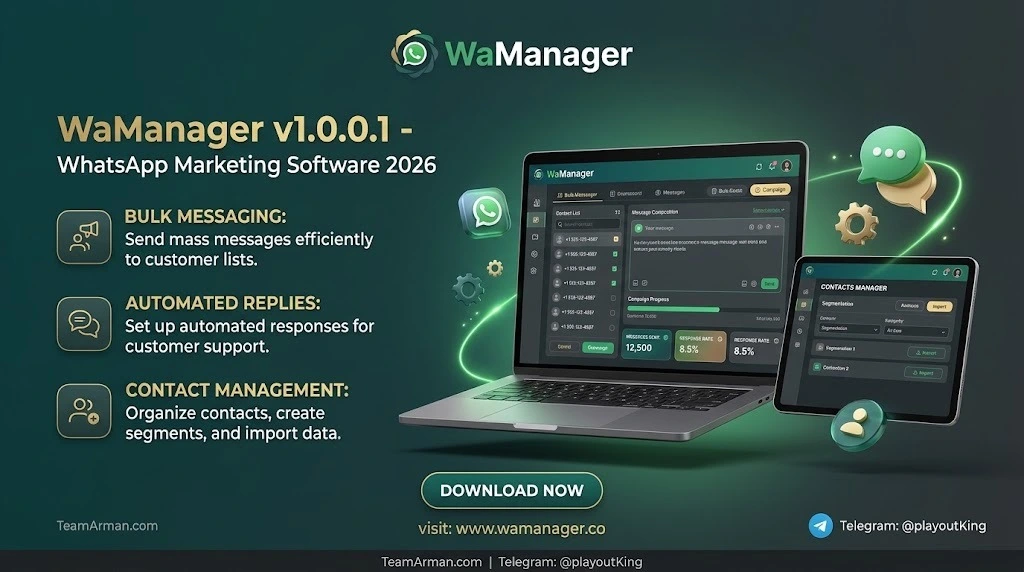
The software overlays a client relationship management panel directly next to the WhatsApp Web interface. You can view detailed client profiles, add custom fields, and assign statuses or tabs without leaving the chat screen. This is especially useful for freelancers and small sales teams who live inside WhatsApp Web for most of the day.
2. Personalized Bulk Messaging with Preview
Users can prepare personalized bulk messages using contact variables and preview them before sending. The tool supports campaign progress tracking and history, so you can review what was sent and when. This is different from raw “blast” tools because the emphasis is on organized, reviewable outreach rather than uncontrolled volume.
3. CSV Contact Import and Export
Contact management is central to WaManager. The software supports CSV import and export, making it easy to move lists between spreadsheets and the CRM. You can also back up and restore data via JSON, which adds a layer of portability. For teams that already maintain prospect lists in Excel or Google Sheets, this feature removes manual re-entry.
4. Campaign History and Progress Tracking
Every campaign can be reviewed in a history log. This helps marketers compare response patterns over time and avoid repeating the same message to the same segment. While it does not replace a full analytics suite, the history view is sufficient for small-batch outreach.
5. Contact Extraction and Group Management (Extension Variant)
Some WA Manager builds include contact extraction from WhatsApp groups, link validation, and export to Excel, CSV, JSON, or vCard. These features are designed for local, on-device processing, meaning contact data stays in the browser rather than being uploaded to a third-party server. This local-first approach is a meaningful privacy advantage for privacy-conscious users.
6. Auto-Reply and Scheduling (Legacy Free Version)
Older free versions of WA Manager advertised automatic replies, message scheduling, and to-do lists. While the v1.0.0.1 release may not include every legacy feature, the scheduling and auto-reply concept remains relevant for users who need basic responsiveness outside working hours.
What’s New in Version 1.0.0.1
Version 1.0.0.1 represents an incremental update rather than a complete rebuild. Based on available release patterns, the update focuses on stability, compatibility with current WhatsApp Web layouts, and improved CRM field handling. Users upgrading from earlier builds can expect smoother CSV imports and more reliable campaign history retention.
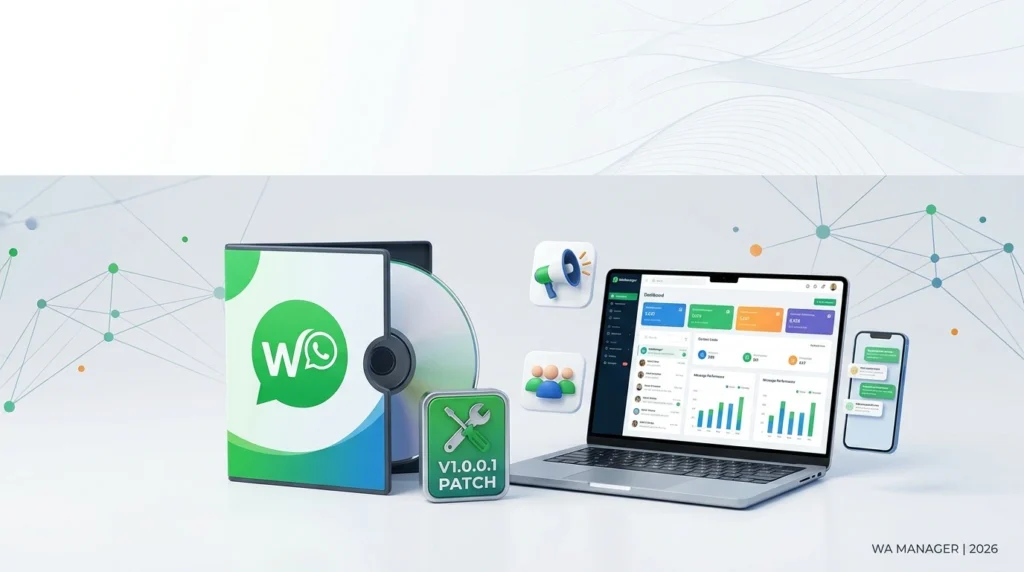
Importantly, no legitimate version of WaManager includes or requires a “patch” file. Any installer labeled with “patch,” “keygen,” or “crack” should be treated as untrusted and potentially malicious. The official distribution channels—Chrome Web Store for the Lite extension and the vendor’s official website for desktop builds—are the only safe sources.
If you are currently using an older version, the recommended upgrade path is to export your contacts and campaign data first, then install the official v1.0.0.1 release and re-import your CSV or JSON backup.
System Requirements
WaManager is designed to be lightweight, but the requirements differ slightly depending on whether you use the Chrome extension or a desktop installer.
For the Chrome Extension (WA Manager Lite)
-
Operating System: Windows 10/11, macOS 10.14+, or a modern Linux distribution
-
Browser: Google Chrome (latest stable version recommended)
-
Internet Connection: Required for WhatsApp Web access
-
WhatsApp Account: An active WhatsApp or WhatsApp Business account
-
Storage: Minimal (under 100 MB for extension data)
-
Memory: 4 GB RAM or higher for smooth multitasking with WhatsApp Web
For Desktop Installer Builds
-
Operating System: Windows 10 or Windows 11 (64-bit recommended)
-
Processor: Intel Core i3 or equivalent
-
RAM: 4 GB minimum, 8 GB recommended
-
Storage: 200 MB free disk space for installation and local data
-
Network: Stable broadband connection
-
Permissions: Administrator rights may be required during installation
Note: Desktop versions of WhatsApp marketing tools should never be installed from third-party download portals that bundle “patches” or “activators.” Always verify the digital signature and source before running an installer.
Installation Guide (Official, Safe Method)
The following steps describe a compliant installation using the official distribution channels.
-
Choose your edition. Decide whether you need the Chrome extension (lighter, browser-based) or the desktop installer (standalone).
-
Download from the official source. For the extension, use the Chrome Web Store listing. For the desktop build, use the vendor’s official website.
-
Close WhatsApp Web tabs. Before installing, close any open WhatsApp Web sessions to avoid sync conflicts.
-
Run the installer (desktop only). If Windows SmartScreen appears, verify the publisher name and proceed only if the signature matches the official vendor.
-
Grant necessary permissions. The extension will request permission to read and modify data on
web.whatsapp.com. Review the permissions and approve them. -
Log in to WhatsApp Web. Scan the QR code as you normally would.
-
Import your contacts. Use the CSV import option to load your client list. Map the required fields (name, phone number with country code, optional email).
-
Verify data integrity. Check a sample of imported contacts and run a small test campaign with a preview before sending to a larger segment.
Do not use “patch” files, modified installers, or activation bypass tools at any step. These are not part of the legitimate installation process and can expose your system to malware or account bans.
How to Use WaManager for WhatsApp Marketing
Once installed and connected to WhatsApp Web, WaManager becomes an organizational layer over your existing chats. Here is a practical workflow for a small marketing team.
Step 1: Build and Segment Your Contact List
Import contacts via CSV or add them manually inside the CRM panel. Use custom fields and tags to segment your audience—for example, “lead,” “customer,” “VIP,” or “event attendee.” Segmentation is critical for sending relevant messages rather than generic blasts.
Step 2: Draft a Personalized Message Template
Create a message with placeholders such as {first_name} or {company}. Use the preview function to see how the message will appear for a sample contact. This step helps catch formatting errors and ensures personalization tokens are correctly mapped.
Step 3: Schedule or Send in Controlled Batches
Instead of sending to your entire list at once, use scheduled sending or batch pacing. For example, send to 50 contacts in the morning and 50 in the afternoon. This mimics natural human behavior and reduces the risk of triggering WhatsApp’s spam detection systems.
Step 4: Track Campaign History
After sending, review the campaign history to see which contacts were processed. Use this data to avoid duplicate outreach and to plan follow-up messages for non-responders.
Step 5: Move Replies into Your CRM
When contacts reply, use the CRM panel to update their status, add notes, and schedule follow-ups. This creates a closed-loop workflow between outreach and relationship management.
Compliance Reminder: WhatsApp’s policies require explicit opt-in before sending marketing messages. Sending unsolicited bulk messages—even through a legitimate CRM interface—can lead to number quality drops, messaging limits, or account suspension.
Best Use Cases
WaManager v1.0.0.1 is not a one-size-fits-all platform. It delivers the most value in the following scenarios.
1. Solo Entrepreneurs and Freelancers
If you manage 200–1,000 client contacts and rely on WhatsApp for sales or support, the browser-side CRM eliminates the need for a separate helpdesk. You can tag leads, schedule follow-ups, and send personalized check-ins without leaving WhatsApp Web.
2. Small Local Businesses (Clinics, Salons, Retail)
Appointment reminders, seasonal offers, and feedback requests are natural fits. The CSV import makes it easy to load a customer list from a POS system or spreadsheet, and the campaign history helps track which promotions were sent to which segment.
3. Community Managers and Group Administrators
The contact extraction and group-link validation features (available in some builds) help administrators export member lists, validate invite links, and organize group outreach without manually copying data. This is useful for event organizers and membership-based communities.
4. Sales Teams Testing WhatsApp as a Channel
Before investing in a full WhatsApp Business API solution, a small sales team can use WaManager to test messaging sequences, measure response rates, and refine templates. Once the workflow is validated, the team can migrate to an API-based platform with shared inboxes and Meta-approved templates.
Advantages and Limitations
Advantages
-
Lightweight and fast: The extension-based version requires no heavy installation and runs inside Chrome.
-
Local data processing: Contact extraction and CRM data can remain on the user’s device, reducing third-party data exposure.
-
Practical CRM overlay: Client profiles and custom fields sit directly beside WhatsApp Web, reducing context-switching.
-
CSV/JSON portability: Easy import, export, and backup of contact data.
-
Campaign history: Basic but useful tracking for small-batch outreach.
Limitations
-
Not a full WhatsApp Business API solution: It does not provide official Meta-approved templates, shared team inboxes, or enterprise-grade delivery analytics.
-
Compliance responsibility rests with the user: WaManager does not automatically enforce opt-in requirements or messaging limits. Users must implement their own consent management.
-
Limited scalability: For lists above a few thousand contacts or for multi-agent teams, a dedicated API platform (such as WAManager.io or WABA Manager) is more appropriate.
-
Feature variability across builds: Different versions and distribution channels may offer different feature sets, so users should verify the exact capabilities before relying on a specific build.
-
Risk of untrusted third-party downloads: Because “patch” and “crack” versions circulate online, users must be vigilant about downloading only from official sources.
Alternatives to WaManager
If WaManager does not meet your compliance, scale, or team-collaboration needs, the following legitimate WhatsApp marketing platforms are worth evaluating in 2026.
1. WAManager.io
A cloud-based AI customer engagement platform with a shared team inbox, CRM context, multi-agent routing, and WhatsApp Business API connectivity. It supports dual-session operation with the WhatsApp Business App and is designed for growing teams that need structured ownership of conversations.
2. WABA Manager
An all-in-one WhatsApp Business API platform focused on bulk campaign management, automation, AI reply assistants, and contact segmentation. It requires a Meta Business account and business verification, making it suitable for organizations prepared for official API onboarding.
3. Wati
A popular SMB-focused WhatsApp marketing tool with broadcast campaigns, automated replies, team inbox, and quick onboarding. It is often cited as a practical entry point for small and midsize businesses that want API-level compliance without a complex setup.
4. respond.io
A multi-channel conversation platform with compliant WhatsApp broadcasting, automation, and multi-agent reply management. It is positioned for mid-market B2C teams that need to handle large broadcast volumes and follow up on replies at scale.
5. Twilio (WhatsApp Business API)
A developer-first communication API that supports WhatsApp messaging with full programmatic control. It is best suited for engineering teams that want to build custom integrations rather than use a ready-made marketing dashboard.
Selection Tip: If you need official Meta-approved templates, shared team access, and delivery analytics, choose an API-based platform. If you only need a lightweight CRM beside WhatsApp Web for a small contact list, WaManager or a similar extension may be sufficient.
Frequently Asked Questions
Is WaManager v1.0.0.1 free to use?
The Chrome extension version (WA Manager Lite) has historically been available as a free client CRM and messaging companion. Desktop or advanced builds may require a paid license. Always check the official vendor page for current pricing.
Does WaManager work with the official WhatsApp Business API?
The lightweight WaManager extension operates alongside WhatsApp Web and does not directly connect to the official Business API. For API-level features such as Meta-approved templates and shared inboxes, you need a platform like WAManager.io or WABA Manager.
Is it safe to download “WaManager Patch” files from third-party sites?
No. Files labeled “patch,” “crack,” or “keygen” are unauthorized modifications and are not distributed by the legitimate vendor. They can contain malware, compromise your WhatsApp account, and violate software licensing terms. Use only official distribution channels.
Can WaManager get my WhatsApp number banned?
Any tool that sends messages through WhatsApp can contribute to account restrictions if used for unsolicited bulk messaging. WhatsApp’s policies require opt-in consent and compliant messaging practices. WaManager itself does not guarantee ban avoidance; responsible usage is the user’s responsibility.
What file formats does WaManager support for contact import?
WaManager supports CSV import for contacts and JSON backup/restore for CRM data. Some builds also support export to Excel, vCard, or JSON for group contacts.
Can I use WaManager on Mac or Linux?
The Chrome extension version works on any operating system that supports Google Chrome, including macOS and Linux. Desktop installer builds are primarily targeted at Windows 10/11, so Mac and Linux users should verify compatibility before downloading.
How does WaManager compare to WAManager.io?
WaManager (extension/desktop) is a local CRM and outreach companion for WhatsApp Web. WAManager.io is a cloud-based customer engagement platform with shared inboxes, AI assistance, automation, and official API connectivity. They serve different scales and compliance needs.
Do I need a Facebook/Meta Business account to use WaManager?
For the extension version, you only need a WhatsApp account and Chrome. For API-based alternatives or advanced WAManager features, a Meta Business account and business verification are required.
Final Thoughts
WaManager v1.0.0.1 occupies a useful middle ground for small-scale WhatsApp marketing and contact organization. It is not a replacement for an official WhatsApp Business API platform, and it does not eliminate the need for consent management and compliant messaging practices. However, for freelancers, local businesses, and small sales teams that want a CRM layer beside WhatsApp Web without a complex setup, it offers a practical and lightweight option.
The most important takeaway is this: avoid “patch” files and unofficial installers entirely. The legitimate software ecosystem—whether WaManager Lite from the Chrome Web Store or a cloud platform like WAManager.io—provides safer, more sustainable paths for WhatsApp marketing in 2026. Choose the tool that matches your scale, prioritize opt-in consent, and treat WhatsApp compliance as a non-negotiable part of your strategy.
Our Paid Service