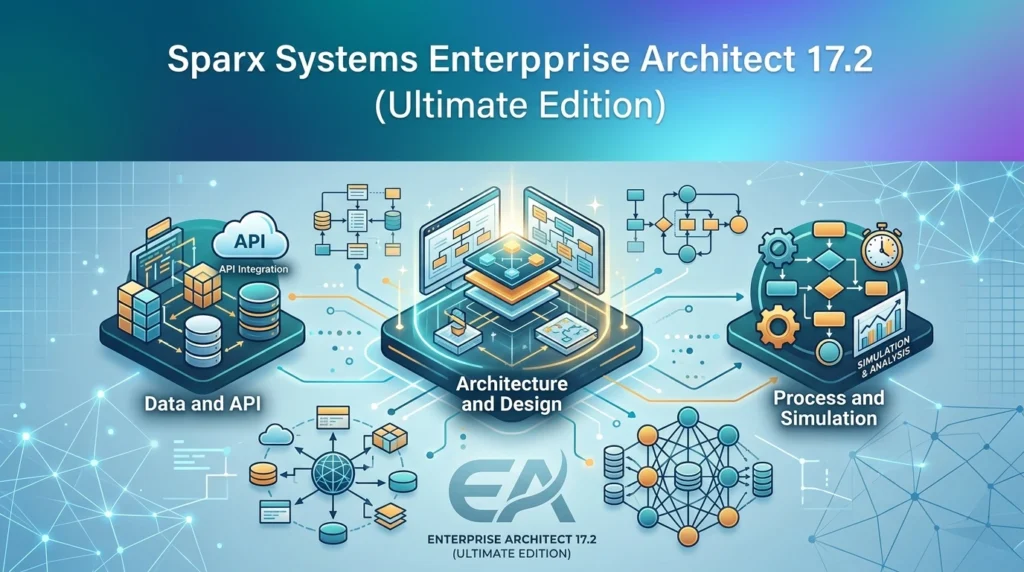

Overview of Sparx Systems Enterprise Architect 17.2
Table of Contents
Enterprise Architect is not simply a diagramming tool. It is an end-to-end modeling environment that connects strategy, requirements, analysis, design, implementation, testing, and deployment within a single traceable repository. The platform is based on UML 2.5 and extends its reach through domain-specific languages including SysML for systems engineering, BPMN for business process modeling, ArchiMate for enterprise architecture, and UAF for military and security architectures.
The Ultimate Edition sits at the top of the Sparx EA edition hierarchy. It includes everything in the Professional, Corporate, and Unified editions, and adds capabilities that matter for organizations tackling complex, multi-disciplinary engineering problems: executable code generation for StateMachines, Interactions, and Activities in C, C++, C#, Java, and VB.NET; full round-trip support for hardware description languages such as Verilog, VHDL, and SystemC; SysML parametric simulation with results graphing; and access to the complete MDG technology library, including TOGAF, Zachman, UPDM, DDS, and DOORS integration.
What distinguishes Enterprise Architect from lighter UML tools is the combination of breadth and depth in a single repository. A business analyst can model a process, a systems engineer can simulate a parametric constraint, and a software architect can generate code from the same model—all while maintaining traceability from high-level requirements down to test cases and deployment artifacts. With over one million effective licenses worldwide, the platform has proven itself across aerospace, automotive, banking, defense, government, healthcare, and telecommunications.
Key Features of Enterprise Architect 17.2 Ultimate Edition
Comprehensive Standards-Based Modeling
Enterprise Architect 17.2 supports all 14 UML 2.5 diagram types, from use case and activity diagrams to composite structure and deployment diagrams. Beyond UML, the platform provides native support for BPMN, SysML, ArchiMate, SoaML, and SOMF, along with extensibility through UML Profiles that let teams define domain-specific notations without leaving the modeling environment. The Ultimate Edition removes barriers to framework adoption by including the full MDG technology suite: TOGAF, Zachman, UPDM, DDS, SysML, and integrations such as DOORS Link and Microsoft Office connectivity.
Built-In Requirements Management and Full Traceability
Requirements are first-class elements in Enterprise Architect, not afterthoughts in a separate document. Teams can capture requirements, link them to design elements, trace them through implementation and testing, and perform impact analysis when changes are proposed. The Relationship Matrix provides a tabular view for analyzing and tracing relationships across model elements, and version 17.2 enhances its support for complex traceability scenarios.
Simulation and Executable Code Generation (Ultimate Edition)
The Ultimate Edition unlocks model execution capabilities that are unavailable in lower editions. SysML parametric models can be simulated with results graphing, allowing engineers to validate system behavior and performance constraints before committing to implementation. Executable code generation transforms StateMachines, Interactions, and Activities into functional source code in C, C++, C#, Java, and VB.NET, while hardware description language round-trip support extends the same discipline to Verilog, VHDL, and SystemC projects.
Collaborative Repository and Team Scalability
Enterprise Architect is designed for teams, not solitary modelers. Shared repositories can be hosted on Microsoft SQL Server, MySQL, MariaDB, Oracle, or PostgreSQL, enabling concurrent access for large, distributed teams. Version control integration through SCC, CVS, and Subversion, combined with baseline model merge and auditing, gives organizations the governance controls they need for regulated environments. Version 17.2 strengthens this foundation by shifting authentication policy management to the server side when used with Pro Cloud Server 6.5, ensuring that security policies are enforced consistently across the organization rather than relying on individual client configurations.
Documentation and Reporting
High-quality documentation remains a core strength of the platform. The RTF and HTML report generators support full WYSIWYG templates with headers, footers, tables of contents, embedded images, and complex nested tables. Version 17.2 improves document generation reliability, enhances HTML output, and refines PDF compatibility and legacy document handling, making it easier to turn models into stakeholder-ready deliverables.
What’s New in Enterprise Architect 17.2
Version 17.2 is an incremental release that builds on 17.1 rather than a ground-up redesign, but the changes are focused on the areas that matter most to enterprise teams: security consistency, everyday usability, and standards currency.
Server-Managed Authentication for Shared Repositories
The headline security change in 17.2 is the introduction of server-managed authentication policies when Enterprise Architect is paired with Pro Cloud Server 6.5. Instead of relying on local client configuration, administrators define authentication methods centrally, and those policies are enforced by the server across all shared repositories. This produces more consistent security across distributed teams, simplifies repository administration, and reduces the risk of configuration drift.
Refreshed Interface and Ribbon Search
A new Visual Studio 2026 application theme modernizes the interface, and Ribbon Search is now available across additional UI styles, making commands easier to discover regardless of a user’s preferred workspace layout. These changes are part of a broader effort to reduce friction in daily modeling work—improvements to document generation, model navigation, editing, reporting, and repository management are distributed throughout the application.
Expanded Technology Support
Version 17.2 adds support for UAF 1.2, updates the AWS Architecture Icon library, and includes refinements across UML, BPMN, SysML, and transformation technologies. Relationship Matrix support is enhanced, transformation validation is improved, and SQL alias support is expanded, helping organizations keep pace with evolving standards while maintaining compatibility with existing models.
System Requirements for Enterprise Architect 17.2
Enterprise Architect is primarily a Windows application, though Linux and macOS users can run it through Wine or CrossOver. The baseline requirements are modest, which contributes to the platform’s reputation for performance even on large models.
Windows (Recommended Platform)
| Component | Requirement |
|---|---|
| Operating System | Windows 11, Windows 10, Windows Server 2022, Windows Server 2019, or Windows Server 2016 |
| Architecture | 32-bit application; runs in 32-bit mode on 64-bit Windows |
| Memory | 2 GB RAM minimum |
| Disk Space | 2 GB free |
| Display | 1280 × 720 or higher recommended |
| Database (Corporate Edition+) | SQL Server, MySQL, MariaDB, Oracle, PostgreSQL, or file-based Jet/Firebird |
Source: SparxSystems Europe system requirements page.
Linux and macOS
Linux users require Wine 5.0 minimum (6.0+ recommended) or an equivalent CrossOver version, along with Microsoft Data Access Components 2.8 and a kernel of 2.4 or newer. macOS users require macOS 10.15 or higher on Intel or Apple M1 (with Rosetta 2), plus CrossOver Mac 20 or higher for the most reliable experience. For production shared-repository deployments, the database server and Pro Cloud Server have their own additional requirements, including higher memory and disk allocations depending on team size and workload.
Installation Guide for Enterprise Architect 17.2
Standard Windows Installation
-
Download the installer from the official Sparx Systems website. The current build is 17.2.1721. For silent deployment, administrators can use the MSI switch
easetup_x86.msi /qn /norestart. -
Run as administrator to ensure the installer can write to required registry and filesystem locations.
-
Choose the edition during setup. The Ultimate Edition license key unlocks the full feature set; without a key, the tool runs in a limited trial mode.
-
Select a repository type. For individual work, a file-based
.eapor.feaprepository is sufficient. For team collaboration, configure a connection to a supported DBMS (SQL Server, MySQL, Oracle, PostgreSQL, etc.), which requires a Corporate Edition or higher license. -
Apply the license through the License Management dialog and confirm that the Ultimate Edition features—simulation, code generation, and MDG technologies—are available in the Start Page and ribbon.
Linux and macOS Installation Notes
On Linux, install Wine or CrossOver first, then run the Windows installer inside the compatibility layer. On macOS, CrossOver is the recommended path for production use, as it provides more consistent results than raw Wine for complex applications. Always verify that MDAC 2.8 is installed, as Enterprise Architect depends on it for database connectivity.
How to Use Enterprise Architect 17.2: A Practical Workflow
Step 1: Create or Open a Project Repository
Launch Enterprise Architect and choose New Project to create a file-based repository, or Connect to Server to join a shared DBMS repository. For team projects, the shared repository is strongly preferred because it enables concurrent modeling, baseline comparison, and centralized security.
Step 2: Select a Modeling Framework
Use the Model Wizard or MDG Technologies panel to choose a framework. For enterprise architecture work, TOGAF or ArchiMate provides a structured starting point. For systems engineering, SysML offers the block definition, internal block, parametric, and requirements diagrams needed for model-based systems engineering. For software design, UML 2.5 class, sequence, and state machine diagrams cover the core behavioral and structural views.
Step 3: Build the Model with Traceability
Create requirements first, then link them to use cases, components, classes, and test cases using the Traceability window or the Relationship Matrix. Version 17.2 improves the Traceability window with custom MDG icon support, making it easier to distinguish element types in complex models. Use the Quick Linker to create context-sensitive relationships without leaving the diagram canvas.
Step 4: Validate with Simulation (Ultimate Edition)
For SysML parametric models, open the Simulation perspective and configure the simulation engine. Ultimate Edition users can run parametric simulations, graph results, and compare outcomes against requirements. This transforms the model from a static specification into an executable specification that can catch design issues before they become expensive engineering changes.
Step 5: Generate Code, Documentation, or Reports
Use Generate Code (Ultimate Edition) to produce source code from behavioral models, or Publish to generate RTF, PDF, or HTML documentation. Version 17.2’s document generation improvements reduce formatting inconsistencies and make it easier to produce repeatable, stakeholder-ready reports.
Best Use Cases for Enterprise Architect 17.2 Ultimate Edition
Enterprise Architecture and Digital Transformation
Organizations modernizing their IT landscape use Enterprise Architect to map business capabilities to applications, track technology lifecycle, and govern change. The Ultimate Edition’s TOGAF and ArchiMate support, combined with traceability from strategy to implementation, makes it possible to answer questions such as which applications support a given business service and what the impact of retiring a system would be.
Model-Based Systems Engineering (MBSE)
For aerospace, defense, automotive, and industrial engineering teams, the Ultimate Edition provides SysML modeling, parametric simulation, and hardware description language round-trip support. These capabilities support the rigorous verification and validation workflows that safety-critical and complex cyber-physical systems demand.
Software Architecture and Code Engineering
Software architects use Enterprise Architect to model system structure and behavior, then generate code or synchronize models with existing codebases. Round-trip engineering for Java, C#, C++, and other languages keeps design and implementation aligned, while the Visual Execution Analyzer helps teams understand running applications by recording sequence diagrams from stack traces.
Regulatory and Compliance Documentation
In regulated industries, the traceability from requirements through design, test, and deployment is not optional. Enterprise Architect’s baseline, audit, and version control features, combined with its reporting engine, allow teams to produce the evidence trail that auditors and certification bodies require.
Advantages and Limitations of Enterprise Architect 17.2
Advantages
-
Unmatched breadth in a single repository. UML, SysML, BPMN, ArchiMate, UAF, and domain-specific extensions coexist without forcing teams into separate tools.
-
Strong value relative to competitors. Independent tool comparisons consistently rate Enterprise Architect highly on value for money, particularly when the cost of the Ultimate Edition is measured against the combined cost of separate modeling, simulation, and code-generation tools.
-
Scalable team collaboration. Shared DBMS repositories, server-managed authentication (new in 17.2), and version control integration support large, distributed teams without requiring a SaaS migration.
-
Comprehensive documentation output. RTF, PDF, HTML, and Word-compatible reports make it possible to deliver professional documentation directly from the model.
Limitations
-
Steep learning curve. The platform’s depth is also its barrier to entry. New users frequently cite complexity and the need for formal modeling guidelines and training to avoid inconsistent models and “diagram sprawl”.
-
Data modeling workarounds. Some reviewers note that data modeling requires adjustments and workarounds compared with dedicated data modeling tools, and that folder-based element organization can make navigation challenging in very large models.
-
Interface modernization is incremental. The Visual Studio 2026 theme in 17.2 is a welcome refresh, but the underlying interaction model remains dense; users expecting a fully redesigned modern UI will not find it in this release.
-
Windows-first. Linux and macOS support depends on Wine or CrossOver, which introduces an additional compatibility layer that some organizations prefer to avoid for production-critical modeling.
Alternatives to Sparx Systems Enterprise Architect
Visual Paradigm
Visual Paradigm is a competing commercial modeling tool that supports UML, SysML, and BPMN. It is generally regarded as more approachable for newcomers and offers strong diagram layout facilities, but independent comparisons rate its standards compliance and team modeling depth below Enterprise Architect’s. Teams prioritizing ease of adoption over maximum modeling depth may find it a reasonable fit.
Cameo Systems Modeler (Dassault Systèmes)
Cameo is a dedicated SysML and MBSE environment widely used in aerospace and defense. It typically costs more than Enterprise Architect and is more narrowly focused on systems engineering workflows. For teams whose primary need is traceable SysML architecture with repeatable automation, Enterprise Architect is often the stronger value pick; for organizations that need a deeply specialized MBSE toolchain, Cameo remains a relevant option.
Open-Source Alternatives: Archi and Essential
Archi (ArchiMate modeling) and the Essential Project (enterprise architecture visualization) are the two most prominent open-source options. They are useful when the primary goal is presentation and explanation rather than full-lifecycle traceability or code engineering. Organizations concerned about vendor lock-in or SaaS dependency may evaluate these tools for specific stakeholder-facing use cases, but they do not replicate the breadth of the Ultimate Edition’s simulation and engineering capabilities.
Frequently Asked Questions About Enterprise Architect 17.2
What is the difference between Enterprise Architect Ultimate Edition and other editions?
The Ultimate Edition includes everything in the Professional, Corporate, and Unified editions, plus executable code generation for software and hardware description languages, SysML parametric simulation, and the full MDG technology suite (TOGAF, Zachman, UPDM, DDS, SysML, DOORS Link, and Microsoft Office integration). Lower editions are appropriate for teams that only need modeling and documentation without simulation or code generation.
Does Enterprise Architect 17.2 work on macOS or Linux?
Yes, but through compatibility layers rather than native builds. Linux users run Enterprise Architect under Wine 5.0 or later (6.0+ recommended), and macOS users use CrossOver Mac 20 or higher. The Windows experience remains the most straightforward and best-supported configuration.
What security improvements are new in version 17.2?
Version 17.2 introduces server-managed authentication policies when used with Pro Cloud Server 6.5. Administrators define authentication methods centrally, and the server enforces those policies across shared repositories, replacing reliance on individual client configurations.
Can Enterprise Architect 17.2 simulate SysML models?
Yes, with the Ultimate Edition. The Ultimate Edition includes SysML parametric simulation support with results graphing, allowing engineers to validate constraint models and system behavior before implementation.
What databases can I use for a shared Enterprise Architect repository?
From the Corporate Edition onward, supported server-based databases include Microsoft SQL Server (2005 and later, including Express and Azure SQL), MySQL 5+, MariaDB, Oracle 9i+, and PostgreSQL 8+. File-based Jet and Firebird repositories (.eap and .feap) are available in any edition.
Is there a free trial of Enterprise Architect 17.2?
Sparx Systems provides a free trial of Enterprise Architect 17.2 (64-bit) through authorized distribution channels. The trial allows evaluation of the platform’s modeling capabilities; the Ultimate Edition features require a purchased license key.
How does the 17.2 interface compare to earlier versions?
Version 17.2 adds a Visual Studio 2026 application theme and extends Ribbon Search to additional UI styles. The changes improve discoverability and modernize the look, but the underlying interaction model and depth remain consistent with the 17.x series—this is a refinement release, not a radical UI overhaul.
Does Enterprise Architect support requirements traceability?
Yes. Requirements management is built into every edition of Enterprise Architect. Teams can capture requirements, link them to design and test elements, trace changes through the model, and perform impact analysis. The Relationship Matrix and Traceability window provide visual and tabular views of these connections.
Final Thoughts
Sparx Systems Enterprise Architect 17.2 Ultimate Edition is the right choice for organizations that need a single, standards-based repository spanning enterprise architecture, systems engineering, software design, and compliance documentation. The 17.2 release does not attempt to reinvent the platform; instead, it tightens security for shared repositories, refreshes the interface, and expands technology support in ways that matter to daily practitioners. The Ultimate Edition’s simulation and code-generation capabilities justify the investment for teams working on complex systems where the cost of a design defect far exceeds the cost of the tooling. For newcomers, the learning curve is real, and formal training plus modeling guidelines are essential to extract value from the platform’s depth. For experienced teams, Enterprise Architect 17.2 Ultimate Edition remains one of the most capable and cost-effective modeling platforms available for serious architecture work.
Our Paid Service
“We do not sell or provide any software. We only offer professional support services. If any software on your system is not working properly, or you are facing installation errors, crashes, or any other technical issue — just contact us. We will help you fix the problem quickly and remotely via AnyDesk. No software will be provided from our side — only expert troubleshooting and support.”