
Overview of the Software
Table of Contents
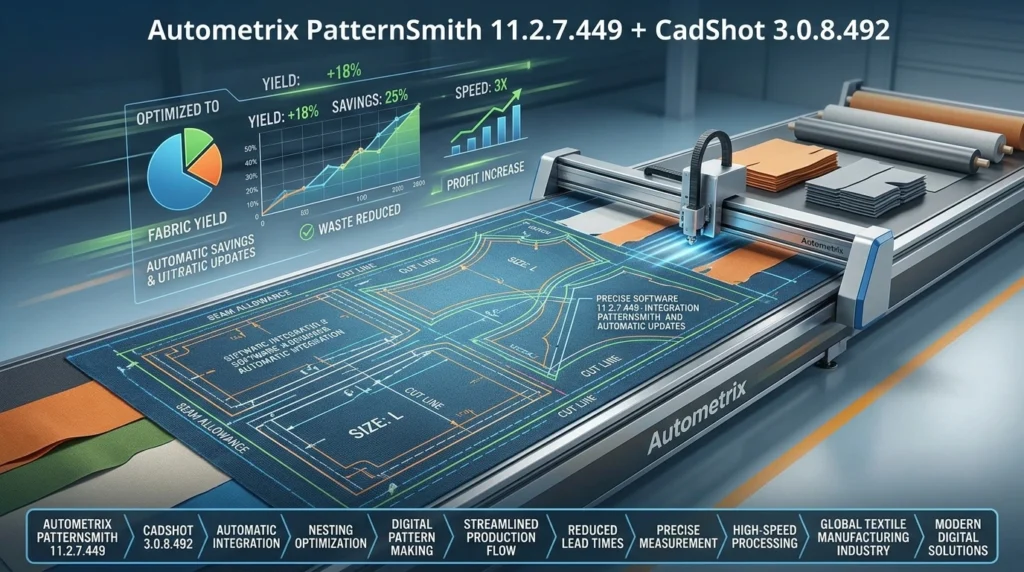
Autometrix PatternSmith 11.2.7.449 is a dedicated 2D CAD pattern design software built specifically for textile pattern creation, editing, and nesting. Unlike general-purpose vector editors, PatternSmith focuses on material yield optimization and seamless integration with digital cutting tables. The software is developed by Autometrix, a USA-based manufacturer of automated cutting tables and pattern design solutions.
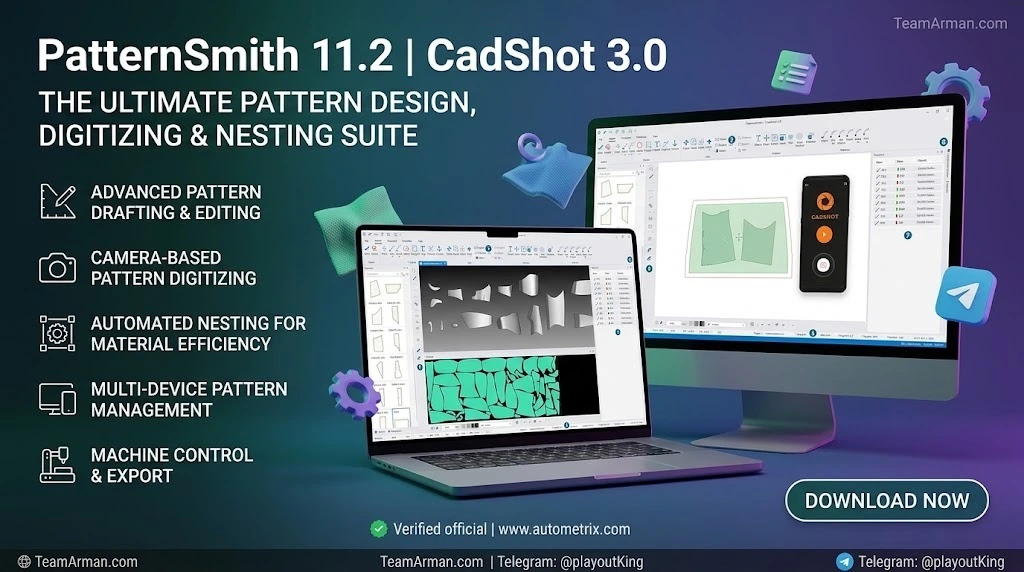
When paired with CadShot 3.0.8.492, the digitizing companion application, this software suite becomes a complete solution for converting physical patterns into precise digital CAD files. CadShot Mobile allows users to capture pattern images using an Android smartphone or tablet, automatically correcting tilt and lens distortion before sending the optimized image to the desktop application for edge, hole, and notch recognition.
The combination of PatternSmith and CadShot is trusted by manufacturers across diverse industries, including technical textiles, composites, furniture, protective covers, marine fabrication, and commercial tent manufacturing. This pattern design software bridges the gap between creative design and production-ready manufacturing.
Key Features
PatternSmith 11.2.7.449 delivers a comprehensive feature set designed for production environments. Here are the core capabilities that define its utility:
2D Pattern Drafting and Editing
-
Geometric creation tools: Lines, arcs, freeform curves, polygons, splines, bezier curves, circles, and text elements
-
Textile-specific entities: Notches, seams, anchors, and grain lines that remain visible on exported patterns
-
Editing tools with previews: Make precise adjustments with real-time visual feedback
-
Seam allowance management: Handled as element attributes, making it easy to change sizes and allowing automatic adjustment when elements are moved or edited
Intelligent Pattern Nesting
PatternSmith uses advanced algorithms to arrange shapes automatically, maximizing fabric or material usage. This pattern nesting feature can reduce waste by up to 15% compared to manual layouts. Both manual and automatic nesting capabilities are available, with the automatic option available as an add-on feature.
Digitizing with CadShot
The CadShot 3.0.8.492 digitizing software provides a streamlined workflow for converting physical patterns into digital formats. Using the CadShot Mobile app, users can digitize patterns on paper using only a smartphone or tablet. The desktop application then precisely recognizes pattern edges, holes, and notches, exporting them to multiple file formats for further refinement.
Project Management
Keep all patterns for a product in an organized project file, making it easy to access and manage multiple patterns within a single workflow.
Parametric Design (Templates Add-On)
The Templates add-on enables users to create custom-sized patterns by entering a few finished dimensions for their products. This parametric design feature allows for efficient and accurate pattern creation based on specific measurements.
Material Library
A built-in material library allows users to store and access information about different fabrics and materials, streamlining the pattern preparation process.
File Import and Export
PatternSmith supports extensive file format compatibility:
-
Import: DXF, AAMA, Eastman CMD, Gerber GBR, NC and ISO, Encapsulated Postscript EPS
-
Export: DXF, Eastman CMD, Gerber GBR
Cut Path Editor
A dedicated editor allows users to define cutting sequences, specifying start points, direction, and bridge cuts (leaving small uncut sections to hold pieces together).
What’s New in the Latest Version
PatternSmith 11.2.7.449 and CadShot 3.0.8.492 represent the latest iterations of Autometrix’s pattern design technology. Key improvements in recent versions include:
-
Improved Nesting Engine: Faster processing for complex layouts with hundreds of parts
-
Enhanced File Compatibility: Direct import of DXF, Gerber ZIP, and TIIP formats
-
Updated User Interface: Cleaner tool palettes and customizable hotkeys for frequent actions
-
Stability Fixes: Resolved previous crashes when opening large TIIP files on Windows 11
-
Measurement Overlay Tool: A dynamic ruler for checking distances directly on the nesting preview
-
CadShot 3.0.8.492: Updated target SDK to Android 16 for improved mobile digitizing performance
These updates make the software more reliable for daily production use and enhance the overall user experience for pattern makers and textile manufacturers.
System Requirements
Before installing PatternSmith 11.2.7.449, ensure your workstation meets the following specifications:
| Component | Minimum Requirement | Recommended Requirement |
|---|---|---|
| OS | Windows 10 Pro (64-bit) | Windows 11 Pro (64-bit) |
| CPU | Intel Core i5 (8th gen) | Intel Core i7 (12th gen) or AMD Ryzen 7 |
| RAM | 8 GB | 16 GB or more |
| Storage | 5 GB free SSD space | 10 GB free NVMe SSD |
| Graphics | DirectX 11 compatible (1GB VRAM) | Dedicated GPU with 4GB VRAM |
| Display | 1920 x 1080 resolution | Dual monitors (1920 x 1080 each) |
| Optional | USB port for license dongle | Digitizing tablet support |
Compatibility Note: This version does not support macOS or Linux natively.
Installation Guide
Follow these steps for a successful installation of PatternSmith and CadShot:
Preparation Steps
-
Uninstall any older PatternSmith version via Windows Control Panel
-
Temporarily disable antivirus real-time scanning (re-enable after installation)
-
Ensure your USB license dongle (HASP key) is inserted
-
Download the official installer from Autometrix or an authorized distributor
Installation Process
-
Run
PatternSmith_11.2.7.449_Setup.exeas Administrator -
Accept the license agreement
-
Choose the “Full Installation” option (includes all device drivers)
-
Select the destination folder (default: C:\Program Files\Autometrix\PatternSmith)
-
Complete the installation and restart your computer
CadShot Setup
-
Install the CadShot desktop application from the same installer package
-
Download and install CadShot Mobile from the Google Play Store on your Android device
-
Connect your mobile device to the same network as your workstation
-
Launch CadShot Mobile and follow the on-screen pairing instructions
-
Verify that the desktop application recognizes your mobile device
Post-Installation
-
Launch PatternSmith and enter your license key when prompted
-
Configure your cutting machine connection if applicable
-
Download the Quickstart Guide and video tutorials for onboarding
-
Test the digitizing workflow with a sample pattern
How to Use the Software
Creating a New Pattern
-
Open PatternSmith and create a new project file
-
Use the geometric creation tools to draw pattern outlines
-
Add textile-specific entities such as notches and seam allowances
-
Apply construction guides (Normal, Angle, Tangent, Distance) to aid drafting
Digitizing with CadShot
-
Place your physical pattern on the Autometrix mobile digitizing board
-
Open CadShot Mobile on your Android device
-
Capture a photo of the pattern (the app corrects tilt and lens distortion automatically)
-
Send the optimized image to your desktop workstation
-
CadShot desktop software recognizes pattern edges, holes, and notches
-
Export the digitized pattern to DXF or other formats for further refinement
Nesting Patterns
-
Import or create the pattern pieces you need to nest
-
Select the Material Library entry for your fabric
-
Choose manual or automatic nesting mode
-
For manual nesting, drag and arrange pieces to optimize material usage
-
For automatic nesting, let the algorithm determine optimal placement
-
Review the nesting preview and adjust as needed
Preparing for Cutting
-
Use the Cut Path Editor to define cutting sequences
-
Set start points, direction, and bridge cuts
-
Add markup and annotation for shop-floor reference
-
Export the file to your cutting machine’s format
-
Send the job directly to your Autometrix cutting table
Best Use Cases
PatternSmith and CadShot are designed for a wide range of textile and soft-goods manufacturing applications:
Commercial Tent Manufacturing
Autometrix cutting machines combined with PatternSmith provide an exceptional solution for commercial tent manufacturing. Automating patterning and cutting increases productivity, accuracy, and consistency while reducing labor requirements.
Marine Fabrication
PatternSmith excels at quickly turning patterned outlines into complete sets of patterns ready for cutting and sewing. The software includes tools for pattern drafting, editing, nesting, and cutting preparation.
Furniture and Upholstery
The software’s HideShot function enables manufacturers to streamline furniture-making operations through flaw detection, automated nesting, and pattern outlining.
Awnings and Shade Structures
Kohler uses Autometrix templates software to design custom patterns for residential and commercial awnings in seconds.
Tactical and Custom Bags
Bearse uses PatternSmith software and an Autometrix cutting machine to fulfil wholesale cutting and sewing contracts for tactical and custom bags, cases, and related products.
Insulation and Technical Textiles
PatternSmith and Pipes 3D work together to quickly design insulation blankets for pipe fittings and cut patterns from both insulation material and cover.
Advantages and Limitations
Advantages
-
Seamless cutting integration: Connects directly with Autometrix cutting systems, generating toolpaths and control commands without third-party converters
-
Material yield optimization: Automatic nesting reduces waste by up to 15% compared to manual layouts
-
Intuitive user interface: Improved interface designed specifically for pattern makers, easing the transition from other CAD programs
-
Comprehensive learning resources: Embedded help files, Quickstart Guide with tutorials, and video tutorials
-
Powerful CAD capabilities: Users describe it as a powerful CAD program that is flexible to work with a variety of cutting machines
Limitations
-
Windows-only: The software does not support macOS or Linux natively
-
Add-on costs: Many advanced features (Auto Nesting, Templates, Workflow) require additional subscriptions
-
Learning curve: Like all professional CAD programs, it takes time to become proficient
-
Some user-reported bugs: Long-term users have noted occasional software glitches and limitations in zoom functionality
Alternatives to the Software
While PatternSmith is a specialized solution for textile pattern design, several alternatives exist depending on your specific needs:
Gerber AccuMark
Industry-leading pattern CAD system widely adopted in the global apparel industry. AccuMark offers comprehensive CAD tools, automatic grading, and marker optimization but comes with higher license costs and a steeper learning curve. Typically suited for high-volume, multi-facility enterprises.
Lectra Modaris
Developed by French company Lectra, Modaris is one of the most widely used pattern design solutions in the garment industry. It offers both traditional and automated grading modes, with the Expert version featuring parametric settings that can save up to 30% of pattern adjustment time.
Optitex
Optitex provides 2D and 3D CAD/CAM software solutions for the apparel and fashion industries. It excels at 3D virtual prototyping and works well for production teams that need repeatable pattern updates and marker-ready outputs.
AutoCAD
A general-purpose 2D and 3D design and drafting platform that can be adapted for pattern design. While not textile-specific, AutoCAD offers robust drawing and annotation tools alongside 3D modeling capabilities.
Frequently Asked Questions
What is Autometrix PatternSmith used for?
Autometrix PatternSmith is a 2D CAD pattern design software used for drafting, editing, nesting, and preparing textile patterns for cutting. It is commonly used in apparel manufacturing, marine fabrication, furniture upholstery, tent manufacturing, and technical textiles production.
How does CadShot work with PatternSmith?
CadShot is a digitizing companion application that converts physical patterns into digital CAD files. CadShot Mobile captures pattern images using a smartphone or tablet, then sends them to the desktop software for precise edge, hole, and notch recognition. The digitized patterns can then be edited in PatternSmith or exported to other CAD software.
What file formats does PatternSmith support?
PatternSmith supports import of DXF, AAMA, Eastman CMD, Gerber GBR, NC and ISO, and Encapsulated Postscript EPS files. Export formats include DXF, Eastman CMD, and Gerber GBR.
What are the system requirements for PatternSmith 11.2.7.449?
The minimum requirements include Windows 10 Pro (64-bit), Intel Core i5 (8th gen) processor, 8 GB RAM, 5 GB SSD storage, and DirectX 11 compatible graphics. Recommended specifications include Windows 11 Pro, Intel Core i7 (12th gen) or AMD Ryzen 7, 16 GB RAM, and a dedicated GPU with 4GB VRAM.
Is PatternSmith suitable for small businesses?
Yes, PatternSmith is designed for companies of all sizes, from small businesses to large enterprises. However, the add-on pricing model may make it more cost-effective for operations with regular production needs. The base software starts at $1,500 per year, with optional add-ons ranging from $500 to $4,500 annually.
Can PatternSmith work with non-Autometrix cutting machines?
PatternSmith is optimized for Autometrix cutting tables, providing seamless integration without third-party converters. However, it can export files in standard formats like DXF and Gerber GBR that are compatible with other CNC cutting equipment.
Does PatternSmith offer a free trial?
Yes, Autometrix offers a 30-day free trial of PatternSmith with no credit card required. This allows potential users to evaluate the software’s capabilities before committing to a subscription.
What is the difference between PatternSmith and CadShot?
PatternSmith is the primary 2D CAD pattern design software for drafting, editing, and nesting. CadShot is a complementary digitizing tool that converts physical patterns into digital format. CadShot can be used as a standalone digitizing solution or integrated with PatternSmith for a complete workflow.
Final Thoughts
Autometrix PatternSmith 11.2.7.449 combined with CadShot 3.0.8.492 represents a powerful, specialized solution for textile pattern design and production. The software’s strength lies in its focus on real-world manufacturing efficiency, seamless cutting machine integration, and material yield optimization.
For businesses in technical textiles, marine fabrication, furniture upholstery, tent manufacturing, and related industries, PatternSmith offers a compelling alternative to enterprise-level CAD suites that may be overkill for specialized soft-goods production. The CadShot digitizing companion extends the software’s utility by providing an accessible pathway from physical patterns to digital workflows.
While the Windows-only platform and add-on pricing structure may present considerations for some users, the software’s intuitive interface, comprehensive learning resources, and proven reliability in production environments make it a worthy investment for pattern makers seeking a purpose-built solution.
Whether you are a small custom shop looking to digitize your pattern library or a mid-sized manufacturer seeking to optimize material usage and cutting efficiency, PatternSmith and CadShot deliver the tools needed to transform traditional pattern making into a streamlined digital workflow.
Our Paid Service
“We do not sell or provide any software. We only offer professional support services. If any software on your system is not working properly, or you are facing installation errors, crashes, or any other technical issue — just contact us. We will help you fix the problem quickly and remotely via AnyDesk. No software will be provided from our side — only expert troubleshooting and support.”