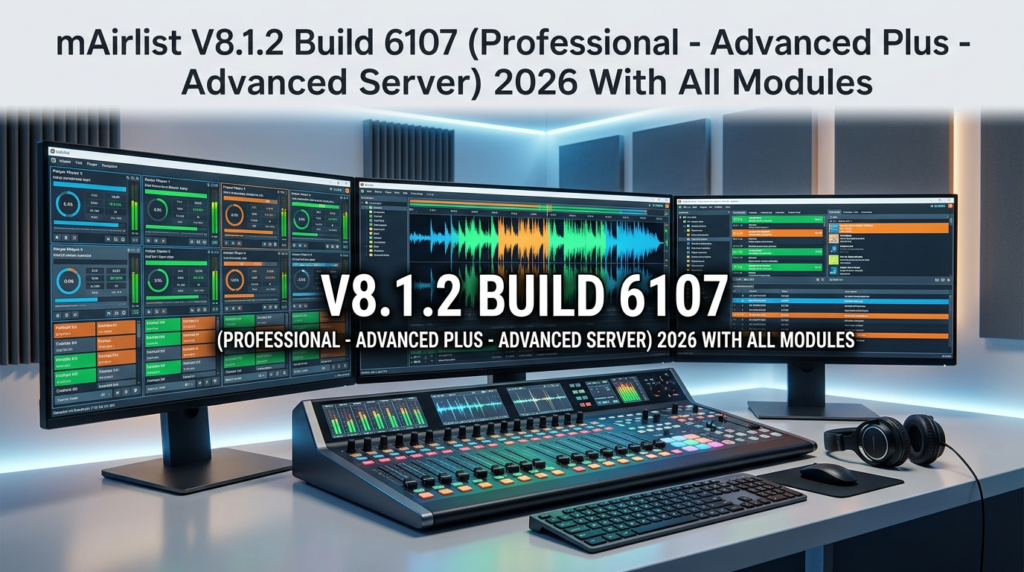

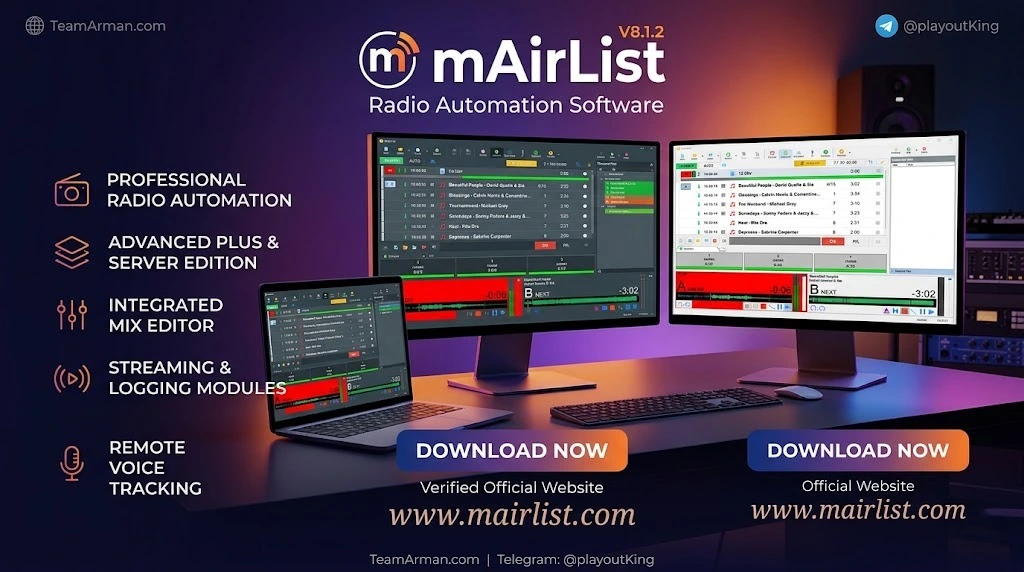
Overview of mAirList V8.1.2 Build 6107
Table of Contents
mAirList is a full-featured radio automation system built around a customizable playout engine. Unlike consumer audio players, it is engineered for 24/7 reliability, precise timing, and regulatory compliance—making it a trusted tool in the broadcast industry. The software supports both live-assist and fully automated modes, allowing presenters to start audio manually or let the system run programming smoothly, with the ability to switch modes at any time.
The modular architecture of mAirList allows broadcasters to scale from a single-computer setup to a multi-studio networked system. The three editions—Professional, Advanced Plus, and Advanced Server—cater to different operational scales, from small stations to large broadcast networks with redundancy and failover requirements.
mAirList V8.1.2 Build 6107 specifically targets Windows-based studio environments, supporting both local and remote operation. The software works with virtually any Windows-compatible soundcard through extensive support for DirectSound, WASAPI, and ASIO audio APIs.
Key Features of mAirList V8.1.2
Audio Playback and Player Architecture
-
Multi-Player Architecture: Supports primary, secondary, and cue players for seamless transitions between tracks.
-
Broad Audio Format Support: Handles MP3, AAC, WAV, FLAC, OGG, and broadcast-specific formats out of the box. Additional formats such as WMA and Opus can be added through free BASS add-ons.
-
Auto Cue: Automatically determines appropriate Cue In, Fade Out, and Cue Out values based on loudness thresholds during file import.
-
Dark Mode Interface: A new interface option that simplifies operation, though some screen elements may require adjustment.
Scheduling and Automation
-
Automated Playlists: Rule-based scheduling with rotation, category, and time-based logic.
-
Live-Assist Mode: Allows presenters to override automation for live shows and switch back to automated mode instantly.
-
Event Scheduler: Enables scheduling of mAirList actions to automatically load database playlists at specific times.
-
Hour Templates: Supports creation of reusable hourly templates for the Mini Scheduler.
Database and Media Management
-
mAirListDB: An SQL-backed audio library and scheduling system. It supports local SQLite databases for single-PC installations and networked SQL servers (PostgreSQL recommended, MySQL/MariaDB, or Microsoft SQL Server) for multi-studio setups.
-
Virtual Folders: Organize audio items by type, artist, attributes, and storage location.
-
Mass Edit: Enables batch editing of multiple selected items in a single operation.
Voice Tracking and Remote Operation
-
Remote Voice Tracking: Record and insert links between songs without being physically in the studio.
-
Integrated Voice Track Recorder: Record new voice tracks directly from the playout GUI and add them to the current playlist.
-
Enhanced Remote Voice Tracking: Better waveform visualization for precise cue point setting.
Streaming and Hardware Integration
-
Stream Encoding: Built-in encoders for Icecast and SHOUTcast servers.
-
GPIO Support: Hardware control for studio equipment such as faders and cough buttons.
-
Remote Control Compatibility: Supports direct remote control of DHD, Lawo, Studer, D&R, Axia, Wheatstone, and other protocols like Ember+.
Edition-Specific Feature Differences
The three editions of mAirList V8.1.2 offer progressively advanced capabilities:
| Feature | Professional | Advanced Plus | Advanced Server |
|---|---|---|---|
| Maximum audio channels | 4 | 8 | Unlimited |
| Networked studio sync | No | Limited | Full |
| Remote access via web | No | No | Yes |
| Advanced scheduling rules | Basic | Full | Full |
| Redundancy & failover | No | No | Yes |
Professional is suitable for single-studio operations with basic scheduling needs. Advanced Plus adds remote voice tracking, more audio channels, and full scheduling rules. Advanced Server targets 24/7 server operations with web-based remote control, full network studio synchronization, and hardware failover capabilities.
What’s New in mAirList V8.1.2 Build 6107
The V8.1.2 update focuses on intelligent content management, workflow enhancement, and performance improvements.
Intelligent Folders (Smart Pattern-Making)
The new intelligent folders in V8.1 represent a major leap in content organization. Community feedback describes them as “simply ingenious” and notes that they make previous virtual folders largely redundant. This Smart Pattern-Making system allows broadcasters to create dynamic, rule-based folder structures that automatically categorize audio content based on metadata attributes, usage patterns, and scheduling requirements. Instead of manually assigning tracks to static folders, intelligent folders update in real time as your library evolves.
3D Design Integration
The 3D design integration in V8.1.2 introduces enhanced visual workflow tools for playlist management and studio layout configuration. This feature provides a more intuitive spatial representation of your broadcast environment, making it easier to visualize signal flow, player assignments, and studio routing at a glance.
Improved Database Performance
Faster media loading for large libraries, including those exceeding 500,000 tracks.
Updated Audio Engine
Lower latency for live input monitoring with ASIO improvements.
Security Patches
Updated network authentication for the Advanced Server edition.
Bug Fixes
Resolved issues with crossfade logic and metadata writing to MP3 files.
Action Commands
New ability to define custom remote control commands that trigger arbitrary action lists.
Users upgrading from version 6.x can import their old configuration almost automatically. Encoder settings are transferred 1:1, and skins are largely preserved.
System Requirements
Minimum Requirements (Professional & Advanced Plus)
-
Operating System: Windows 10 or Windows 11 (64-bit)
-
Processor: Intel Core i3 or AMD equivalent
-
Memory: 4 GB RAM (8 GB recommended)
-
Disk Space: Approximately 30 MB for base setup (excluding database and caches)
-
Audio Hardware: Any Windows-compatible soundcard with DirectSound, WASAPI, or ASIO support
Advanced Server Requirements
-
Operating System: Windows Server 2008 or above (Windows Server 2016+ recommended)
-
Processor: Intel Core i5 or AMD equivalent
-
Memory: 8 GB RAM (16 GB recommended for multi-studio environments)
-
Network: Dedicated network interface for studio synchronization
mAirList has very low requirements regarding the performance of your PC. On a current i5 CPU, a running mAirList process will typically only consume 2-3% CPU (excluding encoders and sound processing) and less than 50 MB RAM.
For fully automated encoder-only instances (direct streaming to Shoutcast/Icecast), mAirList does not require any audio hardware at all – you can even run it on datacenter servers. Physical hardware is preferred over virtual machines, though virtual machines will work if the Windows realtime clock is working properly.
Installation Guide
mAirList V8.1.2 offers two installation methods to accommodate different user preferences and deployment scenarios.
Setup-Based Installation (Recommended)
-
Download the installer (
mAirList-<version>-setup.exe) from the official mAirList website. -
Run the installer and follow the setup wizard prompts.
-
If additional required components are needed (such as Microsoft Visual C++ runtimes), the installer will offer to download and install them.
-
The default target directory is
C:\Program Files (x86)\mAirList 7. It is recommended not to change this unless you have a specific reason. -
A folder will be created in
C:\ProgramDatafor license and configuration storage. -
After setup completes, a Start Menu group is created containing mAirList and its sub-applications.
Updating from an Earlier Version
If you already have an earlier version of mAirList 7 installed, simply download the new setup and install on top of the existing installation. All versions of mAirList 7 will install into the same program folder, and your configuration will stay intact.
Upgrade from mAirList 6.x or Below
If you previously had mAirList 6.x (or an even older version) installed, mAirList 7 will install as a separate application with a separate configuration. Your existing installation of mAirList 6.x will remain intact and untouched. You can migrate your configuration using the configuration app.
Zip Installation (Advanced Users)
For experienced users who need to install or test multiple versions side by side, a Zip distribution is available. Simply download the Zip file and unzip it in a suitable folder of your choice. Do not use C:\Program Files or any other folder controlled by Windows UAC, as this will prevent mAirList from storing its license and configuration properly.
How to Use the Software
Getting Started with Playlists
-
Open a directory in the browser area of the main window.
-
Drag items from the browser into the playlist, or use the Insert button in the main toolbar.
-
Start a player by clicking the Play button.
-
Engage automation mode by clicking the red AUTO button in the toolbar above the playlist.
Cue Point Editing
To set cue points, double-click an item in the playlist to bring up its Properties dialog, then switch to the Cue Editor tab. As a shortcut, right-click the item and choose PFL from the popup menu.
Using the Cart Wall
The cartwall offers another way to play audio items, often short elements like jingles or music beds. The cartwall has three different operation modes and supports saving and loading cartwall pages. You can adjust things like the number of playlists (most users have only one).
Building a Music Library
Before audio files can be added to the library, one or more storages must be defined in the database settings. This is done in the Database application: go to Administration → Configuration and switch to the Storages tab. A storage is basically a Windows folder, which can either be a folder on your local hard drive or on a network share.
Setting Up Remote Control
mAirList supports comprehensive remote control commands. Playlist commands have the form PLAYLIST x <command> or AUTOMATION x <command>, where x is the number of the playlist starting with 1. Global commands include ON AIR, OFF AIR, and ON/OFF AIR for toggling on-air mode.
Best Use Cases
Terrestrial Radio Stations
mAirList V8.1.2 Professional and Advanced Plus editions are ideal for FM and AM radio stations that need reliable 24/7 playout with precise timing for advertising breaks and news bulletins.
Online Radio Stations
With built-in Icecast and SHOUTcast encoders, mAirList is well-suited for internet radio broadcasters who need to maintain a continuous stream while allowing live presenter intervention.
Multi-Studio Broadcast Networks
The Advanced Server edition enables full network studio synchronization and hardware failover capabilities, making it suitable for regional broadcast networks with multiple studios sharing a common media library.
Podcast Production and Audio Content
Producers who need to create scheduled audio programming with voice tracking capabilities will find mAirList’s remote voice tracking and integrated voice track recorder particularly valuable.
Community and Hospital Radio
The live-assist mode allows volunteer presenters to operate the system with minimal training while still benefiting from automated scheduling during unattended hours.
Advantages and Limitations
Advantages
-
Scalable Architecture: Grows from single-PC setups to multi-studio networks without changing software.
-
Low System Requirements: Runs efficiently on modest hardware, consuming only 2-3% CPU on modern processors.
-
Broad Hardware Compatibility: Works with virtually any Windows-compatible soundcard and supports major broadcast console protocols.
-
Comprehensive Feature Set: Includes scheduling, voice tracking, streaming, and compliance logging in one package.
-
Active Development: Regular updates with meaningful improvements and community-driven features.
-
Configuration Migration: Easy upgrade path from older versions with automatic configuration import.
Limitations
-
Windows-Only: No native macOS or Linux versions are available.
-
Learning Curve: The depth of features means new users may require time to become proficient.
-
SQL Database Required for Advanced Features: Networked setups require separate database server configuration.
-
Edition Limitations: Some advanced features like redundancy and failover are only available in the Advanced Server edition.
Alternatives to mAirList
Several radio automation software options compete with mAirList in different segments of the market:
-
yStream Studio: A Windows-based radio automation system that programs the hour itself, scoring every candidate song on key, tempo, energy, era, and genre. It includes AI DJ features and five simultaneous encoders. Starting price is $299 one-time.
-
ProppFrexx ONAIR: An all-in-one playout and radio broadcast automation system designed for live-assist and fully automated operations. It supports any number of parallel playlists and features a UI-driven scripting engine. Starting price is €399 one-time payment.
-
Radiologik: Radio automation software for Macs, designed for both live DJing and fully automated 24/7 broadcasting. It uses the macOS Music app as its database.
-
SAM Broadcaster Pro: A long-established Windows-based automation system popular with internet radio broadcasters.
-
RadioDJ: A free Windows-based automation system with a comprehensive feature set.
-
OpenBroadcaster: A free and open-source alternative suitable for budget-conscious broadcasters.
Frequently Asked Questions
What is the difference between mAirList Professional, Advanced Plus, and Advanced Server?
Professional supports up to 4 audio channels and is designed for single-studio operations with basic scheduling needs. Advanced Plus increases this to 8 audio channels and adds remote voice tracking and full scheduling rules. Advanced Server removes channel limits entirely and adds web-based remote access, full network studio synchronization, and hardware failover capabilities.
Can I upgrade from an older version of mAirList without losing my settings?
Yes. When upgrading from mAirList 7.x, simply install the new version on top of your existing installation and your configuration will remain intact. Users upgrading from version 6.x can import their old configuration almost automatically, with encoder settings transferred 1:1 and skins largely preserved.
What audio formats does mAirList V8.1.2 support?
mAirList supports MP3, AAC, WAV, FLAC, and OGG natively. Additional formats including WMA and Opus can be added through free BASS add-ons.
Does mAirList require a dedicated sound card?
No. mAirList works with virtually any Windows-compatible soundcard through its support for DirectSound, WASAPI, and ASIO audio APIs. For fully automated streaming-only instances, no audio hardware is required at all.
Can I run mAirList on a virtual machine?
Yes, though physical hardware is preferred. Virtual machines will work if the Windows realtime clock is functioning properly.
How many tracks can mAirList’s database handle?
mAirList V8.1.2 has improved database performance for large libraries, including those exceeding 500,000 tracks.
Is there a trial version available?
Yes. mAirList comes with a demo license that runs for 30 minutes at a time. A 14-day trial version can also be activated, and purchased licenses can be downloaded from your mAirList customer account.
What database backends does mAirList support?
mAirListDB supports local SQLite databases for single-PC installations and networked SQL servers including PostgreSQL (recommended), MySQL/MariaDB, and Microsoft SQL Server for multi-studio setups.
Final Thoughts
mAirList V8.1.2 Build 6107 represents a significant evolution in radio automation software, combining the reliability that broadcasters depend on with innovative features like Smart Pattern-Making intelligent folders and 3D design integration. The three-tier edition structure ensures that stations of all sizes—from community broadcasters to large regional networks—can find a configuration that matches their operational requirements and budget.
The software’s low system requirements, broad hardware compatibility, and comprehensive feature set make it a compelling choice for anyone seeking a professional-grade radio automation and playout system. With the enhanced database performance, improved audio engine, and refined remote voice tracking capabilities in V8.1.2, mAirList continues to demonstrate why it remains a trusted tool in the broadcast industry.
Whether you are setting up your first radio station or upgrading an existing multi-studio operation, mAirList V8.1.2 Build 6107 deserves serious consideration as the backbone of your broadcast workflow.
Our Paid Service
“We do not sell or provide any software. We only offer professional support services. If any software on your system is not working properly, or you are facing installation errors, crashes, or any other technical issue — just contact us. We will help you fix the problem quickly and remotely via AnyDesk. No software will be provided from our side — only expert troubleshooting and support.”