
Overview of ColorGATE Productionserver Ultimate
Table of Contents
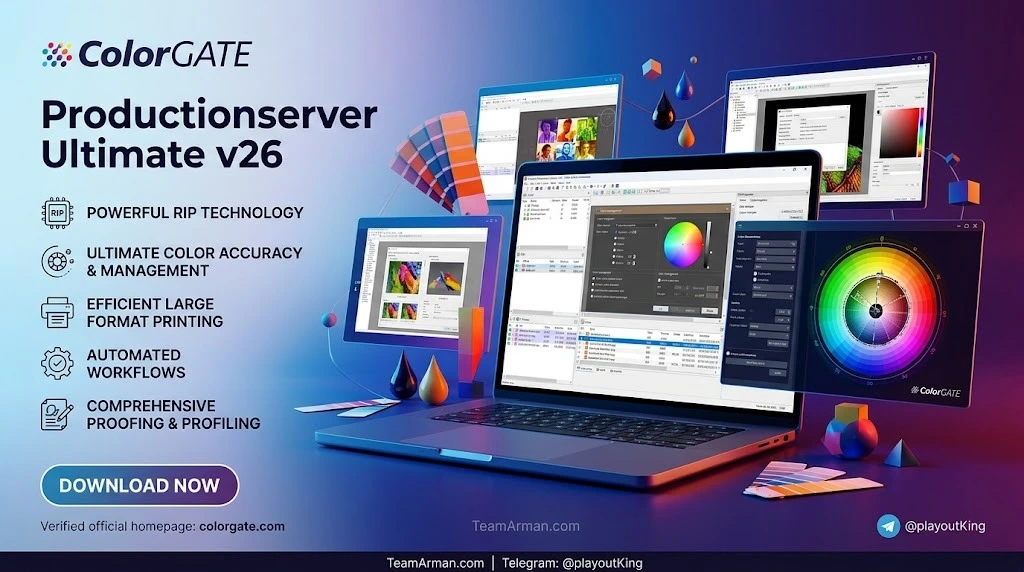
ColorGATE Productionserver Ultimate is a high-end raster image processor (RIP), color management, and workflow automation software developed by ColorGATE Digital Output Solutions GmbH, a Hannover-based company founded in 1997 and now an independent subsidiary of Ricoh Company Ltd. The Ultimate edition represents the fully equipped version of the Productionserver product line, bundling the Profiler Suite, the Quality Assurance Module, and the Express Profiler Module for four printing systems into a single comprehensive package.
Version 26.00.20023 builds on over two decades of development in digital print automation. The software is built around the Adobe PDF Print Engine (APPE) 7.1, which enables native PDF interpretation for faster processing and eliminates common transparency and layer rendering issues. With support for more than 2,000 printer drivers and compatibility with over 750 different printing devices, Productionserver Ultimate is positioned as a central production hub for print service providers managing mixed-vendor equipment.
The software serves as a modular and scalable workflow solution for large-format, wide-format, and industrial digital printing environments, including applications in signage, packaging, textiles, ceramics, and surface decoration.
Key Features of ColorGATE Productionserver Ultimate v26
Adobe PDF Print Engine 7.1 Integration
The integrated APPE 7.1 rendering platform provides fast, accurate processing of graphically rich PDF content from creative design and page layout applications. This allows print service providers to reproduce complex design files with integrity compared to the original artwork.
Advanced Color Management
Productionserver Ultimate includes the full Profiler Suite for creating and managing ICC profiles, device link profiles, and media-specific color characterizations. The software supports industry standards including ISO 12647-7 and FOGRA 39, 51, and 52 reference values for contract proofing.
Quality Assurance Module (QAM)
The QAM is included exclusively in the Ultimate edition and provides continuous quality monitoring of print jobs on any supported printing system. This allows operators to verify color accuracy and output consistency at any point during production.
Parallel RIP Processing
Version 26 introduces parallel RIP processing for large multipage PDF files, significantly reducing processing time for complex jobs with multiple pages or variable data elements.
Ink Saving Technology
The ink saving module can reduce ink consumption by up to 30% by optimizing the amount of each ink channel used to reproduce a given color, without compromising visual output quality.
Multi-Layer Printing Support
Expanded multi-layer printing functionality supports different job files for top and bottom layers. This feature is particularly suited for backlit “Day & Night” displays and double-sided block-out prints with varied images on each side.
REST API and Workflow Automation
Improved REST API support enables integration with existing ERP, MIS, and workflow systems, allowing automated job submission, status monitoring, and production data exchange.
Media Device Synchronization
The Media Device Synchronization (MDS) module ensures consistent color output across multiple printers and substrates by synchronizing media and color settings across devices.
Hotfolder Automation
Up to 11 hotfolders can be configured for automated job intake and processing, reducing manual intervention in repetitive production workflows.
What’s New in Version 26.00.20023
Linearization Assistant Plus
Version 26 introduces the new Linearization Assistant Plus module for faster printer recalibration and consistent color output. This tool streamlines the process of recalibrating printers to maintain color accuracy over time, reducing downtime between production runs.
Adobe PDF Print Engine 7.1
The update to APPE 7.1 improves compatibility with modern PDF standards and enhances print accuracy for complex graphics containing transparency, layers, and advanced color spaces.
Faster Multipage PDF Processing
Parallel RIP processing for large multipage PDF files dramatically reduces processing time for jobs with high page counts, such as variable data printing, catalogs, and multi-page brochures.
Expanded Device Support
New printer drivers have been added, further expanding the already extensive compatibility with third-party printers from manufacturers including Ricoh, Epson, HP, Mutoh, and Roland.
Redesigned Industrial Portfolio
The release features a redesigned Industrial Productionserver portfolio with application-specific software packages tailored to industrial printing environments, including textiles, surface decoration, packaging, and ceramics.
System Requirements for ColorGATE Productionserver Ultimate
Operating System (64-bit Only)
ColorGATE Productionserver requires a 64-bit Windows operating system. Supported platforms include Microsoft Windows 8.1 Pro/Enterprise, Windows 10 Pro/Enterprise, Windows 11 Pro/Enterprise, Windows Server 2012, Windows Server 2016, and Windows Server 2019. macOS is supported only when running Windows via Parallels Desktop.
Minimum Hardware Requirements
-
CPU: Intel Core i3-2100 / AMD Athlon II X2 340
-
RAM: 4 GB
-
Free Disk Space: 120 GB
-
Display Resolution: 1280 × 1024
Recommended for Single Printer Use
-
CPU: Intel i5-7500 or newer / AMD Ryzen 5 1600 or newer
-
RAM: 8 GB or greater
-
Storage: 120 GB SSD
-
Display Resolution: 1920 × 1080
Recommended for Multiple Printer Use
-
CPU: Intel i9-9900K or newer / AMD Ryzen 7 3800X or newer
-
RAM: 16 GB or greater
-
Storage: 512 GB NVMe SSD
-
Display Resolution: 1920 × 1080
Licensing and Connectivity
A USB port is required for the hardware dongle. Software-based licenses require internet access for activation. Network connectivity via LAN and TCP/IP is required for printer communication.
Important Note: ColorGATE software cannot be operated on virtual machines with software-based licenses. Hardware dongle licenses may work in virtualization environments if USB passthrough is supported, but ColorGATE does not provide support for virtualization-related issues.
Installation Guide
Step 1: Check System Compatibility
Before installation, verify that your system meets the operating system and hardware requirements listed above. Ensure that no other RIP software is running, as conflicting services can prevent successful installation.
Step 2: Download the Installer
Log in to the ColorGATE support portal at support.colorgate.com using your registered credentials. Navigate to the download area and locate the file labeled PS26SetupV26.00.20023.exe.
Step 3: Run the Installation Wizard
Double-click the downloaded executable and follow the on-screen instructions. The installation wizard will guide you through component selection, license activation, and printer driver configuration.
Step 4: Connect the Hardware Dongle
Insert the USB hardware dongle into an available port. The software will detect the dongle and unlock the licensed features. If using a software-based license, ensure the machine has internet access for activation.
Step 5: Configure Printers and Media
After installation, open Productionserver and configure your printers using the Media Device Synchronization module. Import any existing media profiles or create new ones using the Profiler Suite.
Step 6: Verify the Installation
Print a test target and measure it using a supported spectrophotometer to confirm that color output matches expectations. The Quality Assurance Module can be used for ongoing verification.
How to Use ColorGATE Productionserver Ultimate
Basic Workflow Overview
The standard workflow in Productionserver Ultimate follows a consistent pattern:
-
Job intake: Files are submitted via hotfolder, REST API, or manual import
-
Preflight: The software validates files for color space, resolution, and integrity
-
RIP processing: APPE 7.1 renders the file into printer-ready data
-
Color management: ICC profiles are applied based on media and output intent
-
Output: The processed job is sent to the selected printer or cutting device
-
Quality verification: The QAM module optionally verifies output against reference values
Creating a Custom ICC Profile
-
Print a profiling chart on the target media using the target printer
-
Measure the chart with a supported spectrophotometer
-
Import the measurement data into the Profiler Suite
-
Generate the ICC profile and associate it with the media/printer combination
-
Apply the profile to future jobs using that media and printer
Configuring Hotfolders for Automated Production
Hotfolders allow print jobs to be submitted by simply dropping files into a designated folder. Productionserver monitors the folder and automatically processes any incoming files according to predefined settings. Up to 11 hotfolders can be configured for different job types, media, or output devices.
Using the REST API for Workflow Integration
The REST API enables third-party applications to submit jobs, query job status, retrieve production data, and manage media profiles programmatically. This is particularly valuable for print service providers integrating Productionserver with existing MIS or ERP systems.
Best Use Cases for ColorGATE Productionserver Ultimate
Wide-Format Signage and Display Graphics
Productionserver Ultimate is well-suited for large-format applications including vehicle wraps, building wraps, banners, and point-of-purchase displays. The tiling and nesting features help minimize media waste, while the color management tools ensure brand color consistency across multiple panels.
Backlit and Double-Sided Printing
The multi-layer printing functionality supports “Day & Night” backlit displays and double-sided block-out prints with different images on each side, a common requirement for retail signage and exhibition graphics.
Industrial Textile Printing
With support for high-volume textile printers and the redesigned Industrial Productionserver portfolio, the software handles direct-to-garment and roll-to-roll textile printing workflows with consistent color reproduction.
Packaging and Label Production
Productionserver drives digital presses for labels, flexible packaging, and carton printing. The PDF/X-4 compliance and APPE 7.1 rendering ensure accurate reproduction of complex packaging artwork.
Ceramic and Surface Decoration
ColorGATE offers specialized configurations for ceramic tile printing and surface decoration, where precise color matching and repeatability are critical for production quality.
Proofing and Contract Proofing
The Proof Standard Digital Module (PSDM) enables contract proofing to ISO 12647-7 and FOGRA standards, allowing print buyers and production teams to verify color accuracy before committing to full production runs.
Advantages and Limitations
Advantages
Exceptional Color Accuracy: Productionserver Ultimate is recognized for industry-leading color management capabilities, making it a top choice for color-critical applications.
Broad Device Compatibility: With over 2,000 drivers and support for more than 750 printer models, the software can serve as a central RIP for mixed-vendor print environments.
Modular Scalability: The software can be expanded with optional modules as production requirements grow, protecting the initial investment and allowing incremental capability increases.
Automation-Ready: REST API, hotfolders, and Media Device Synchronization enable high levels of workflow automation, reducing manual intervention and error rates.
Quality Assurance Built In: The QAM module provides continuous quality monitoring, a feature not commonly included in competing RIP solutions at the Ultimate tier.
Limitations
Windows-Only Operation: Productionserver is a Windows-native application. macOS users must run Windows via Parallels Desktop, which may introduce performance overhead.
Hardware Dongle Requirement: The hardware dongle occupies a USB port and must be present for the software to operate. Losing the dongle requires replacement through ColorGATE support.
Virtualization Restrictions: Software-based licenses cannot be used in virtual machines, limiting deployment flexibility for organizations with virtualized infrastructure.
Learning Curve: The depth of features in the Ultimate edition means that new users may require training to fully utilize advanced color management and automation capabilities.
Investment Level: The Ultimate edition includes the full module set, which represents a higher upfront cost compared to Core or Pro editions.
Alternatives to ColorGATE Productionserver Ultimate
When evaluating ColorGATE Productionserver Ultimate, print service providers may also consider the following RIP software solutions:
Caldera RIP
CalderaRIP (currently at version 19) is a widely used RIP for wide-format printing. It offers strong workflow control and is available on Windows, macOS, and Linux. Caldera is often compared with Onyx for mid-to-large print shops.
Key differences: Caldera offers broader operating system support, while ColorGATE provides deeper industrial printing capabilities and more extensive device driver coverage. Caldera is generally positioned as a strong all-rounder for commercial wide-format work.
Onyx Graphics
Onyx offers a family of RIP products including Onyx Thrive, Onyx Go Lite, and Onyx Go Plus, all built on the Onyx 25 RIP platform with Adobe PDF Print Engine integration. Onyx is considered a gold standard in the industry and offers subscription-based pricing options.
Key differences: Onyx has a strong reputation in the signage and display graphics market. ColorGATE distinguishes itself through its industrial printing focus, Quality Assurance Module, and deeper color management toolset at the Ultimate tier.
SAi Flexi
SAi Flexi is a popular RIP and design software combination widely used in the sign-making industry. It offers an integrated design environment alongside RIP functionality, which appeals to smaller shops that want a single software package for design and production.
Key differences: Flexi emphasizes design and ease of use, while ColorGATE Productionserver Ultimate prioritizes production-grade color management and automation for higher-volume environments.
Wasatch SoftRIP
Wasatch SoftRIP provides RIP functionality with tools for white ink, ICC color management, nesting, and hot folder automation. It is known for its ease of use and is commonly used in smaller to mid-sized print operations.
Key differences: Wasatch is generally more affordable and simpler to learn. ColorGATE Ultimate offers more advanced color science, QAM, and enterprise-grade API integration.
ErgoSoft PosterPrint
ErgoSoft PosterPrint is a RIP solution focused on photographic and fine art printing, with strong color management capabilities for inkjet printers in those markets.
Key differences: ErgoSoft targets the photo and fine art niche, while ColorGATE Ultimate serves broader commercial and industrial printing applications.
Frequently Asked Questions
What is ColorGATE Productionserver Ultimate used for?
ColorGATE Productionserver Ultimate is a RIP, color management, and workflow automation software used by print service providers for wide-format, large-format, and industrial digital printing. It processes PDF and PostScript files, manages color reproduction, and drives multiple printers from different manufacturers from a single production hub.
What are the system requirements for Productionserver v26?
The software requires a 64-bit Windows operating system (Windows 8.1 through Windows 11, or Windows Server 2012–2019). Minimum hardware includes an Intel Core i3-2100 processor, 4 GB RAM, 120 GB free disk space, and a display resolution of 1280 × 1024. For production use, an Intel i5 or newer processor with 8 GB RAM and an SSD is recommended.
How do I install ColorGATE Productionserver Ultimate?
Download the installer from support.colorgate.com after logging in with your registered credentials. Run the executable file, follow the installation wizard, connect the USB hardware dongle, and configure your printers and media profiles. A complete installation guide is available in the software documentation.
Is ColorGATE Productionserver compatible with Windows 11?
Yes. Version 26 supports Windows 11 Pro and Enterprise editions in 64-bit. It also supports Windows 8.1, Windows 10, and Windows Server 2012, 2016, and 2019.
What is the difference between Productionserver Ultimate and other editions?
The Ultimate edition is the fully equipped version that includes the Profiler Suite, Quality Assurance Module, and Express Profiler Module for four printing systems. Lower editions such as Select and Pro offer subsets of these features, while the Core Productionserver family (S, M, L) introduced in version 25 provides simplified tiered options for different business sizes.
Can I run ColorGATE Productionserver on a virtual machine?
Software-based licenses cannot be used on virtual machines. Hardware dongle licenses may work in virtualization environments with USB passthrough, but ColorGATE does not provide support for virtualization-related issues.
What file formats does Productionserver support?
The software processes PDF and PostScript files using the Adobe PDF Print Engine 7.1. It supports PDF/X-4 compliant files for commercial and industrial printing, as well as common raster formats used in wide-format printing workflows.
How does the ink saving feature work?
The ink saving module optimizes the amount of each ink channel used to reproduce a given color, reducing ink consumption by up to 30% while maintaining visual output quality. The savings are calculated before and after printing, giving operators full visibility of production costs.
Does ColorGATE Productionserver support RIP for multiple printers simultaneously?
Yes. Productionserver is designed to drive multiple devices concurrently, including wide-format, CTP, and digital presses. Parallel processing takes advantage of available hardware resources to maintain throughput across multiple output devices.
Can I try ColorGATE Productionserver before purchasing?
ColorGATE offers demonstration versions of its software for evaluation purposes. Interested parties should contact ColorGATE or an authorized reseller to arrange a demonstration or trial.
Final Thoughts
ColorGATE Productionserver Ultimate v26.00.20023 represents a mature and comprehensive solution for print service providers who require production-grade color management, workflow automation, and multi-device RIP capability. The addition of the Linearization Assistant Plus, APPE 7.1, and parallel processing for multipage PDFs in version 26 continues the platform’s trajectory of incremental but meaningful improvements aimed at production efficiency and color consistency.
For organizations managing mixed-vendor printer fleets, particularly in wide-format, industrial, and packaging applications, Productionserver Ultimate offers a centralized production hub with the depth of features needed for demanding color-critical work. The bundled Quality Assurance Module, Profiler Suite, and Express Profiler Module for four systems make the Ultimate edition a complete toolkit for professional print environments.
Prospective users should weigh the Windows-only requirement, hardware dongle dependency, and virtualization restrictions against the software’s extensive device compatibility, automation capabilities, and industry-recognized color accuracy. For print businesses where color fidelity and production reliability are paramount, ColorGATE Productionserver Ultimate remains a strong contender in the professional RIP software market.
Our Paid Service