

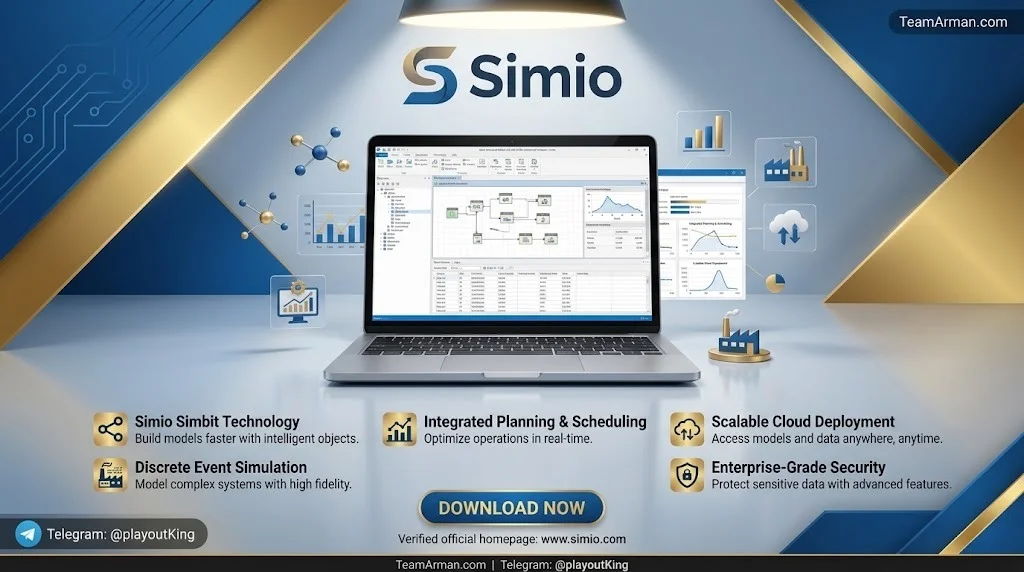
Overview of Simio Enterprise Edition
Table of Contents
Simio Enterprise Edition is an object-oriented simulation software platform developed by Simio LLC, a Pittsburgh-based company founded by simulation industry veterans. The software enables engineers, analysts, and operations managers to build detailed virtual models—often called process digital twins—of manufacturing systems, supply chains, healthcare facilities, airports, and other complex operational environments.
Unlike traditional simulation tools that require users to write code for every model element, Simio employs a graphical modeling approach. Users drag and drop objects from a standard library, define their parameters, and connect them to represent workflows. Behind the scenes, the Simio simulation engine processes these models using discrete event simulation (DES) methodology, generating performance metrics such as throughput, utilization, wait times, and bottlenecks.
What distinguishes the Enterprise Edition from lower tiers is its integration of Risk-based Planning and Scheduling (RPS). This allows organizations to use the same model for both long-term system design and short-term operational scheduling—a dual-purpose approach that maximizes return on modeling investment.
Key Features of Simio Enterprise Edition
The Enterprise Edition delivers a comprehensive feature set spanning modeling, simulation, analysis, scheduling, and deployment.
Core Modeling and Simulation Capabilities
-
Advanced 3D modeling and animation with built-in integration to the Google Warehouse graphics library for realistic visual representation
-
Standard Object Library for rapid modeling of complex workflows, including servers, conveyors, vehicles, workers, and storage elements
-
Advanced material handling with accumulating/fixed conveyors and on-demand/fixed route vehicles
-
Flexible resource modeling including moveable workers, dynamic selection rules, and flexible work schedules
-
Process modeling through graphical process creation for unlimited modeling of complex situations
-
Custom object libraries for application-specific modeling requirements
Data Integration and Analysis
-
User-defined relational data tables for interfacing with enterprise data sources
-
Third-party add-in support, including OptQuest for optimization experiments
-
Advanced experimentation and analysis features for defining scenarios and interpreting results
-
Resource and Entity Gantt charts to graphically illustrate resource usage and constraints over time
-
Constraint Log for identifying bottlenecks and determining improvement opportunities
Enterprise-Specific Scheduling Features
-
Risk-based Planning and Scheduling (RPS) — patent-pending technology that provides automatic risk measures associated with generated schedules
-
Customizable scheduler interface with specialized scheduling rules
-
Multi-processor risk analysis — employs multiple processors to generate risk analysis based on multiple replications of the model
-
Interactive Gantt chart display for visualizing and adjusting schedules
Deployment and Collaboration
-
Simio Portal support for public and private cloud hosting
-
Floating license option for sharing the software between multiple users
-
Distributed scenario execution across workgroup computers
-
Simplified UI option for deployment to schedulers
What’s New in Simio Version 20 (v20.290.53766)
Simio version 20 encompasses development work across Sprints 281–290 and represents a substantial leap forward in platform architecture and user productivity.
Enhanced Debugging Infrastructure
Version 20 introduces several debugging enhancements designed to accelerate model development and validation:
-
Token count display — shows current token quantities in green boxes next to processes or steps, providing instant visual feedback on model execution patterns
-
Enhanced Watch window — displays every token in a process, quantities in storage areas, and complete resource ownership details
-
Queue state object browsing — particularly useful for warehouse simulation, hospital bed management, and complex storage scenarios
-
Collapse/Expand All Process Categories — right-click functionality for better organization and navigation in models with numerous processes
Advanced Python Scripting and Data Integration
The scripting and data connectivity capabilities in version 20 represent a major advancement in how Simio integrates with enterprise data ecosystems:
-
Expanded Python IDE support — including Spyder integration, allowing data science teams to work in their preferred environments
-
Pre-import scripting — run Python scripts before importing data tables for complex data transformation workflows
-
Run script button in Data Connectors ribbon — trigger import scripts without importing data
-
Export scripting automation — automatically transform exported data for use in other applications, with triggers for manual export, scheduled runs, risk analysis runs, or project save
-
Comprehensive documentation — new Simio Help topics and SimBit projects for import/export scripts
Architectural Improvements
-
Migration to .NET Core v10 — ensures long-term platform stability and compatibility with evolving enterprise technology standards
-
Linux container support — introduced in Sprint 290, representing a significant advancement in deployment flexibility
-
Enhanced Remove step functionality with number tracking capabilities
Output Window Enhancements
Version 20 adds improved output window functionality for greater operational transparency, making it easier to monitor simulation progress and identify issues during model execution.
System Requirements for Simio Enterprise Edition
Simio Enterprise Edition runs exclusively on Microsoft Windows operating systems. The following specifications represent the recommended configuration for optimal performance with the x64 version (v20.290.53766).
Software Requirements
-
Operating System: Microsoft Windows 10 Anniversary Update or later; Windows 11 (64-bit recommended)
-
.NET Framework: Version 4.7.2 (included with default installation); .NET Core v10 for version 20
-
Additional Components: DirectX 11 compatible graphics for 3D animation
Hardware Requirements
The following table summarizes hardware requirements based on project scale:
| Component | Minimum | Recommended | Large Projects |
|---|---|---|---|
| Processor | Pentium class or faster | Core i7 or faster | Core i7 or faster |
| RAM | 4 GB | At least 16 GB | At least 32 GB |
| Hard Drive | 1.6 GB minimum | 1 TB | 1 TB |
| Graphics | 128 MB integrated (DirectX 11) | 1 GB discrete (DirectX 11) | 1 GB discrete (DirectX 11) |
| Display | Full HD (1920×1080) | 23″ or larger WUXGA | 23″ or larger WUXGA |
Source: Simio LLC System Requirements documentation
Portal Requirements (For Server Deployment)
If deploying Simio Portal for cloud or web-based access:
-
Operating System: Windows Server 2016 (VM) or newer
-
Processor: Core i7 class or faster with at least 8 cores
-
RAM: 32 GB
-
Database: SQL Server Standard 2017 or better
-
Web Server: IIS with .NET Framework 4.6.2
Platform Notes
Many Simio users successfully run the software on Apple Mac computers by using a Windows instance via Parallels or similar virtualization software. Simio also works on Microsoft Surface Pro devices as long as the operating system is standard Windows (not Windows RT). Touch screen functionality is supported.
Installation Guide
Installing Simio Enterprise Edition follows a straightforward process. The software is distributed as a downloadable installer for 64-bit Windows systems.
Step-by-Step Installation
-
Obtain the installer from Simio LLC or an authorized reseller. The version designation v20.290.53766 indicates the specific release build.
-
Verify system compatibility against the requirements above before proceeding.
-
Run the installer with administrative privileges. The .NET Framework 4.7.2 dependency is included in the default installation.
-
Follow the on-screen prompts to select installation location and components. The default installation requires approximately 1.6 GB of disk space.
-
Complete the installation and launch Simio. On first launch, you will be prompted to activate your license.
License Activation
Simio offers several licensing models:
-
Commercial licenses — activated via Simio’s licensing server. Contact [email protected] for commercial activation.
-
Floating licenses — optional server-based licensing that allows sharing between multiple users and can be “borrowed” for use on laptops.
-
Academic licenses — free for institutions and students through Simio’s Academic Grant Program.
-
Trial edition — a 30-day trial period begins automatically on first launch of the free trial edition.
Without activation, the software operates in Simio Personal Edition (SPE) mode, which limits model size to 30 modules and restricts commercial use.
How to Use Simio Enterprise Edition
Simio’s object-oriented approach makes simulation accessible to both beginners and experienced modelers. The workflow follows a logical progression from model creation through analysis and optimization.
Getting Started with Model Building
-
Launch Simio and create a new model from the start page.
-
Drag objects from the Standard Library — sources, servers, sinks, conveyors, vehicles, and workers — onto the facility layout.
-
Define object properties through the Properties window. Each object contains parameters that control its behavior, such as processing times, capacities, and routing logic.
-
Connect objects using the process modeling interface or by defining entity routings.
-
Run the model in interactive mode to observe system behavior with real-time 3D animation.
Experimentation and Analysis
Once a base model is built:
-
Define scenarios with different parameter values or configurations.
-
Set up experiments using the Scenario Generator to systematically vary inputs.
-
Run replications to account for stochastic (random) variability in the system.
-
Analyze results through built-in reports, dashboards, and statistical outputs.
-
Use OptQuest (optional add-in) for automated optimization of design parameters.
Building Scheduling Solutions
For Enterprise Edition users building RPS solutions:
-
Extend your design model by adding schedule-specific data tables (orders, resource calendars, material availability).
-
Configure scheduling rules that determine how the simulation engine prioritizes tasks.
-
Generate a schedule — Simio’s efficient simulation engine can generate large schedules in under a minute.
-
Review the Gantt chart to visualize resource allocation and identify conflicts.
-
Run risk analysis to evaluate how the schedule performs under uncertainty.
Data Integration Workflows
Version 20 significantly enhances data connectivity:
-
Import scripts can transform data before loading into Simio tables.
-
Export scripts can convert simulation outputs for use in other applications, with flexible triggers for automation.
-
Python integration allows data science teams to leverage existing Python expertise for custom analytics and data processing.
Best Use Cases for Simio Enterprise Edition
Simio Enterprise Edition is deployed across industries where complex systems require rigorous analysis and ongoing operational optimization.
Manufacturing and Production Systems
Manufacturers use Simio to model production lines, evaluate capacity expansion options, optimize scheduling, and implement digital twin initiatives. Case studies include Westinghouse Electric Company’s implementation across five nuclear fuel production sites and a major Australian snack food producer’s digital twin project.
Supply Chain and Logistics
Simio models end-to-end supply chains, distribution networks, and warehouse operations. The software’s material handling capabilities—conveyors, vehicles, storage elements—make it particularly suited for intralogistics applications.
Healthcare Operations
Healthcare organizations use Simio to optimize emergency department patient flow, operating room scheduling, and hospital resource allocation. Northwell Health’s emergency department optimization is a documented case study.
Aviation and Transportation
Airport operators model passenger flows, security screening, and aircraft turnaround processes. AECOM used Simio to determine Edmonton Airport’s de-icing needs.
Production Scheduling (Enterprise-Specific)
The Enterprise Edition’s RPS functionality is specifically designed for daily operational support. Organizations use it to generate and evaluate production schedules that account for real-world uncertainty, enabling more resilient planning decisions.
Advantages and Limitations of Simio Enterprise Edition
Key Advantages
-
Unified design and scheduling platform — one model serves both long-term design and daily operations, maximizing modeling investment value.
-
Object-oriented modeling — reduces development time compared to code-intensive alternatives, with graphical drag-and-drop interfaces.
-
Risk-based planning capabilities — patented RPS technology provides uncertainty-aware scheduling that traditional scheduling tools cannot match.
-
Scalable architecture — from small projects on standard workstations to enterprise deployments with portal-based access and distributed execution.
-
Strong data integration — version 20’s Python scripting and expanded import/export capabilities facilitate connection to enterprise data ecosystems.
-
3D visualization — built-in animation and Google Warehouse integration create compelling demonstrations for stakeholders.
Limitations
-
Windows-only platform — no native macOS or Linux desktop version, though the software runs on Macs via virtualization. Linux container support in version 20 addresses server-side deployment but not desktop use.
-
Learning curve — while more intuitive than many simulation tools, mastering Simio’s object-oriented paradigm and process modeling capabilities requires training and practice.
-
Licensing cost — Enterprise Edition represents a significant investment, with pricing quoted per project scope. A one-year contract was listed at approximately €20,200 in a 2021 comparison study.
-
Real-time path scanning — some users have noted limitations in real-time path occupancy detection for vehicle routing scenarios.
Alternatives to Simio Enterprise Edition
Several simulation platforms offer overlapping capabilities. The following comparison highlights key alternatives:
FlexSim
FlexSim is a discrete event simulation tool with strong 3D visualization and material handling capabilities. Gartner Peer Insights users report that Simio scored higher than FlexSim in evaluation and contracting categories.
AnyLogic
AnyLogic supports multiple simulation methodologies (discrete event, agent-based, system dynamics) in a single platform. It offers a broader methodological toolkit than Simio but may require more development effort for scheduling-specific applications. Simio scored higher in evaluation and contracting in Gartner comparisons.
Arena Simulation
Arena is a long-established simulation tool with a process-flow modeling approach. It remains popular in academic settings and some manufacturing environments. Users have noted Simio’s advantages in evaluation and contracting relative to Arena.
SIMUL8
SIMUL8 offers an accessible interface and is well-suited for healthcare and service industry applications. Pricing starts at approximately $6,049 annually. Simio scored higher in evaluation and contracting in Gartner’s comparison.
AnyLogistix
AnyLogistix, built on the AnyLogic platform, specializes in supply chain design and analysis. It offers SCL-related add-ons and focuses specifically on supply chain optimization scenarios.
Process360 Live
Process360 Live offers process-chart-like visual programming technology, allowing modelers to focus on value-added simulation work rather than syntax. It is positioned as an alternative for users prioritizing intuitive visual modeling interfaces.
Frequently Asked Questions
Q1: What is the difference between Simio Enterprise Edition and Simio Team Edition?
Simio Enterprise Edition includes all Team Edition functionality plus patent-pending Risk-based Planning and Scheduling (RPS) capabilities. Enterprise Edition is designed for organizations that need to extend simulation into daily operational support—generating production schedules, evaluating scheduling risk, and providing decision support to schedulers and operations managers.
Q2: Can I run Simio Enterprise Edition on a Mac?
Simio does not have a native macOS version. However, many users run Simio on Mac computers by installing Windows through virtualization software such as Parallels. Simio LLC provides a reference manual for Mac users with detailed setup instructions.
Q3: What are the system requirements for Simio Enterprise Edition v20?
For standard projects: Windows 10 Anniversary Update or later, a Core i7 processor, at least 16 GB RAM, 1 TB hard drive space, and a DirectX 11-compatible graphics card. Large projects benefit from 32 GB RAM or more. Version 20 requires .NET Core v10.
Q4: How much does Simio Enterprise Edition cost?
Simio Enterprise Edition pricing varies based on licensing model (perpetual vs. subscription), number of licenses, and deployment scope. A 2021 comparison study listed a one-year enterprise contract at approximately €20,200. For current pricing, contact Simio LLC directly.
Q5: What is Risk-based Planning and Scheduling (RPS)?
RPS is Simio’s patented approach to incorporating uncertainty into production scheduling. Instead of generating a single deterministic schedule, RPS uses simulation to evaluate how schedules perform across multiple possible futures, providing risk measures that help planners make more resilient decisions.
Q6: Can Simio integrate with external data sources?
Yes. Simio supports user-defined relational data tables for interfacing with enterprise data. Version 20 adds Python scripting for pre-import and export data transformation, support for JSON, XML, Excel, and CSV formats, and connectivity to Amazon S3 and Azure storage.
Q7: Is there a free version of Simio?
Simio offers a free Personal Edition (SPE) for learning and non-commercial use. Academic licenses are available free to institutions and students through the Academic Grant Program. A 30-day trial of the commercial edition is also available.
Q8: What industries use Simio Enterprise Edition?
Simio is used across manufacturing, supply chain and logistics, healthcare, aviation, defense, and service industries. Documented case studies include Boeing (aerospace manufacturing), Northwell Health (emergency department), McDonald’s (operational testing), and Westinghouse (nuclear fuel production).
Final Thoughts
Simio Enterprise Edition v20.290.53766 represents a mature, feature-rich platform for organizations seeking to implement discrete event simulation and digital twin capabilities across both design and operational functions. The version 20 release strengthens the platform’s enterprise readiness through .NET Core v10 migration, expanded Python scripting, Linux container support, and enhanced debugging tools.
For organizations evaluating simulation software, Simio Enterprise Edition offers a compelling combination of modeling flexibility, scheduling-specific functionality, and data integration capabilities. The dual-purpose design philosophy—using one model for both system design and daily scheduling—provides a unique value proposition that distinguishes Simio from alternatives that specialize in only one or the other.
Prospective users should weigh the Windows-only desktop limitation and licensing investment against the platform’s depth of capabilities. For complex operational environments where scheduling under uncertainty is a critical challenge, Simio Enterprise Edition’s RPS functionality offers capabilities that few competitors can match.
Organizations interested in evaluating Simio can explore the free trial edition or contact Simio LLC for a personalized demonstration aligned with their specific use case requirements.
Our Paid Service