
Overview of QPS Qimera
Table of Contents
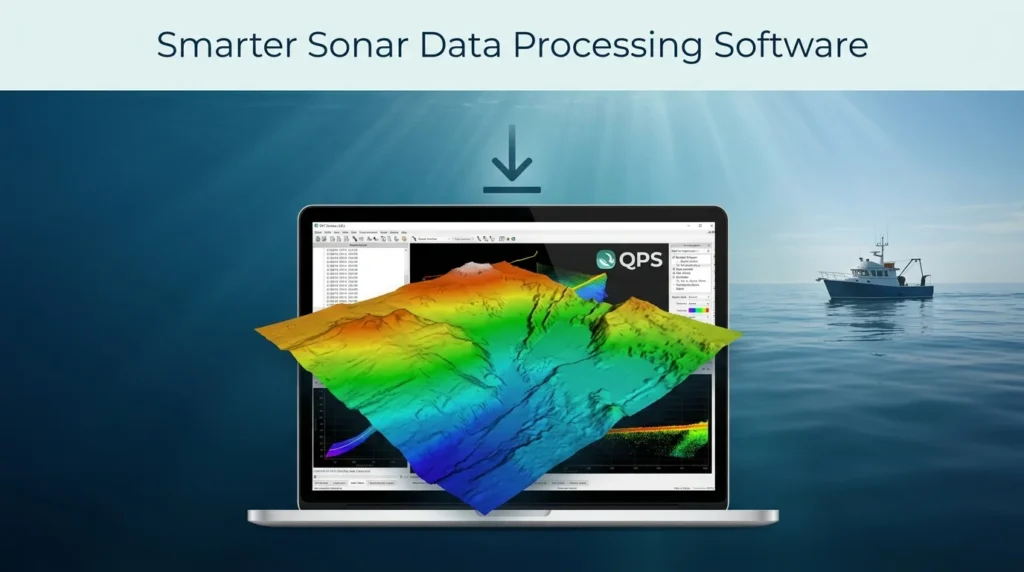
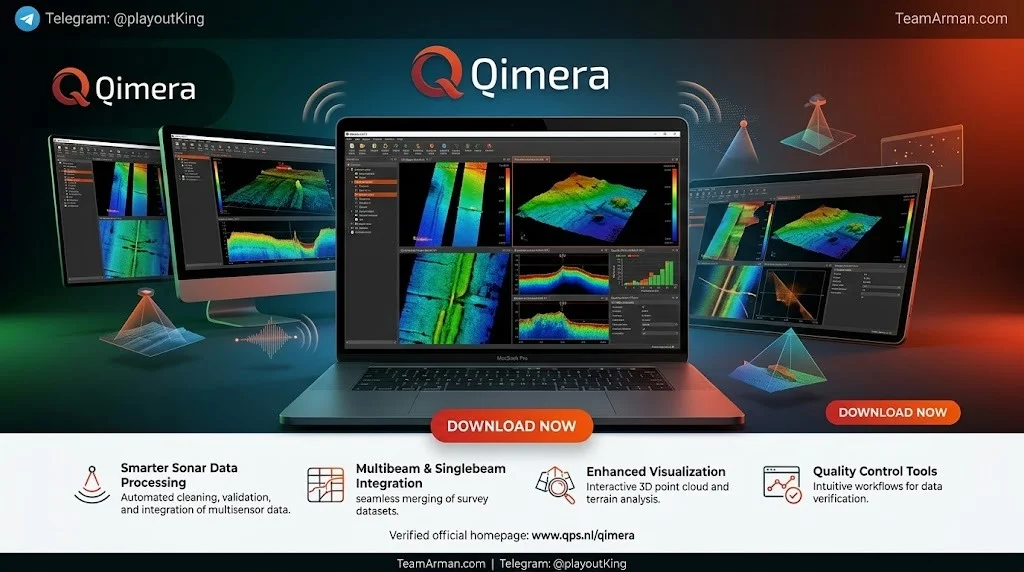
QPS Qimera is a multibeam data processing and analysis software designed to make hydrographic data processing as intuitive and efficient as possible. The software supports full sonar processing across all major manufacturers and survey platforms, including surface vessels, ROV, AUV, and ASV operations.
Qimera combines the core technologies of QINSy and Fledermaus, two established QPS products for hydrographic data acquisition and 3D visualization. This integration allows surveyors to move seamlessly from raw sonar data to final products without switching between separate applications.
The software is widely used in the hydrographic community. Organizations such as the Hydrographic Service of the Royal Netherlands Navy and EGS Survey have adopted Qimera for processing bathymetry, backscatter, and water column imagery data.
Key Features of QPS Qimera 2.8.2
Full Sonar Processing Capabilities
Qimera supports all major multibeam sonar manufacturers and can process data from any survey platform. The software handles multibeam echosounder (MBES) bathymetry data, water column data, and seabed backscatter.
Point Cloud Processing and Cleaning
The software includes comprehensive tools for editing, filtering, and cleaning point cloud data. Hydrographers can use the Swath Editor and 3D Editor for manual cleaning, while automated filters such as the Spline filter, CUBE filter, and Blocking filters handle routine noise removal.
Automated Data Import
Qimera features rich data extraction capabilities that allow for “hands-off” data import. The software automatically generates vessel files and extracts sensor data, minimizing manual setup and reducing the risk of configuration errors.
Guided Workflows
The software provides automated suggestions for the next logical user action, guiding operators through the processing chain and helping to eliminate human error. Processing state management ensures the correct sequence of post-processing actions with a single click.
Qimera Live
Qimera Live enables “hands-off” near-real-time data processing and gridding. This feature is particularly valuable for survey vessels that need to monitor data quality as it is being collected.
Qimera Midwater
The Qimera Midwater add-on provides fast, accurate water column processing for QINSy DB, Kongsberg ALL and KMALL, and Reson/Norbit S7K formats. This is essential for fisheries research and water column target detection.
Backscatter Processing
The Backscatter add-on enables seabed backscatter processing and mosaicking via the Fledermaus Geocoder Toolbox (FMGT). This allows surveyors to generate backscatter mosaics for seabed characterization.
Multibeam Calibration
Qimera includes an easy-to-use Patch Test tool with auto-solve functions for quick multibeam calibration. This helps operators identify and correct sensor misalignments efficiently.
Time Series Editors and Multiplots
The software lets users easily view and correlate motion data streams with bathymetry data. This is useful for fast troubleshooting of navigation and motion sensor issues.
Automated Data Cleaning Filters
Customizable and easy-to-use filters include the Spline filter, CUBE filter, and Blocking filters. These automate the removal of erroneous soundings, reducing the manual editing burden.
Multi-Processor Workflows
Cooperative Cleaning and Production Line Processing workflows allow multiple processors to work on the same project simultaneously. This is a significant advantage for large surveys that need to meet tight deadlines.
Product Generation
Qimera supports visualization, gridding, and data exporting in various formats, including SD, GeoTIFF, GMT Grid, and Esri ASCII raster.
TU Delft Sound Speed Inversion
The TU Delft sound speed inversion algorithm is automated, repeatable, and generates output for vetting and reporting. This helps ensure accurate sound velocity corrections in the final bathymetric data.
What’s New in Qimera 2.8.2
Qimera 2.8.2 builds on the foundation of the 2.8.x release series. Key improvements introduced in the 2.8.x family include:
-
Per-ping frequency storage: Starting in Qimera 2.8.0, transmission frequency can be stored in the QPD on a per-ping basis. When a raw sonar file is imported, the QPD frequency field is populated where possible.
-
QINSy 9.8.0 and FMGT 7.11.3 compatibility: The 2.8.x series supports the new .DB and .QPD versions for QINSy 9.8.0 and later releases.
-
Improved file handling: The software supports the new .DB and .QPD versions, ensuring smoother integration with the latest QINSy acquisition software.
-
Bug fixes and stability improvements: The 2.8.x releases include numerous bug fixes and performance enhancements over earlier versions.
Qimera 2.8.0 and newer require the QPS Geodetic Package 4.2.0 or later for full functionality with QINSy geodetics.
System Requirements for QPS Qimera 2.8.2
Supported Operating Systems
Qimera software up to version 2.0.0 ran on Windows, Mac, and Linux. The current 2.8.x series officially supports:
Windows:
-
Windows 10 (64-bit), excluding N and KN versions
-
Windows 11 (64-bit)
Mac OS:
-
Mac OS X 10.15.x
Linux:
-
RedHat Enterprise Linux 7 (64-bit)
-
RedHat Enterprise Linux 8 (requires X.org; does not work with Wayland)
-
Ubuntu 18.04 LTS
-
Ubuntu 20.04 LTS
-
Ubuntu 22.04 as of 22.04.1 (requires X.org; does not work with Wayland)
Note: Ubuntu’s Unity graphical shell is no longer compatible with Qimera as of version 2.0. Other desktop environments such as Gnome are suggested instead.
Minimum Hardware Requirements
-
Processor: Intel i3 2.4+ GHz or AMD equivalent (minimum); Intel i5 or i7 2.6+ GHz or AMD equivalent (recommended)
-
Video Card: Minimum NVIDIA 100 series or better, AMD HD4xxxx, Intel HD2000 with OpenGL 3.0+ support; Recommended NVIDIA GeForce 700, 900, or 10xx series, AMD R5/R7/RX or better with OpenGL 4.1+ support
-
Memory (RAM): 8 GB minimum; 16 GB+ recommended
-
Storage: Solid State Drive (SSD) recommended
-
Monitor: Resolution of 1280×1024 minimum
-
HD Space: 500 GB recommended
For professional-grade surveys processing large volumes of multibeam data, higher-spec hardware is strongly recommended. Modern hydrographic workstations often benefit from multi-core CPUs, high-bandwidth memory, and hardware acceleration via NVIDIA RTX series GPUs.
Installation Guide for QPS Qimera 2.8.2
Step 1: Obtain the Software and License
Qimera requires a valid license to run. Licenses are available in node-locked or dongle-based formats. Contact QPS or an authorized reseller to purchase a license appropriate for your processing needs.
Step 2: Download the Installer
Download the Qimera installer from the QPS website. The latest version available is Qimera 2.10.0, released on August 27, 2026.
Step 3: Run the Installer
Run the installer and follow the on-screen prompts. The Qimera installer will install the software under the typical install path (usually C:\Program Files\QPS\Qimera).
Step 4: Install the License File
The first time you run Qimera, a License Status window will appear. Within the License Status tab, click the “Install a License File…” button. Browse to your license file and select it. Choose whether to install the license for the current user or all users on the machine.
Step 5: Verify Installation
After installing the license, verify that Qimera starts correctly. You should see the Qimera workspace with project creation options and the Processing Manager panel.
How to Use QPS Qimera for Multibeam Processing
Step 1: Create a New Project
Launch Qimera and create a new project. Specify the project name, location, and coordinate system. Qimera supports various horizontal and vertical datums for hydrographic survey work.
Step 2: Import Raw Sonar Files
Load raw sonar files into the project. Qimera supports direct import of Kongsberg .all and .kmall files, as well as QINSy DB files. The software automatically extracts sensor data, navigation, motion, heading, and sound velocity information from the raw files.
Step 3: Replay and Create QPD Files
After import, replay the raw files to create QPD files. The QPD format is Qimera’s internal processed data format that enables dynamic processing and visualization.
Step 4: Build a Dynamic Surface
Create a dynamic surface in the Processing Manager. The dynamic surface updates automatically as you clean and edit the data. Common settings include node spacing (e.g., 125 meters for deep-water surveys) and CUBE surface generation for uncertainty estimation.
Step 5: Apply Sound Velocity Corrections
Qimera supports sound velocity correction workflows. The default sound speed scheduling method is “Nearest-in-Time; SVP Crossfade 60 sec.” You can also apply full SBET through the Replay Manager if precise navigation is required.
Step 6: Clean the Data
Use the Swath Editor, 3D Editor, and Subset Editor for manual cleaning. Apply automated filters such as the Spline filter or CUBE filter to remove outliers and noise. The software’s automatic filtering tools handle routine noise removal, leaving only complex artifacts for manual editing.
Step 7: Validate and Export
Use the Cross Check Tool to perform statistical analysis of cross line beam footprint values versus the main scheme surface. Once satisfied with data quality, export the final surfaces in your preferred format, including GeoTIFF, SD, GMT Grid, or Esri ASCII raster.
Best Use Cases for QPS Qimera
Hydrographic Surveying and Charting
Qimera is ideal for hydrographic offices and survey companies that need to produce accurate nautical charts and bathymetric maps. The software’s S-57 feature management add-on allows for chart feature creation while maintaining linkages to bathymetry data.
Offshore Energy and Construction Surveys
Oil and gas, offshore wind, and subsea cable projects rely on accurate seabed mapping. Qimera’s fast processing workflows and multi-processor capabilities help survey teams meet tight project deadlines.
Fisheries Research and Water Column Analysis
The Qimera Midwater add-on supports water column data processing for fisheries research. Scientists can analyze acoustic returns from fish schools and other mid-water targets.
Environmental and Geological Studies
Researchers use Qimera to map seabed geology, identify benthic habitats, and study sediment transport. The software’s backscatter processing capabilities are particularly useful for seabed characterization.
Autonomous and Uncrewed Survey Operations
Qimera supports data from ASVs, AUVs, and ROVs, making it suitable for modern uncrewed survey operations. Qimera Live enables near-real-time monitoring of incoming data.
Advantages and Limitations of QPS Qimera
Advantages
-
Intuitive workflow: The guided workflow system reduces the learning curve for new users while offering powerful tools for experienced processors.
-
Fast processing: Qimera’s efficient algorithms and multi-processor support enable rapid processing of large multibeam datasets.
-
Comprehensive format support: The software handles raw sonar files from all major manufacturers, reducing the need for format conversion.
-
Integrated solution: Qimera works seamlessly with QINSy for acquisition and Fledermaus for visualization, providing an end-to-end hydrographic workflow.
-
Automated cleaning: Built-in filters handle routine noise removal, allowing processors to focus on complex data quality issues.
Limitations
-
License cost: Qimera is commercial software, and the license cost may be prohibitive for small survey operations or academic users with limited budgets.
-
Hardware requirements: Processing large multibeam datasets requires a well-configured workstation with sufficient RAM, a capable GPU, and fast storage.
-
Learning curve for advanced features: While the basic workflow is intuitive, mastering advanced features such as water column processing and backscatter analysis requires training and experience.
-
Windows-centric: While Linux and Mac versions exist, the software is primarily developed for Windows, and certain add-ons (such as Qimera SISQA) are only available on Windows.
Alternatives to QPS Qimera
Several commercial and open-source alternatives to Qimera exist in the hydrographic data processing market:
CARIS HIPS & SIPS
CARIS HIPS & SIPS is a widely used hydrographic processing software from Teledyne CARIS. It is the standard software used by NOAA Office of Coast Survey and others for bathymetry processing and nautical chart production in the United States. It offers innovative tools for backscatter processing and AI-based automatic noise classification.
HYPACK / HYSWEEP
HYPACK is a hydrographic survey software suite that includes HYSWEEP for multibeam data processing. It is used extensively in the United States and internationally for both single-beam and multibeam surveys.
Teledyne PDS2000
PDS2000 is a hydrographic survey and processing software from Teledyne Marine. It offers a comprehensive set of tools for data acquisition, processing, and visualization.
EIVA NaviSuite
EIVA NaviSuite provides hydrographic survey and data processing capabilities, including multibeam processing workflows. It is known for its integrated approach to survey operations.
MB-System
MB-System is an open-source software package for processing multibeam and sidescan sonar data. It runs on Linux and macOS and is operated through command-line coding, making it suitable for users comfortable with scripting.
Kluster
Kluster is an open-source bathymetry processing software that offers a modern, cloud-native approach to multibeam data processing.
Frequently Asked Questions
What is QPS Qimera used for?
QPS Qimera is used for processing and analyzing multibeam sonar data in hydrographic surveying. It handles the full workflow from raw sonar file import through cleaning, filtering, and exporting bathymetric surfaces and backscatter mosaics.
What file formats does Qimera support?
Qimera supports raw sonar files from major manufacturers, including Kongsberg .all and .kmall formats, QINSy DB files, and Reson/Norbit S7K formats. Export formats include GeoTIFF, SD, GMT Grid, and Esri ASCII raster.
Can Qimera process water column data?
Yes, the Qimera Midwater add-on enables fast and accurate water column processing for QINSy DB, Kongsberg ALL and KMALL, and Reson/Norbit S7K formats.
Does Qimera support multiple processors working on the same project?
Yes, Qimera’s Cooperative Cleaning and Production Line Processing workflows allow multiple processors to work on the same project simultaneously, which is beneficial for large surveys with tight deadlines.
What are the system requirements for Qimera?
Qimera requires a 64-bit processor (Intel i3 2.4+ GHz minimum, i5/i7 recommended), 8 GB RAM minimum (16 GB+ recommended), a video card with OpenGL 3.0+ support (OpenGL 4.1+ recommended), and an SSD for storage.
Is Qimera available for Mac or Linux?
Yes, Qimera supports Windows 10/11, Mac OS X 10.15.x, and several Linux distributions including RedHat Enterprise Linux 7/8 and Ubuntu 18.04, 20.04, and 22.04.
How does Qimera compare to CARIS HIPS & SIPS?
Both Qimera and CARIS HIPS & SIPS are professional hydrographic processing software. Qimera is known for its intuitive guided workflow and integration with the QPS ecosystem (QINSy and Fledermaus). CARIS HIPS & SIPS is widely used by government agencies and offers advanced backscatter processing and AI-based noise classification.
Can I try Qimera before purchasing?
QPS offers training courses that include temporary software licenses. Contact QPS or an authorized reseller for evaluation options.
Final Thoughts
QPS Qimera v2.8.2 represents a mature, well-designed solution for multibeam sonar data processing. Its combination of guided workflows, powerful automated cleaning tools, and seamless integration with the QPS ecosystem makes it a strong choice for hydrographic surveyors working on projects of any scale.
The software’s ability to handle data from all major sonar manufacturers and survey platforms, combined with features like Qimera Live and the Midwater add-on, positions it as a versatile tool for modern hydrography. While the license cost and hardware requirements may be considerations for smaller operations, the efficiency gains and data quality improvements Qimera delivers often justify the investment for professional survey work.
For surveyors already using QINSy for data acquisition or Fledermaus for visualization, Qimera provides a natural extension of the QPS workflow, enabling a fully integrated path from raw sonar data to final chart products.
Our Paid Service