
Overview of AutoForm Assembly R26
Table of Contents
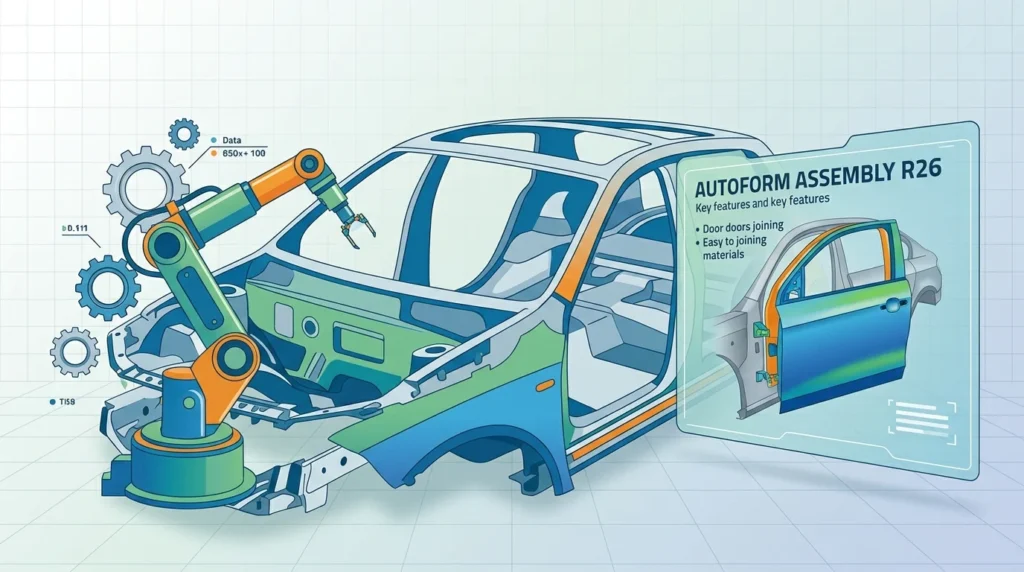
AutoForm Assembly R26 is part of the AutoForm BiW software product line, which supports the entire BiW assembly process chain from early feasibility through process engineering to production. The software enables users to simulate assembly processes, evaluate alternative part and assembly designs, identify root causes of dimensional deviations, and implement effective countermeasures before physical production.
The software is built around several core modules:
-
AutoForm-Explorer: For simulation setup and result evaluation, including forming, hemming, and joining processes.
-
AutoForm-HemPlanner: For efficient planning and optimization of hemming processes, supporting both roller hemming and table-top hemming.
-
AutoForm-FormFit: For modifying single-part geometries to meet dimensional accuracy requirements in the assembly state.
-
AutoForm-LineWelding: For analyzing how thermal effects from line welding influence dimensional accuracy.
-
AutoForm-BuildOptimizer: For selecting optimal joining fixture parameters in assembly production.
-
AutoForm-AssemblySolver: The core solver that simulates BiW assembly processes, calculating results rapidly for both early development and final validation.
The software integrates closely with AutoForm Forming, allowing springback and stress data from stamping simulations to be carried directly into assembly analysis. This integration creates a continuous digital process chain from sheet metal forming through to final assembly validation.
Key Features of AutoForm Assembly R26
AutoForm Assembly R26 offers a comprehensive set of features designed to improve assembly process validation and dimensional accuracy.
MIG/MAG Arc Welding Simulation
The most significant new feature in R26 is the arc welding model for MIG/MAG welding processes. Unlike laser welding, MIG/MAG welding generates higher heat input, resulting in a larger heat-affected zone and increased thermal distortion. The software automatically determines effective heat input and resulting thermal loads using key process parameters, enabling realistic prediction of welding-induced dimensional deviations.
GD&T Integration
GD&T (Geometric Dimensioning and Tolerancing) information from CAD becomes an integral part of the simulation workflow in R26. GD&T definitions are automatically interpreted and used throughout setup and evaluation, preserving the original design intent from CAD. This creates a direct link between engineering requirements, assembly validation, and quality assessment.
Scanned Subassembly Data Integration
The software now supports efficient use of scanned subassembly data. Measured subassembly geometry can be directly integrated into the simulation, enabling more realistic and reliable results. This is particularly useful when prototypes become available in later development stages.
Mirroring and Translation of Assembly Files
New options for mirroring and translation of asm files accelerate simulation setup and increase engineering efficiency. Users can also efficiently reuse and adapt existing subassemblies for new vehicle projects, with the software automatically updating subassembly definitions.
Compensation Strategy Development
AutoForm Assembly R26 enables users to analyze deviations from nominal caused by the assembly process and determine which parts most influence dimensional accuracy. New target geometries for single parts can be derived to achieve the final dimensional fit of the assembly.
Hemming Process Simulation
The software supports both conventional die hemming and robotic roller hemming, with capabilities for generating roller tools and their trajectories, defining active faces of pre- and final hemming tools, and evaluating tool forces, material roll-in, geometry of the hem, material wrinkles, and splits.
What’s New in AutoForm Assembly R26
AutoForm Assembly R26 introduces several important enhancements over previous versions.
New Arc Welding Model
The new arc welding model for MIG/MAG simulation represents the most significant addition. It automatically calculates effective heat input based on key process parameters, providing deeper insights into welding effects on dimensional behavior and supporting optimized joining process design.
Enhanced GD&T Workflow
GD&T information from CAD is now automatically interpreted and used throughout the setup and evaluation process. This establishes a direct link between engineering requirements, assembly validation, and quality assessment, enabling faster and more consistent validation.
Scanned Subassembly Support
The ability to directly integrate measured subassembly data into simulations enables more realistic and reliable results, particularly when prototypes become available during development.
Improved File Handling
New mirroring and translation options for asm files accelerate simulation setup. The software also enables efficient reuse and adaptation of existing subassemblies for new vehicle projects, automatically updating subassembly definitions.
Workflow Automation
The R26 release includes improvements in workflow automation across the digital sheet metal process chain, including enhanced automation for binder surface creation, improved geometry handling, and streamlined evaluation workflows.
System Requirements
AutoForm Assembly R26 supports the following platforms:
Windows Platforms
-
Windows 11 (Pro, Pro for Workstations, Enterprise)
-
Windows Server 2016 or later
All Windows platforms are supported exclusively on x86-64 microprocessor architectures. The setup requires .NET 3.5 Client Profile.
Linux Platforms
-
SUSE Linux Enterprise Server 15 SP7 or later
-
SUSE Linux Enterprise Server 16
-
openSUSE Leap 16
-
Red Hat Enterprise Linux 8
Linux support requires GNU C Library glibc 2.38 or higher and is limited to x86-64 architectures.
CAD Integration
AutoForm Assembly R26 can be integrated with CAD systems including CATIA V5-6R2019 through V5-6R2026 and NX 2512. CATIA V5-6R2023 is the minimum version officially compatible with Windows 11.
Installation Guide
Installing AutoForm Assembly R26 requires a valid license and follows a structured process.
Prerequisites
Before installation, ensure your system meets the hardware and software requirements listed above. Verify that you have administrative privileges on your machine and that your license file is available.
Installation Steps
-
Obtain the installer from AutoForm Engineering or an authorized distributor. AutoForm software is distributed through official channels only.
-
Close all running applications to avoid conflicts during installation.
-
Run the installer and follow the on-screen prompts. On Windows systems, the setup requires .NET 3.5 Client Profile to be installed.
-
Enter your license information when prompted. AutoForm offers two license types: node-locked licenses (valid for a single computer with a specified host ID) and network licenses.
-
Select the modules you wish to install. Each AutoForm product requires a separate license, and licenses are stored in a special license file.
-
Complete the installation and restart your computer if prompted.
-
Verify the installation by launching AutoForm-Explorer and checking that all licensed modules are accessible.
Post-Installation Configuration
After installation, configure your working directory and verify that the software can access your license server (for network licenses) or local license file. It is recommended to complete the official AutoForm training courses to maximize the value of the software.
How to Use AutoForm Assembly R26
Using AutoForm Assembly R26 involves a structured workflow from geometry import through simulation to result evaluation.
Step 1: Import Geometry
Import nominal CAD geometry in a range of formats, including many native files. The software supports individual parts, subassemblies, and complete assemblies.
Step 2: Assign Materials
Assign suitable materials for all single parts from the extensive material database integrated within the software.
Step 3: Define Assembly Process
Define alternative assembly processes by varying critical aspects such as part design parameters, insertion order and angle, clamp position, pilot location, join location, and sequence.
Step 4: Run Simulation
Use AutoForm-AssemblySolver to simulate the BiW assembly process. The intuitive user interface guides you through the simulation setup, and results can be evaluated in AutoForm-Explorer.
Step 5: Analyze Results
Analyze results for deviation from nominal data, clamp force required, and joining force applied. The software enables identification of critical areas and determination of which parts most influence dimensional accuracy.
Step 6: Develop Compensation Strategies
Create compensation strategies to produce target assembly geometry within tolerance and with minimum effort. New target geometries for single parts can be derived to achieve final dimensional fit.
Step 7: Validate and Iterate
Validate the assembly process against GD&T requirements and iterate as needed. The software enables accurate validation of the assembly process, ensuring repeatability and robustness in production.
Best Use Cases
AutoForm Assembly R26 is designed for several key use cases in automotive engineering.
Early Feasibility Assessment
Evaluate assembly process feasibility early in the development cycle before committing to costly physical prototypes. Users can gain deep insight into the car body manufacturing process.
Process Engineering
Define and optimize joining and hemming processes, including insertion order, clamping strategy, and joining technology. The software supports the entire BiW process chain from early feasibility through process engineering.
Dimensional Accuracy Validation
Validate dimensional accuracy against clearly defined engineering requirements specified by GD&T. GD&T information from CAD becomes an integral part of the simulation workflow.
Production Problem Solving
Identify root causes of dimensional deviations during production ramp-up or mass production and implement effective countermeasures. The software supports determining appropriate improvement measures.
Subassembly Adaptation
Efficiently reuse and adapt existing subassemblies for new vehicle projects, with the software automatically updating subassembly definitions to ensure rapid adaptation to new design requirements.
Hemming Process Development
Plan and simulate sub-assembly joining and hemming operations, including conventional die hemming and robotic roller hemming.
Advantages and Limitations
Advantages
-
Comprehensive process chain coverage: Supports the entire BiW assembly workflow from early feasibility through production.
-
Advanced welding simulation: New MIG/MAG arc welding model provides realistic prediction of welding-induced dimensional deviations.
-
GD&T integration: Automatic interpretation of GD&T definitions preserves design intent from CAD.
-
Scanned data support: Direct integration of measured subassembly data for more realistic results.
-
Efficient workflow: New mirroring and translation options accelerate simulation setup.
-
Strong industry adoption: AutoForm is recognized as a leading provider, with over 500 employees worldwide and customers including major automotive OEMs.
Limitations
-
Windows 11 compatibility: CATIA V5-6R2023 is the minimum version officially compatible with Windows 11.
-
Hardware requirements: Requires x86-64 architecture and specific .NET frameworks for Windows installations.
-
License cost: AutoForm software requires a commercial license, which may be a significant investment for smaller organizations.
-
Learning curve: The software has a comprehensive feature set that requires training to use effectively. AutoForm offers official training courses to address this.
Alternatives to AutoForm Assembly R26
Several software solutions offer overlapping capabilities with AutoForm Assembly. These alternatives may be suitable depending on specific requirements and budget constraints.
PAM-STAMP
PAM-STAMP is a sheet metal forming simulation software that offers capabilities similar to AutoForm. It is considered nearly equivalent to AutoForm in forming simulation capabilities.
FormingSuite
Hexagon’s FormingSuite is a premier software package for sheet metal forming. It enables users to optimize the design, feasibility, and cost of sheet metal components, with tools for formability analysis, blank development, and blank nesting.
DYNAFORM
DYNAFORM is another standalone sheet metal forming simulation software available in the market, offering capabilities for forming process simulation.
Elysium’s DFX Analyzer
DFX Analyzer is a geometry-feature analysis tool for CAD models that automates verification of design quality relative to manufacturability, machinability, and moldability.
LOGOPRESS3 and 3D QuickForm
These are non-autonomous software solutions that integrate with CAD systems for forming simulation.
Frequently Asked Questions
What is AutoForm Assembly R26 used for?
AutoForm Assembly R26 is used for simulating and validating Body-in-White (BiW) assembly processes in automotive manufacturing. It helps engineers predict dimensional deviations, optimize joining processes, and develop compensation strategies before production begins.
What are the system requirements for AutoForm Assembly R26?
AutoForm Assembly R26 runs on Windows 11 (Pro, Pro for Workstations, Enterprise), Windows Server 2016 or later, and various Linux distributions including SUSE Linux Enterprise Server 15 SP7 and Red Hat Enterprise Linux 8. All platforms require x86-64 microprocessor architecture.
What is new in AutoForm Assembly R26?
The major new features in R26 include a new arc welding model for MIG/MAG welding simulation, enhanced GD&T integration, support for scanned subassembly data, and new options for mirroring and translation of asm files.
How does AutoForm Assembly R26 handle MIG/MAG welding simulation?
The software automatically determines effective heat input and resulting thermal loads based on key process parameters, enabling realistic prediction of welding-induced dimensional deviations. MIG/MAG welding generates higher heat input than laser welding, resulting in a larger heat-affected zone and increased thermal distortion.
Can AutoForm Assembly R26 integrate with CAD software?
Yes, AutoForm Assembly R26 can be integrated with CATIA V5-6R2019 through V5-6R2026 and NX 2512. It supports import of nominal CAD geometry in a range of formats, including many native files.
What training is available for AutoForm Assembly R26?
AutoForm offers base training courses including a two-day Assembly Hemming course that introduces fundamentals of planning and simulation of sub-assembly joining and hemming operations. Update training for R26 is also available.
How does AutoForm Assembly R26 differ from AutoForm Forming?
AutoForm Forming focuses on sheet metal forming simulation, while AutoForm Assembly specializes in BiW assembly process simulation. The two products work together, with springback and stress data from Forming simulations carried into Assembly analysis.
What license types are available for AutoForm Assembly R26?
AutoForm offers two license types: node-locked licenses (valid for a single computer with a specified host ID) and network licenses. Each AutoForm product requires a separate license, and licenses are stored in a special license file.
Final Thoughts
AutoForm Assembly R26 represents a significant advancement in BiW assembly simulation software. The new MIG/MAG arc welding model, enhanced GD&T integration, and improved subassembly data handling address critical needs in automotive manufacturing for accurate prediction of dimensional deviations and efficient process validation. The software’s comprehensive coverage of the BiW assembly process chain—from early feasibility through process engineering to production—makes it a valuable tool for automotive engineers and process planners.
For organizations already using AutoForm products, R26 offers compelling new capabilities that can improve engineering efficiency and decision-making confidence. For those considering AutoForm Assembly for the first time, the software’s strong industry adoption and comprehensive feature set make it a leading solution in the BiW assembly simulation space. As with any advanced engineering software, proper training and a clear understanding of the software’s capabilities are essential to maximize its value.