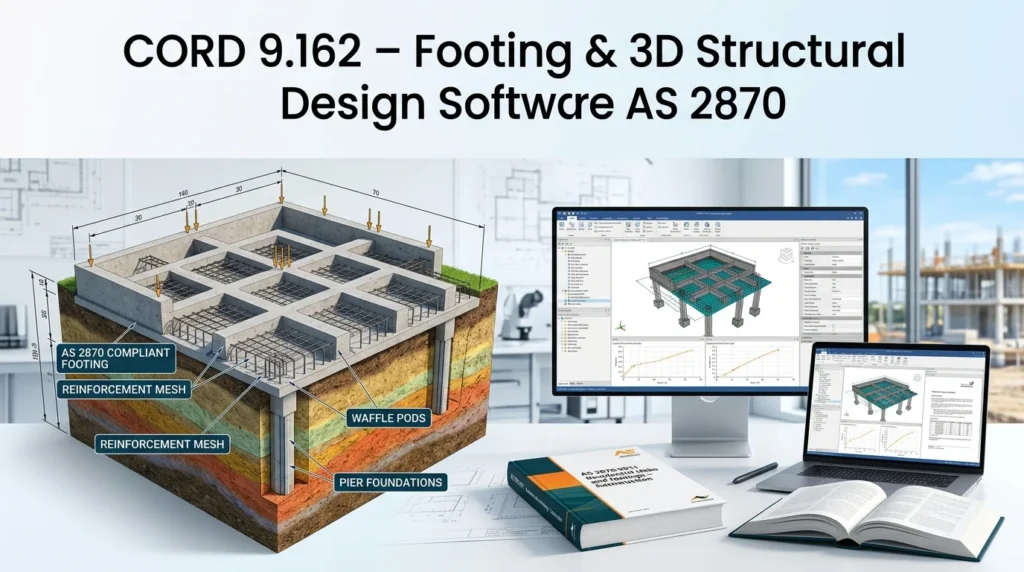


Overview of CORD 9.162
Table of Contents
CORD stands for Code Oriented Raft Design. It is a Windows-based structural engineering application developed and supported by FMG Engineering. The software is purpose-built for the analysis and design of residential footings, particularly stiffened rafts and slab-on-ground systems on expansive or reactive soils.
Unlike general-purpose finite element programs, CORD focuses narrowly on the design workflow that residential footing engineers perform every day. It incorporates the Walsh Method of beam-on-mound design, which models the interaction between a footing and the reactive soil beneath it using two characteristic mound shapes: centre heave and edge heave.
CORD 9.162 is the current version 9 release. It retains the computational core that engineers have relied on for decades while adding usability improvements that reduce manual data entry and streamline reporting. The software allows users to create custom databases of standard wall and roof loads, automatically calculates footing self-weight, and exports all output data to Excel for further analysis.
Key Features of CORD 9.162
CORD 9.162 offers a focused feature set designed around the practical needs of residential footing design.
Design Engine and Methodology
-
Walsh Method implementation: The software is built around the Walsh Method of footing design, referenced in AS2870 Appendix F1. This method is widely accepted in Australian residential footing practice.
-
Tree effects analysis: CORD 9.162 incorporates both “tree effects” and “tree removal” analysis in accordance with AS 2870-2011. This is critical for sites where vegetation influences soil moisture profiles.
-
Centre heave and edge heave modelling: The analysis engine considers both mound shapes required for slab design on reactive soils.
Usability and Workflow
-
Graphical user interface: Version 9 introduced a GUI that replaced the older command-line interaction model, making the software more accessible to new users.
-
Windows executable: CORD 9.162 is a locally installed Windows application, not a cloud-based tool.
-
Custom load databases: Users can build and maintain their own databases of standard wall and roof loads, reducing repetitive input.
-
Context-sensitive help: Help content is available directly within the interface, reducing the need to consult external manuals.
-
Excel export: All output data can be exported to Excel for further modelling, post-processing, or inclusion in design reports.
Output and Reporting
-
Automatic self-weight calculation: The software calculates footing self-weight without manual intervention.
-
Design property tables: CORD produces tables of required versus actual moment of inertia, flexural strength, and ductility checks for both long and short directions.
-
Printable output: Compatible with all Windows printers, making it straightforward to produce hard copies for project documentation.
What’s New in CORD 9.162
The version 9 series represents the most significant interface overhaul in CORD’s history. While the analysis engine remains the proven CORD core, version 9.162 includes several incremental improvements.
-
Improved Windows compatibility: Version 9 was designed for compatibility across Windows 98, XP, Vista, 7, and Windows 10. The 9.162 release continues this broad compatibility.
-
Graphical user interface refinement: The GUI introduced in version 9 has been refined through subsequent releases, including 9.162, with improved navigation and input validation.
-
AS2870-2011 alignment: Tree effects and tree removal analysis are implemented in accordance with the 2011 revision of AS2870.
-
Stability and performance fixes: Incremental releases such as 9.162 typically address minor bugs and performance issues reported by the user community.
For the most current release notes and a complete list of changes, users should consult the official CORD Software website or contact FMG Engineering support directly.
System Requirements for CORD 9.162
CORD 9.162 is a lightweight Windows application. The official documentation specifies compatibility with a broad range of Windows operating systems.
-
Operating system: Windows 98, XP, Vista, 7, or Windows 10. While not officially listed, later Windows versions (Windows 11) may work in compatibility mode, but this is not guaranteed.
-
Printer compatibility: Compatible with all Windows printers.
-
Disk space: As a locally installed executable, CORD requires minimal disk space compared to finite element packages.
-
Additional software: Excel is required if users wish to use the export-to-spreadsheet functionality.
Because CORD is a specialised tool rather than a resource-intensive analysis program, it runs comfortably on standard office hardware. Engineers should confirm compatibility with their organisation’s IT environment before installation.
Installation Guide for CORD 9.162
CORD 9.162 is distributed as a Windows executable file. The official distribution channel is the CORD Software website at cordsoftware.com.au.
-
Obtain the installer: Visit the official CORD Software website and locate the download or licensing section. CORD is commercial software; a licence is required for continued use.
-
Verify system compatibility: Confirm that your Windows version is supported (see System Requirements above).
-
Run the installer: Execute the downloaded installer file and follow the on-screen prompts.
-
Enter licence details: Provide the licence information supplied by FMG Engineering or an authorised reseller.
-
Configure load databases: On first launch, set up or import your standard wall and roof load databases.
-
Test with a sample project: Run a simple footing design to confirm that the installation is functional and that output prints or exports correctly.
Users should always obtain CORD from the official source. Third-party distribution channels may provide outdated or modified installers that are not supported by FMG Engineering.
How to Use CORD 9.162
CORD 9.162 follows a structured workflow that mirrors the residential footing design process.
Step 1: Define the Site and Soil Parameters
Enter the site classification and soil parameters, including the characteristic surface movement (ys) and the depth of design suction change (Hs). These values are typically derived from a geotechnical report prepared in accordance with AS2870.
Step 2: Input Footing Geometry
Define the footing layout, including beam depths and widths. CORD allows users to specify internal and external beam dimensions and reinforcement details.
Step 3: Apply Loads
Use the custom load database to apply wall and roof loads. CORD automatically calculates footing self-weight, so users only need to input superimposed loads.
Step 4: Run the Analysis
Execute the CORD analysis engine. The software evaluates the footing under both centre heave and edge heave conditions and produces design property tables comparing required versus actual capacities.
Step 5: Review and Refine
Examine the output tables for moment of inertia, flexural strength, and ductility. If any check fails, adjust beam dimensions or reinforcement and re-run the analysis.
Step 6: Export and Report
Export the results to Excel for inclusion in design reports, or print directly from the application.
Best Use Cases for CORD 9.162
CORD 9.162 is not a general-purpose structural analysis package. Its strengths lie in specific design scenarios.
-
Residential stiffened raft footings on reactive clay soils: This is the primary use case. CORD was designed for this exact problem.
-
Sites with trees: The tree effects and tree removal analysis capabilities make CORD well-suited to sites where vegetation influences soil moisture.
-
AS2870 compliance workflows: Engineers working within the Australian residential footing framework will find CORD’s methodology directly aligned with the standard.
-
Design office standardisation: The custom load database feature allows firms to standardise their common loading conditions, reducing per-project setup time.
-
Checking standard designs against engineering principles: CORD has been used to verify that Section 3 standard designs meet Section 4 engineering requirements under AS2870.
Advantages and Limitations of CORD 9.162
Advantages
-
Proven methodology: The Walsh Method has been used in Australian practice for decades and is explicitly referenced in AS2870.
-
Focused workflow: CORD does one thing well—residential footing design—without the complexity of a full finite element package.
-
Local installation: The software runs locally on Windows, which suits design offices with limited internet connectivity or strict data security requirements.
-
Excel integration: Exporting to Excel makes it easy to integrate CORD results into broader project documentation.
-
Long-standing support: FMG Engineering has supported CORD since the 1980s, providing continuity and domain expertise.
Limitations
-
Narrow scope: CORD is not suitable for general structural analysis, commercial building foundations, or non-residential projects.
-
Windows-only: There is no macOS or Linux version.
-
Dated compatibility list: The officially supported Windows versions extend only to Windows 10. Users on Windows 11 may encounter compatibility issues.
-
No cloud or collaborative features: CORD is a desktop tool without built-in cloud sync or multi-user collaboration.
-
Learning curve for new users: While the GUI improved accessibility, engineers unfamiliar with the Walsh Method may need training to interpret results correctly.
Alternatives to CORD 9.162
Several other software packages address foundation and footing design. The right choice depends on project type, geographic location, and budget.
CSI SAFE
SAFE is widely regarded as an industry standard for concrete floor and foundation slab systems. It excels at complex raft (mat) foundations and isolated footings and can model nonlinear uplift from soil springs. SAFE is a general-purpose tool that requires more user expertise than CORD but offers far greater modelling flexibility.
STAAD Foundation Advanced
Developed by Bentley Systems, STAAD Foundation Advanced is a comprehensive foundation design program that supports spread footings, mat foundations, pile caps, and more. It integrates seamlessly with STAAD.Pro for superstructure-foundation interaction analysis. It is better suited to larger commercial and industrial projects than residential footings on reactive soils.
CYPECAD and CYPE Structures Expert
CYPE offers a suite of structural design tools with modules for footings, pile caps, foundation slabs, and foundation beams. CYPECAD is widely used in Europe and Latin America and supports multiple design codes.
SkyCiv Foundation Design
SkyCiv provides cloud-based structural engineering software, including pad footing quick design tools that check bearing, overturning, sliding, shear, and bending. It is a more modern, web-based alternative for engineers who prefer not to install desktop software.
Simcenter S-Frame Foundation
Siemens’ Simcenter S-Frame Foundation supports both deep and shallow foundation analysis and design within a single automated workflow. It is aimed at civil, structural, and geotechnical engineers working on larger infrastructure projects.
For Australian residential footing design specifically, CORD remains one of the few tools that directly implements the Walsh Method and AS2870 tree effects analysis, giving it a distinct advantage in that niche.
Frequently Asked Questions About CORD 9.162
What is CORD 9.162 used for?
CORD 9.162 is used for the analysis and design of residential footings, particularly stiffened raft footings on reactive clay soils. It implements the Walsh Method and aligns with Australian Standard AS2870.
Is CORD 9.162 free?
No. CORD is commercial software. A licence is required for continued use. Users should contact FMG Engineering or visit the official CORD Software website for pricing and licensing options.
What is the Walsh Method?
The Walsh Method is a beam-on-mound design approach for footings on expansive soils. It models the soil-footing interaction using two mound shapes—centre heave and edge heave—and is referenced in AS2870 Appendix F1.
Can CORD 9.162 design raft foundations?
Yes. CORD is specifically designed for stiffened raft footings and slab-on-ground systems on reactive soils. It is not intended for pile foundations or deep foundations.
What are the system requirements for CORD 9.162?
CORD 9.162 is compatible with Windows 98, XP, Vista, 7, and Windows 10. It works with all Windows printers and requires Excel for spreadsheet export functionality.
How does CORD compare to STAAD Foundation Advanced?
CORD is a specialised residential footing design tool focused on AS2870 and reactive clay soils. STAAD Foundation Advanced is a broader foundation design package that supports many foundation types and integrates with STAAD.Pro. They serve different project scales and design workflows.
Does CORD 9.162 support AS2870-2011?
Yes. CORD 9.162 incorporates tree effects and tree removal analysis in accordance with AS 2870-2011. The Walsh Method itself is referenced in Appendix F1 of AS2870.
Where can I download CORD 9.162?
CORD 9.162 is available from the official CORD Software website at cordsoftware.com.au. Users should always obtain the software from the official source to ensure they receive a supported, up-to-date installation.
Final Thoughts
CORD 9.162 is a focused, reliable tool for a specific but important engineering task: designing residential footings on reactive clay soils in accordance with Australian practice. Its longevity—over three decades of use in Australian design offices—speaks to the robustness of its analysis engine and the trust it has earned among structural engineers.
Version 9.162 is not a flashy rewrite. It is an incremental release that refines the graphical interface and maintains compatibility with the Walsh Method and AS2870-2011. For engineers working within that niche, CORD remains a practical and efficient choice. For broader foundation design needs, alternatives such as SAFE, STAAD Foundation Advanced, or SkyCiv may be more appropriate.
Engineers considering CORD 9.162 should evaluate it against their specific project types, design codes, and IT environment. The official CORD Software website and FMG Engineering support channels are the best sources for licensing, release notes, and technical assistance.