
Overview of Thimeo Stereo Tool 11.05
Table of Contents
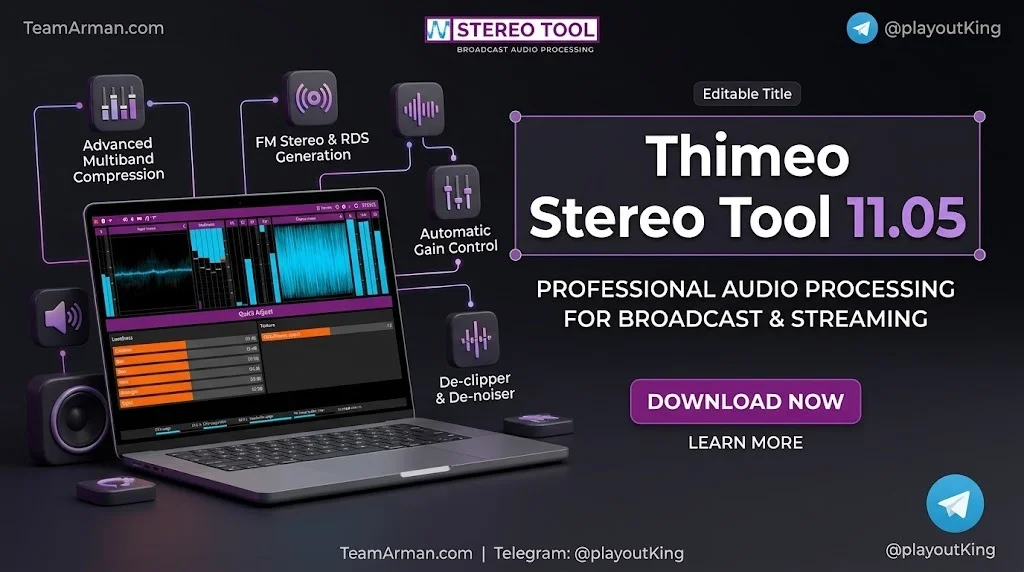
Thimeo Stereo Tool is developed by Thimeo Audio Technology, a company specializing in audio processing solutions for the broadcast market. The software functions as a complete audio processing chain suitable for FM, AM, DAB+, HD Radio, streaming, and TV broadcasting.
Unlike hardware audio processors, Stereo Tool runs on standard computer systems and can be configured as a standalone application or as a plugin (VST 2, VST 3, or DSP) within compatible playout and streaming software. This flexibility makes it accessible for both small community stations and large national broadcast networks.
The software has evolved significantly since its early versions. Version 11 introduces substantial improvements to the final clipper, protection against pumping artifacts, and the MicroMPX transport protocol. These enhancements reflect Thimeo’s ongoing commitment to delivering broadcast-quality audio processing.
Key Features of Thimeo Stereo Tool
Stereo Tool 11.05 includes a comprehensive suite of audio processing tools designed for professional broadcasting environments.
Audio Restoration and Repair
Stereo Tool includes several tools for repairing damaged or degraded audio:
-
Declipper: Repairs clipped audio by removing distortion and restoring lost dynamics. This feature is also used by police forensics laboratories for audio analysis.
-
Delossifier: Improves the sound quality of MPEG-2 and MP3-style lossy compressed audio files.
-
Dehummer: Removes unwanted constant sounds, such as 50/60 Hz hum caused by faulty cables or grounding issues.
-
Natural Dynamics: Boosts percussion instruments and restores dynamics in overly compressed music.
Dynamics Processing
The software provides sophisticated dynamics control through:
-
Multiband Compressor: Separates audio into frequency bands for independent compression, reducing pumping and creating consistent loudness across different recordings.
-
Automatic Gain Control: Slowly adjusts input levels with program-dependent timing that can accelerate during large volume changes.
-
Low Level Boost: Enhances quieter audio passages for improved intelligibility.
FM and Broadcast-Specific Processing
Stereo Tool includes features tailored for FM broadcast optimization:
-
Composite Clipping: Manages peaks at the final stage of FM processing.
-
Pumping Protection: Improved in version 11 to reduce listener fatigue while maintaining loudness.
-
Pling Plong Filter: Reduces crackling artifacts in audio output.
-
Highs Protection: Dynamic protection against intermodulation distortion caused by bass frequencies.
What’s New in Stereo Tool 11.05
Version 11.05 continues the improvements introduced in the version 11 series, with the most significant enhancements focused on the final clipper and signal transport technology.
Improved RuleBreaker Final Clipper
The updated RuleBreaker clipper delivers approximately 0.4 dB more loudness at comparable quality levels. Transient handling has been revised to produce cleaner, more consistent, and punchier output. High frequencies also benefit from improved prioritization across the frequency range, resulting in clearer audio.
Enhanced Pumping Protection
Version 11 includes greatly improved protection against pumping sounds, which allows broadcasters to achieve higher loudness levels without causing listener fatigue. This improvement is particularly important for FM broadcasting in countries using 75 μs pre-emphasis.
MicroMPX Version 5
MicroMPX is Thimeo’s technology for transporting FM MPX signals over IP networks at reduced bandwidth. Version 5 offers more efficient encoding, with a 295 kbps stream now matching the quality of 320 kbps in version 4. Broadcasters can now operate at bitrates as low as 300 kbps.
Additional MicroMPX improvements include:
-
Dynamic keyframes and partial keyframe support for improved packet loss recovery
-
Optional RTP packet headers for compatibility with existing RTP tools
-
Improved RIST integration
-
In-header L/R audio level encoding for monitoring without decoding
-
CPU usage reduction of up to 15% in some configurations
Additional Improvements
The MicroMPX software decoder now supports scheduled top-of-hour station ID playback with per-decoder local files. Emergency Alert System override via GPI or audio trigger is also supported, along with GPO output for signal loss indication.
System Requirements
Stereo Tool 11.05 supports a range of platforms and configurations to accommodate different broadcast environments.
Windows
-
Operating Systems: Windows 8, Windows 10, Windows 11 (both 32-bit and 64-bit versions available)
-
Download Package: Includes both 32-bit and 64-bit versions
-
File Size: Approximately 47.4 MB for the version 11.00 package
Linux
-
Standalone: x86/64 Linux standalone binary available
-
Jack Support: Jack versions available for processing audio from other programs via Jack (requires jackd2 installation)
-
ARM/Raspberry Pi: Available for Pi 2, 3B, 3B+, 4B, 5B with Raspbian; both 32-bit (Cortex A7, A53, A72) and 64-bit (Cortex A53, A72) builds are provided
macOS
-
Compatibility: macOS 10.14 and later
-
Architecture: Intel/M1 universal binaries available
Plugin Formats
Stereo Tool can operate as:
-
VST 2 plugin
-
VST 3 plugin
-
DSP plugin (with installer that recognizes several playout programs)
-
Thimeo’s proprietary plugin format
Installation Guide for Thimeo Stereo Tool
Installing Stereo Tool 11.05 varies depending on your chosen deployment method and platform.
Standalone Installation
For standalone use as a hardware processor replacement:
-
Download the appropriate standalone binary for your operating system from the official Thimeo website
-
Windows: Run the installer package, which includes both 32-bit and 64-bit versions
-
Linux: Make the downloaded file executable using
chmodcommand or by right-clicking and selecting “Executable” flag -
macOS: Install using the standard macOS application installation process
-
Configure input and output sound cards within Stereo Tool’s settings
Plugin Installation
For integration with playout or streaming software:
-
Download the VST or DSP plugin version
-
DSP plugins: Use the provided installer, which recognizes several common playout programs; if your software isn’t listed, browse to its Plugins directory manually
-
VST plugins: Place the plugin files in the correct location manually; most programs require you to specify the VST plugin search path
-
Proprietary format: This binary is typically delivered with compatible software
Audio Routing for Non-Plugin Software
To route audio through Stereo Tool when your software doesn’t support plugins:
-
Install a virtual audio cable program such as VB Cable or Virtual Audio Cable
-
Configure your software to output audio to the virtual sound card
-
Set the virtual sound card as the default in Windows to route all system audio automatically
-
In Stereo Tool, select the virtual sound card as input and your real sound card as output
-
Ensure you use recent versions of virtual cable software to avoid buffer underruns or overruns
How to Use Thimeo Stereo Tool
Stereo Tool offers two primary workflows: standalone operation and plugin integration. The software’s extensive configuration options allow precise tailoring to specific broadcast requirements.
Using Stereo Tool as a Standalone Processor
This approach mimics traditional hardware audio processors:
-
Launch the standalone version of Stereo Tool
-
Select input sound cards (or AES67 sources)
-
Configure output destinations (sound cards, IceCast/ShoutCast streams, or MicroMPX outputs)
-
Adjust processing settings through the graphical interface
-
If using for FM processing, install and configure the audio input/output chain for your transmitter
Using Stereo Tool as a Plugin
For playout software integration:
-
Install the appropriate plugin format for your software (VST 2, VST 3, or DSP)
-
Load Stereo Tool within your playout or streaming application
-
Configure processing parameters as needed
-
Save presets for consistent operation across different shows or stations
Key Processing Adjustments
When configuring Stereo Tool, several settings significantly impact performance:
-
Buffer Size (Latency): Larger blocks improve quality but increase delay. Maximum setting (4096 samples, ~93 ms) offers best quality; 1024 samples (~23 ms) is a good compromise for monitoring
-
CPU Core Selection: Locking each thread to specific CPU cores improves predictability, especially at low latencies. Avoid hyperthreaded cores when possible
-
Multiband Compressor Settings: RMS block size, limit type (RMS or Peak), and feedback mode all affect processing character
-
Quality Settings: Higher quality uses more CPU but reduces artifacts, particularly in bass frequencies
Best Use Cases for Thimeo Stereo Tool
Stereo Tool is deployed across diverse broadcast scenarios, with specific feature sets suited to different environments.
FM Radio Broadcasting
Stereo Tool is used by over 4,000 FM stations worldwide, from small local operations to 50-100 kW stations and nationwide networks. The software’s composite clipping, pre-emphasis handling, and loudness optimization make it particularly effective for FM broadcast chains.
Streaming Audio
More than 10,000 streaming stations use Stereo Tool for audio processing. The software can send processed audio to IceCast or ShoutCast streams directly from the standalone application.
Audio Restoration
The Declipper, Delossifier, and Dehummer tools enable Stereo Tool to repair damaged audio files and restore older recordings. The Declipper’s use in police forensics demonstrates its effectiveness at recovering clipped audio.
Digital Radio (DAB+, HD Radio)
Stereo Tool supports DAB+ and HD Radio processing, with features designed for the specific requirements of digital broadcast standards.
Television Broadcasting
The software can process audio for TV applications, providing consistent loudness and quality across broadcast segments.
Advantages and Limitations of Thimeo Stereo Tool
Stereo Tool offers significant capabilities for professional audio processing, though it also has considerations that potential users should evaluate.
Advantages
-
Comprehensive Feature Set: The software combines numerous processing tools in a single package, including declipping, dynamics processing, and broadcast-specific features
-
Broad Platform Support: Available for Windows, Linux (including Raspberry Pi), and macOS, with multiple plugin formats for integration flexibility
-
Proven Broadcast Reliability: Used by over 14,000 radio stations in at least 94 countries
-
Continuous Development: Regular updates add new features and improvements, such as the RuleBreaker clipper enhancements in version 11
-
Free Features Available: Some features are available for free home use, with paid licenses for professional broadcast applications
Limitations
-
English-Only Interface: The software is not available in other languages, which may present challenges for non-English speakers
-
Learning Curve: The extensive feature set and configuration options can be overwhelming for new users
-
CPU Intensive at High Quality Settings: Maximum quality settings require significant processing power
-
Cost for Full Feature Set: Professional licenses can be expensive, particularly for smaller operations (as noted in user discussions, full-featured versions with declipper, delossifier, and dynamic EQ options can cost around €385)
Alternatives to Thimeo Stereo Tool
While Stereo Tool occupies a unique position in the software audio processing market, several alternatives address different needs or budget constraints.
Hardware Processors
Dedicated hardware audio processors from companies like Orban, Omnia, and Wheatstone offer similar functionality in dedicated hardware form. These solutions provide plug-and-play operation without CPU concerns but typically cost significantly more and offer less flexibility.
FOSS Audio Processing
The open-source community has not produced a direct equivalent to Stereo Tool’s comprehensive feature set. As noted in user discussions, achieving similar results requires combining multiple tools and still may not match Stereo Tool’s capabilities.
Software Alternatives
Some software options address specific aspects of Stereo Tool’s functionality:
-
Clipper plugins: Tools like Voxengo OVC-128, StandardCLIP, and V-Clip provide focused clipping functionality for mixing and mastering applications
-
Saturation tools: Klanghelm SDRR and Newfangled Saturate offer creative saturation and soft-clipping options
However, these alternatives typically focus on music production rather than broadcast processing, lacking Stereo Tool’s comprehensive broadcast-specific features.
Frequently Asked Questions
What is the primary purpose of Thimeo Stereo Tool?
Stereo Tool is a software-based audio processor designed for broadcast and streaming applications. It performs audio processing, restoration, and optimization for FM, AM, DAB+, HD Radio, streaming, and TV broadcasting environments.
Can Stereo Tool run on Raspberry Pi?
Yes, Stereo Tool supports ARM-based devices including Raspberry Pi 2, 3B, 3B+, 4B, and 5B running Raspbian. Both 32-bit and 64-bit builds are available for compatible hardware.
What license options are available for Stereo Tool?
Stereo Tool offers several license tiers ranging from inexpensive hobbyist licenses to professional licenses for large broadcast networks. Some features are available free for home use.
How much latency does Stereo Tool introduce?
Latency depends on buffer settings. At maximum quality (4096 samples), processing latency is approximately 93 ms. A compromise setting of 1024 samples provides about 23 ms processing latency (28 ms total including sound card delays). The standalone version offers a low-latency monitoring output at 11 ms total latency.
What audio formats does Stereo Tool support?
The command-line version processes 16-bit or 24-bit stereo WAV or raw PCM data. The main application supports standard audio interfaces and can output to various streaming formats.
Does Stereo Tool require a dedicated sound card?
While Stereo Tool works with standard sound cards, professional broadcast applications typically benefit from dedicated audio interfaces with ASIO support for lower latency and better stability. The software can also use virtual audio cables for routing audio from other applications.
What improvements does version 11 bring over previous versions?
Version 11 introduces an improved RuleBreaker final clipper with approximately 0.4 dB more loudness, better transient handling, enhanced pumping protection, the Pling Plong xylophone distortion filter, and MicroMPX version 5 with more efficient encoding and improved network resilience features.
Is Stereo Tool suitable for music production?
While Stereo Tool can be used for music production and mastering, its feature set is optimized for broadcast and streaming applications. For pure music production, dedicated mastering tools may offer more relevant functionality, though Stereo Tool’s restoration capabilities (Declipper, Delossifier) can benefit music production workflows.
Final Thoughts
Thimeo Stereo Tool 11.05 represents a mature, feature-rich audio processing solution for broadcast and streaming professionals. Its combination of restoration tools, dynamics processing, and broadcast-specific features makes it a versatile choice for radio stations, streaming services, and audio engineers working with legacy content.
The version 11 improvements—particularly the enhanced RuleBreaker clipper and MicroMPX version 5—demonstrate Thimeo’s continued investment in the platform. For organizations requiring comprehensive audio processing capabilities across multiple broadcast standards, Stereo Tool offers a proven, well-supported solution.
Prospective users should consider their specific processing needs, available hardware resources, and budget when evaluating Stereo Tool against hardware alternatives or simpler software tools. For broadcast applications demanding maximum loudness with minimal artifacts, Stereo Tool’s combination of features and ongoing development makes it a compelling option.