
Overview of PolyWorks Metrology Suite 2026 IR2
Table of Contents
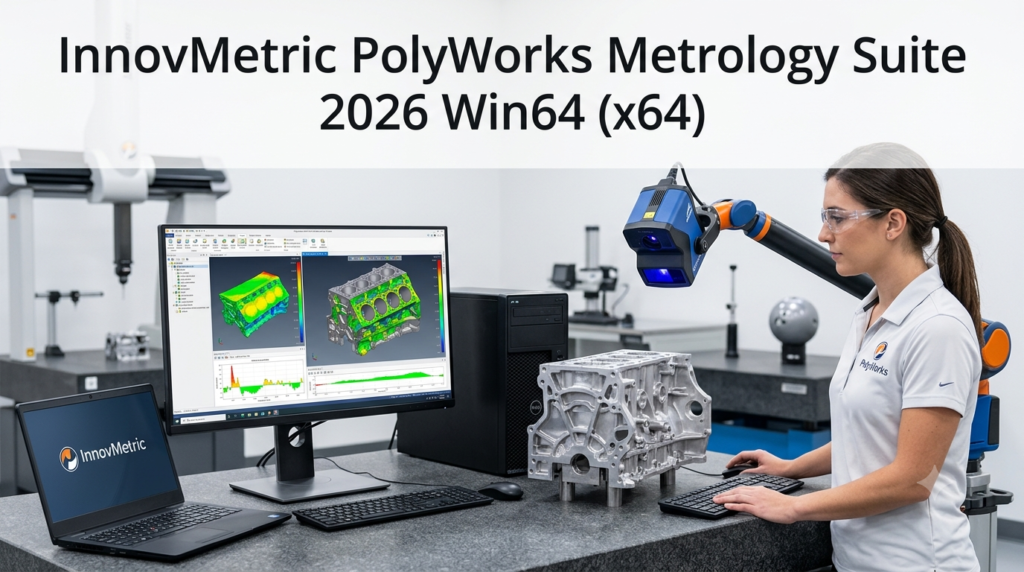
InnovMetric PolyWorks Metrology Suite 2026 IR2 is an industrial-grade 3D measurement software platform designed for quality control and dimensional analysis across manufacturing sectors. This comprehensive metrology software solution serves industries including automotive, aerospace, precision manufacturing, mold and die, energy, and medical device production.
The software’s primary function is to compare measurement data—collected from coordinate measuring machines (CMM), 3D scanners, laser trackers, and other inspection devices—against CAD models for dimensional analysis, GD&T verification, quality inspection, and process control. PolyWorks distinguishes itself through its universal 3D measurement platform approach, supporting multiple measurement devices and brands while integrating data management and collaborative workflows.
Key Features of PolyWorks Metrology Suite
3D CAD Comparison and Analysis
The platform enables precise comparison between scanned point clouds and CAD models through automatic alignment. Users can analyze surface deviations, dimensional errors, geometric discrepancies, and assembly positioning with high accuracy.
GD&T Analysis Capabilities
PolyWorks supports comprehensive geometric dimensioning and tolerancing inspection, including:
-
Flatness and roundness verification
-
Cylindricity and coaxiality analysis
-
True position evaluation
-
Perpendicularity and parallelism assessment
-
Profile tolerance verification
Point Cloud Processing
The software handles millions to hundreds of millions of measurement points for:
-
Point cloud optimization and filtering
-
Surface analysis and deviation assessment
-
Free-form surface inspection
-
Mold wear analysis
Automated Measurement Workflows
PolyWorks supports CNC CMM automation, repetitive batch inspection routines, macro and script automation, and standardized measurement processes to improve efficiency.
Multi-Device Compatibility
One of PolyWorks’ greatest strengths is its ability to integrate measurement devices from multiple major manufacturers within a single platform, including:
-
Hexagon
-
ZEISS
-
FARO
-
Nikon
-
Creaform
-
Renishaw
-
Leica
-
API
-
Kreon
-
Mitutoyo
Digital Collaboration Tools
Beyond measurement, PolyWorks provides digital collaboration capabilities:
-
Centralized measurement project management
-
Version control for inspection data
-
Results sharing with design, production, and supplier teams
-
Integration with CAD, PLM, and MES systems
What’s New in PolyWorks 2026 Version
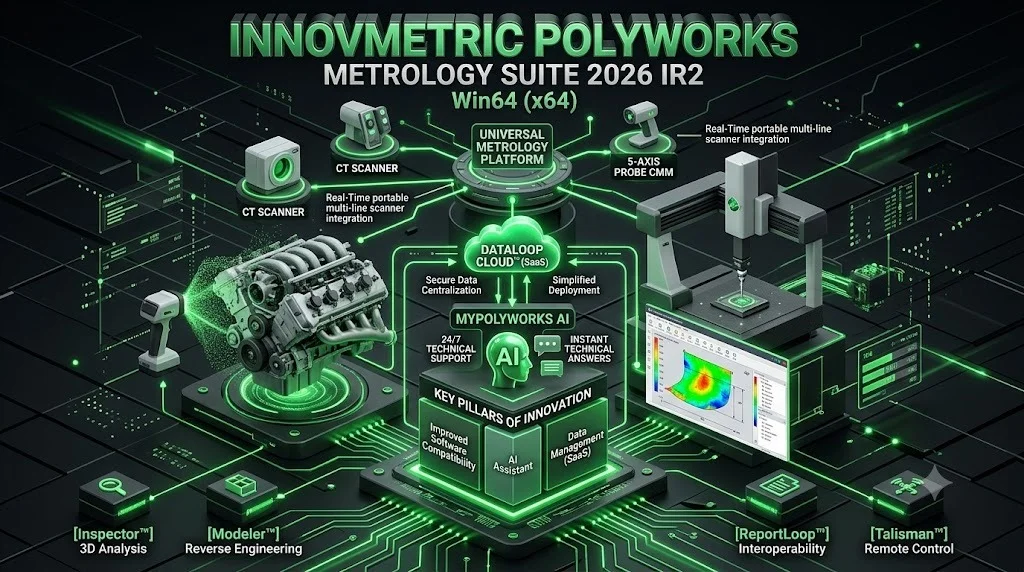
The 2026 release introduces three key innovation pillars that significantly enhance the metrology software platform:
1. Cloud-Based Data Management with DataLoop Cloud™
PolyWorks 2026 introduces DataLoop Cloud™, a SaaS solution designed to provide secure data centralization for manufacturers. This innovation allows companies to outsource the setup and maintenance of their data management servers, simplifying deployment and reducing ongoing maintenance costs.
2. Enhanced Software Compatibility
The 2026 version offers expanded compatibility with a wider range of measurement devices, ensuring seamless integration with the latest inspection technologies in the market.
3. MyPolyWorks AI Assistant
InnovMetric has released MyPolyWorks AI, an intelligent assistant fully integrated into the MyPolyWorks customer portal. This AI assistant provides:
-
24/7 technical support availability
-
Immediate and reliable technical answers in the user’s preferred language
-
Hyperlinked references for deeper understanding
-
Enhanced customer support capabilities
Expanded Measurement Capabilities
The universal metrology platform now offers four key extensions:
CT Scanning Module: Automates multi-part CT-based inspections in production environments.
Web-Based Data Application: Enables collection and consolidation of manual gauge data and visual inspections directly on the shop floor.
Real-Time Portable Scanner Integration: Allows direct processing of scanned data within PolyWorks|Inspector, eliminating manual transfers and eliminating the need to switch between software platforms.
Advanced 5-Axis Probe Head Support: Includes native positioning capabilities, head-touch measurement functions, and integrated collision analysis features.
System Requirements
Software Version: InnovMetric PolyWorks Metrology Suite 2026 IR2
File Size: 2.9 GB
Language: English
Architecture: 64-bit (x64)
Note: Complete system requirements including specific hardware specifications and operating system versions should be verified with the official InnovMetric website or authorized distributors.
Installation Guide
Preparing for Installation
Before installing PolyWorks Metrology Suite 2026 IR2, ensure your system meets the minimum requirements and that you have administrative privileges on your computer.
Installation Steps
-
Acquire the Software: Obtain the official installation files from InnovMetric or an authorized distributor.
-
Verify File Integrity: Ensure the downloaded files are complete and uncorrupted.
-
Run Installer: Execute the installation program with administrator privileges.
-
Follow Setup Wizard: Proceed through the installation wizard, selecting desired components and installation location.
-
License Activation: Activate your license using the provided credentials or license file.
-
Configure Device Connections: Set up connections to your measurement equipment according to manufacturer specifications.
How to Use PolyWorks Metrology Suite
Core Modules
The PolyWorks Metrology Suite consists of three primary modules:
PolyWorks|Inspector: The most widely used module responsible for 3D dimensional inspection and quality control. It handles:
-
CAD to scan data comparison
-
Dimensional measurement and analysis
-
GD&T verification
-
First Article Inspection (FAI)
-
Production line quality inspection
-
Color map visualization
-
Automated inspection report generation
PolyWorks|Modeler: Dedicated to:
-
Point cloud processing
-
Mesh creation and editing
-
Surface analysis
-
CAD preprocessing
-
Scan data repair
-
STL editing
PolyWorks|Reviewer: A free viewing tool enabling:
-
Measurement results review
-
Inspection report examination
-
Color map visualization
-
Results sharing with design, production, or suppliers
Typical Workflow
-
Import CAD Model: Load the reference CAD model into PolyWorks|Inspector.
-
Collect Measurement Data: Acquire measurement data using compatible CMMs, scanners, or laser trackers.
-
Align Data: Automatically align the point cloud with the CAD model.
-
Perform Analysis: Execute dimensional analysis, GD&T verification, or surface deviation assessment.
-
Generate Reports: Create comprehensive inspection reports for quality documentation.
-
Collaborate: Share results with relevant teams using PolyWorks|Reviewer.
Best Use Cases
Automotive Manufacturing
PolyWorks is extensively used for quality control in automotive production, including body-in-white inspection, component validation, and assembly verification.
Aerospace Industry
The software enables precision measurement and certification of aerospace components, ensuring compliance with stringent industry standards.
Precision Manufacturing
Manufacturers use PolyWorks for mold and die verification, precision machining validation, and production line quality control.
Medical Device Manufacturing
The platform supports the stringent quality requirements of medical device production, including verification of complex geometries and surfaces.
Supplier Quality Management
PolyWorks facilitates standardized measurement processes across multiple sites and with external suppliers, ensuring consistent quality across the supply chain.
Advantages and Limitations
Advantages
| Benefit | Description |
|---|---|
| Universal Platform | Supports measurement devices from multiple manufacturers in a single software environment |
| Comprehensive Analysis | Full GD&T capabilities and surface deviation analysis |
| Digital Collaboration | Enables standardized processes across multiple facilities |
| AI-Powered Support | 24/7 technical assistance through MyPolyWorks AI assistant |
| Cloud Integration | SaaS data management through DataLoop Cloud™ |
| Industry Recognition | Widely adopted in automotive, aerospace, and precision manufacturing sectors |
Limitations
| Limitation | Description |
|---|---|
| Cost | Professional metrology software requires significant investment |
| Learning Curve | Advanced features require specialized training and expertise |
| Hardware Dependency | Performance is dependent on connected measurement equipment |
| Windows Platform | Designed exclusively for Windows operating systems |
Alternatives to PolyWorks Metrology Suite
While PolyWorks represents a leading industrial metrology solution, several alternatives exist for different measurement needs and budgets:
-
Hexagon’s PC-DMIS: A comprehensive CMM measurement software widely used in manufacturing.
-
ZEISS CALYPSO: Specialized metrology software optimized for ZEISS measurement equipment.
-
FARO CAM2: Integrated measurement software for FARO’s portable CMMs and laser scanners.
-
Mitutoyo MCOSMOS: Measurement software primarily used with Mitutoyo CMM equipment.
-
Open Source Alternatives: Limited options exist in the industrial metrology space, though some smaller operations may utilize custom solutions.
Frequently Asked Questions
1. What is InnovMetric PolyWorks Metrology Suite 2026 IR2?
PolyWorks Metrology Suite 2026 IR2 is an industrial 3D measurement software platform used for quality control and dimensional inspection. It compares measurement data from CMMs, laser scanners, and other devices against CAD models for GD&T analysis and quality verification.
2. What industries use PolyWorks Metrology Suite?
PolyWorks is widely used in automotive manufacturing, aerospace engineering, precision manufacturing, mold and die production, energy sector applications, and medical device manufacturing.
3. What measurement devices are compatible with PolyWorks?
The platform supports devices from major manufacturers including Hexagon, ZEISS, FARO, Nikon, Creaform, Renishaw, Leica, API, Kreon, and Mitutoyo.
4. What are the core modules of PolyWorks Metrology Suite?
The software includes PolyWorks|Inspector for inspection and quality control, PolyWorks|Modeler for point cloud and mesh processing, and PolyWorks|Reviewer for free viewing and results sharing.
5. What features are new in PolyWorks 2026?
The 2026 release introduces DataLoop Cloud™ SaaS data management, expanded device compatibility, the MyPolyWorks AI assistant for 24/7 technical support, CT scanning module, web-based data collection, real-time portable scanner integration, and advanced 5-axis probe head support.
Final Thoughts
InnovMetric PolyWorks Metrology Suite 2026 IR2 represents a significant advancement in industrial 3D measurement software. With its universal platform approach, comprehensive analysis capabilities, and integration of cloud technology and AI-powered support, the software addresses the evolving needs of modern manufacturing quality control.
The 2026 version demonstrates InnovMetric’s commitment to digital transformation through its digital thread framework, enabling data to flow seamlessly between metrology teams across multiple locations and with external suppliers. As Marc Soucy, co-founder and president of InnovMetric, emphasizes: “When companies have accurate and traceable data, they can maximize quality, make better decisions, and reduce time to market”.
For organizations seeking to establish a “perfect inspection laboratory”—where data flows digitally, complex tasks become simple, and collaboration is seamless—PolyWorks Metrology Suite 2026 IR2 provides the comprehensive tools needed to achieve these goals.