
Overview of PolyPattern-Design Pro
Table of Contents
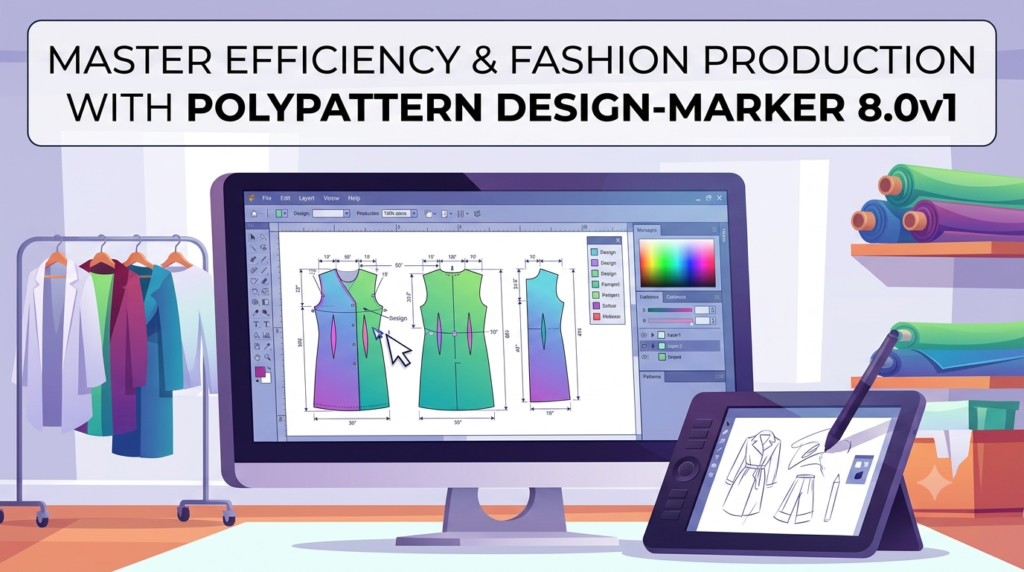
PolyPattern-Design Pro is a professional computer-aided design (CAD) application developed by Polytropon, a Greece-based software company established in 1990 . This powerful software is specifically tailored for the fashion and apparel industry, enabling designers and pattern makers to create, grade, and modify garment patterns with exceptional precision and efficiency.
The PolyPattern-Design Pro 8.0v1 represents the latest advancement in pattern design technology. Unlike general-purpose CAD packages, this software is purpose-built for fashion professionals who require specialized tools for pattern construction, grading, and marker making . It seamlessly integrates with other products in the PolyPattern ecosystem, including PolyPattern Marker and PolyPattern AutoMarker, providing a comprehensive workflow solution from design to production .
Whether you are a seasoned pattern maker or new to digital design, PolyPattern-Design Pro offers an intuitive environment that streamlines the entire pattern creation process. The software empowers you to design patterns from scratch, digitize existing patterns using a digitizing table, and output your creations to various formats including print-ready paper patterns .
Key Features of PolyPattern-Design Pro
Advanced Pattern Design Tools
PolyPattern-Design Pro is equipped with sophisticated design capabilities that dramatically accelerate the pattern-making workflow. The software includes specialized tools for:
-
Automatic dart management: Define, reverse, shift, and cut out darts with a single click
-
Pleat creation: Automatically open any type of pleat, including pleated darts and complex configurations
-
Edge walking: Determine the exact “fit” of two pattern pieces by analyzing their edges
-
Pattern extraction: Extract patterns from existing designs and drafted lines
-
Spiral pattern creation: Generate accurate single or double spiral shaped patterns for flounce designs
Intelligent Pattern Grading
One of the software’s standout capabilities is its comprehensive grading system. PolyPattern-Design Pro enables you to:
-
Create patterns in any number of sizes with a single button press
-
Reuse grading rules across similar patterns
-
Automatically propagate changes across all sizes when you modify a pattern
-
Maintain dimension tables that reflect and update with subsequent changes
This functionality ensures consistency across your entire size range while significantly reducing the time required for manual grading adjustments.
Seam and Hem Management
The software simplifies the addition of critical finishing details:
-
Add seam allowances with a single button press
-
Apply hem allowances automatically to any pattern piece
-
Create and manage complex matching criteria for plaid and stripe alignment in markers
User-Centric Interface
PolyPattern-Design Pro’s interface was designed with fashion designers in mind:
-
All features remain easily accessible without navigating through complex menu structures
-
Intuitive “snaps” and keyboard shortcuts accelerate workflow
-
Press F1 for instant context-sensitive help
-
User-friendly environment that requires minimal training to become productive
Polytropon’s Emphasis on User Experience
Polytropon has focused on understanding the needs of pattern makers to create software that simplifies even the most complex tasks. The result is a platform that manages intricate operations simply, reduces stress, minimizes double-checking, and increases organizational efficiency . When you trust your tools, you can focus entirely on the creative aspects of your work.
What’s New in PolyPattern-Design Pro 8.0v1
The 8.0v1 release builds upon the robust capabilities of previous versions with significant enhancements:
Enhanced Pro Tools
The Pro version extends the standard PolyPattern-Design with advanced construction tools that reduce steps required for complex operations. These enhancements ensure geometrically correct patterns in every operation .
Advanced Pleat and Dart Automation
New or improved algorithms for:
-
Opening multiple pleats simultaneously with smoothing options for volan or ruffle pieces
-
More sophisticated dart reversal and shifting operations
-
Edge walking improvements for more accurate fit assessment
Improved Dimension Management
The dimension table functionality has been enhanced to:
-
Reflect subsequent changes automatically
-
Provide clearer visualization of pattern measurements
-
Export dimension data to MS Excel for comparison with size charts
Streamlined Fabric Matching
Enhanced tools for defining complex matching criteria:
-
Support for plaid and stripe matching in the marker
-
More precise alignment options for patterned fabrics
Performance Optimizations
The 8.0v1 release includes performance improvements that enable faster processing of complex patterns and more responsive interaction with large files.
System Requirements
Before installing PolyPattern-Design Pro 8.0v1, ensure your system meets the following requirements:
Supported Platforms
-
Windows operating systems
-
Mac operating systems
Minimum Hardware Specifications
While specific hardware requirements are not published in detail, as a professional CAD application, PolyPattern-Design Pro typically requires:
-
A modern processor with adequate performance for complex calculations
-
Sufficient RAM to handle large pattern files and multiple patterns simultaneously
-
A display with adequate resolution for detailed pattern work
-
Available storage space for pattern files and software installation
Optional Equipment
-
Digitizing table for converting paper patterns to digital format
-
Wide carriage printer for printing full-size patterns
-
Plotter for professional-grade pattern output
Support Options
Polytropon provides multiple support channels:
-
Phone support
-
Online support
-
Comprehensive documentation
Installation Guide
Step-by-Step Installation Process
Step 1: Download the Software
Visit the official Polytropon website or authorized reseller portal to download the PolyPattern-Design Pro 8.0v1 installer.
Step 2: Prepare Your System
-
Ensure no other applications are running during installation
-
Verify you have adequate disk space available
-
Disable any antivirus software temporarily (and re-enable after installation)
-
Ensure you have administrator privileges on Windows or appropriate permissions on Mac
Step 3: Run the Installer
-
Windows: Launch the .exe file and follow the installation wizard
-
Mac: Mount the .dmg file and drag the application to your Applications folder
Step 4: Enter Your License Information
When prompted, enter your legitimate license key or serial number to activate the software. This ensures you receive official updates and technical support.
Step 5: Complete the Installation
-
Allow the installation process to complete
-
Restart your computer if prompted
-
Launch PolyPattern-Design Pro 8.0v1
Step 6: Initial Setup
-
Configure your preferred workspace settings
-
Set up your default measurement units
-
Customize keyboard shortcuts if desired
How to Use PolyPattern-Design Pro
Getting Started with Pattern Design
Creating Patterns from Scratch
Begin by opening a new project in PolyPattern-Design Pro. Use the comprehensive drawing tools to draft your base pattern pieces. The software supports various pattern construction methods, so you can work according to your preferred technique .
Digitizing Existing Patterns
If you have paper patterns you want to convert to digital format, use a digitizing table connected to your computer. PolyPattern-Design Pro captures the pattern geometry and converts it to editable digital data .
Grading Your Patterns
The grading feature is where PolyPattern-Design Pro truly shines:
-
Create your base pattern
-
Define your grade rules specifying how measurements change between sizes
-
Apply the grading to generate all required sizes
-
Verify the grading results visually
-
Make adjustments to the base pattern, and the changes propagate automatically across all sizes
Adding Construction Details
Use specialized tools to add professional details:
-
Darts: Define, reverse, shift, or cut out darts
-
Pleats: Create standard pleats or more complex pleated configurations
-
Seams: Add seam allowances with precision
-
Hems: Apply hem allowances consistently
-
Notches: Place notches for assembly guidance
-
Grainlines: Indicate grain direction for cutting
Preparing for Production
Marker Creation
Once your patterns are complete, use the integrated marker making capabilities to arrange pieces efficiently for fabric cutting. PolyPattern-Design Pro works seamlessly with PolyPattern Marker and AutoMarker for optimal fabric utilization .
Matching Considerations
Define complex matching criteria for plaid and stripe fabrics. The software ensures pattern pieces align correctly when cut from patterned materials .
Printing Options
Output your patterns in various ways:
-
Print on standard paper (tiled if necessary)
-
Print to a wide carriage printer
-
Plot full-size patterns
-
Export to various file formats
Advanced Features
Dimension Management
Maintain dimension tables that update automatically as you modify patterns. This feature helps ensure accuracy and provides clear documentation .
Folding Operations
Fold patterns across lines or bring points together to simulate garment construction and verify fit .
Spiral Creation
Generate flounce patterns with accurate single or double spiral shapes .
3D Visualization
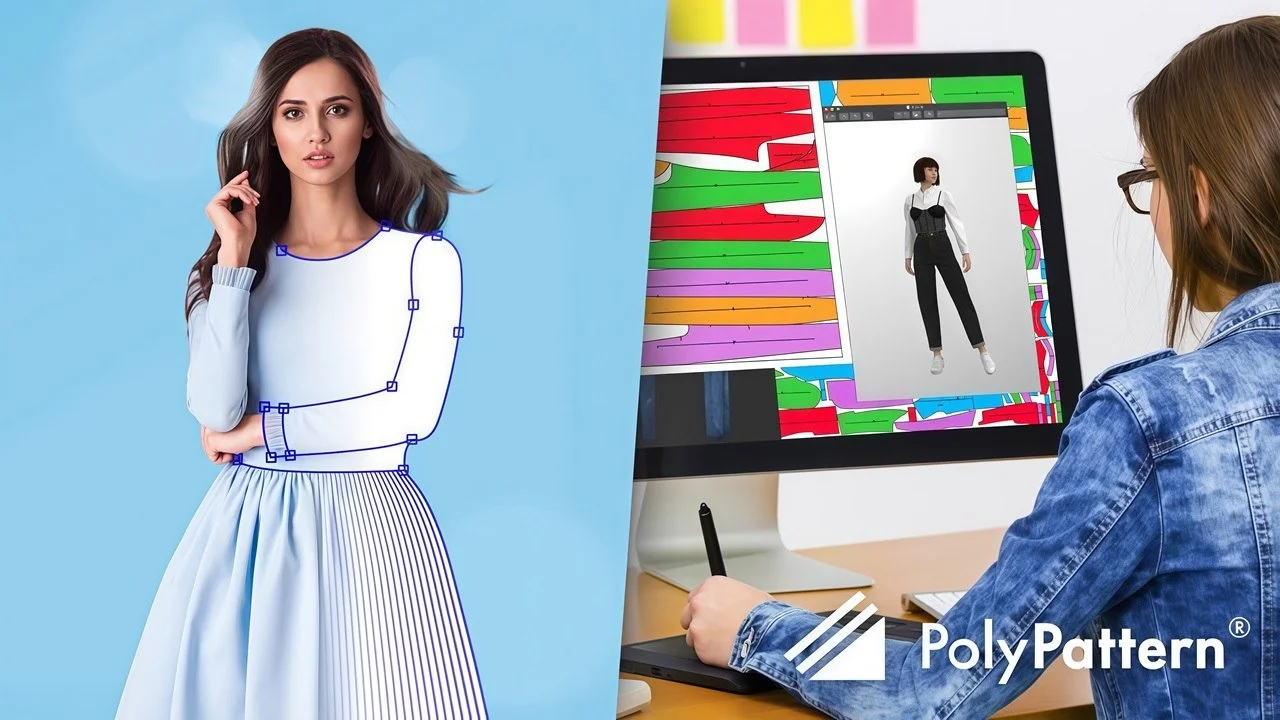
PolyPattern integrates with other Polytropon products, including 3D garment modeling tools, allowing you to visualize your designs in three dimensions .
Best Use Cases for PolyPattern-Design Pro
Fashion Apparel Manufacturing
PolyPattern-Design Pro is ideally suited for:
-
Mass production planning: Create efficient marker layouts for production runs
-
Made-to-measure services: Grade patterns for custom sizes
-
Sample development: Rapidly iterate on design concepts
-
Technical documentation: Generate detailed construction specifications
Specific Industry Applications
Ready-to-Wear Fashion
Create complete size ranges efficiently. The grading tools ensure consistent fit across all sizes while minimizing manual adjustment time.
Bespoke Tailoring
For custom garment creation, use the software to adjust base patterns to individual measurements.
Costume and Theatrical Design
Design complex, non-standard garments with the advanced pattern construction tools. The flexibility of the software accommodates creative designs that may not follow standard pattern conventions.
Athletic and Performance Wear
Create patterns with precise fit requirements and complex construction details.
Who Should Use PolyPattern-Design Pro
Professional Pattern Makers
The software provides the comprehensive toolset required for professional-grade pattern design, grading, and marker making .
Fashion Designers
Designers can work directly in CAD, moving seamlessly from concept to production-ready patterns.
Apparel Manufacturers
Companies can standardize their pattern creation process, ensuring consistency and reducing errors .
Educational Institutions
Fashion design and apparel manufacturing programs can teach students using industry-standard software.
Freelance Pattern Designers
Independent professionals can offer professional services without requiring a full studio setup.
Advantages and Limitations
Advantages
Speed and Efficiency
PolyPattern-Design Pro dramatically accelerates pattern creation. Complex operations that once required manual calculation and drawing are now accomplished with a single button press . The software manages even the most complex tasks in a simple manner .
Accuracy and Precision
Digital pattern making eliminates the inherent inaccuracies of manual drafting. The software ensures geometrically correct patterns for every operation . Changes propagate automatically across all sizes, eliminating inconsistencies.
User-Friendly Interface
The software was designed with fashion designers in mind. All features are easily accessible without navigating through complex menu structures . The learning curve is manageable, with users reporting that the software is easy to learn .
Comprehensive Feature Set
From basic pattern drafting to complex grading and marker making, PolyPattern-Design Pro provides a complete solution for pattern design.
Reliable Automation
The software reliably performs automatic operations, whether propagating grading across shifted darts or communicating with machines and other software. This reliability reduces stress and eliminates double-checking .
Improved Collaboration
The ability to share digital pattern files simplifies collaboration between designers, pattern makers, and manufacturers.
Legacy and Reputation
Polytropon has been developing software since 1990, demonstrating long-term commitment and product stability .
Limitations
Cost Considerations
Professional CAD software represents a significant investment. However, the productivity gains typically justify the cost for professional users.
Learning Curve
While the software is praised for its ease of use , mastering all features requires time and practice. Beginners would benefit from additional tutorials and training videos .
Hardware Requirements
The software may require relatively powerful hardware for optimal performance, especially when working with complex patterns or large size ranges.
Specialization
PolyPattern-Design Pro is specialized for apparel pattern making. It is not suitable for general-purpose CAD applications or other industries.
Language Support
Some users have noted that additional multilingual resources would be helpful .
Alternatives to PolyPattern-Design Pro
When evaluating pattern design software, it’s helpful to understand how PolyPattern-Design Pro compares to other options in the market. Here are the most notable alternatives:
3D Design Solutions
VStitcher (Browzwear)
VStitcher is a leading 3D fashion design and development software that allows designers to create and modify patterns in a 3D environment. It offers true-motion fit, pattern modification, grading, and tech pack creation. The software is comprehensive but represents a different approach than traditional 2D CAD pattern making .
Optitex
Optitex offers an intuitive 3D design software with true interoperability between design, development, and production. Designers can work directly in 3D, making style changes without touching the underlying pattern. This represents a significant departure from traditional pattern-making workflows .
CLO 3D Fashion
Another popular 3D solution for fashion design, offering comprehensive 3D visualization and simulation capabilities.
Traditional 2D CAD Systems
PDS (Assyst/Bullmer)
PDS is designed for creating and amending flat patterns. The software was developed based on input from experienced pattern makers and is characterized by simple, intuitive handling. It supports grading, multiple pattern work, and exports measurements to MS Excel .
TUKAcad (Tukatech)
TUKAcad offers advanced CAD pattern-making software with custom grade rules and half-size grading. Features include angle grading for curve control, stripe and plaid matching, and robust reporting .
AccuMark (Gerber)
AccuMark accelerates time to market while maximizing fabric efficiency. It’s suitable for various industries including apparel and automotive interiors .
PWstudio V4
Developed by a garment designer, PWstudio is affordable, flexible, and easy to use. It’s suitable for professional designers, independent pattern companies, and educators .
Specialized and Emerging Solutions
Synthesis (Six Atomic)
An AI-driven web app for automated pattern generation and modular design. It doesn’t require technical expertise and can deliver products to market over 20x faster than traditional means. Patterns are organized and graded automatically .
Gemini FashionSTUDIO
A flexible CAD solution that allows creating patterns with just a few clicks. It offers up to 30% fabric savings and 40% reduction in decorating time. A more affordable option starting at $39 per user per month .
Tailornova
A patent-pending online 3D fashion design software that provides custom-fitted patterns in seconds. Suitable for designers seeking an accessible, cloud-based solution .
Comparison Table
| Feature | PolyPattern-Design Pro | VStitcher | TUKAcad | Synthesis |
|---|---|---|---|---|
| Primary Focus | 2D pattern design & grading | 3D design & simulation | 2D CAD pattern making | Automated pattern generation |
| Platform | Windows, Mac | Windows | Windows | Web-based |
| AI/Automation | Limited | Moderate | Limited | Extensive |
| Learning Curve | Moderate | Steeper | Moderate | Minimal |
| Pricing Model | Perpetual license | Subscription | Subscription | Subscription |
| Best For | Traditional pattern makers | Design-driven workflows | Professional pattern makers | Rapid pattern generation |
How to Choose
Select PolyPattern-Design Pro if you:
-
Need comprehensive 2D pattern design and grading tools
-
Prefer an interface designed for traditional pattern-making workflows
-
Want integration with other production tools (markers, PLM)
-
Value reliability and established company reputation
Consider alternatives if you:
-
Require extensive 3D visualization capabilities
-
Need fully automated AI-driven pattern generation
-
Prefer subscription-based pricing models
-
Want web-based accessibility
Frequently Asked Questions
What is PolyPattern-Design Pro used for?
PolyPattern-Design Pro is a professional CAD software used for designing, grading, and modifying patterns in the fashion and apparel industry. It enables designers and pattern makers to create digital patterns with exceptional precision and efficiency .
Is PolyPattern-Design Pro easy to learn?
Yes, the software is designed with an intuitive interface that was created with fashion designers in mind. Features are easily accessible, and the software includes helpful tools like press F1 for context-sensitive help . However, some users have noted that additional tutorials or videos for beginners would be beneficial .
What file formats does PolyPattern-Design Pro support?
The software supports various file formats for pattern design, grading, and marker making. It integrates with PolyPattern Marker and AutoMarker for production workflows .
Can PolyPattern-Design Pro handle large size ranges?
Yes, the software’s grading capabilities enable pattern design across any number of sizes. Changes to the base pattern propagate automatically across all sizes .
What are the hardware requirements for PolyPattern-Design Pro?
The software runs on Windows and Mac platforms . Professional CAD software typically requires a modern processor, sufficient RAM, and adequate display resolution. For specific requirements, consult the official documentation.
How does PolyPattern-Design Pro compare to other pattern-making software?
PolyPattern-Design Pro is recognized for its user-friendly interface, speed, and accuracy. It offers specialized tools for pattern design and grading, making it particularly suitable for fashion professionals . It competes with software like TUKAcad, VStitcher, and AccuMark, each offering different features and approaches .
What is the latest version of PolyPattern-Design Pro?
The latest version is PolyPattern-Design Pro 8.0v1, which includes enhanced Pro tools for advanced pattern construction, improved dimension management, and performance optimizations.
Does PolyPattern-Design Pro support 3D visualization?
Yes, PolyPattern integrates with other Polytropon products that offer 3D garment modeling capabilities . This allows for visualization and simulation of garments in a 3D environment.
Can I digitize existing paper patterns with PolyPattern-Design Pro?
Yes, the software supports digitizing patterns using a digitizing table. This allows you to convert physical patterns to digital format for editing, grading, and production .
Where can I purchase PolyPattern-Design Pro?
The software is available through official Polytropon resellers and authorized channels. For purchasing information, contact Polytropon directly or visit their website .
Final Thoughts
PolyPattern-Design Pro 8.0v1 is a powerful CAD solution that delivers on its promise of helping pattern designers work with speed, accuracy, and ease . The software’s specialized features, intuitive interface, and reliable performance make it a valuable tool for fashion professionals at all levels.
The combination of comprehensive pattern design capabilities, intelligent grading, and integration with other production tools creates a complete workflow solution. Whether you are designing from scratch, digitizing existing patterns, or preparing for production, PolyPattern-Design Pro streamlines every step of the process.
For professionals seeking a reliable, established, and user-friendly pattern design solution, PolyPattern-Design Pro is worth serious consideration. Its focus on understanding and meeting the needs of pattern makers has resulted in software that truly simplifies complex tasks and increases organizational efficiency .
As the fashion industry continues to evolve toward digital workflows, tools like PolyPattern-Design Pro become increasingly essential. The software enables designers and manufacturers to maintain high standards of quality while meeting the demands of modern production cycles.
For beginners and professionals alike, PolyPattern-Design Pro provides the tools needed to create better, more accurate patterns in less time, making it a solid investment for anyone serious about fashion design and apparel production.
Our Paid Service
“We do not sell or provide any software. We only offer professional support services. If any software on your system is not working properly, or you are facing installation errors, crashes, or any other technical issue — just contact us. We will help you fix the problem quickly and remotely via AnyDesk. No software will be provided from our side — only expert troubleshooting and support.”