
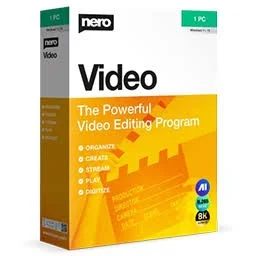
Overview of Nero Video 2026
Table of Contents
Nero Video 2026 v2.1.5.0 is the latest iteration of Nero AG’s professional video editing suite. This versatile video editing software empowers content creators, filmmakers, and enthusiasts to produce high-quality videos with intuitive tools and advanced AI enhancements. The software combines traditional timeline editing with modern AI-powered features, making it a compelling choice for both beginners and seasoned editors. As a complete multimedia solution, Nero Video 2026 supports a wide range of file formats and offers seamless integration with other Nero products. With its latest version, the software focuses on automating complex tasks through artificial intelligence, particularly in motion tracking and object detection.
Key Features
AI Motion Tracker with Segment Tracking
The standout feature of Nero Video 2026 is its upgraded AI Motion Tracker . This tool uses advanced segment tracking technology to lock onto moving objects with exceptional precision. Unlike traditional motion tracking that struggles with fast movement or partial obstruction, this AI-powered system maintains accuracy even when subjects change angles or become temporarily blocked . This functionality eliminates the tedious manual work of frame-by-frame tracking and allows creators to focus on storytelling.
Intelligent Face Blurring and Object Masking
Protecting privacy in video content has become increasingly important. Nero Video 2026 enables users to blur faces in street interviews, hide license plates, or obscure sensitive information automatically . The AI detection works in real-time, identifying and tracking faces or objects throughout the footage without requiring manual keyframing.
Comprehensive Format Support
The software supports extensive video file formats, including MKV, FLV, MPEG-4, MPEG-2, WMV, AVI, and more . Users can convert between these formats seamlessly and optimize videos for various devices . This versatility ensures compatibility with virtually any source footage and delivery platform.
Multi-Track Timeline Editing
The core editing environment features a professional multi-track timeline where users can layer video, audio, and effects. This setup allows for complex projects involving picture-in-picture, overlay effects, and audio mixing.
Effects and Transitions Library
A comprehensive library of transitions, filters, and visual effects helps enhance productions. From simple cuts to cinematic transitions, editors can apply these elements with drag-and-drop simplicity.
What’s New in the Latest Version
Enhanced AI Segment Tracking
Version 2.1.5.0 introduces significant improvements to the motion tracker’s segmentation capabilities. The AI can now differentiate between foreground subjects and background elements more effectively. This leads to cleaner masks and more accurate tracking for objects that move unpredictably or interact with complex backgrounds .
Performance Optimization
The latest version includes performance enhancements that speed up rendering times and improve playback smoothness. These optimizations are particularly noticeable when working with high-resolution footage or applying effects to multiple tracks.
Improved Object Detection Algorithms
Updates to the object detection models increase accuracy in identifying faces, license plates, and other specific objects. This refinement reduces false positives and ensures privacy protection features work reliably in varied lighting and angle conditions .
User Interface Refinements
The interface receives subtle usability improvements based on user feedback. Navigation becomes more intuitive, and frequently used tools are more accessible, streamlining the editing workflow.
System Requirements
Nero Video 2026 v2.1.5.0 runs on modern Windows operating systems. While specific requirements may vary, the software typically demands:
| Component | Requirement |
|---|---|
| Operating System | Windows 10 (64-bit) or Windows 11 |
| Processor | 2 GHz or faster multi-core processor |
| RAM | 4 GB minimum (8 GB recommended) |
| Graphics Card | DirectX 11 compatible with 1 GB VRAM |
| Hard Disk Space | 6 GB for installation |
| Display | 1280 x 768 resolution or higher |
AI features may require more powerful hardware for optimal performance. Users working with 4K footage or intensive effects should consider higher specifications.
Installation Guide
Step 1: Purchase or Download the Software
Visit the official Nero AG website to purchase the software or download the trial version. Ensure you download directly from the legitimate source to avoid unauthorized versions.
Step 2: Run the Installer
Locate the downloaded installation file and run it as administrator. This ensures proper permissions for installation.
Step 3: Follow Installation Prompts
The installation wizard guides you through the setup process. Choose your preferred language, agree to the license terms, and select the installation directory.
Step 4: Enter Your License Key
If you purchased the full version, enter your license key when prompted. This activates the software and unlocks all features.
Step 5: Complete the Installation
Wait for the installation to finish. Once complete, you can launch Nero Video 2026 from the desktop shortcut or Start menu.
How to Use the Software
Getting Started with a New Project
Launch the software and select “New Project” from the welcome screen. Choose your project settings, including resolution, frame rate, and aspect ratio. For most users, the default settings work well.
Importing Media Files
Use the media import panel to add video clips, images, and audio files to your project. The software supports dragging files directly from Windows Explorer into the media library.
Basic Video Editing
Drag clips from the media library onto the timeline. Use the razor tool to split clips, delete unwanted sections, and rearrange segments. The snap function helps align clips precisely.
Applying Effects
Select a clip on the timeline and choose from the effects panel. Drag effects onto clips to apply transitions, filters, or color adjustments. Each effect has adjustable parameters for fine-tuning.
Using the AI Motion Tracker
To use the AI Motion Tracker, select a clip containing moving objects. Activate the tracker and choose the object you want to follow. The AI analyzes the footage and creates a tracking path automatically . You can then apply effects, blurs, or text that follows the tracked object.
Exporting Your Video
When editing is complete, click the “Export” button. Choose your output format, quality settings, and destination folder. The software provides presets optimized for various devices and platforms, including YouTube, Vimeo, and mobile devices .
Best Use Cases
Content Creators and YouTubers
Creators can produce polished videos with professional effects, transitions, and title graphics. The AI Motion Tracker enables dynamic graphics that follow subjects, adding visual interest to talking-head videos or action footage .
Journalism and Documentary Filmmaking
Privacy protection is essential in public filming. Journalists can automatically blur faces of bystanders and obscure sensitive information like license plates, saving hours of manual work .
Event Videography
Wedding and event videographers can enhance their projects with professional-grade effects and multi-track editing. The software handles multi-camera projects and supports various export formats for different client needs.
Social Media Marketing
Marketing professionals can create engaging video content optimized for specific social media platforms. The software’s presets ensure videos meet platform specifications for Instagram, TikTok, or Facebook.
Archival and Conversion Projects
Users with extensive video archives can convert old formats to modern, storage-efficient formats. The software supports batch processing and device-specific optimization for playback on smartphones and tablets .
Advantages and Limitations
Advantages
-
AI-powered motion tracking eliminates tedious manual work
-
Privacy protection features automate face and object blurring
-
Extensive format support ensures compatibility
-
Intuitive interface suitable for beginners
-
Professional multi-track editing capabilities
-
Regular updates with improved AI features
Limitations
-
AI features require relatively powerful hardware
-
Advanced features may have a learning curve for beginners
-
Windows-only platform (no native Mac version)
-
Some users may prefer subscription-based models found in competitors
Alternatives to the Software
Adobe Premiere Pro
Premiere Pro is an industry-standard video editing software. It offers comprehensive editing tools and integration with Adobe’s creative ecosystem. However, it requires a subscription and has steeper learning curve than Nero Video.
DaVinci Resolve
Blackmagic Design’s DaVinci Resolve provides professional video editing and color correction features. The free version is remarkably capable, though its interface can be complex for newcomers.
Wondershare Filmora
Filmora is a user-friendly alternative with similar AI features. It appeals to beginners with its simplified workflow and effects library.
CyberLink PowerDirector
PowerDirector offers powerful editing tools and fast rendering. It competes directly with Nero Video in terms of features and target audience.
Magix Movie Studio
Magix provides a solid alternative with professional-grade editing tools. It offers a one-time purchase model similar to Nero Video.
Frequently Asked Questions
Is Nero Video 2026 suitable for beginners?
Yes, Nero Video 2026 features an intuitive interface that beginners can learn quickly. The software provides templates, presets, and tutorials that guide new users through the editing process. More advanced features like the AI Motion Tracker are accessible through simple selection tools.
What video formats does Nero Video 2026 support?
The software supports extensive video formats, including MKV, FLV, MPEG-4, MPEG-2, WMV, and AVI . It also handles common formats like MP4, MOV, and more. This broad support ensures compatibility with footage from most cameras and devices.
How does the AI Motion Tracker work?
The AI Motion Tracker uses artificial intelligence to detect and follow moving objects in video footage . Users select a subject, and the AI analyzes the clip to create a tracking path. This path can then be used to apply effects, text, or blurring that follows the subject automatically .
Can I use Nero Video 2026 for commercial projects?
Nero Video 2026 can be used for commercial projects when properly licensed. Users should purchase the full version and comply with the license terms for commercial use.
Does Nero Video 2026 require a subscription?
No, Nero Video 2026 is available as a one-time purchase. This differs from subscription-based alternatives like Adobe Premiere Pro and provides a cost-effective solution for many users.
What are the hardware requirements for AI features?
While specific requirements vary, AI features benefit from modern multi-core processors, at least 8 GB of RAM, and dedicated graphics cards with 2 GB or more VRAM. Performance improves with more powerful hardware.
Final Thoughts
Nero Video 2026 v2.1.5.0 represents a significant advancement in accessible video editing, particularly with its AI-enhanced capabilities. The upgraded AI Motion Tracker transforms tedious manual tracking work into a simple selection process . This makes professional effects and privacy protection accessible to creators at all skill levels.
The software’s comprehensive format support, intuitive timeline editing, and one-time purchase model distinguish it from subscription-based competitors. Whether you’re a content creator, journalist, event videographer, or casual user, Nero Video 2026 offers the tools needed to produce polished video content efficiently.
As AI continues to reshape video editing workflows, Nero Video positions itself well by integrating these technologies practically. The focus on automating repetitive tasks while maintaining professional control over creative decisions reflects an understanding of modern editing needs. For users seeking capable video editing software without the complexity of enterprise solutions or the limitations of consumer apps, Nero Video 2026 presents a compelling, well-rounded option.