

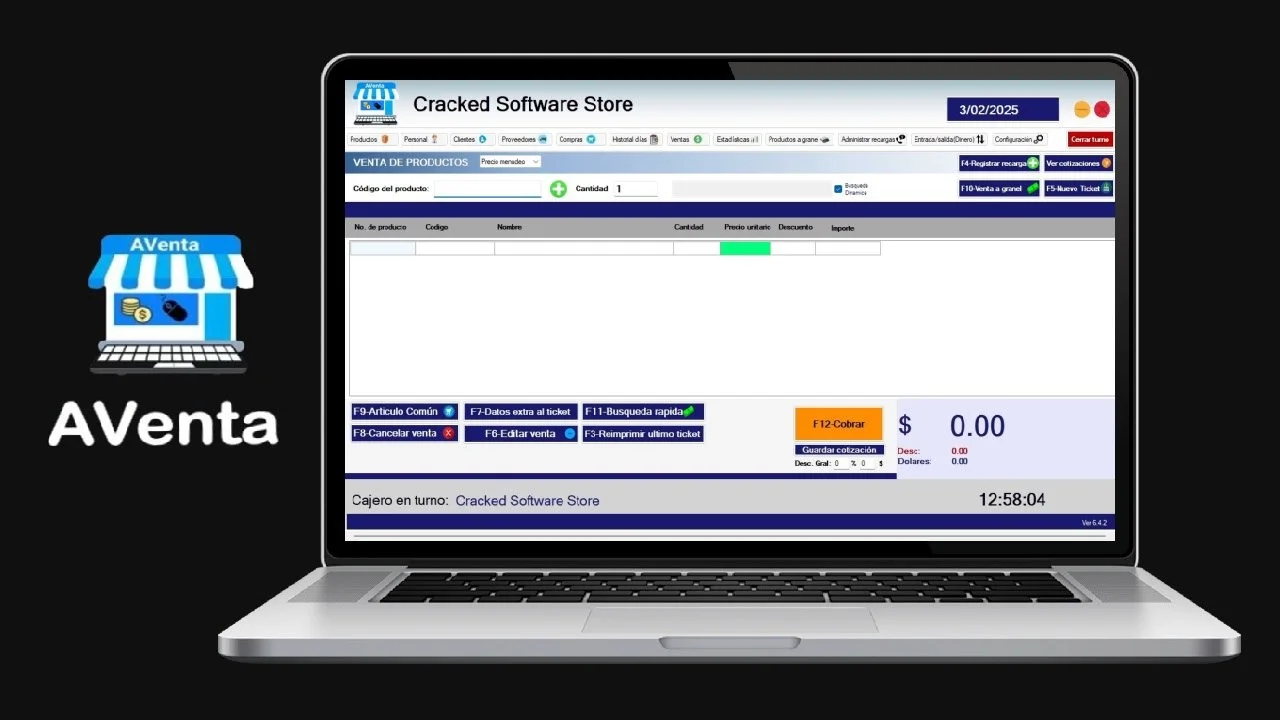
Overview of Aventa 6.4.2
Table of Contents
Aventa 6.4.2 is a robust retail management and inventory control software solution designed to streamline operations for businesses of all sizes. This complete retail and inventory management solution provides powerful tools for tracking stock, managing sales, and optimizing store performance. The latest version of Aventa delivers enhanced features for real-time inventory tracking, multi-store management, and comprehensive business analytics, making it an essential tool for modern retailers.
With its user-friendly interface and powerful backend capabilities, this inventory management software allows businesses to maintain optimal stock levels, reduce operational costs, and improve customer satisfaction. The software supports retail store associates and managers by providing access to product and inventory data from anywhere, improving productivity and accuracy across all locations .
Key Features of Aventa 6.4.2
Comprehensive Inventory Management
Aventa 6.4.2 offers sophisticated inventory control capabilities that enable businesses to:
-
Track inventory in real-time across multiple warehouses and store locations
-
Perform stock adjustments for various reasons including shrinkage or spoilage
-
Manage product movements between different storage locations
-
Set up automated reorder points to prevent stockouts and overstocking
-
Receive low-stock alerts to maintain optimal inventory levels
The inventory management system also supports cycle counting and zone-based physical inventory, helping businesses maintain accurate stock records and reduce discrepancies .
Point of Sale Integration
The software integrates seamlessly with POS systems, offering:
-
Fast and reliable sales processing
-
Support for multiple stores and warehouses from a single account
-
Real-time sales, revenue, and inventory reporting
-
Custom pricing management with automatic markup and markdown capabilities
This cloud-based retail management solution enables businesses to process transactions efficiently while maintaining accurate inventory records across all sales channels.
Multi-Store Management
For growing retail chains, Aventa 6.4.2 provides:
-
Centralized control over multiple store locations
-
Consistent pricing and promotions across all branches
-
Consolidated reporting and analytics
-
Custom group management for different store divisions
Advanced Reporting and Analytics
The software delivers detailed insights through customizable reports, helping businesses track:
-
Sales trends and patterns
-
Revenue and profit margins
-
Best-selling products
-
Inventory turnover rates
-
Employee performance
This data-driven approach enables informed decision-making and strategic business planning .
What’s New in Aventa 6.4.2
The latest version of Aventa introduces several significant improvements and new features:
Enhanced Cloud Integration
Aventa 6.4.2 offers improved cloud-based functionality, allowing users to access business data securely from any device at any time. This modern cloud POS system ensures all data is centrally stored and available whenever needed, eliminating concerns about hardware failures or data loss .
Improved User Interface
The software features a more intuitive and user-friendly interface that simplifies navigation and reduces the learning curve for new users. The updated design prioritizes ease of use without compromising functionality .
Real-Time Inventory Updates
New real-time inventory tracking capabilities provide immediate visibility into stock levels, enabling faster response to changes in demand and more accurate inventory management .
Advanced Reporting Tools
Enhanced reporting features offer deeper insights into business performance, with additional customization options and more detailed analytics dashboards.
System Requirements
Hardware Requirements
-
Processor: Intel Core i3 or equivalent (Intel Core i5 recommended for optimal performance)
-
RAM: 4 GB minimum (8 GB recommended)
-
Storage: 20 GB available disk space
-
Display: 1280 x 768 resolution or higher
-
Network: Internet connection for cloud synchronization and multi-store management
Software Requirements
-
Operating System: Windows 10/11 Professional or Enterprise (64-bit)
-
Database: Microsoft SQL Server 2019 or later
-
Browser: Google Chrome, Mozilla Firefox, or Microsoft Edge (latest versions)
-
POS Integration: Compatible with most major POS hardware and peripherals
Mobile Device Requirements
For mobile POS functionality:
-
iOS: iOS 13.0 or later, compatible with iPhone and iPad
-
Android: Android 6.0 or later
Installation Guide for Aventa 6.4.2
Pre-Installation Checklist
-
Verify system requirements are met
-
Ensure administrative privileges on the installation computer
-
Create a system backup before beginning installation
-
Close other applications to avoid conflicts
Step-by-Step Installation
-
Download the installer from the official Aventa website or authorized distributor
-
Run the setup executable as administrator
-
Select installation type:
-
Typical installation (recommended for most users)
-
Custom installation (for advanced configuration)
-
-
Choose installation directory or accept the default location
-
Configure database settings:
-
Select SQL Server instance
-
Create or connect to existing database
-
-
Set up user accounts with appropriate permissions
-
Configure store locations and initial inventory settings
-
Complete the installation and restart the system
Post-Installation Configuration
-
Configure POS integrations and peripherals
-
Set up tax rates and pricing rules
-
Import existing inventory data
-
Configure user roles and permissions
-
Establish backup and recovery procedures
How to Use Aventa Software
Getting Started
-
Login to the system using your credentials
-
Configure store settings including hours of operation, tax rates, and payment methods
-
Set up product categories and item master data
-
Add inventory items with detailed product information
Managing Inventory
The inventory management system provides comprehensive tools for maintaining accurate stock records :
-
Product Lookup: Access real-time product information, stock availability, and promotions
-
Stock Adjustments: Perform regular and reason-triggered stock counting for different storage locations
-
Product Ordering: Review order proposals and create ad-hoc orders
-
Product Transfers: Transfer products between stores or to distribution centers
-
Receiving: Post receiving for goods from internal and external suppliers
Processing Sales
Use the POS module to process customer transactions efficiently, accepting various payment methods and managing returns or exchanges. Real-time inventory updates ensure accurate stock information with every transaction.
Generating Reports
The reporting module provides detailed analytics for informed decision-making. Access reports for sales performance, inventory status, employee metrics, and financial analysis to optimize business operations .
Best Use Cases for Aventa 6.4.2
Retail Stores
Ideal for all types of retail businesses, from small boutiques to large department stores. The software handles point-of-sale transactions, inventory management, and customer relationship management in one integrated platform .
Multi-Location Retail Chains
The multi-store management capabilities make Aventa especially valuable for businesses with multiple locations. Centralized control over pricing, promotions, and inventory across all stores ensures consistency and operational efficiency .
Restaurant and Food Service
The software’s inventory management features help food service businesses track perishable goods, manage multiple storage locations, and reduce waste through better inventory control .
Wholesale and Distribution
Aventa supports wholesale and franchise operations with specialized order management and distribution features .
Advantages and Limitations
Advantages
-
Comprehensive inventory management with real-time tracking
-
Cloud-based accessibility for anytime, anywhere access
-
Multi-store support for centralized business management
-
User-friendly interface with intuitive navigation
-
Robust reporting and analytics for data-driven decisions
-
Seamless POS integration for efficient sales processing
-
Scalability to accommodate business growth
-
Enhanced security through centralized data storage
Limitations
-
Learning curve for users unfamiliar with inventory management software
-
Hardware requirements for optimal performance
-
Internet dependency for cloud features and synchronization
-
Initial setup requires time for product data entry and configuration
-
Cost considerations for small businesses with limited budgets
Alternatives to Aventa 6.4.2
Enterprise-Level Solutions
-
SAP Retail: Comprehensive solution for large enterprises with complex retail operations
-
Oracle Retail: Feature-rich platform for major retail chains requiring extensive customization
Small Business Options
-
Lightspeed Retail: Popular POS system with integrated inventory management
-
Shopify POS: Cloud-based solution suitable for e-commerce businesses
Industry-Specific Alternatives
-
Aloha POS: Focused on restaurant and hospitality operations
-
EcoVadis: Supply chain sustainability and compliance software
Frequently Asked Questions
What is Aventa 6.4.2?
Aventa 6.4.2 is a comprehensive retail management and inventory control software solution that helps businesses track stock, manage sales, and optimize operations across multiple locations.
How does Aventa’s inventory management work?
Aventa provides real-time inventory tracking with product lookup capabilities, stock adjustment tools, and automated reorder points. It supports cycle counting and physical inventory management across multiple storage locations .
Is Aventa compatible with my existing POS system?
Aventa integrates with most major POS systems and supports various hardware peripherals. The software also offers mobile POS functionality for iOS and Android devices .
Can Aventa manage multiple store locations?
Yes, Aventa supports centralized management of multiple stores, warehouses, and sales locations from a single account with consolidated reporting and consistent pricing controls .
What are the system requirements for Aventa 6.4.2?
The software requires Windows 10/11 Professional or Enterprise (64-bit), an Intel Core i3 or better processor, 4 GB RAM minimum, and 20 GB available storage. Mobile access is available on iOS 13.0+ and Android 6.0+ devices.
Does Aventa support cloud-based access?
Yes, Aventa provides cloud-based access allowing users to manage business operations from any device with an internet connection. All data is stored centrally and accessible anytime .
Final Thoughts
Aventa 6.4.2 stands as a powerful and comprehensive solution for retail and inventory management. Its combination of robust features, user-friendly design, and cloud accessibility makes it an excellent choice for businesses seeking to optimize operations and drive growth.
The software’s real-time inventory tracking, multi-store management capabilities, and detailed analytics provide business owners with the tools needed to make informed decisions and improve profitability . For retailers, restaurant owners, and distributors looking to streamline their operations, Aventa 6.4.2 offers a complete solution backed by the latest technology and best practices in retail management.
Whether you’re managing a single boutique or a growing retail chain, this inventory management software provides the foundation for efficient operations, accurate inventory control, and sustainable business growth.