
Overview of Dental Treatment Simulation (DTS 3D v3.3)
Table of Contents
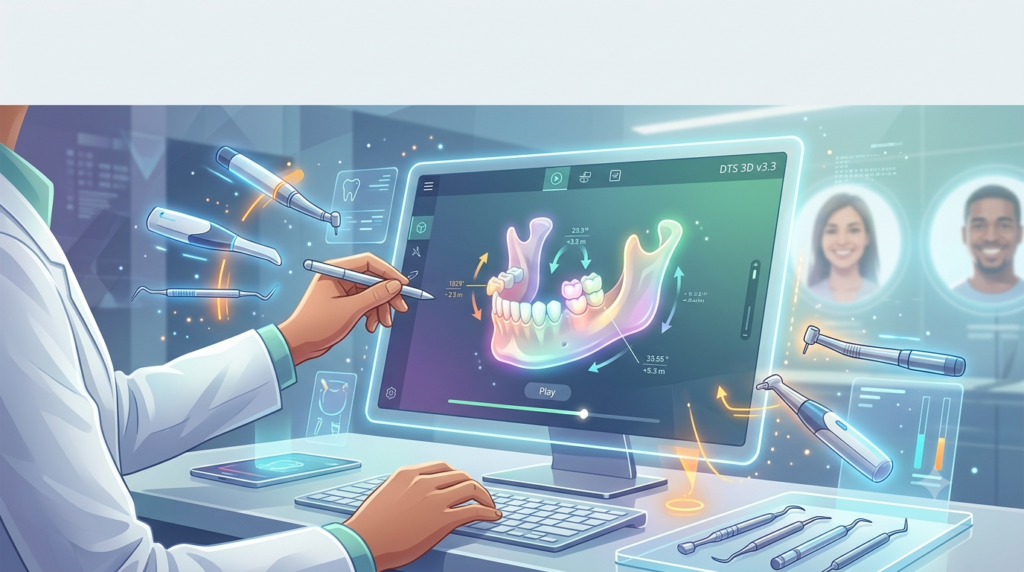
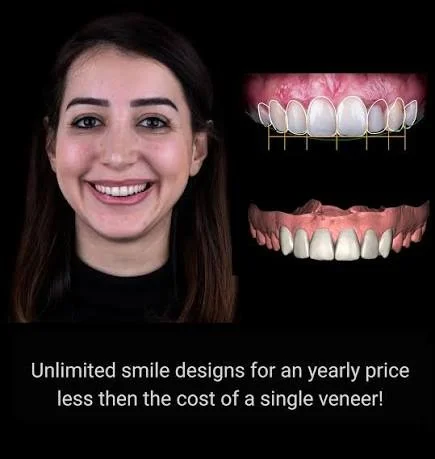
Dental Treatment Simulation (DTS 3D v3.3) is a cutting-edge dental simulation software designed for dental professionals seeking to enhance patient consultations and treatment planning. This powerful smile design software enables practitioners to create realistic digital smile simulations that help patients visualize potential treatment outcomes before committing to procedures.
The software serves as a bridge between clinical expertise and patient communication, allowing dentists to demonstrate proposed changes ranging from simple cosmetic adjustments to complex full-mouth rehabilitations. By generating simulations within minutes, DTS 3D v3.3 has become an invaluable tool for digital treatment planning and improving case acceptance rates.
Developed to meet the growing demand for patient-specific dental modeling, this software incorporates advanced visualization technologies that align with the broader trend of digital twin applications in dentistry. As the dental industry increasingly adopts computer-aided design and manufacturing (CAD/CAM) workflows, DTS 3D v3.3 provides a crucial link between treatment planning and execution.
Key Features of Dental Treatment Simulation (DTS 3D v3.3)
DTS 3D v3.3 offers a comprehensive suite of features designed to streamline the smile simulation process and enhance clinical workflows:
Rapid Simulation Generation
The software generates dental treatment simulations within minutes, allowing practitioners to present proposed treatment changes to patients at the start of consultations. This speed enables efficient chairside discussions and informed decision-making.
Versatile Treatment Planning
DTS 3D v3.3 accommodates a wide range of clinical scenarios:
-
Whitening simulations for cosmetic improvements
-
Bonding procedures to address minor imperfections
-
Gingivectomy visualizations for gum contouring
-
Orthodontic simulations for tooth movement planning
-
Comprehensive smile design for full-mouth rehabilitation
Customizable Simulation Parameters
The software allows precise control over various smile design elements, including tooth proportions, buccal corridor space, and overall smile harmony. This customization ensures patient-specific results that align with clinical goals.
Printable Mockups and Treatment Guides
One of the software’s standout features is its ability to transform digital designs into physical mockups and treatment guides. This capability bridges the gap between visualization and execution, making DTS 3D particularly valuable for veneer cases, bonding procedures, and complex restorative planning.
Integration with Clinical Workflows
DTS 3D v3.3 supports digital treatment planning that can be directly applied to create mockups, shell temporaries, and injectable composite guides. This integration streamlines the transition from consultation to treatment delivery.
What’s New in DTS 3D v3.3
The latest version of Dental Treatment Simulation introduces several enhancements that improve usability and expand functionality:
Enhanced Simulation Speed
Version 3.3 optimizes processing capabilities, reducing the time required to generate realistic dental simulations. Users report faster loading times and smoother performance compared to previous iterations.
Improved Visualization Technology
The update incorporates advanced rendering techniques that produce more lifelike digital smile designs, improving patient comprehension and treatment acceptance.
Expanded Treatment Module Options
DTS 3D v3.3 includes additional modules for specialized procedures, allowing practitioners to simulate a broader range of treatment scenarios with greater precision.
User Interface Refinements
The software’s interface has been streamlined to facilitate quicker navigation and more intuitive operation, reducing the learning curve for new users while maintaining depth for experienced practitioners.
System Requirements
To ensure optimal performance of DTS 3D v3.3, your system should meet the following specifications:
Recommended Hardware
-
Processor: Intel Core i5 2.6 GHz or higher
-
RAM: 16 GB or more
-
Graphics Card: NVIDIA GeForce GTX 1060 (2 GB VRAM) or better
-
Operating System: Windows 10 64-bit or Windows 11 64-bit
Additional Requirements
-
Storage: Sufficient disk space for software installation and project files
-
Display: Monitor capable of accurate color representation for dental shade matching
-
Peripherals: Mouse and keyboard for precise control; tablet support may be available for enhanced interaction
These requirements align with industry standards for dental CAD/CAM software and 3D modeling tools, ensuring compatibility with most modern dental practice workstations.
Installation Guide
Setting up DTS 3D v3.3 involves a straightforward process:
1. System Preparation
Before installation, verify that your computer meets the minimum system requirements. Ensure that your operating system is updated and that you have administrative privileges for software installation.
2. Download the Software
Obtain the DTS 3D v3.3 installer from the official distribution channel. Avoid third-party sources to ensure security and authenticity.
3. Run the Installer
Launch the installation file and follow the on-screen instructions. The setup wizard will guide you through license agreement acceptance and installation directory selection.
4. License Activation
Enter your valid license key when prompted. This step verifies your authorized usage and enables full software functionality.
5. Configuration
After installation, configure the software according to your practice preferences. This may include setting default patient directories, customizing display options, and integrating with existing dental practice management software.
6. Verification
Launch DTS 3D v3.3 to verify successful installation. Check that all modules load correctly and that you can access the main interface.
How to Use the Dental Treatment Simulation Software
Mastering DTS 3D v3.3 involves understanding its core workflows:
Step 1: Patient Data Acquisition
Begin by importing patient photographs or intraoral scans into the software. High-quality images are essential for creating realistic smile simulations.
Step 2: Smile Design Setup
Select the appropriate treatment scenario based on your clinical plan. Choose from the available modules including whitening, bonding, orthodontics, or comprehensive smile design.
Step 3: Simulation Customization
Adjust the simulation parameters to match your proposed treatment. The software allows precise control over tooth shape, size, color, and positioning to create a realistic representation of potential outcomes.
Step 4: Review and Refine
Examine the generated digital smile simulation for accuracy and aesthetics. Make refinements as needed to ensure the visualization aligns with clinical goals.
Step 5: Patient Presentation
Use the simulation during patient consultations to demonstrate proposed treatment outcomes. The visual representation helps patients understand the value of recommended procedures.
Step 6: Treatment Planning
Export the design for creating physical mockups, shell temps, or injectable composite guides. This step bridges the gap between visualization and clinical execution.
Best Use Cases for Dental Treatment Simulation
DTS 3D v3.3 excels in several clinical scenarios:
Cosmetic Dentistry
For practices focused on cosmetic dental treatments, the software provides an essential tool for demonstrating proposed enhancements. Patients can visualize the potential results of whitening, bonding, or veneer procedures before treatment begins.
Orthodontic Consultations
Orthodontists can use DTS 3D v3.3 to show patients projected tooth movement and alignment outcomes, improving understanding and acceptance of orthodontic treatment plans.
Restorative Dentistry
The software’s ability to simulate crown placements, bridge designs, and other restorative procedures aids in treatment planning and patient education for complex cases.
Smile Makeovers
For comprehensive smile design cases, DTS 3D v3.3 enables practitioners to create full-mouth visualizations that incorporate multiple treatment components, helping patients appreciate the transformative potential of comprehensive care.
Case Acceptance Enhancement
By providing patients with concrete visual representations of treatment outcomes, the software significantly improves case acceptance rates. Patients are more likely to proceed with treatment when they can visualize the anticipated results.
Advantages and Limitations
Advantages
-
Enhanced Patient Communication: Visual simulations help patients understand treatment goals and potential outcomes, leading to better-informed decisions and higher acceptance rates.
-
Streamlined Treatment Planning: The software facilitates comprehensive digital treatment planning, allowing practitioners to explore multiple approaches before selecting the optimal solution.
-
Versatility: DTS 3D v3.3 accommodates a wide range of clinical scenarios, from simple cosmetic enhancements to complex restorative cases.
-
Integration Potential: The software’s ability to generate printable mockups and treatment guides supports seamless integration with clinical workflows.
Limitations
-
Performance Considerations: Some users report occasional slowness when loading the software or processing complex simulations. The program may experience lag or temporary freezing during intensive operations.
-
Learning Curve: While the software is designed for accessibility, mastering all features and capabilities requires dedicated training and practice.
-
System Requirements: The software demands relatively powerful hardware, which may necessitate upgrades for older practice workstations.
-
Clinical Limitations: As with all digital simulation tools, the software provides visual representations that may not fully capture the complexity of clinical outcomes. Practitioners must use professional judgment when interpreting simulations.
Alternatives to Dental Treatment Simulation Software
Several alternatives exist in the dental simulation market, each with distinct strengths:
SmileViz
Best for closing cosmetic cases during consultations, SmileViz offers AI-powered smile simulations in under one minute. However, it focuses more on visualization rather than deep treatment planning integration.
3Shape TRIOS Smile Design
Seamlessly integrates with the TRIOS scanner ecosystem, making it ideal for practices already invested in this workflow. The integration provides a streamlined experience from scanning to design.
Medit Smile Design
A free tool within the Medit ecosystem, suitable for budget-conscious practices. It offers fundamental smile design capabilities but fewer advanced visualization options compared to dedicated tools.
exocad Smile Creator
Excel in restorative planning with a strong link between design and prosthetic workflow. However, the interface is more technical and may present a steeper learning curve for some users.
Smilecloud
Particularly effective for collaboration-heavy cases, offering strong communication channels between dentists, laboratories, and patients. The software has a slightly steeper learning curve but provides comprehensive workflow integration.
Frequently Asked Questions
What is Dental Treatment Simulation (DTS 3D v3.3) used for?
DTS 3D v3.3 is used by dental professionals to create realistic digital smile simulations for patient consultations and treatment planning. The software enables practitioners to demonstrate proposed treatment outcomes, improving patient understanding and case acceptance rates.
Is DTS 3D suitable for orthodontic treatment planning?
Yes, DTS 3D v3.3 includes orthodontic simulation capabilities that allow practitioners to demonstrate projected tooth movement and alignment outcomes. This feature helps patients visualize the potential results of orthodontic treatment.
What are the system requirements for running DTS 3D v3.3?
The software requires an Intel Core i5 2.6 GHz or higher processor, 16 GB RAM, NVIDIA GeForce GTX 1060 (2 GB) or better graphics, and Windows 10 64-bit or Windows 11 64-bit operating system.
How quickly can DTS 3D generate simulations?
DTS 3D v3.3 can generate dental treatment simulations within minutes, enabling efficient chairside consultations and immediate patient presentations.
Can DTS 3D create printable mockups?
Yes, the software can produce printable mockups and treatment guides, bridging the gap between digital treatment planning and clinical execution.
Is DTS 3D v3.3 suitable for single-tooth cases?
Absolutely. The software accommodates everything from single-tooth cases to full-mouth rehabilitation, making it versatile for various clinical scenarios.
How does DTS 3D compare to other smile simulation software?
DTS 3D sits between a simple smile simulator and a comprehensive treatment planning tool. While it may be slightly slower than some AI-powered alternatives, it offers greater depth for advanced cosmetic planning and execution capabilities.
Final Thoughts
Dental Treatment Simulation (DTS 3D v3.3) represents a significant advancement in digital dental practice, offering practitioners a powerful tool for enhancing patient communication and treatment planning. As digital dentistry continues to evolve, software like DTS 3D v3.3 will play an increasingly important role in clinical workflows.
The software’s ability to generate realistic smile simulations quickly, combined with its versatility across multiple treatment scenarios, makes it valuable for practices seeking to improve case acceptance rates and patient satisfaction. While the software has some performance limitations, its strengths in patient-specific dental modeling and treatment planning outweigh these concerns for most practitioners.
As the dental industry increasingly adopts digital twin technologies and integrated CAD/CAM workflows, DTS 3D v3.3 provides a crucial link between visualization and execution. The software’s capacity to create printable mockups and treatment guides supports a seamless transition from consultation to treatment delivery, ensuring that the visual promise of the digital smile design translates into clinical reality.
For dental professionals committed to providing exceptional patient experiences and comprehensive treatment planning, DTS 3D v3.3 offers a robust solution that aligns with the future of digital dentistry.