

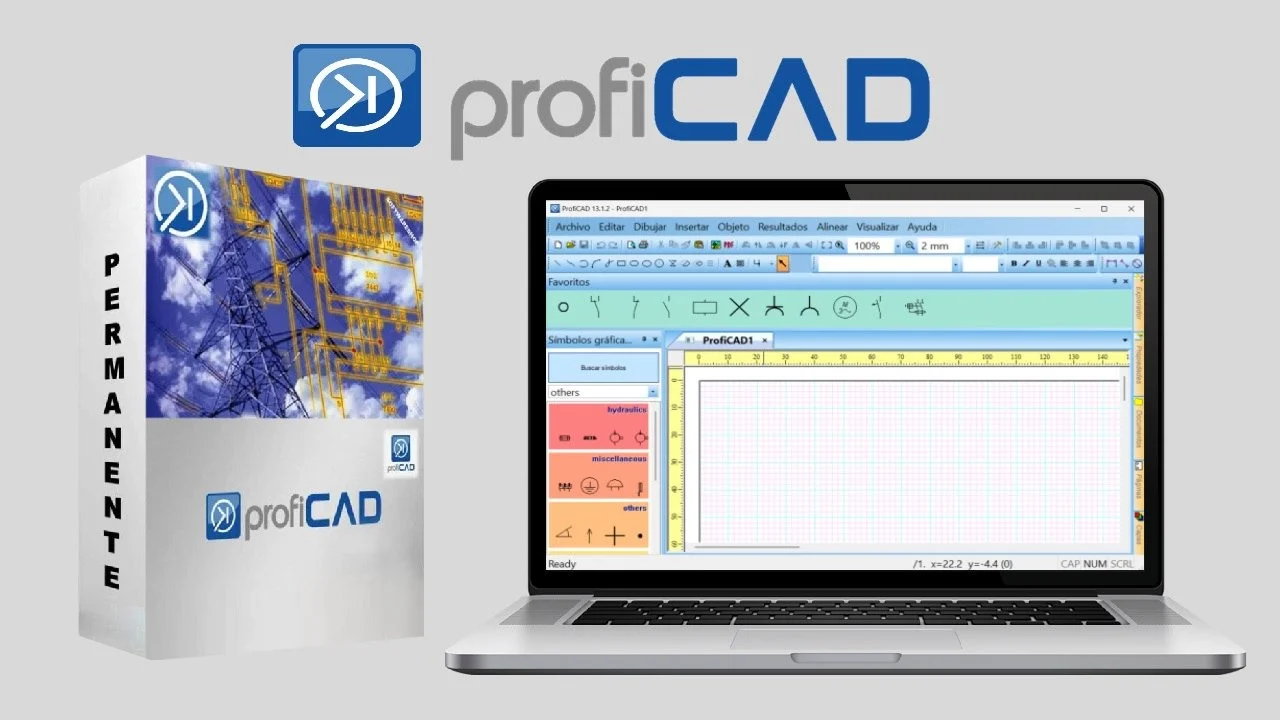
Overview of ProfiCAD Electrical CAD Software
Table of Contents
ProfiCAD is a specialized software tool developed for drawing electrical diagrams and electronic schematics . It is widely used in the engineering and construction sectors for creating clear, professional documentation. The software prioritizes efficiency and ease of use, allowing users to design circuit diagrams, floor plans, and pneumatic or hydraulic schematics without requiring extensive CAD experience.
The core philosophy behind ProfiCAD is to provide a straightforward platform for technical drawing. It supports essential project documentation through automated reporting, including bill of materials generation, wire lists, and terminal plans . With version 13.2.1, the software has made significant strides in usability by adopting a modern interface that aligns with current Windows design standards and supports features essential for today’s workflows .
Key Features of ProfiCAD
ProfiCAD includes a comprehensive set of tools designed to streamline the process of electrical design and documentation. The feature set caters to both the creation of detailed schematics and the generation of supporting documentation.
Extensive Symbol Library and Editor
The program includes a library of over two thousand symbols covering a wide range of electrical and electronic components . If you cannot find a specific symbol, the built-in symbol editor allows you to create custom symbols, and you can also import additional libraries from manufacturers or community sources . For projects requiring specific components, users can access supplementary symbol packs, such as those for Eaton, OEZ, Schneider, and ELKO .
Automated Project Documentation
A significant advantage of ProfiCAD is its ability to automate the generation of technical reports. The software automatically creates:
-
Bill of Materials: Lists all components used in the diagram .
-
Cable Lists: Provides an overview of cable properties, cores, and connected devices .
-
Terminal Lists: Offers a summary of all terminals and their connections .
-
Connection Lists: Facilitates wiring and troubleshooting by detailing connections between devices.
Cross-Referencing and Project Navigation
To manage complex projects with multiple pages, ProfiCAD supports cross-referencing between wires and symbols. For instance, if a relay coil and its contacts are on different pages, the software links them . Users can navigate to the linked symbol by simply clicking on the cross-reference, which significantly speeds up the review process and reduces errors.
Single-Line and Detailed Diagram Support
ProfiCAD accommodates different levels of project complexity. It supports both single-line diagrams, which provide a simplified overview of an electrical system, and detailed (multi-line) diagrams that show every physical connection . The software also automatically calculates approximate cable lengths for floor plans by using the page scale, helping with material estimation .
What’s New in ProfiCAD 13.2.1
The 13.2.1 update is a bugfix release that focuses on refining the user experience and ensuring stability . The vendor notes that this version does not include security patches but focuses on feature improvements .
Key enhancements in version 13.x include:
-
Redesigned User Interface: The interface has been modernized for better usability and a more contemporary look .
-
Dark Mode Support: Users can switch to dark mode to reduce eye strain during long working sessions .
-
Enhanced Multi-Monitor Support: The software now handles multiple displays more effectively, allowing for a more flexible workspace .
-
UI Simplifications: The user experience has been streamlined to improve workflow and reduce complexity .
The regular update cadence of the software, averaging every 26 days, indicates active development and ongoing support .
System Requirements
ProfiCAD is designed to be efficient and will run smoothly on standard office computers without requiring specialized hardware .
Hardware Requirements
-
Processor: A standard office PC or laptop is sufficient .
-
Graphics Card: No high-performance graphics card is required .
-
Disk Space: Ensure you have adequate free disk space .
-
Monitor: Standard resolution monitors are recommended; very high-resolution displays may make text appear too small .
Software Requirements
-
Operating System: Windows 11 or newer is required . However, version 13 uses the same file format as version 12, allowing mixed environments where some workstations use Windows 10 with version 12 .
-
Windows Updates: Ensure all Windows updates are installed .
-
Antivirus: Using only Windows Defender is recommended. Third-party antivirus software can cause conflicts and performance issues .
Installation Guide
Installing ProfiCAD 13.2.1 is a straightforward process, whether you are setting it up for individual use or deploying it across an organization.
Standard Installation
For individual use on Windows:
-
Visit the official ProfiCAD download page .
-
Download the
setup_full.exeinstaller. -
Run the executable and follow the on-screen instructions.
-
It is recommended to back up your existing diagrams and symbols before reinstalling or updating to a new version .
Silent Installation for Enterprise Deployment
For IT administrators, ProfiCAD supports silent installation using the PowerShell App Deployment Toolkit (PSADT). This allows for automated deployment across multiple machines .
-
Download the
setup_full.exeand the PSADT scripts. -
Use the PowerShell script to perform a
SilentorNonInteractiveinstallation. -
Logging is built-in, allowing you to verify the installation success .
Running on macOS
ProfiCAD is a native Windows application, but Mac users can run it using a compatibility layer or virtualization software .
-
Option 1: Parallels Desktop. This is a paid virtualization software with a 30-day free trial. It offers the easiest and most reliable way to run the application on a Mac .
-
Option 2: WineHQ. This is a free, open-source compatibility layer. It requires more technical knowledge to configure and run .
How to Use ProfiCAD
Getting started with ProfiCAD is efficient, thanks to its focus on core drawing and documentation tasks.
Drawing a Circuit
-
Launch the Program: Start ProfiCAD to open the main interface.
-
Insert Symbols: Use the symbol library to place components like switches, relays, or transformers onto your drawing .
-
Draw Wiring: Use the drawing tools to connect the symbols, creating the electrical circuit .
-
Configure Cables: For complex wiring, use the cable tool to bundle wires. This tool automatically generates entries in the cable list and allows you to label individual cores .
Generating Reports
Once the diagram is complete, you can automatically generate project documentation:
-
Navigate to the
Outputsmenu. -
Select the report you need, such as
Cables ListorBill of Materials. -
The software compiles the data from your drawing into a printable or exportable format.
Using the Cable Manager
The Cable Manager (found under Outputs > Cable Manager) provides a central location to manage all cables in your project . Here, you can edit cable names, types, and lengths, and the changes will automatically update throughout the project.
Best Use Cases
ProfiCAD is a versatile tool suitable for a wide range of technical drawing tasks.
-
Electrical and Electronic Schematics: The primary use case, ideal for creating circuit diagrams for new designs or documenting existing systems .
-
Control Circuit Diagrams: For creating and documenting industrial control systems, PLC logic, and automation panels.
-
Floor Plans for Electrical Installations: Designing the layout of sockets, switches, and lighting fixtures in buildings. The software automatically calculates cable lengths based on the drawing scale .
-
Pneumatic and Hydraulic Diagrams: The software can also be used for creating technical diagrams in other engineering disciplines .
Advantages and Limitations
Advantages
-
User-Friendly Interface: Designed to be intuitive and easier to learn than complex general-purpose CAD software .
-
High Performance: Resource-efficient and runs smoothly on standard hardware .
-
Comprehensive Features: Includes automated reporting, cross-referencing, and a large symbol library .
-
Active Development: Regular updates indicate ongoing support and feature refinement .
-
File Compatibility: Consistent file format between versions 12 and 13, allowing for mixed OS environments .
Limitations
-
Windows Native: Primarily designed for Windows, requiring additional software to run on macOS .
-
Niche Focus: While excellent for electrical diagrams, it is not a substitute for general-purpose 3D CAD software used in mechanical design.
-
Third-Party Antivirus: Users have reported issues with third-party antivirus software interfering with the program .
Alternatives to ProfiCAD
While ProfiCAD is a robust electrical CAD solution, other tools are available that may better suit specific project needs or workflows.
-
CADprofi Electrical: An application used alongside CAD platforms like progeCAD . It offers extensive manufacturer libraries, BIM (Building Information Modeling) compatibility, and advanced features like automatic enclosure selection . It is more suited for large-scale industrial and construction projects.
-
General-Purpose CAD Software: Programs like AutoCAD or LibreCAD require more training but offer broader capabilities for mechanical and architectural design.
-
Specialized Electrical Design Tools: Software like EPLAN or SolidWorks Electrical are more expensive, high-end solutions for large enterprises with complex automation and panel design needs.
Frequently Asked Questions
What is ProfiCAD primarily used for?
ProfiCAD is primarily used for creating electrical and electronic diagrams, schematics, and control circuit diagrams. It is a specialized tool for documenting electrical systems .
What are the key new features in version 13.2.1?
Version 13.2.1 is a bugfix release that includes a redesigned user interface, dark mode support, and enhanced multi-monitor compatibility .
Is ProfiCAD available for free?
There is a version for non-commercial use that is distributed free of charge, but it includes limitations when compared to the paid version .
What are the system requirements for ProfiCAD?
ProfiCAD requires Windows 11 or newer and runs efficiently on standard office computers. No powerful graphics card is needed .
Does ProfiCAD generate automatic reports?
Yes, ProfiCAD automatically generates essential project documentation, including a bill of materials, cable lists, wire lists, and terminal plans .
Final Thoughts
ProfiCAD 13.2.1 stands out as a specialized and efficient electrical CAD software solution. Its focus on user experience, combined with powerful documentation features, makes it an excellent choice for electrical engineers and designers. The addition of dark mode and a modern interface enhances the workflow, while the software’s low system requirements ensure it runs on most existing hardware. Whether for professional industrial projects or hobbyist work, ProfiCAD simplifies the creation of technical diagrams and provides the necessary tools for clear, compliant project documentation.
Our Paid Service
“We do not sell or provide any software. We only offer professional support services. If any software on your system is not working properly, or you are facing installation errors, crashes, or any other technical issue — just contact us. We will help you fix the problem quickly and remotely via AnyDesk. No software will be provided from our side — only expert troubleshooting and support.”