

Overview of Optitex O/26 Software
Table of Contents
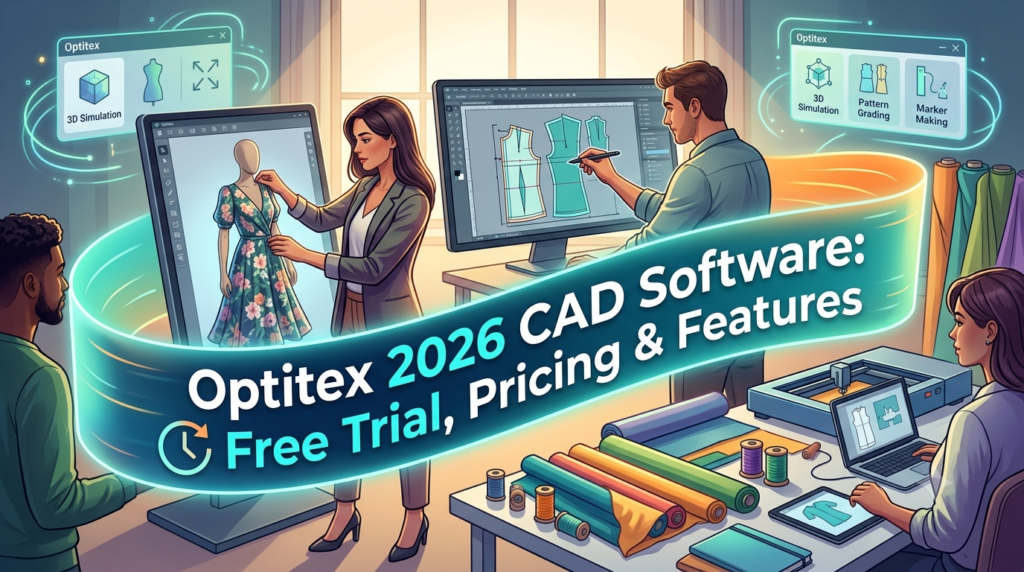
Optitex is a leading 2D and 3D CAD software solution purpose-built for the fashion, apparel, and soft-goods industries. It provides an end-to-end digital ecosystem that connects the entire product development lifecycle—from creative concept to production-ready patterns and manufacturing outputs. Designed for technical design professionals, pattern makers, manufacturers, and product development teams, Optitex enables brands to move from physical sampling to efficient digital workflows.
The latest iteration, Optitex O/26, is a forward-thinking release engineered to strengthen digital patternmaking and production preparation processes. As the industry faces urgent demands for greater efficiency and reduced waste, this measured evolution of the Optitex suite reinforces daily production workflows through improved automation, clarity, and consistency across product development and manufacturing environments.
Dedicated teams in fashion and apparel, furniture upholstery, and automotive interiors rely on Optitex to achieve stringent accuracy, repeatability, and efficient communication between systems. By addressing critical operational pain points, the software helps organizations adopt more sustainable manufacturing practices through significantly reduced material waste and streamlined resource management.
Key Features
Optitex provides a robust and integrated feature set covering the entire technical design and production chain. Each module is designed to deliver technical accuracy and professional-grade outputs.
2D Pattern Design
-
Create, edit, grade, and prepare apparel patterns with advanced CAD tools built for technical pattern work.
-
The Dynamic Measurement Chart supports direct import of Excel-based measurement data for automatic creation of pattern and PDS files, reducing manual input and minimizing inconsistencies.
-
New safeguards, such as confirmation prompts when switching between sew and cut lines, protect pattern integrity by reducing unintended geometry changes.
3D Garment Simulation
-
Visualize patterns on digital models to evaluate silhouette, fit, and construction before producing physical samples.
-
Integrates photorealistic 3D rendering to assess fit, drape, and appearance, significantly reducing the need for physical sample iterations.
Marker and Production Workflows
-
Prepare manufacturing-oriented outputs that support material planning, cutting, and production handoff.
-
Nest ++ Pro has been updated with an enhanced nesting algorithm that increases processing speed while improving material efficiency.
-
Automated vertical bump line batch commands and expanded group/shading batch commands in Marker strengthen consistency across repeated operations.
Connected Design Data
-
Keep 2D patterns and 3D garments linked so changes flow through the development process more consistently.
-
The Production Diagram tool has been refined to improve documentation control. When a graded PDS file is selected, only the base size is imported, calculating the marker board area to reduce unnecessary visual density.
-
O/Cloud, the cloud-based companion, enables remote collaboration and integration with PLM and ERP systems.
Professional Tech Pack Export
-
Tech Pack Essentials is now available to all users without additional purchase, expanding access to standardized production documentation tools.
-
New batch commands within Print & Cut enable automated generation of PDF and DXF files, including control over page orientation and defined output paths.
What’s New in the Latest Version (Optitex O/26)
The O/26 release represents a deliberate step forward, focusing on operational refinements rather than disruptive changes. It strengthens core production workflows through targeted enhancements across PDS and Marker applications.
Production Diagram Refinement:
-
Only the base size is imported from graded PDS files into the Production Diagram, improving clarity.
-
Users can now edit arrows, line shapes, colors, and text directly on the marker board.
-
The Operations Stitch dropdown surfaces only context-relevant actions based on selected objects, reducing errors.
Workflow Automation Across Applications:
-
The Script Builder tool enables batch scripts to launch and execute processes across both PDS and Marker, reducing manual handoffs and standardizing operations.
Material Accuracy and Utilization:
-
Material Converter now supports TIFF-based material maps and multi-file conversion, ensuring smoother data flow between scanning systems and O/Cloud environments.
-
Enhanced Nesting Algorithm in Nest ++ Pro improves processing speed while maximizing material efficiency.
Adobe Ecosystem Stability:
-
3DDI plugin supports Adobe Illustrator® 2025 and 2026, along with Windows 11 and macOS Sequoia and Tahoe.
-
Sketch & Fill by NedGraphics is now available, enabling rapid technical sketch creation with automatic stitch line generation and simplified garment filling.
System Requirements
Optitex offers both desktop and cloud solutions, each with specific requirements. Ensuring your hardware is compatible is crucial before installation and activation.
Desktop Products (Optitex O/25 Specifications)
| Component | Basic Suite (PDS, Marker) | Advanced Nesting (Nest++2, PRO) | 3D Suite (Creator, Runway, Revu) |
|---|---|---|---|
| Processor (CPU) | i5, 8 GB RAM | i7 with 6 cores or more, 16 GB RAM | i7 with 4 cores or more, 32 GB RAM |
| Graphics Card | No particular requirements | No particular requirements | Nvidia GeForce RTX / Quadro RTX* |
| Operating System | Windows 10 or 11 64 bit | Windows 10 or 11 64 bit | Windows 10 or 11 64 bit |
*Optitex recommends a multiple GPU setup. The more CUDA cores available, the faster the rendering. Nvidia GeForce RTX 50 series is supported from version 25.1 onwards, while the 40 series is supported from version 23.0.
O/Cloud
-
Access: Supports Google Chrome and Mozilla Firefox.
3DDI (Adobe Illustrator Plugin)
-
Windows: Windows 11, 64 Bit; Requires Adobe Illustrator 2026 (v 30.x) or 2025 (v 29.x); Graphics card capable of OpenGL 4.1 and up.
-
Mac: Mac OS 26 (Tahoe) or 15 (Sequoia), 64 bit; Apple M2 processor supported; Requires Adobe Illustrator 2026 (v 30.x) or 2025 (v 29.x).
Installation Guide
Installing Optitex desktop software is handled through a user-friendly wizard. The process is consistent across all versions.
-
Run the Installer: Launch the setup file provided in your client portal or installation media.
-
Select Installation Type:
-
Complete: Installs all components of the selected suite.
-
Custom: Allows you to exclude specific components if they are not needed for your workflow.
-
-
Configure SDM (Smart Data Management): During the process, you can configure the SDM connection. Select the checkbox and choose your desired database options to connect the software to your data management system.
-
Folder Selection: Click ‘Change’ to choose a different folder for installation if the default location is not suitable.
-
User Selection: Choose to install the software for “Anyone who uses this computer” or only for the current user.
How to Use Optitex O/26: A Step-by-Step Workflow
A typical workflow in Optitex follows a logical progression from pattern creation to production output.
1. Pattern Development (2D PDS)
-
Import or Draft: Start by importing a block or creating a new pattern from scratch in the 2D Pattern Design Suite (PDS).
-
Digitize: Using graded specifications, utilize the Dynamic Measurement Chart to import Excel data and automatically create PDS files.
-
Edit: Use the comprehensive toolset to add darts, notches, and seam allowances. The O/26 update allows for L-notches to be exported as true L-shaped notches for downstream compatibility.
2. 3D Garment Simulation
-
Avatar Selection: Select a 3D avatar that matches your target fit model.
-
Simulate: Run the simulation to visualize how the pattern will look on a body. Optitex’s 3D engine assesses drape and fit, using defined fabric parameters.
-
Material Application: Use the Material Converter to apply realistic textures and TIFF-based material maps to the digital garment.
3. Production & Marker Preparation
-
Production Diagram: Once the design is approved, open the Production Diagram to prepare documentation. The tool now imports only the base size to ensure clarity for production teams.
-
Nesting: Send patterns to the Marker module. Utilize Nest ++ Pro with its enhanced algorithm to maximize material yield and reduce waste.
-
Batch Commands: Apply batch commands for vertical bump lines, grouping, and shading to standardize layout preparation.
Best Use Cases
Optitex is a versatile platform optimized for technical precision rather than purely conceptual design. It is best suited for professionals who require a direct pipeline from design to manufacturing.
Fashion Brands and Designers:
-
Reduce physical sample iterations by up to 50% through digital prototyping.
-
Collaborate with manufacturing partners in real-time using O/Cloud, sharing 3D designs for instant feedback.
Pattern Makers and Technical Designers:
-
Automate tedious manual tasks such as dart manipulation and grading, allowing focus on fit and design complexity.
-
Utilize comparative dart deformation functions to understand how pattern modifications impact fit across Gerber, Yuka, and Optitex systems, enhancing practical pattern production knowledge.
Automotive and Upholstery Specialists:
-
Cut weeks off product development time by accurately simulating complex interior surfaces and saving on material costs.
-
Design unique models and make quick, easy changes to complex automotive interiors with Optitex’s pattern design functionality.
Advantages and Limitations
Understanding the strengths and weaknesses of Optitex helps determine if it is the right fit for your organization.
Advantages
-
Technical Accuracy: Built for real apparel pattern and production workflows, ensuring highly accurate outputs for manufacturing.
-
Integrated Ecosystem: Combines 2D pattern work with 3D garment visualization seamlessly, reducing the risk of data silos and sample errors.
-
Material Optimization: Advanced nesting features significantly improve material efficiency, directly impacting cost reduction and sustainability goals.
-
Scalability: Supports enterprise collaboration and integrates with PLM/ERP systems, making it suitable for large organizations.
Limitations
-
Complexity: Requires apparel technical knowledge and training to use effectively. It is not a simple concept or mood-board tool.
-
Cost: Optitex does not publish transparent self-serve pricing. Costs vary based on modules, seats, and deployment requirements, requiring a sales inquiry for a custom quote.
-
No Free Trial: Reports indicate that Optitex does not typically offer a traditional free trial or freemium version, which may be a barrier for smaller teams.
Alternatives to Optitex
While Optitex is a dominant force in fashion CAD, several alternatives cater to different workflows, budgets, and technical needs.
CLO 3D
-
Best for: Brand design teams and freelancers looking for a highly intuitive, visually focused 3D fashion design software.
-
Pros: Very user-friendly interface; strong community support; offers a more affordable starting price ($25/month).
-
Cons: Lacks the deep enterprise production preparation tools (like advanced marker making) found in Optitex.
Gerber AccuMark
-
Best for: Large-scale manufacturers and production houses with a focus on automation and material efficiency.
-
Pros: Similar advanced nesting and pattern-making capabilities; strong market share in the broader CAD software category.
-
Cons: Like Optitex, it is complex and typically requires significant investment and training.
Browzwear VStitcher
-
Best for: Technical designers and pattern makers who prioritize photorealistic 3D rendering and true-motion fit.
-
Pros: Industry-leading 3D fit simulation and fabric representation; robust pattern modification capabilities.
-
Cons: Pricing is enterprise-based; can have a steep learning curve similar to Optitex.
TUKAcad
-
Best for: Small to medium-sized businesses seeking a powerful 2D pattern-making tool with specialty features like bespoke grade rules and half-size grading.
-
Pros: Strong on 2D functionality and technical process engineering; offers flexible subscription options.
-
Cons: 3D capabilities are not as mature as Optitex or CLO.
Frequently Asked Questions
Q: How much does Optitex O/26 software cost?
A: Optitex does not publish a simple self-serve price. Costs are sales-led and based on a custom quote that depends on the specific modules (2D, 3D, Cloud), number of seats, training, and deployment requirements needed by the organization.
Q: What is the difference between Optitex 2D PDS and Optitex O/Cloud?
A: The 2D PDS (Pattern Design Suite) is the core desktop application for pattern creation, grading, and editing. O/Cloud is a separate cloud-based CAD platform that enables 3D design, real-time collaboration, and workflow automation with integrated 2D design, 3D visualization, and PLM tools.
Q: Does Optitex offer a free trial?
A: According to third-party review platforms, Optitex generally does not offer a free trial or freemium version. Interested users typically need to contact the sales team for a demonstration or commercial evaluation.
Q: Can Optitex O/26 integrate with Adobe Illustrator?
A: Yes. The 3DDI (3D Design for Illustrator) plugin provides a direct, stable integration with Adobe Illustrator 2025 and 2026. It runs on Windows 11 and macOS Sequoia and Tahoe, allowing seamless movement between 2D design in Illustrator and 3D simulation in Optitex.
Q: Is Optitex suitable for automotive design?
A: Yes. Optitex is specifically designed to serve the automotive interiors sector. Its pattern design functionality allows teams to create unique models and make quick changes to complex interior surfaces, improving productivity and accuracy.
Q: What is the main advantage of the O/26 Nest ++ Pro update?
A: The Nest ++ Pro update in O/26 features an enhanced nesting algorithm that increases processing speed while simultaneously improving material efficiency. This leads to more predictable material utilization and scalable planning for high-volume production.
Q: Who is the developer of Optitex?
A: Optitex is developed by EFI Optitex, a subsidiary of Electronics For Imaging, Inc. (EFI), headquartered in New York.
Q: Does Optitex help reduce physical sampling?
A: Yes, this is one of the core benefits. By using 3D garment simulation and digital prototyping, Optitex allows brands to visualize and fit-test designs virtually, significantly reducing the need for expensive and time-consuming physical sample iterations.
Final Thoughts
Optitex O/26 stands as a comprehensive, enterprise-grade CAD solution designed for the rigors of modern fashion and soft-goods manufacturing. Its strength lies in its ability to create a connected digital thread from initial pattern design through to production. The latest O/26 release clearly emphasizes stability, automation, and precision, ensuring that teams can rely on consistent outputs while accelerating their workflows.
While the investment—both in cost and training—is significant, the return is tangible for organizations that depend on technical accuracy and material efficiency. If your goal is to reduce physical samples, streamline communication between design and production, and improve material utilization, Optitex remains one of the most powerful and reliable tools in the industry. For enterprises serious about digital transformation, Optitex O/26 provides the robust infrastructure needed to succeed at scale.
Our Paid Service
“We do not sell or provide any software. We only offer professional support services. If any software on your system is not working properly, or you are facing installation errors, crashes, or any other technical issue — just contact us. We will help you fix the problem quickly and remotely via AnyDesk. No software will be provided from our side — only expert troubleshooting and support.”