
Overview of GEO5 2026 Geotechnical Software Suite
Table of Contents
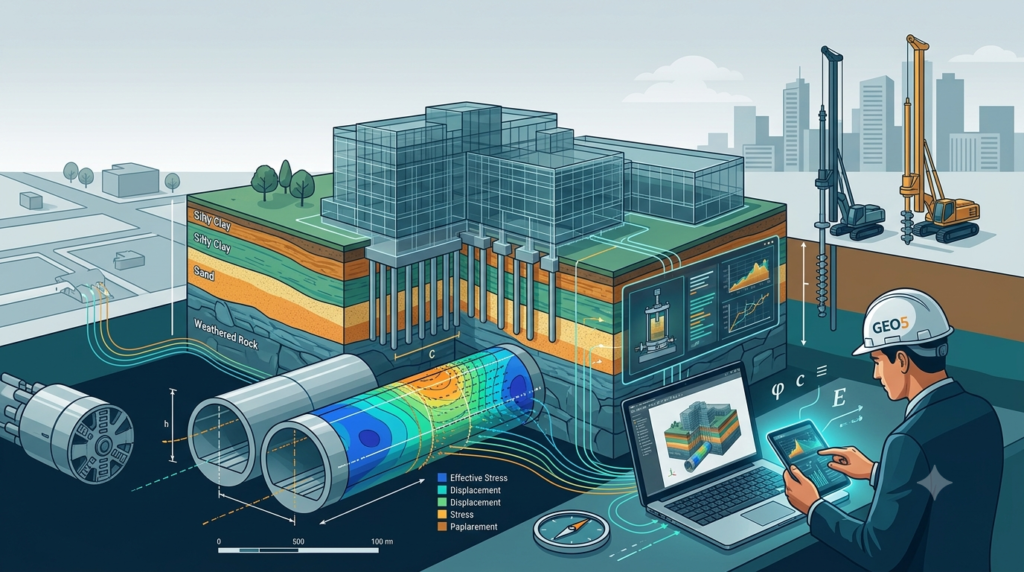
GEO5 2026 is a comprehensive geotechnical software suite developed by Fine Software, designed to support civil engineers and geotechnical professionals with advanced soil analysis, foundation design, and tunnel modeling . This latest version represents a significant evolution in geotechnical engineering software, building upon the suite’s reputation as a reliable toolkit for specialized tasks ranging from analytical slope stability to complex finite element method (FEM) analysis .
The GEO5 platform integrates geological data modeling with advanced geotechnical tasks, enabling engineers to work seamlessly from survey data to final design . With its unified environment and intuitive top-down workflow, GEO5 2026 serves both beginners and experienced professionals across a wide range of applications .
The software suite operates on Windows 10 and Windows 11 systems and is available through commercial licensing from Fine Software . Its comprehensive feature set includes both analytical methods and finite element modeling, allowing engineers to compare independent solutions for enhanced design verification .
GEO5 2026 continues to be widely recognized in the geotechnical engineering community, with professionals praising its user-friendly interface and efficient calculation capabilities . The software’s ability to handle complex geotechnical challenges while maintaining accessibility has established it as a standard tool in civil engineering practices worldwide .
Key Features of GEO5 2026
Integrated Geotechnical Analysis Modules
GEO5 2026 offers a comprehensive suite of interconnected programs that address virtually all geotechnical engineering needs. Each module is designed to handle specific tasks while maintaining seamless data exchange through the GeoClipboard functionality . Key modules include:
Slope Stability Analysis – The software provides robust 2D slope stability analysis with options for circular or polygonal slip surfaces and various analytical methods . The integration of variable undrained shear strength (cu) with depth for fine-grained soils enables more realistic design and assessment of slope stability .
Foundation Design – Comprehensive tools for spread footing design, including a new three-step footing geometry for optimized material usage and more flexible foundation design . Pile analysis modules cover vertical and horizontal bearing capacity, settlement analysis, and pile group behavior using both analytical solutions and the spring method .
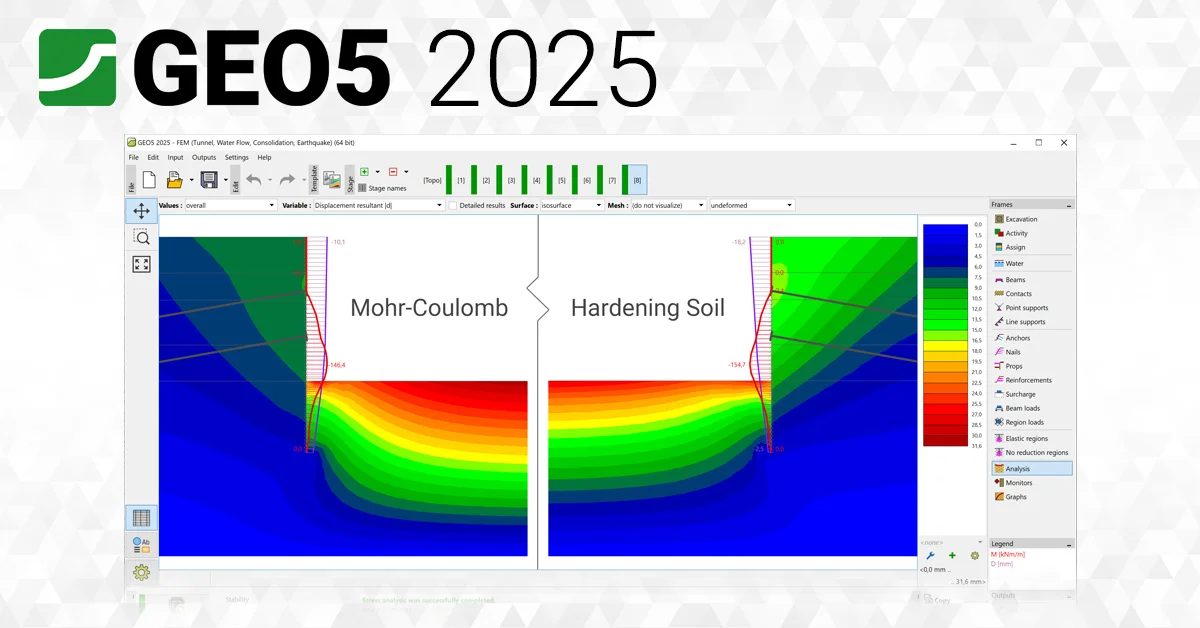
FEM Analysis – The finite element method program can model and analyze terrain settlement, sheet pile walls, slope stability, and excavation analysis . It offers a variety of material models including linear elastic, Mohr-Coulomb, Cam Clay, and hypoplastic models for clay .
Structural Element Modeling
The software includes a wide range of structural elements essential for geotechnical projects :
-
Concrete walls, pile walls, and soldier pile walls modeled by beam elements with catalogued profiles and materials
-
Anchors and props for retaining structure support
-
Geotextiles and geogrids for soil reinforcement
-
Contact elements between soil and structures with nonlinear stress-displacement relations
Advanced Visualization and Reporting
GEO5 2026 introduces the Drawing Editor, a new program designed for creating professional drawings and outputs directly from any application . This eliminates the need for external CAD software, saving time and maintaining a unified appearance of project documentation . Users can add dimensions, descriptions, legends, title blocks, and company logos with a single click .
The software provides comprehensive output reports that can be easily edited or exported to PDF or MS Word formats, with support for multiple languages useful for international projects .
What’s New in GEO5 2026
The 2026 release introduces several significant improvements and new features that enhance the software’s capabilities :
Drawing Editor
A completely new program for creating drawings and outputs from any GEO5 application. Users can transfer images and drawings with a single click, add dimensions and descriptions, and create professional drawings ready for printing or PDF export .
Point Cloud Major Upgrade
The point cloud program has been completely redesigned as an independent, fully featured tool. New functionalities include modeling multiple construction stages, direct data transfer to and from Stratigraphy, ASCII import (TXT, ASC, etc.), and creation of high-quality graphical outputs .
GEO5 – FIN EC Communication
Automatic transfer of input data and results from GEO5 programs to FIN EC for the design and verification of reinforced concrete, steel, and timber members. This enables calculation of bearing capacity, cracks, and deformations without manual data entry between geotechnical and structural programs .
Sheeting Corrosion and Interlock Slip
New options for designing retaining walls allow engineers to consider corrosion rates of steel retaining elements and interlock slip effects on wall stiffness and bearing capacity for U-type sheet piles .
Variable Undrained Shear Strength
The ability to define undrained shear strength (cu) of fine-grained soils as a function of depth enables more realistic slope stability design and assessment .
FEM Performance Improvements
Parallelized result processing distributes computations across multiple CPU cores, reducing calculation time by up to 40% . New catalogs and types of steel and composite cross-sections have been added, along with additional output parameters such as modulus of elasticity and mobilized shear strength .
Stratigraphy Enhancements
New modeling workflow without the need for a “master borehole,” ability to load PDF source data, import of geotechnical data in AGS format, and soil/rock hatch patterns according to British Standard BS 5930 .
Custom Wall Shapes
Users can now define custom shapes of retaining walls, including special geometries commonly used in Belgium and China .
Pile Group Mass Editing
Users can select and edit multiple piles at once in large-scale projects, providing significant time savings and consistent data management .
New Standards and Catalogs
The 2026 release includes updated standards support and a new price list valid from November 1st, 2025 .
System Requirements
GEO5 2026 is designed to run efficiently on modern Windows operating systems . The recommended specifications include:
Operating Systems:
-
Windows 10 (64-bit)
-
Windows 11 (64-bit)
Processor:
-
Multi-core processor recommended for optimal performance, particularly for FEM analysis with parallelized computation
Memory:
-
Minimum 8 GB RAM recommended for complex geotechnical modeling
-
Higher memory capacity beneficial for large-scale projects with extensive datasets
Storage:
-
Sufficient hard disk space for software installation and project files
-
SSD recommended for faster data access and processing
Graphics:
-
Graphics card supporting DirectX for optimal visualization of 3D models and graphical outputs
Display:
-
1920 x 1080 resolution or higher recommended for optimal viewing of complex models and reports
Additional Requirements:
-
Internet connection for software activation and updates
-
PDF reader for documentation viewing
-
Microsoft Office integration for report generation
The software supports DXF import and export for integration with CAD workflows .
Installation Guide
Obtaining GEO5 2026
GEO5 2026 is available through commercial licensing from Fine Software. Subscribers always receive access to the latest edition, with new releases issued annually in November . The software can be purchased directly from the Fine Software website or through authorized resellers.
Installation Process
-
System Preparation
-
Ensure your system meets the minimum requirements
-
Close all running applications to prevent conflicts
-
Temporarily disable antivirus software if it interferes with installation
-
-
Download Installation Files
-
Access the installation files through your Fine Software account
-
Download the complete GEO5 2026 setup package
-
-
Run Installer
-
Execute the setup file as administrator
-
Follow the on-screen instructions
-
Select the desired installation directory and modules
-
-
License Activation
-
Enter your license key when prompted
-
Activate your subscription online
-
For trial versions, select the demo option to explore features
-
-
Initial Setup
-
Configure default settings including language and units
-
Set up project templates and directories
-
Familiarize yourself with the unified environment
-
Data Collector App
GEO5 includes the Data Collector mobile app available for free on Android (Google Play) and iOS (App Store) for field data collection . The app supports borehole logging, photo attachments, and two-way data transfer with the Stratigraphy and Laboratory programs .
How to Use GEO5 2026
Workflow Overview
GEO5 2026 follows a logical, top-down workflow that guides engineers from initial site investigation through final design . The unified interface ensures consistency across all modules and simplifies the learning curve for new users.
Step 1: Data Collection and Site Investigation
-
Use the Data Collector app to gather field data
-
Import borehole logs and geological data into Stratigraphy
-
Establish 3D geological models with soil and rock layers
Step 2: Initial Analysis
-
Import geological data into relevant design modules
-
Define soil and rock parameters based on laboratory testing
-
Set up the project geometry and boundary conditions
Step 3: Geotechnical Design
-
Select appropriate analysis methods (analytical or FEM)
-
Configure construction stages to simulate project development
-
Run calculations and review results
Step 4: Output and Documentation
-
Generate professional drawings using the Drawing Editor
-
Create comprehensive reports with verification and compliance documentation
-
Export data to CAD or BIM formats for further processing
Specific Use Examples
Slope Stability Analysis:
-
Define the slope geometry and soil layers
-
Assign material properties with variable shear strength parameters
-
Select analysis method (Bishop, Janbu, or FEM)
-
Define possible slip surfaces
-
Run calculation and review factor of safety
-
Document results with graphs and tables
Foundation Design:
-
Input soil properties and load conditions
-
Select foundation type and geometry (including new three-step footing)
-
Analyze bearing capacity and settlement
-
Design reinforcement according to Eurocode or other standards
-
Generate detailed drawings and BOQ estimates
Tunnel Modeling:
-
Create the tunnel geometry using the pre-processor
-
Define tunnel lining, anchors, and rock bolts
-
Set construction stages with relaxation factors
-
Run FEM analysis considering the 3D effect of excavation
-
Review internal forces and displacements
-
Produce verification reports and drawings
Best Use Cases
Infrastructure Projects
GEO5 2026 excels in large-scale infrastructure projects requiring comprehensive geotechnical analysis :
Road and Railway Embankments – Slope stability assessment, settlement analysis, and reinforcement design for embankments on varying soil conditions.
Tunnels and Underground Structures – FEM analysis for tunnel excavation, lining design, and ground response assessment .
Bridges and Viaducts – Foundation design for bridge piers, abutment stability, and soil-structure interaction analysis.
Urban Development
Excavation Support Systems – Analysis of sheet pile walls, diaphragm walls, and soldier pile walls with consideration of corrosion and interlock effects .
Deep Foundations – Pile design for high-rise buildings, including pile group analysis and settlement predictions .
Basement Construction – Assessment of excavation stability, groundwater control, and adjacent building settlement.
Environmental and Geohazard Projects
Landslide Investigation – Slope stability assessment for natural and cut slopes, incorporating variable soil parameters and complex geological conditions .
Dam and Reservoir Engineering – Stability analysis of dam foundations, seepage assessment, and consolidation analysis.
Land Remediation – Design of soil reinforcement and stabilization measures.
Advantages and Limitations
Advantages
Comprehensive Solution – GEO5 2026 provides a complete suite of geotechnical tools, reducing the need for multiple software packages and improving workflow efficiency .
User-Friendly Interface – The unified environment and intuitive workflow make the software accessible to engineers with varying levels of experience .
Integration Capabilities – Seamless data exchange between modules and with third-party programs through BIM support and file format compatibility .
Regulatory Compliance – Support for multiple international standards and national annexes, including Eurocode 7, British Standards, and others .
FEM Performance – Parallelized processing reduces calculation time by up to 40%, enabling faster project completion .
Mobile Integration – The Data Collector app bridges field and office workflows .
Limitations
2D Analysis Focus – While the software offers powerful 2D analysis, it lacks native 3D slope stability capabilities found in some competing tools . For comprehensive 3D analysis, integration with specialized programs may be required.
Module-Based Structure – The software’s modular design means users must purchase specific modules for different applications . This can increase costs for firms requiring multiple capabilities.
FEM Complexity – Advanced FEM analysis requires understanding of numerical methods and appropriate parameter selection .
Learning Curve – Despite its user-friendly interface, comprehensive use of all features requires dedicated training and experience.
Limited Drafting Automation – While the Drawing Editor streamlines output, some users may find the drafting capabilities less extensive than dedicated CAD tools .
Alternatives to GEO5
SETAF2018
SETAF2018 offers a unified environment with a single-file structure, centralizing soil profiles and water table data . Key differentiators include:
-
Equation-Based Reporting – Provides transparent, step-by-step calculations suitable for authority approvals and third-party verification
-
CAD & BOQ Integration – Automatically generates project drawings and Bill of Quantities from 3D models
-
Competitive Pricing – Approximately $500 per year, potentially cost-effective for firms focused on standard infrastructure projects
-
Unified File Structure – Eliminates the manual data transfer required between separate modules
Rocscience Suite (Slide2, Slide3, RS2)
Rocscience offers robust 2D and 3D slope stability analysis capabilities :
-
Slide2 – 2D limit equilibrium with seepage and probability analysis
-
Slide3 – Full 3D slope stability with complex modeling capabilities
-
RS2/RS3 – Finite element analysis with shear strength reduction for soil and rock slopes
-
Particularly strong for complex slope and rock mechanics problems
PLAXIS LE (Bentley Systems)
Known for advanced 2D and 3D finite element modeling :
-
Comprehensive FEM – State-of-the-art material models and advanced analysis capabilities
-
Integration – Supports Eurocode and dynamic loading considerations
-
Learning Curve – More complex than GEO5 for routine tasks, but powerful for advanced analysis
GeoStudio (GEOSLOPE)
Integrated suite with multiple modules :
-
SLOPE/W – Stability analysis
-
SIGMA/W – Stress-strain modeling
-
SEEP/W – Seepage analysis
-
QUAKE/W – Seismic analysis
-
3D Capabilities – Better suited for complex 3D problems compared to GEO5
Key Selection Factors
When choosing between GEO5 2026 and alternatives, consider:
-
Project Requirements – 2D analysis is sufficient for most standard projects, while 3D capability may be essential for complex geometries
-
Workflow Integration – Evaluate need for automated drafting and BOQ generation
-
Budget – Module-based licensing in GEO5 may be more cost-effective for specialized needs, while unified tools may offer better value for firms needing broad functionality
-
Team Expertise – Consider the learning curve and training requirements for each option
-
Regulatory Compliance – Ensure the chosen software supports required standards and local codes
Frequently Asked Questions
1. What is included in the GEO5 2026 geotechnical software suite?
GEO5 2026 includes comprehensive modules for slope stability analysis, foundation design, FEM analysis, pile design, tunnel modeling, and geological data management, along with the new Drawing Editor for professional output creation .
2. What are the system requirements for installing GEO5 2026?
GEO5 2026 runs on Windows 10 and Windows 11 64-bit operating systems. A multi-core processor and at least 8 GB RAM are recommended for optimal performance .
3. How does the FEM analysis in GEO5 2026 improve computational performance?
The FEM module features parallelized result processing that distributes computations across multiple CPU cores, reducing calculation time by up to 40% compared to previous versions .
4. What is the Drawing Editor in GEO5 2026 and what does it do?
The Drawing Editor is a new program introduced in the 2026 version that allows users to create professional drawings and outputs from any GEO5 application. It eliminates the need for external CAD software by enabling dimensioning, annotation, and graphic editing .
5. Can GEO5 2026 integrate with other structural design software?
Yes, the new FIN EC communication feature enables automatic transfer of input data and results from GEO5 programs to FIN EC for reinforced concrete, steel, and timber member design, eliminating manual data entry between geotechnical and structural programs .
6. Does GEO5 support 3D modeling and analysis?
While GEO5 offers excellent 2D analysis capabilities and 3D geological modeling through Stratigraphy, it primarily focuses on 2D analysis. For complex 3D slope stability, additional programs may be needed .
7. How does GEO5 2026 handle different international standards?
The software supports a wide range of international standards and national annexes, including Eurocode 7, British Standard BS 5930, and others. New standards and catalogs are included in the 2026 release .
8. Is there a mobile app for field data collection with GEO5?
Yes, the GEO5 Data Collector app is available for free on Android and iOS devices. It supports borehole logging, photo attachments, and two-way data transfer with the Stratigraphy and Laboratory programs .
Final Thoughts
GEO5 2026 represents a substantial advancement in geotechnical engineering software, delivering a comprehensive suite of tools that address the full spectrum of soil analysis, foundation design, and tunnel modeling needs. The annual November release cycle ensures professionals stay current with evolving standards and industry practices .
The software’s greatest strength lies in its ability to bridge the gap between geological data collection and advanced geotechnical analysis. The integration of the new Drawing Editor and Point Cloud features, combined with the enhanced FIN EC communication, creates a more streamlined workflow than previous versions . The significant performance improvements in FEM analysis, with up to 40% faster computation, address a critical need for time-sensitive projects .
However, professionals must carefully evaluate their specific requirements when choosing GEO5 2026. While the software excels at 2D analysis and integrates well with standard geotechnical workflows, projects requiring extensive 3D capabilities may benefit from complementary solutions like Rocscience or PLAXIS . The modular structure, while providing specialized depth, requires consideration of module selection based on project needs.
For engineering firms seeking a reliable, user-friendly solution that handles the majority of daily geotechnical design work, GEO5 2026 offers a compelling proposition. Its focus on practical application, regulatory compliance, and output professionalization aligns well with the realities of modern geotechnical practice. The software’s continued evolution and commitment to user feedback suggest it will remain a valuable tool for civil engineers worldwide .
Our Paid Service
“We do not sell or provide any software. We only offer professional support services. If any software on your system is not working properly, or you are facing installation errors, crashes, or any other technical issue — just contact us. We will help you fix the problem quickly and remotely via AnyDesk. No software will be provided from our side — only expert troubleshooting and support.”