
Overview of the Software
Table of Contents
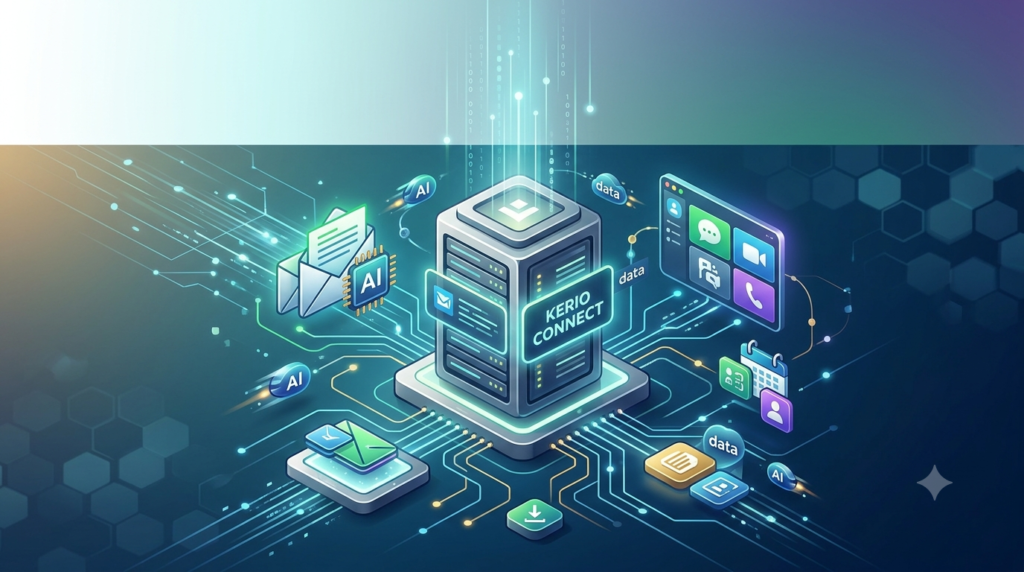
GFI KerioConnect is a comprehensive messaging and collaboration server that streamlines business communication. It is designed to be easy to deploy, manage, and use, making it ideal for small to medium-sized businesses (SMBs). As a self-hosted email server, it allows organizations to maintain complete control over their data, a critical advantage for compliance and security. The platform integrates email with shared calendars, scheduling, contacts management, tasks, notes, shared and public folders, and XMPP-compatible instant messaging.
AI-Powered Capabilities
The most significant differentiator of GFI KerioConnect is its AI-powered email server functionality. Unlike many cloud-based AI tools, the AI features run entirely on-premises using local language models, ensuring that your email data never leaves your server. This makes it a perfect solution for organizations with strict data sovereignty requirements.
Key AI features include:
-
Email Summarization: Get instant, multilingual summaries of long emails directly in the message preview. This helps you quickly understand the core content without reading lengthy threads.
-
AI Draft Reply: Generate professional responses in short, medium, or long formats with a single click. The context-aware suggestions speed up replies while maintaining high quality and professionalism.
-
Compliance and Security Analysis: Automatic scanning that flags potential phishing attempts, spam, and compliance risks. Classification banners with confidence scores and reasoning are provided to help administrators maintain security standards.
Key Features
Beyond its AI capabilities, GFI KerioConnect offers a robust suite of features essential for modern business operations:
Core Collaboration and Messaging
-
Unified Communication: Integrated email, calendar, contacts, tasks, and instant messaging within a single platform, reducing the need for multiple disjointed tools.
-
Mobile Device Synchronization: Direct push synchronization to mobile devices via Microsoft ActiveSync, ensuring users stay connected and up-to-date wherever they are.
-
Cross-Platform Support: Deploy and access email on Windows, Mac, and Linux operating systems. It also offers full support for Outlook (Windows and Mac) and various other IMAP or POP-compliant email clients.
Security and Administration
-
Advanced Security: Protection against hacking and malicious attacks through SSL encryption, S/MIME, and powerful anti-spam and anti-virus tools. The system uses a multi-engine approach with 14 anti-spam filters and 4 anti-virus engines plus malware scanning.
-
Automated Backup and Archiving: Automated backup with granular restore options ensures quick recovery from data loss. Server-wide archiving prevents data loss and helps organizations comply with legal requirements for email retention.
-
Simple Web-based Administration: Easy-to-use web-based administration that can even be configured from a tablet, minimizing the IT expertise required to manage the server.
What’s New in Kerio Connect 10.0.9 P1
The latest Kerio Connect 10.0.9 P1 is a maintenance release that resolves several critical issues and introduces a powerful new feature for administrators.
Key Fixes and Improvements
-
ActiveSync Sync-State Repair: A significant new feature added to WebAdmin allows administrators to rebuild corrupted journal and sync-state files. This can be done per device, in bulk for selected users, or server-wide. A confirmation prompt recommends performing these repairs during non-business hours.
-
Stability Fixes:
-
Resolved repeated
mailserver.execrashes (access violation 0xc0000005) that were triggered by EWS activity from the eM Client. -
Fixed daily mailserver crashes on Debian 11 related to SQLite corruption recovery.
-
Fixed an ActiveSync crash caused by calendar events with malformed geolocation data.
-
-
Enhanced Spam Filtering: The default spam filter message size limit has been increased from 1 MB to 8 MB. This ensures that large-body spam messages are properly scanned by SpamAssassin and Bitdefender instead of being bypassed.
-
Backup and Webmail Fixes: Fixed backup upload failures affecting local backups and a webmail login redirect issue that could expose the backend internal IP when deployed behind a reverse proxy.
What Was New in Version 10.0.9
The previous 10.0.9 release (build 9754) included several important changes:
-
Enhanced Exchange Web Services (EWS) compatibility for third-party clients, fixing errors 108 and 339.
-
Fixed security issues where allowed relay IPs bypassed spam filtering and improved licensing enforcement during Active Directory synchronization.
-
Added RFC 8058 compliance, including
List-Unsubscribeheaders in DKIM signatures for one-click unsubscribe support.
System Requirements
Before installing GFI KerioConnect, ensure your system meets the following minimum requirements to guarantee optimal performance and stability.
Supported Operating Systems
GFI KerioConnect supports a wide range of 64-bit operating systems:
| Platform | Supported Versions |
|---|---|
| Windows | Windows Server 2025, 2022, 2019, 2016 |
| Linux | Debian 11, 12, 13 (Trixie); Ubuntu 19.04, 20.04, 22.04, 24.04 LTS; Red Hat Enterprise Linux 7,8,9; CentOS 6,7,8; Alma and Rocky Linux 9.5 |
| macOS | macOS 12 Monterey, 13 Ventura, 14 Sonoma, 15 Sequoia, and 26 Tahoe (Intel and Apple Silicon M1/M2/M3 with Rosetta 2) |
Hardware Requirements
Hardware specifications depend on the number of users:
| User Count | CPU | RAM | Storage (Message Store & Backup) |
|---|---|---|---|
| 1–20 Users | 2 Core CPU, 1 GHz, 64-bit | 4 GB | 40 GB |
| 20–100 Users | 4 Core CPU, 2 GHz, 64-bit | 8 GB | 160 GB |
| 100+ Users | 8 Core CPU, 2.8 GHz, 64-bit | 16 GB | 200 GB+ |
Recommended Hardware: For optimal performance, especially with larger deployments, invest in fast and reliable storage. SSDs or 15k RPM drives in a RAID 5 or 10 configuration are recommended for the message store. While Kerio Connect can run on various platforms, Linux is often preferred for its lightweight kernel and headless operation.
Installation Guide
Installing GFI KerioConnect is a straightforward process. This guide covers a basic installation on Windows. For macOS and Linux, please refer to the official GFI support documentation.
Prerequisites
-
System Check: Ensure your server meets the system requirements for your user count.
-
Administrative Access: You must have local administrator privileges on the server.
-
License: Obtain a valid product license key from GFI.
Installation Process
-
Download the Installer: Get the latest version from the GFI Upgrade Center.
-
Run the Installer: Execute the
.exefile. Select your preferred language and click OK. -
Welcome Screen: Click Next on the welcome screen.
-
Setup Type: Choose the desired setup type. For most users, “Complete” is recommended. Click Next.
-
Destination Folder: Specify the destination folder for the software or accept the default. Click Next.
-
Configuration: If a previous installation is detected, the wizard will ask to either keep or replace the configuration. Choose accordingly and click Next.
-
Install: Click Install to begin the installation process.
-
Completion: Once the installation is complete, click Finish.
The Kerio Connect engine will start and run as a service automatically after installation or upon system restart. You can then access the WebAdmin interface to complete the configuration and create user accounts.
How to Use the Software
After installation, you can manage GFI KerioConnect through its web-based administration interface.
Accessing WebAdmin
-
Open a supported web browser on your network.
-
Enter the server’s hostname or IP address followed by the port. The default address is
https://<your-server-address>:4040.
Configuring Core Services
-
Create Domains: From the Domains section, add your company’s email domain(s).
-
Add User Accounts: Navigate to the Users and Groups section. Here, you can create new users manually or integrate with an existing directory service like Active Directory.
-
Configure Mail Client: Users can connect via Microsoft Outlook (using the Kerio Outlook Connector or EWS), webmail, or any IMAP/POP client.
Managing AI Features
The new AI tools are a key feature. Here’s how they work from a user perspective:
-
Email Summarization: When viewing a long email in the new webmail interface, a summary card or button will appear, providing a concise overview of the conversation.
-
AI Draft Reply: While composing a reply, a user can click the “AI Draft Reply” button. The system will analyze the email and context, and then generate one or more draft replies in short, medium, or long formats.
Best Use Cases
GFI KerioConnect is a versatile solution that fits a variety of business needs:
-
Small and Medium-Sized Businesses (SMBs): Its easy deployment, low total cost of ownership, and minimal IT management make it ideal for SMBs that need enterprise-grade features on a budget.
-
Data-Sensitive Industries: Organizations in legal, healthcare, and finance can benefit from the on-premises AI deployment, ensuring that email data used for AI features never leaves their server, addressing GDPR and other compliance requirements.
-
Managed Service Providers (MSPs): MSPs can leverage GFI KerioConnect to offer white-label email hosting for their clients, providing a secure, low-maintenance, and profitable service.
Advantages and Limitations
Advantages
-
On-Premises AI: The only email server with AI features that run entirely on your own infrastructure, offering superior data privacy.
-
Cost-Effective: Provides enterprise-level features at a fraction of the cost of competitors like Microsoft Exchange or Google Workspace, especially for SMBs.
-
Easy to Manage: Simple web-based administration and deployment can be done by staff with limited IT experience.
-
Cross-Platform: Full support for Windows, Mac, and Linux servers and clients.
Limitations
-
Advanced AI Features: While it offers summarization and draft generation, the AI capabilities may not be as extensive or integrated as those in large-scale cloud-native suites like Microsoft 365 Copilot.
-
Third-Party Client Compatibility: While generally robust, some issues can arise with third-party clients via EWS, as indicated by fixes in version 10.0.9.
Alternatives to the Software
If GFI KerioConnect doesn’t meet your needs, consider these alternatives:
| Software | Description | Best For |
|---|---|---|
| Microsoft Exchange Server | The industry standard for enterprise messaging, offering deep integration with the Microsoft ecosystem and advanced features like extensive compliance tools and PowerShell management. | Large enterprises deeply integrated into Microsoft services. |
| Moxa Email Server | A popular open-source alternative known for its flexibility, security, and cost-effectiveness. It offers a wide range of modules and extensions. | Organizations with strong Linux system administration expertise. |
| Zimbra Collaboration | A collaborative platform that combines email, calendar, and file sharing. It offers both open-source and network editions with varying features. | Organizations looking for a modern, open-source collaboration suite. |
Frequently Asked Questions
Is GFI KerioConnect an on-premises solution?
Yes, it is a self-hosted mail server. You install and manage the software on your own servers, either on-premises or in a partner-hosted cloud environment, giving you full control over your data.
What makes the AI features in GFI KerioConnect different?
The AI is on-premises AI. It runs on your own server using local language models, so no data is sent to external cloud services or APIs. This ensures your email data remains entirely private and secure.
Does GFI KerioConnect integrate with Microsoft Outlook?
Yes, it offers full support for Outlook on both Windows and Mac. Users can connect using the Kerio Outlook Connector for full feature support or via Exchange Web Services (EWS). Recent updates have fixed EWS compatibility issues with third-party clients.
How difficult is it to install and manage GFI KerioConnect?
The software is designed for ease of management. It can typically be installed in under 10 minutes, and the web-based administration interface is simple and intuitive, even allowing configuration from a tablet.
What security features are included in the software?
It includes a comprehensive security suite with SSL encryption, S/MIME for email signing and encryption, and a powerful protection layer. This includes 14 anti-spam filters and 4 anti-virus engines, plus malware scanning. The 10.0.9 update also increased the message size limit for spam scanning.
Is GFI KerioConnect suitable for large enterprises?
While ideal for SMBs, the multi-server version supports larger deployments and scaling, managing performance through multiple back-end servers and configurations optimized for heavy use.
Final Thoughts
GFI KerioConnect 10.0.9 P1 is a powerful and secure business email server and collaboration tool that uniquely brings AI capabilities on-premises. Its blend of robust features, ease of management, and strong security makes it an excellent choice for SMBs and organizations with data privacy concerns. The latest patch significantly enhances stability and introduces a vital sync-state repair tool for administrators, making it a reliable and trustworthy solution. For businesses seeking a cost-effective, self-hosted alternative to big-brand email and collaboration suites with the added benefit of private AI, GFI KerioConnect is a compelling option.
Our Paid Service
“We do not sell or provide any software. We only offer professional support services. If any software on your system is not working properly, or you are facing installation errors, crashes, or any other technical issue — just contact us. We will help you fix the problem quickly and remotely via AnyDesk. No software will be provided from our side — only expert troubleshooting and support.”