
Overview of the Software
Table of Contents
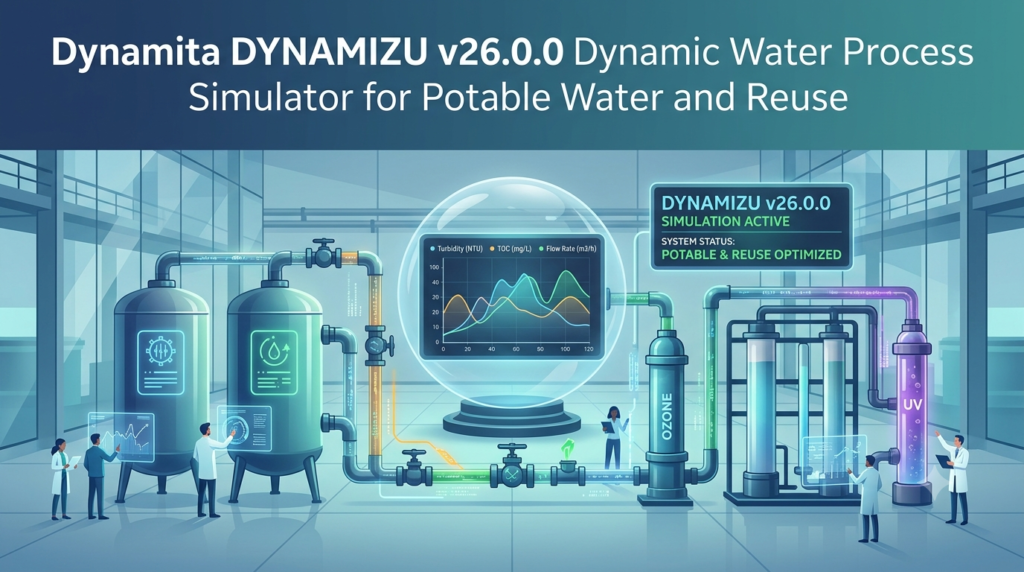
Dynamita DYNAMIZU is a specialized water treatment simulator developed by Dynamita SAS. As the “newborn sister” of the popular SUMO software, DYNAMIZU extends the company’s expertise into the water sector . The software is one of the first plant-wide dynamic simulators focused exclusively on water treatment, covering potable water, effluent reuse, and ultrapure water applications.
The software stands out for its open-process code architecture, allowing complete flexibility for users to build and customize their own models. This transparency is a significant advantage for engineers who need to validate model assumptions and adapt simulations to specific treatment scenarios .
Dynamita designed DYNAMIZU with user-friendliness in mind, making advanced simulation capabilities accessible to both experienced modelers and those newer to water treatment simulation. The software runs quickly, delivers results efficiently, and is supported by a global network of technical experts .
Key Features
Comprehensive Unit Process Models
DYNAMIZU includes detailed models for a wide range of water treatment processes:
-
Membrane Processes: Detailed ultrafiltration (UF) and reverse osmosis (RO) models for desalination and water purification applications
-
Adsorption Models: Engineer-oriented adsorption models for contaminant removal
-
Gas Exchange Models: Advanced gas transfer and exchange simulation capabilities
Energy and Cost Calculations
The software integrates energy consumption modeling and cost calculations directly into simulations. This feature enables engineers to evaluate the economic feasibility of treatment designs and optimize operational parameters for cost efficiency .
Industry-Specific Chemical Libraries
DYNAMIZU comes pre-equipped with water industry-specific chemical databases. These libraries streamline the setup of chemical dosing scenarios for coagulation, flocculation, disinfection, and membrane cleaning operations .
Robust Simulation Engine
-
Steady-State Solver: Quickly evaluate equilibrium conditions
-
Dynamic Simulation: Model time-dependent behavior and transient events
-
Scenario Handling: Easy comparison of multiple operational scenarios
-
Automated Analysis and Optimization: Built-in tools for parameter optimization and sensitivity analysis
Open Code Architecture
The software provides access to model source code, enabling complete transparency and customization. Users can modify existing models or develop entirely new process representations tailored to specific treatment challenges .
What’s New in Version 26.0.0
Dynamita DYNAMIZU v26.0.0 represents a significant advancement in water treatment simulation. This version builds on the software’s foundation with enhanced capabilities for potable water and reuse applications.
Key improvements include refined UF and RO models, expanded chemical libraries, and enhanced integration with SUMO for seamless workflow between wastewater and water treatment modeling . The latest version also introduces improved compatibility with digital twin implementations, allowing users to create more accurate real-time representations of treatment plant operations.
System Requirements
Before installing Dynamita DYNAMIZU v26.0.0, verify that your system meets the following requirements:
| Component | Minimum Requirement | Recommended |
|---|---|---|
| Operating System | Windows 10 (64-bit) | Windows 11 (64-bit) |
| Processor | Intel Core i5 or equivalent | Intel Core i7 or higher |
| RAM | 8 GB | 16 GB or more |
| Storage | 2 GB available space | 4 GB or more |
| Graphics | 1280 x 1024 resolution | 1920 x 1080 or higher |
| Additional Software | .NET Framework 4.8 | Latest .NET Framework |
Internet connectivity is required for license activation and software updates.
Installation Guide
Step 1: Download the Installer
Obtain the official DYNAMIZU v26.0.0 installer from Dynamita’s authorized distribution channels. Always download software from official sources to ensure authenticity and security.
Step 2: Run the Installation
-
Close all running applications
-
Right-click the installer and select “Run as administrator”
-
Follow the on-screen installation wizard instructions
Step 3: License Activation
-
Launch DYNAMIZU after installation
-
Enter your valid license key provided upon purchase
-
Activate the software through the online activation system
-
For offline activation, follow the manual process provided by Dynamita support
Step 4: Initial Configuration
-
Select your preferred language and unit systems
-
Configure library paths for custom models
-
Set up user preferences for simulation outputs
Step 5: Verify Installation
-
Open a sample project from the templates
-
Run a test simulation to confirm proper functionality
-
Check that all modules and libraries load correctly
How to Use the Software
Building a Treatment Process Model
-
Start a New Project: Launch DYNAMIZU and select “New Project” from the welcome screen
-
Select Unit Processes: Drag and drop treatment units from the library onto the canvas
-
Connect Components: Link units with flow connections to define your treatment train
-
Configure Parameters: Set operating conditions for each unit (flow rates, chemical doses, temperatures)
-
Define Influent Characteristics: Specify water quality parameters for your source water
-
Set Simulation Conditions: Choose steady-state or dynamic simulation mode
-
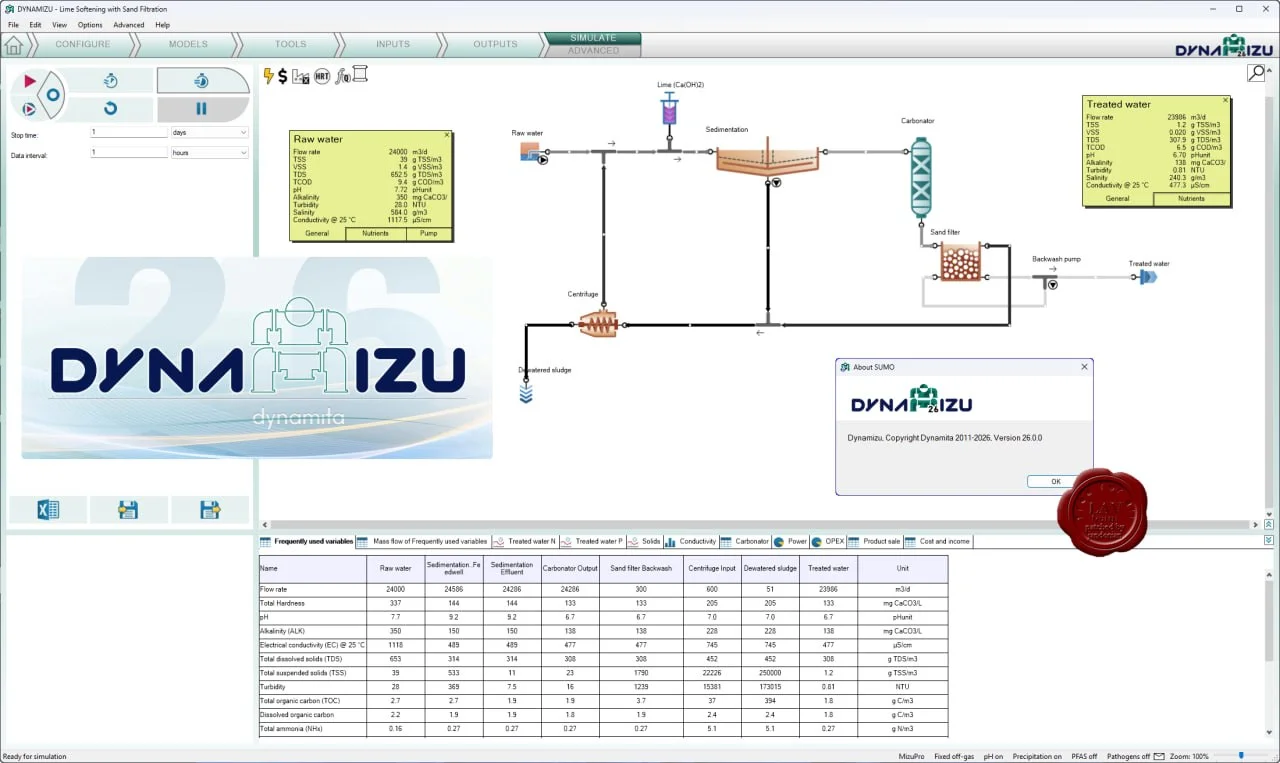
Run and Analyze Results: Execute the simulation and review outputs using the visualization tools
Performing Dynamic Simulations
For dynamic simulations, you’ll need to define:
-
Time-varying influent profiles (flow and quality variations)
-
Control strategies (pump scheduling, chemical dosing changes)
-
Event sequences (backwash cycles, process upsets)
-
Time horizon and output intervals
Analyzing Results
DYNAMIZU provides multiple output visualization options:
-
Time-series graphs for all state variables
-
Summary tables for key performance indicators
-
Water quality compliance reports
-
Energy consumption and cost summaries
Best Use Cases
Potable Water Treatment Design
DYNAMIZU is ideal for designing and optimizing drinking water treatment plants. The software helps engineers evaluate different treatment train configurations, chemical dosing strategies, and operational conditions to produce safe, compliant drinking water .
Water Reuse and Recycling Systems
For water reuse applications, DYNAMIZU supports modeling of advanced treatment trains including membrane systems, advanced oxidation, and disinfection. The software can evaluate the effectiveness of treatment barriers and verify compliance with water quality standards for various reuse purposes .
Ultrapure Water Production
The detailed membrane models make DYNAMIZU suitable for designing ultrapure water systems used in pharmaceutical, semiconductor, and power generation industries. Engineers can model multi-stage RO systems, electrodeionization, and final polishing steps .
Membrane System Optimization
DYNAMIZU’s detailed UF and RO models enable:
-
Membrane performance prediction under varying feed conditions
-
Chemical cleaning schedule optimization
-
Evaluation of pretreatment requirements
-
Cost-benefit analysis of different membrane configurations
Digital Twin Implementation
DYNAMIZU can be integrated with digital twin systems for real-time plant monitoring and predictive optimization. The software connects with SUMO for comprehensive wastewater treatment modeling, enabling holistic plant-wide simulation capabilities .
Process Troubleshooting
The software is valuable for diagnosing operational issues in existing treatment plants. Engineers can replicate plant conditions in the simulator, test potential solutions, and implement optimized strategies .
Advantages and Limitations
Advantages
| Advantage | Description |
|---|---|
| Water-Focused | Specialized for potable water, reuse, and ultrapure applications |
| Open Code | Transparent models that users can fully customize |
| Detailed Membrane Models | Comprehensive UF and RO simulation capabilities |
| Economic Analysis | Built-in energy and cost calculations |
| User-Friendly | Modern interface with intuitive workflow |
| Fast Execution | Quick simulation runs enable rapid scenario testing |
| SUMO Integration | Seamless connection with wastewater modeling |
| Global Support | Worldwide technical assistance network |
Limitations
| Limitation | Consideration |
|---|---|
| Specialized Focus | Primarily water treatment; may require SUMO for comprehensive wastewater modeling |
| Licensing Cost | Commercial software requiring paid licenses |
| Learning Curve | While user-friendly, complex model development requires training |
| System Requirements | Moderate hardware requirements for complex simulations |
| Industry-Specific | Best suited for water treatment professionals |
Alternatives to the Software
SUMO by Dynamita
SUMO is DYNAMIZU’s sister product, focused on wastewater treatment simulation. It features the same open-code architecture and user-friendly interface. For full plant-wide modeling including wastewater treatment, biological processes, and digestion, SUMO is the preferred choice .
BioWin by EnviroSim
BioWin is a globally recognized wastewater treatment plant simulation software. It provides integrated biological, chemical, and physical process models. BioWin is well-suited for activated sludge systems and includes comprehensive clarifier models. The software offers Excel and Word report generation capabilities .
GPS-X by Hydromantis
GPS-X is a dynamic wastewater treatment simulator with a drag-and-drop interface. It includes a wide range of unit processes and supports Python integration. GPS-X provides standard biokinetic models including ASM1, ASM2d, and ASM3. The software offers energy usage and operating cost visualization .
SIMBA by ifak
SIMBA is a MATLAB/Simulink-based simulation platform for wastewater treatment systems. It provides sensitivity analysis, automated model calibration, and open-format model foundations. SIMBA enables comprehensive analysis of sewer systems, treatment plants, and sludge treatment .
WEST by DHI
WEST provides a framework for dynamic modeling of wastewater treatment facilities. It includes extensive model libraries for activated sludge and clarifiers. WEST supports carbon footprint calculations, control strategy implementation, and custom process model development .
Comparison Summary
| Feature | DYNAMIZU | SUMO | BioWin | GPS-X | SIMBA | WEST |
|---|---|---|---|---|---|---|
| Primary Application | Water & Reuse | Wastewater | Wastewater | Wastewater | Wastewater | Wastewater |
| Open Code | Yes | Yes | Limited | Yes | Yes | Limited |
| Membrane Models | Excellent | Limited | Limited | Limited | Limited | Limited |
| Energy/Cost Analysis | Yes | Yes | Limited | Yes | Limited | Yes |
| User Interface | Modern | Modern | Traditional | Modern | MATLAB-based | Modern |
Frequently Asked Questions
What is Dynamita DYNAMIZU used for?
DYNAMIZU is a dynamic water process simulator used for designing, optimizing, and troubleshooting potable water treatment, water reuse, and ultrapure water systems. It helps engineers model treatment processes, evaluate water quality, and optimize operational performance .
Is DYNAMIZU related to SUMO?
Yes, DYNAMIZU is the “newborn sister” of SUMO, Dynamita’s wastewater treatment simulation software. Both products feature open-code architecture and user-friendly interfaces. DYNAMIZU focuses on water treatment applications while SUMO specializes in wastewater processes .
What industries benefit from DYNAMIZU?
DYNAMIZU serves professionals in drinking water utilities, industrial water treatment, desalination plants, water reuse projects, ultrapure water systems for pharmaceuticals and electronics, and environmental engineering consulting firms .
What are the system requirements for DYNAMIZU v26.0.0?
DYNAMIZU v26.0.0 requires a 64-bit Windows 10 or 11 operating system, Intel Core i5 or better processor, 8 GB RAM minimum, and 2 GB available storage space. A valid license and internet connection are needed for activation .
Can I customize models in DYNAMIZU?
Yes, DYNAMIZU provides open-process code that allows complete model customization. Users can view, modify, and extend existing models or develop entirely new process representations tailored to their specific treatment applications .
Does DYNAMIZU support digital twin applications?
Yes, DYNAMIZU can be connected with digital twin models for real-time monitoring and optimization. The software also integrates with SUMO for comprehensive plant-wide simulation capabilities in digital twin implementations .
How does DYNAMIZU compare to BioWin or GPS-X?
Unlike BioWin and GPS-X, which primarily focus on wastewater treatment, DYNAMIZU specializes in water treatment applications including potable water and reuse. It features more detailed membrane models (UF/RO) and water industry-specific chemical libraries .
Final Thoughts
Dynamita DYNAMIZU v26.0.0 fills a critical gap in the water treatment industry by providing specialized dynamic simulation capabilities for potable water, water reuse, and ultrapure water applications. With its open-code architecture, detailed membrane models, and user-friendly interface, the software empowers engineers to design more efficient treatment systems, optimize existing operations, and develop innovative solutions for water quality challenges .
The integration with SUMO for wastewater modeling creates a comprehensive plant-wide simulation environment, making Dynamita’s product suite a powerful tool for the water industry . Whether you are designing a new drinking water plant, optimizing a water reuse system, or implementing a digital twin, DYNAMIZU provides the flexibility and capability needed for advanced water treatment simulation .
For professionals committed to staying at the forefront of water treatment technology, investing time in mastering DYNAMIZU can yield significant returns in process optimization, cost savings, and regulatory compliance.
Our Paid Service
“We do not sell or provide any software. We only offer professional support services. If any software on your system is not working properly, or you are facing installation errors, crashes, or any other technical issue — just contact us. We will help you fix the problem quickly and remotely via AnyDesk. No software will be provided from our side — only expert troubleshooting and support.”