
Overview of Camo Studio Pro
Table of Contents
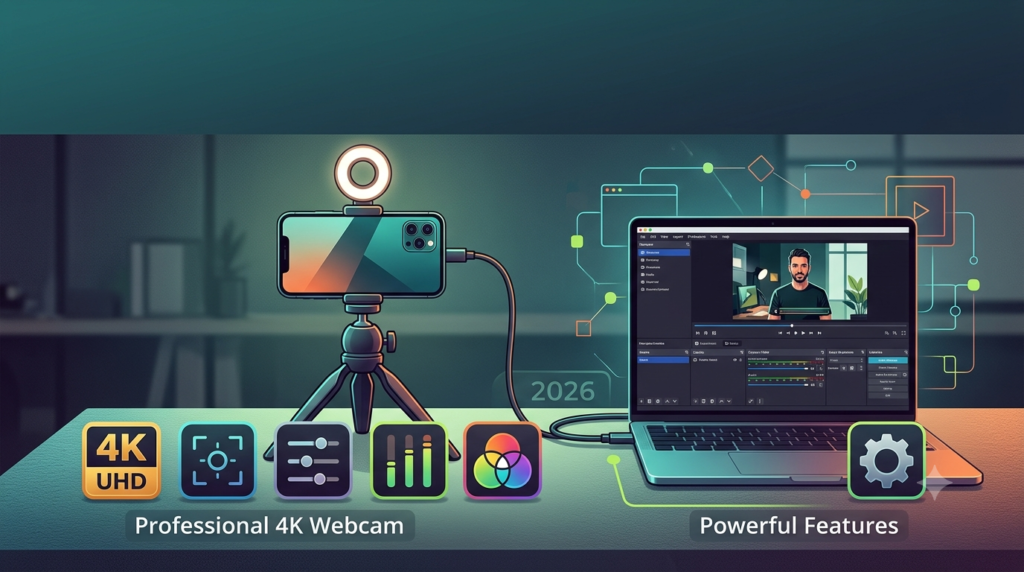
Camo Studio Pro has emerged as one of the most innovative software solutions for content creators, streamers, and professionals seeking superior webcam quality. This powerful application transforms your smartphone into a high-end 4K webcam, delivering exceptional video quality that rivals dedicated professional cameras. Developed by Reincubate, Camo Studio Pro leverages modern smartphone cameras to provide broadcast-grade video capture at a fraction of the cost of traditional webcams.
The software addresses a growing demand for professional video quality in remote work, streaming, and content creation. By utilizing your smartphone’s advanced imaging capabilities, Camo Studio Pro delivers crystal-clear 4K resolution with sophisticated image processing that enhances every frame. Whether you’re conducting business meetings, creating YouTube content, or live streaming to your audience, this software provides the professional polish your videos deserve.
What Makes Camo Studio Pro Stand Out
The key differentiator lies in its ability to harness smartphone camera technology that often surpasses dedicated webcams. Modern smartphones feature advanced sensors, computational photography capabilities, and superior lens systems. Camo Studio Pro unlocks this potential, offering features typically found in professional broadcasting equipment through an intuitive interface.
Key Features of Camo Studio Pro
Professional Video Quality
Camo Studio Pro delivers stunning 4K video capture at up to 60 frames per second, ensuring smooth, detailed video output. The software utilizes your phone’s native camera capabilities while adding sophisticated processing layers that enhance color accuracy, dynamic range, and overall image quality.
Core video capabilities include:
-
4K resolution support at 30 and 60 fps
-
1080p HD video at up to 120 fps for slow-motion capture
-
HDR video support for improved dynamic range
-
Advanced noise reduction algorithms
-
Professional color grading options
Advanced Camera Controls
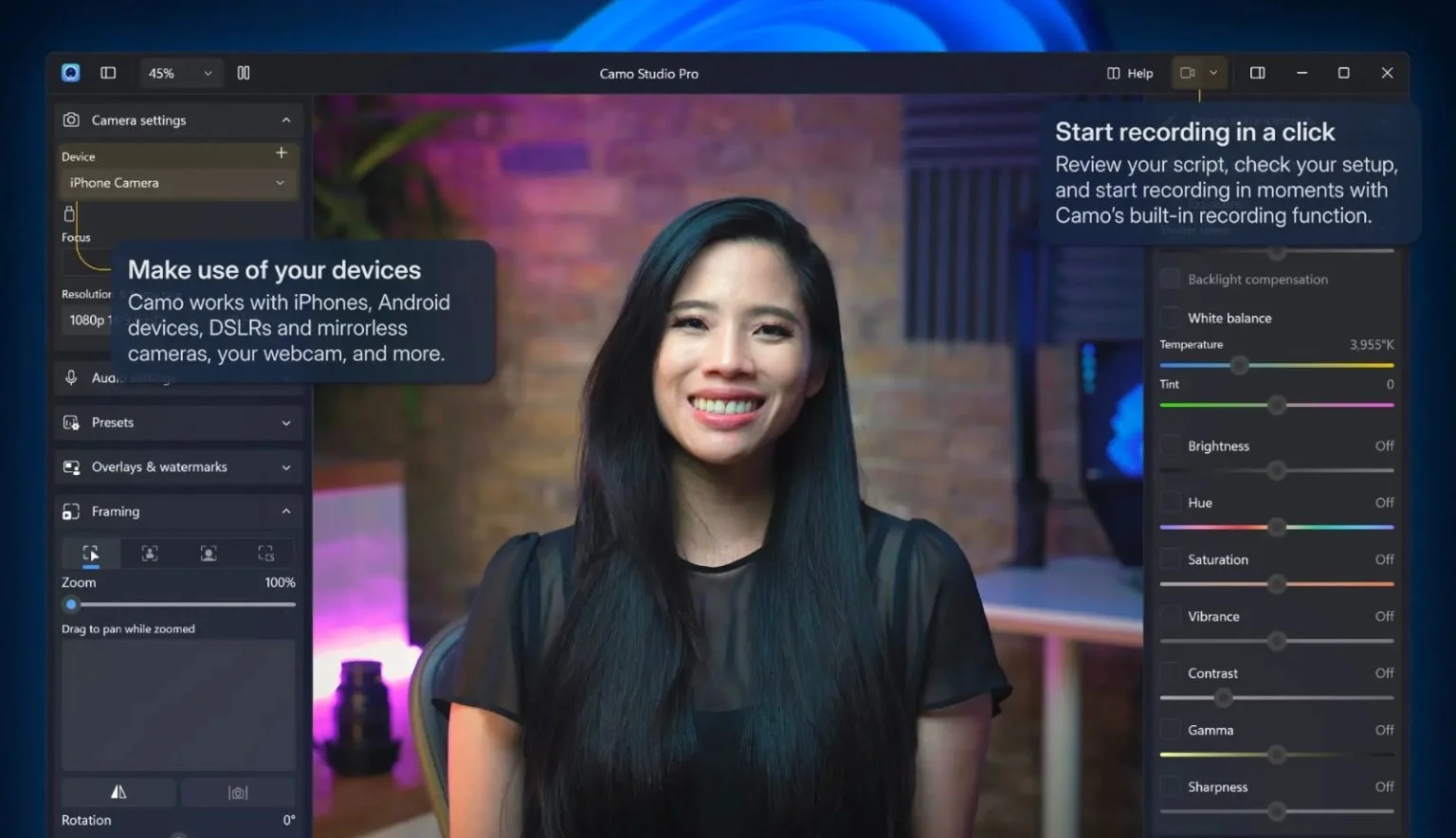
Unlike basic webcam software, Camo Studio Pro provides granular control over every aspect of your video feed. Users can adjust exposure, white balance, focus, and other parameters in real-time, similar to controlling a DSLR or cinema camera.
Customizable settings include:
-
Manual exposure control with histogram display
-
White balance presets and custom Kelvin adjustment
-
Focus modes including manual and continuous autofocus
-
ISO sensitivity adjustments
-
Shutter speed control for motion clarity
Background Effects and Green Screen
Camo Studio Pro includes sophisticated background replacement capabilities that rival premium broadcasting software. The real-time chroma keying and AI-powered background removal work seamlessly, even in challenging lighting conditions.
Background options:
-
Virtual green screen with professional keying
-
AI-powered background blur and replacement
-
Custom image and video backgrounds
-
Real-time preview of effects
-
Edge refinement for natural-looking results
Professional Audio Features
Audio quality is equally important in video production, and Camo Studio Pro delivers comprehensive audio management tools. The software supports external microphones, provides noise suppression, and offers audio monitoring capabilities.
Audio capabilities include:
-
Support for USB and wireless microphones
-
AI-powered background noise suppression
-
Audio gain control and monitoring
-
Sync audio and video processing
Multi-Device Support
Camo Studio Pro supports both iOS and Android smartphones, connecting via USB or Wi-Fi. This versatility ensures compatibility with virtually any smartphone, making it accessible to a wide range of users.
Streaming and Recording Integration
The software seamlessly integrates with popular streaming platforms and recording software. Whether you use OBS Studio, Zoom, Teams, or other applications, Camo Studio Pro appears as a standard webcam source.
Integration features:
-
Virtual camera output for all applications
-
Direct streaming to platforms like Twitch and YouTube
-
Local recording in multiple formats
-
Picture-in-picture support
What’s New in Camo Studio Pro 2026
Enhanced AI Processing
The 2026 version introduces advanced AI-powered image processing that significantly improves video quality. Machine learning algorithms now handle everything from face detection to dynamic lighting adjustments.
New AI features include:
-
Smart framing that keeps subjects centered
-
AI-powered auto-exposure for changing lighting
-
Intelligent noise reduction that preserves detail
-
Automated color correction based on scene analysis
Improved Connectivity
USB and Wi-Fi connectivity has been optimized for lower latency and more reliable connections. The new protocol ensures stable video transmission even in challenging network conditions.
Advanced Camera Control Interface
The redesigned interface makes professional controls more accessible while adding new features like custom presets and scene management.
Performance Optimizations
Significant performance improvements reduce CPU usage and battery consumption while maintaining video quality.
System Requirements
Windows System Requirements
-
Windows 10 or Windows 11 (64-bit)
-
Intel Core i5 or AMD equivalent processor
-
8GB RAM minimum (16GB recommended)
-
200MB available storage
-
USB 2.0 or higher port
-
Internet connection for activation
macOS System Requirements
-
macOS 10.15 Catalina or higher
-
Intel Core i5 or Apple Silicon processor
-
8GB RAM minimum (16GB recommended)
-
200MB available storage
-
USB port or Wi-Fi capability
Mobile Device Requirements
iOS Devices:
-
iPhone 6S or newer
-
iOS 12 or later
-
Lightning or USB-C cable for wired connection
Android Devices:
-
Android 8.0 or later
-
USB-C or micro USB with OTG support
-
Compatible with most modern smartphones
Installation Guide
Installing on Windows
-
Visit the official Reincubate website to download the Camo Studio Pro installer
-
Run the downloaded installer file
-
Follow the on-screen installation prompts
-
Launch Camo Studio Pro after installation completes
Installing on macOS
-
Download the Camo Studio Pro dmg file from the official website
-
Open the disk image file
-
Drag Camo Studio Pro to your Applications folder
-
Launch from Applications or the Dock
Mobile App Installation
For iOS:
-
Open the App Store
-
Search for “Camo Studio”
-
Tap Get to download and install
-
Grant camera and microphone permissions when prompted
For Android:
-
Open Google Play Store
-
Search for “Camo Studio”
-
Tap Install
-
Grant required permissions
Connecting Your Phone
USB Connection (Recommended):
-
Connect your phone via USB cable
-
Trust the device on your phone
-
The software automatically detects your device
Wi-Fi Connection:
-
Ensure both devices on same network
-
Open Camo on your phone
-
Select Wi-Fi connection in desktop app
How to Use Camo Studio Pro
Initial Setup
When you first launch Camo Studio Pro, the software guides you through the initial setup process. This includes:
-
Device detection and connection
-
Basic settings configuration
-
Video preferences setup
-
Audio device selection
Basic Controls
Camera Settings Panel
-
Resolution selection (4K, 1080p, 720p)
-
Frame rate adjustment (30, 60, 120 fps)
-
Exposure control
-
White balance presets
-
Focus mode selection
-
Zoom control
Video Effects
-
Background blur or replacement
-
Color correction filters
-
Beauty effects
-
Image orientation
-
Aspect ratio selection
Audio Controls
-
Input device selection
-
Noise suppression toggle
-
Gain control
-
Audio monitoring
Advanced Features
Scene Management
Create and save custom scene configurations:
-
Multiple camera angles
-
Custom overlays and watermarks
-
Background presets
-
Transition effects
-
Multiple camera sources
Performance Settings
-
Encoding options
-
Buffer size adjustment
-
Quality vs. performance balancing
-
Network optimization for Wi-Fi
Troubleshooting Common Issues
Connection Problems
-
Try a different USB cable
-
Close other apps using the camera
-
Restart both devices
-
Check USB debugging on Android
-
Verify Wi-Fi connection
Performance Issues
-
Lower resolution for older phones
-
Close background apps
-
Use USB connection instead of Wi-Fi
-
Update graphics drivers
-
Adjust encoding settings
Best Use Cases
Professional Content Creation
Content creators benefit from Camo Studio Pro’s ability to deliver professional-grade video quality without investing in expensive camera equipment. The software’s color grading and effects tools help maintain consistent branding across videos.
Common applications:
-
YouTube and TikTok videos
-
Product reviews and demonstrations
-
Educational content and tutorials
-
Interviews and talk shows
Remote Work and Business
The software elevates video quality for remote meetings, making participants appear more professional and engaging.
Business applications:
-
Executive video presentations
-
Virtual team meetings
-
Client consultations
-
Webinars and online training
Live Streaming
Streamers can access professional video quality and effects that enhance viewer engagement and content quality.
Streaming features:
-
OBS Studio integration
-
Twitch and YouTube support
-
Real-time effects and transitions
-
Multiple scene configurations
Gaming and Esports
Gamers can create professional-quality streams and content using their smartphone as a high-quality face camera.
Gaming applications:
-
Face cam overlay in streams
-
Reaction videos and gameplay commentary
-
Tournament streaming
-
Community content creation
Advantages and Limitations
Advantages
Professional Video Quality
-
4K resolution at 60fps
-
Advanced color processing
-
Superior dynamic range
-
Low-light optimization
Cost-Effective
-
Uses existing smartphone hardware
-
No dedicated camera purchase needed
-
Subscription or one-time purchase options
Feature-Rich
-
Comprehensive camera controls
-
Professional effects and backgrounds
-
Multi-device support
-
Regular updates and improvements
User-Friendly Interface
-
Intuitive design
-
Quick setup process
-
Clear tutorials and documentation
-
Responsive support team
Versatility
-
Works with all major platforms
-
Multiple connection options
-
Compatible with various software
-
Regular platform updates
Limitations
Mobile Device Dependence
-
Phone battery consumption
-
Storage space requirements
-
Device compatibility variations
-
Heat generation during extended use
Wireless Connection
-
Wi-Fi latency variations
-
Network dependency
-
Signal interference potential
-
Quality degradation over distance
Resource Usage
-
CPU and GPU utilization
-
Memory consumption
-
Battery impact on mobile devices
-
System requirements for 4K
Alternatives to Camo Studio Pro
EpocCam
Overview: EpocCam by Elgato provides a similar smartphone-to-webcam solution with strong integration in the Elgato ecosystem.
Comparison:
-
Similar 4K video quality
-
Strong streaming integration
-
Clean interface
-
Audio quality may vary
Pros:
-
Elgato ecosystem integration
-
Simple setup
-
Good performance
Cons:
-
Limited free version
-
Requires iOS for some features
-
Fewer advanced controls
Iriun Webcam
Overview: Free option that turns your phone into a webcam, suitable for basic video needs.
Comparison:
-
More limited features
-
OK video quality
-
Simple interface
Pros:
-
Free to use
-
Simple setup
-
Good for basic use
Cons:
-
Limited features
-
Lower resolution options
-
Basic controls
DroidCam
Overview: Long-standing Android webcam solution with cross-platform support.
Comparison:
-
Good Windows and Android integration
-
More limited features
Pros:
-
Linux support available
-
Stable connection
-
Reasonable performance
Cons:
-
Older interface
-
Fewer features
-
No iOS version
Frequently Asked Questions
Is Camo Studio Pro safe to use?
Yes, Camo Studio Pro is legitimate software developed by Reincubate, a well-established software company. The software follows industry-standard security practices and does not attempt to bypass or circumvent any software licensing. It operates as a legitimate virtual camera driver that works within standard system protocols.
Can I use Camo Studio Pro for free?
Camo Studio Pro offers both free and paid tiers. The free version provides basic webcam functionality at limited resolution and features. The Pro version unlocks full features, including 4K video, advanced controls, and professional effects. The company provides transparent pricing on their official website.
How much does Camo Studio Pro cost?
Pricing is available through the official Reincubate website. The company offers both subscription and perpetual license options. Visit their official pricing page for current rates and promotional offers.
What makes Camo Studio Pro better than standard webcams?
Modern smartphones typically feature superior cameras compared to standard webcams. Camo Studio Pro leverages advanced sensor technology, computational photography, and professional processing to deliver higher quality video. Additionally, smartphones offer better low-light performance, higher resolution, and more sophisticated color science.
Can I use Camo Studio Pro with OBS Studio?
Yes, Camo Studio Pro integrates seamlessly with OBS Studio and other streaming software. Once installed, Camo appears as a standard video capture device in OBS, allowing you to incorporate it into your streaming setup alongside other sources and scenes.
Will Camo Studio Pro work with my Zoom meetings?
Camo Studio Pro functions as a standard virtual camera on your system, making it compatible with Zoom and other video conferencing applications. Simply select Camo Studio Pro as your camera source in Zoom’s video settings.
Final Thoughts
Camo Studio Pro represents a significant advancement in accessible professional video production. By transforming standard smartphones into 4K webcams, the software democratizes professional video quality for content creators, professionals, and everyday users alike.
The 2026 version builds on an already impressive foundation with AI-enhanced processing, improved connectivity, and expanded features. While the software offers professional-grade tools, it remains accessible through an intuitive interface that accommodates both beginners and experienced users.
When considering video quality, the software delivers exceptional results that often surpass dedicated webcams costing significantly more. The ability to use your existing smartphone eliminates the need for additional hardware purchases, making professional video production more accessible than ever.
The continued development and regular updates from Reincubate ensure Camo Studio Pro remains a relevant and improving solution. The company’s commitment to user feedback and evolving technology needs provides confidence in the software’s long-term value.
Whether you’re a content creator seeking better video quality, a professional needing enhanced meeting presence, or a beginner exploring video production, Camo Studio Pro offers a compelling solution that combines accessibility with professional features. The software successfully bridges the gap between consumer webcams and professional broadcast equipment, making high-quality video production available to everyone.
For users serious about their video quality without investing in expensive hardware, Camo Studio Pro stands as an excellent choice that continues to evolve and improve. Try the free version to experience the difference and determine if the Pro features align with your needs.
Our Paid Service
“We do not sell or provide any software. We only offer professional support services. If any software on your system is not working properly, or you are facing installation errors, crashes, or any other technical issue — just contact us. We will help you fix the problem quickly and remotely via AnyDesk. No software will be provided from our side — only expert troubleshooting and support.”