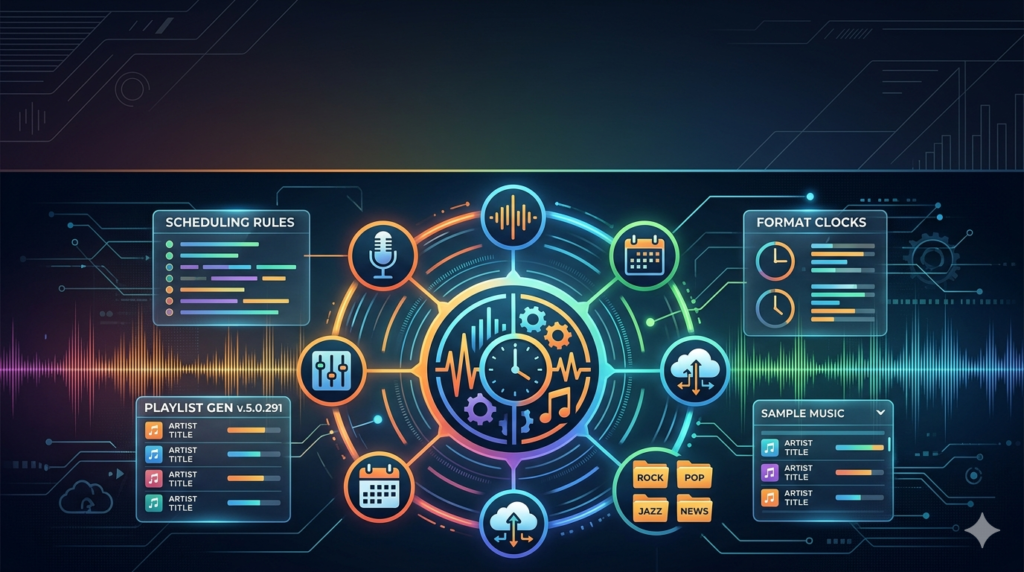

Overview of Natural Music Scheduling Software
Table of Contents
Natural Music is a comprehensive music scheduling solution developed by Natural Broadcast Systems. The software maintains a music library database, generates daily music program logs according to preset rules, and includes interfaces for most major radio automation systems at no extra charge . The system operates on a client-server architecture, allowing up to five workstations to connect to a single Natural Music database server .
What sets Natural Music apart is its buyout pricing model. Users pay a one-time fee for the software license, with no contracts or required monthly subscriptions. The purchase includes one year of free support and access to training videos . After the first year, support is available on a per-minute basis at reasonable rates .
The software supports a virtually unlimited music library with capacity for over two billion songs. Broadcasters can configure up to 676 different format clocks and 1,225 music categories . This scalability makes Natural Music suitable for everything from small community stations to large media groups managing multiple stations and formats .
Key Features of Natural Music v5.0.291
Intelligent Rotation and Separation Controls
Natural Music implements sophisticated rotation rules that prevent song burnout and maintain listener engagement. Broadcasters can define spacing rules for artists, titles, and categories, ensuring audiences hear a balanced mix without excessive repetition . The system offers both global and individual artist separation controls, along with prior-day horizontal title separation to prevent songs from being scheduled at the same time on consecutive days .
Customizable Music Categorization
Songs can be organized into customizable categories such as “Top 40,” “Oldies,” “New Releases,” or “Requests.” This categorization enables smart scheduling based on time of day, target audience, or show format . With 1,225 available music categories, stations can create highly detailed classification systems that reflect their unique programming needs .
Comprehensive Format Clock System
Natural Music supports up to 676 different format clocks. A clock is a document describing the types and approximate start times of songs and other items during one hour of programming . Stations can create multiple clock grids that map various clocks onto all hours of the week. The system also supports dayparting with 26 different daypart restrictions, allowing stations to tailor their sound for morning drive, midday, afternoon, and evening programming .
Flexible Rule Specifications
The software offers both “Never-Violate” and “Preferred” flexible rule specifications. This dual approach allows programmers to enforce strict requirements while still providing the system with flexibility to optimize scheduling within acceptable parameters .
Advanced Music Log Generation
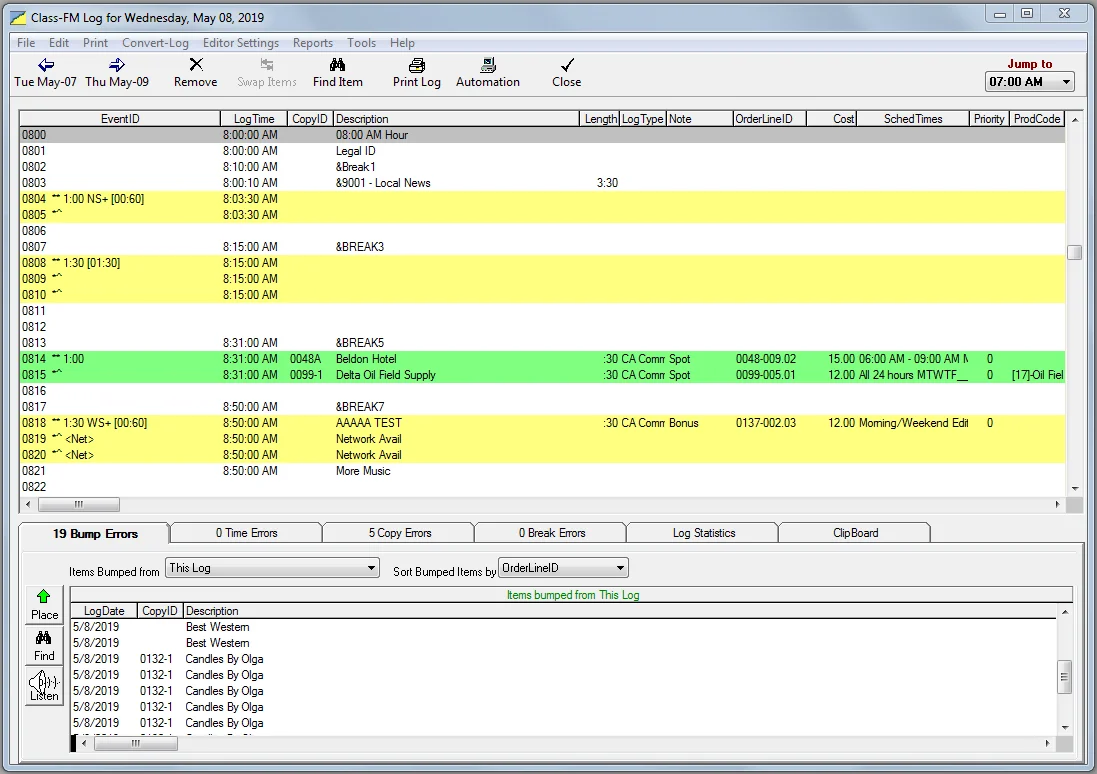
Natural Music generates music logs with powerful diagnostic capabilities. The on-screen log editor supports drag-and-drop editing, cut-and-paste operations from the Windows Clipboard, and hour and day recycling . The built-in log auditor ensures scheduled playlists meet all rotation and compliance requirements. After shows air, reconciliation tools match scheduled content with what was actually played—essential for reporting and royalty calculations .
On-Screen History Display
The software provides detailed on-screen artist and song play histories. When scheduling, users can view when specific songs and artists have recently played. The history display shows up to 45 days into the past, with green highlights indicating hours where the same artist has played and red highlights showing hours where the same song has played .
Integration with Automation Systems
Natural Music is compatible with major radio automation software including BSI Simian, WaveStation, Zetta, WideOrbit, and others . The system imports song data directly from these platforms, eliminating the need to re-enter artist and title details. Scheduled playlists export seamlessly to automation systems, reducing manual effort and ensuring accuracy .
Performance Reporting
Natural Music generates user-configured reports for electronic filing with multiple performance rights organizations and regulatory bodies, including APRA, ASCAP, BMI, SOCAN, SoundExchange, NPR-Digital, Public Interactive, RIAA, and STIM . This capability streamlines royalty reporting and compliance for broadcasters.
Networked Version for Multi-Station Management
The client-server networked version allows up to five workstations to connect to a Natural Music database server. Broadcast groups operating multiple stations can manage them all from one central system, with each station maintaining its own rules, libraries, and staff access levels .
What’s New in Natural Music v5.0.291
Version 5.0.291 represents the latest iteration of Natural Broadcast Systems’ professional scheduling software. This release continues the company’s commitment to providing essential broadcast features without unnecessary complexity . The update maintains compatibility with modern Windows operating systems while improving reliability and performance for professional broadcast environments.
Key enhancements in this version include:
-
Improved log generation diagnostics for faster troubleshooting
-
Enhanced compatibility with current automation systems
-
Refined reporting features for performance rights organizations
-
Streamlined user interface with better on-screen song browsing
-
Optimized database performance for larger music libraries
The software remains designed to run on any computer efficiently running Windows XP or later, ensuring compatibility with a wide range of broadcast hardware .
System Requirements
Minimum Hardware Requirements
-
Processor: Any computer capable of efficiently running Windows XP or later
-
Hard Drive: At least 100 megabytes of free space
-
Memory: As required by the operating system
-
Display: Any Windows-compatible monitor
-
Network: LAN connection for transmitting music logs to automation systems
-
Printer: Any Windows-compatible printer for printing logs
-
Backup: Flash drive or other device for data backups (recommended)
Operating System Compatibility
-
Windows XP or later (32-bit or 64-bit operating systems supported)
The software’s modest system requirements make it accessible for small stations with limited hardware budgets while remaining robust enough for large broadcast operations.
Installation Guide
Initial Setup
Natural Music uses a straightforward installation process. Before installing, ensure your system meets the minimum requirements and that you have your license information available.
Server Installation
-
Insert installation media or run the downloaded setup file
-
Select Server Installation from the initial screen
-
Choose Natural Music from the product selection
-
Review and accept the license agreement
-
Specify destination folder for the installation (UNC notation recommended for network access)
-
Select features to install based on your station’s needs
-
Configure database settings for FUSER and FNAT parameters
-
Review settings and click Install to copy files
-
Complete the setup and restart if recommended
Client Installation
For client workstations connecting to a Natural Music server:
-
Run the setup program on the client PC
-
Select Client Installation from the initial screen
-
Provide license key if required
-
Configure connection to the server database
-
Complete the setup to register the environment and create shortcuts
Post-Installation Configuration
After installation, configure your music library, categories, format clocks, and scheduling rules before generating logs. The Quick Start Guide provides step-by-step instructions for initial configuration .
How to Use Natural Music Scheduling Software
Setting Up Your Music Library
-
Import your music database from existing automation systems like BSI Simian or WaveStation, or build a new library
-
Define music categories that reflect your station’s format—create up to 1,225 categories for detailed classification
-
Assign attributes to songs including gender, tempo, intensity, mood, and style controls
-
Set artist and title separation rules—define both global settings and individual artist controls
Creating Format Clocks
-
Design clocks for each programming hour—specify song types and approximate start times
-
Create clock grids that map clocks onto all hours of the week
-
Use Clock Text fields for special entries including operator notes, automation commands, and voice-track slots
-
Set daypart restrictions—use up to 26 different daypart constraints for different times of day
Generating Music Logs
-
Select the date for log creation using the “Create New Log for” function—the program automatically sets the date to the day after the most recent existing log
-
Review the generated log on-screen before finalizing
-
Edit logs using drag-and-drop or cut-and-paste operations
-
Audit the log using built-in diagnostic tools to ensure compliance with rotation rules
-
Export the log to your automation system via LAN connection
Reconciling Played Logs
-
Import actual-play logs from your automation system
-
Match scheduled content with what was actually played
-
Generate compliance reports for performance rights organizations
-
Produce reconciliation reports for station management and royalty reporting
Best Use Cases for Natural Music
Community and Local Radio Stations
Small to medium-sized stations benefit from Natural Music’s professional scheduling capabilities at an affordable buyout price. The software’s intuitive interface allows even those with minimal technical knowledge to create complex music logs . The one-time cost and lack of monthly fees make it budget-friendly for community broadcasters .
Commercial FM and AM Stations
Commercial stations use Natural Music to maintain consistent sound, prevent song burnout, and maximize listener engagement. The software’s balanced playlists reduce listener fatigue and boost station loyalty . Integration with major automation systems ensures smooth daily operations.
Internet Radio and Webcasters
Webcasters appreciate Natural Music’s royalty reporting features. The software creates standard RIAA Webcast performance reports for electronic filing, plus reports for SoundExchange and other organizations . Buyout pricing works well for webcasters with limited budgets.
Media Groups with Multiple Stations
Large broadcast groups operating multiple stations across different formats use the networked version for centralized management. Each station can maintain its own rules, libraries, and staff access levels while using a single Natural Music database . Up to seven additional stations can be added to the base license at additional per-station cost .
College and University Radio
Educational stations benefit from Natural Music’s professional features at an accessible price point. The software’s extensive clock system—allowing up to 676 different clocks—supports educational programming requirements . The built-in training resources help student programmers learn professional broadcasting techniques.
Advantages and Limitations
Advantages
Cost-Effective Pricing: Natural Music operates on a buyout basis with no monthly fees or contracts. Purchase includes one year of free support .
Extensive Automation Compatibility: Integration with major automation systems including BSI Simian, WaveStation, Zetta, and WideOrbit at no extra charge .
Large Library Capacity: Supports virtually unlimited music libraries with capacity for over two billion songs .
Comprehensive Rules Engine: Features include gender, tempo, intensity, mood, and style controls; global and individual artist separation; prior-day horizontal title separation; and flexible rule specifications .
Multi-Station Management: Networked version supports up to five workstations with additional stations available at reasonable cost .
Built-In Reporting: Generates reports for multiple performance rights organizations including ASCAP, BMI, SOCAN, SoundExchange, and RIAA .
Limitations
Windows-Only Platform: Natural Music requires Windows operating systems (XP or later) and is not available for macOS or Linux .
Single Station Per License: Each licensed copy creates music logs for one station, though additional stations can be added at additional cost .
Support After First Year: Support beyond the first year requires per-minute payment, though rates are described as reasonable .
No Cloud-Based Option: The software operates on local servers rather than as a cloud-based solution.
Alternatives to Natural Music
MusicMaster
MusicMaster is a leading competitor in the radio scheduling space, offering comprehensive scheduling features for broadcasters of all sizes. Unlike Natural Music’s buyout model, MusicMaster typically operates on subscription pricing. It provides advanced analytics and cloud-based options not available in Natural Music.
Selector (RCS)
RCS Selector is another major player in the broadcast scheduling market. It offers extensive automation integration and is widely used in commercial radio. Selector generally requires ongoing subscription payments compared to Natural Music’s one-time purchase model.
Myriad Schedule
Myriad Schedule offers playlist generation and music scheduling features with integration for playout systems. The software includes Natural Music import capabilities, allowing stations to migrate from Natural Music to Myriad when needed . Myriad offers both perpetual and subscription licensing options.
Music1
Music1 provides music scheduling functionality focused on the UK radio market. It offers direct competition to Natural Music in the professional broadcast space with similar scheduling and reporting capabilities.
MegaSeg
MegaSeg offers scheduling for radio and DJ applications on macOS. While simpler than Natural Music, it provides basic rotation and playlist generation for smaller operations. However, it lacks Natural Music’s extensive automation integration and professional broadcast reporting.
Frequently Asked Questions
What is Natural Music Scheduling Software used for?
Natural Music Scheduling Software is a professional broadcast tool used by radio stations, webcasters, and media groups to automate music playlist scheduling and reporting. It maintains music libraries, generates daily program logs according to preset rules, and integrates with major radio automation systems .
What are the system requirements for Natural Music v5.0.291?
Natural Music v5.0.291 runs on Windows XP or later (both 32-bit and 64-bit), requires at least 100 megabytes of free hard drive space, a LAN connection for automation integration, and a Windows-compatible printer for printing logs .
How does Natural Music compare to other scheduling software?
Natural Music offers competitive features including up to 676 format clocks, 1,225 music categories, and support for over two billion songs. Its buyout pricing model—with no monthly fees—distinguishes it from subscription-based competitors like MusicMaster or RCS Selector .
Can Natural Music integrate with existing radio automation systems?
Yes, Natural Music integrates with major radio automation systems including BSI Simian, WaveStation, Zetta, and WideOrbit. The software imports song data directly from these platforms and exports scheduled playlists seamlessly, eliminating manual data entry .
How many stations can I manage with one Natural Music license?
Each licensed copy of Natural Music creates music logs for one station. Additional stations may be added to the base license at an additional per-station cost. The networked version supports up to five workstations connecting to a single Natural Music database server .
What reporting capabilities does Natural Music offer?
Natural Music generates user-configured reports for electronic filing with multiple performance rights organizations, including APRA, ASCAP, BMI, SOCAN, SoundExchange, NPR-Digital, Public Interactive, RIAA, and STIM. The software also provides compliance reports and reconciliation logs .
Is support available for Natural Music?
Purchase includes one year of free support and access to training videos directly from the program authors. After the first year, support is available on a per-minute basis at reasonable rates .
Can Natural Music run on Windows 10 or Windows 11?
Natural Music v5.0.291 supports Windows XP or later, including Windows 10 and Windows 11, in both 32-bit and 64-bit versions .
Final Thoughts
Natural Music Scheduling Software v5.0.291 delivers professional-grade broadcast scheduling capabilities at an accessible price point. The buyout pricing model eliminates the monthly fees common with competing solutions, making it an attractive option for stations of all sizes—from community broadcasters to major media groups .
The software’s combination of comprehensive features—including extensive category and clock systems, sophisticated rotation controls, built-in reporting, and seamless automation integration—provides broadcasters with everything needed to maintain consistent, engaging playlists . The client-server architecture supports multi-station operations while maintaining individual station flexibility .
Natural Music’s compatibility with major automation systems ensures smooth integration into existing broadcast workflows. The ability to import data directly from platforms like BSI Simian and WaveStation saves significant setup time and reduces manual data entry .
For broadcasters seeking reliable, professional music scheduling software without ongoing subscription costs, Natural Music v5.0.291 offers a compelling solution. Its proven feature set, scalability, and industry-standard reporting make it a solid investment for any radio or webcast operation seeking to maintain listener engagement and streamline operations .
Our Paid Service
“We do not sell or provide any software. We only offer professional support services. If any software on your system is not working properly, or you are facing installation errors, crashes, or any other technical issue — just contact us. We will help you fix the problem quickly and remotely via AnyDesk. No software will be provided from our side — only expert troubleshooting and support.”