
Overview of the Software
Table of Contents
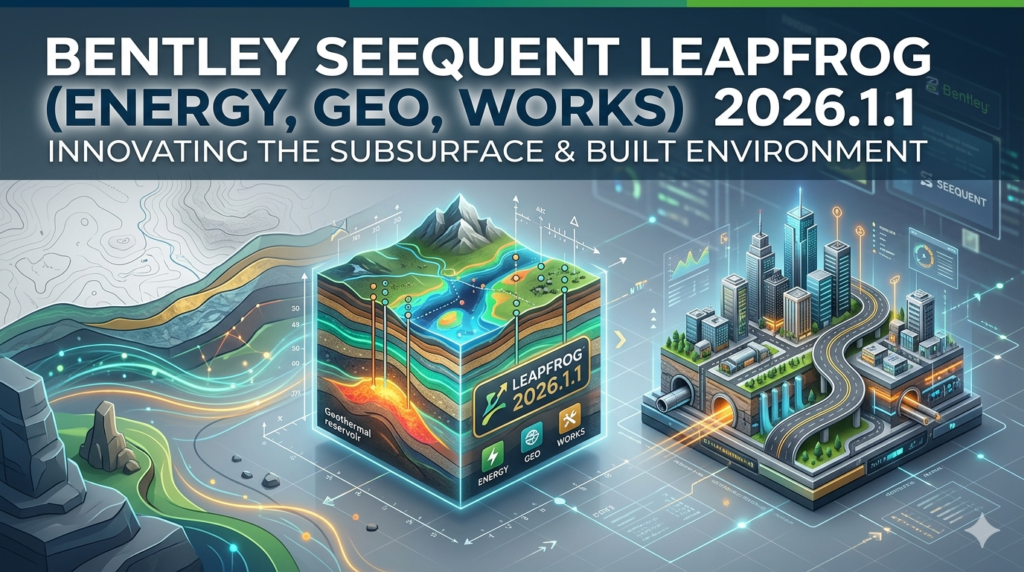
Bentley Seequent Leapfrog is a suite of 3D geological modeling software applications designed to help geoscientists and engineers visualize, interpret, and analyze subsurface data. Its core strength lies in implicit modeling, a powerful technique that allows users to rapidly build and update complex geological models directly from raw data, such as drillhole logs, geophysical surveys, and GIS data . This is a fundamental shift from traditional, time-consuming explicit modeling methods.
The Leapfrog suite includes several specialized products:
-
Leapfrog Geo: The flagship product for geological modeling in mining and exploration. It is renowned for its speed and ability to create realistic, data-driven models of ore bodies, structures, and stratigraphy .
-
Leapfrog Edge: A dedicated mineral resource estimation tool that integrates seamlessly with Leapfrog Geo. It provides advanced geostatistical capabilities for estimation, including variography, compositing, and block modeling .
-
Leapfrog Works: Tailored for civil engineering, environmental, and geotechnical projects. It is used for tasks like site characterization, foundation design, and groundwater modeling, and integrates with Bentley’s infrastructure design tools like OpenRoads and OpenBridge .
-
Leapfrog Energy: Designed for the energy sector, including geothermal and hydrocarbon exploration, enabling the modeling of complex subsurface structures relevant to these industries .
The software is developed by Seequent, which operates as The Bentley Subsurface Company, a testament to its deep integration with the broader Bentley Systems ecosystem . Leapfrog Viewer is also available, providing a free tool to open and explore Leapfrog scene files without a full license .
Key Features
Bentley Seequent Leapfrog 2026.1.1 is packed with features that enhance every stage of subsurface modeling. Across the suite, key capabilities include:
-
Advanced Stratigraphic Modeling: A new algorithm and stratigraphic data explorer interface enable faster, more geologically sound modeling of complex layer sequences, pinch-outs, and tight fold geometries. The models are dynamically linked to the data, reducing manual edits .
-
Data-Driven Drillhole Planning: A powerful new grid-pattern planning tool allows for the rapid layout of large, systematic drilling campaigns with live 3D interaction. Geologists can precisely edit individual holes and snap collars directly to surfaces .
-
Streamlined Resource Estimation: Leapfrog Edge 2026.1.1 introduces a dedicated data preparation workflow that brings structure and transparency to the core of geostatistical modeling. Interactive tools for capping and declustering enable rapid testing and comparison of multiple scenarios .
-
Seamless Cloud Integration: Enhanced integration with Seequent Evo, the company’s cloud-based platform, connects data across geoscience applications. This allows for more integrated workflows, including a direct link between Leapfrog Geo and Orica Digital Solutions’ AXIS Connect for drill rig execution .
-
Implicit Modeling: The cornerstone of Leapfrog’s approach, allowing users to create dynamic models that update instantly when new data is added. This is faster and more intuitive than traditional CAD-based modeling .
-
Extensive Data Interoperability: Leapfrog supports a vast range of file formats for import and export, including CSV, AGS, Shapefiles, DXF, DWG, GOCAD, Datamine, and Surpac . This ensures it can fit into any existing workflow.
-
Bentley Ecosystem Integration: Leapfrog Works integrates directly with Bentley OpenRoads and OpenBridge, allowing for a seamless transition from geological model to civil design, improving accuracy and reducing risk on infrastructure projects .
What’s New in Leapfrog 2026.1.1
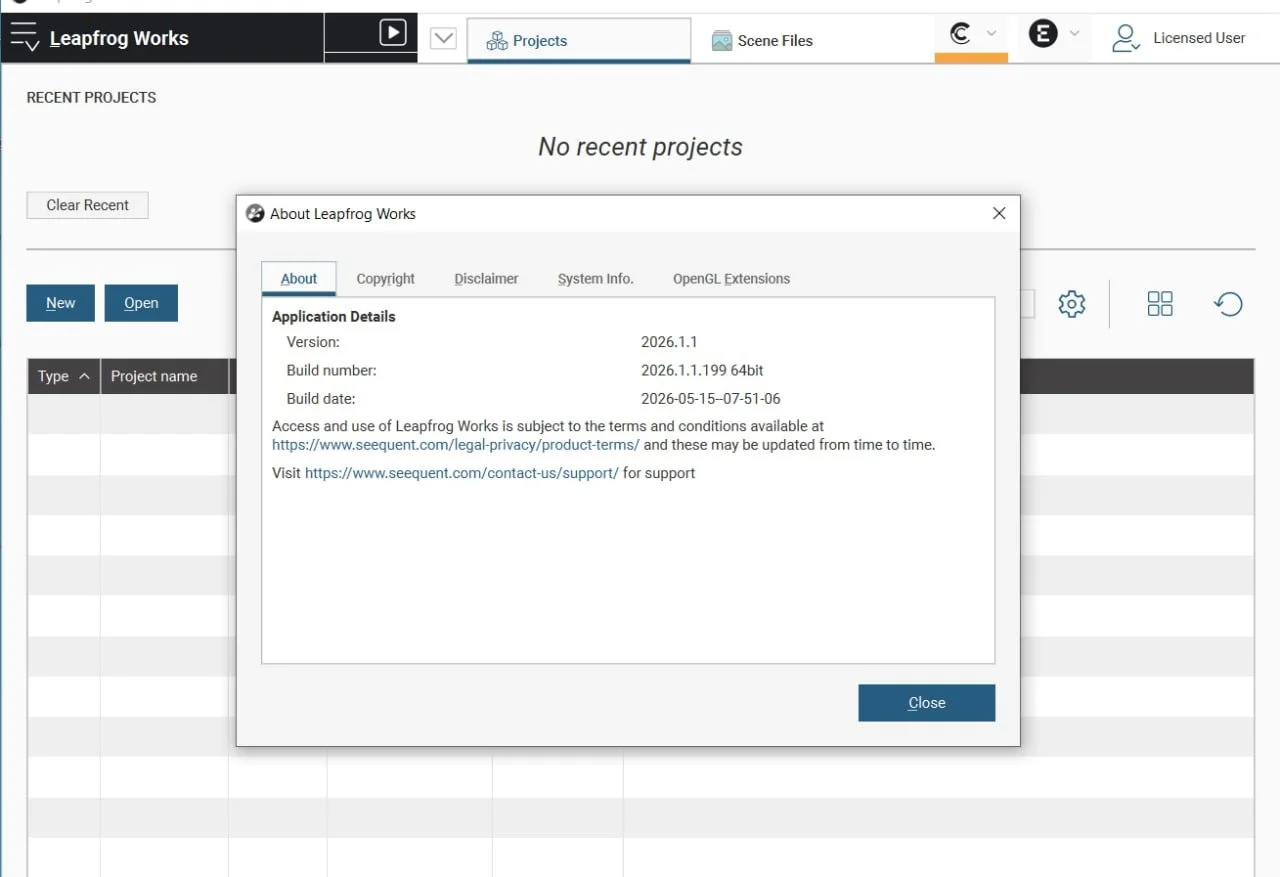
Version 2026.1.1 is a targeted but critical update. It builds on the major 2026.1.0 release by addressing key data handling behaviors to ensure the highest level of accuracy and consistency in your modeling and estimation workflows .
Key fixes and improvements in 2026.1.1 include:
Critical Data Preparation Fix for Leapfrog Edge
A targeted update was released to address two specific issues in the new Data Preparation workflow in Leapfrog Edge :
-
Composite Consistency: The update resolves a difference in how invalid rows and the starting points of composites were handled at the domain level. This ensures that composite data aligns perfectly with the original composite drilling data, preventing local variations in estimates .
-
Handling of Missing Intervals: The update addresses a difference in how mapped missing intervals were handled by the Preparation Dataset. A warning message has been added to the dialog box to clarify this behavior, with further improvements planned for future versions .
Seequent strongly recommends all users upgrade to Leapfrog 2026.1.1 immediately to ensure their data is handled consistently . This patch underlines the company’s commitment to precision and reliability in resource estimation.
Latest Version Availability
The 2026.1.1 update applies to the entire suite. It is now available for:
-
Leapfrog Geo 2026.1.1
-
Leapfrog Energy 2026.1.1
-
Leapfrog Works 2026.1.1
System Requirements
To run Bentley Seequent Leapfrog 2026.1.1 smoothly, ensure your workstation meets the following minimum and recommended specifications. A high-performance graphics card with at least 4GB of memory is essential for optimal performance, especially when working with large datasets .
| Component | Minimum | Recommended |
|---|---|---|
| Operating System | Microsoft Windows 11 (64-bit) | Microsoft Windows 11 (64-bit) |
| Processor | Intel Core i3, i5, i7 or i9 (2nd Gen), Intel Xeon, AMD FX or Ryzen | Intel Core i7-7700k, i7-8700k, i9-9900k |
| System Memory | 4 GB RAM | 32 GB RAM |
| Storage | HDD, 250 GB capacity, 25 GB free space | SSD, 1 TB or larger capacity, 100 GB free space |
| Graphics (Nvidia) | GeForce 900, 1000, 1600, 2000, P series, RTX series | GeForce GTX 1050 / 1050 Ti, 1060, 1660 / 1660 Ti |
| Graphics (AMD) | RX, VII series, W series | Radeon RX 570, RX 590 |
| Display | 1920 x 1080 | 2560 x 1440 |
| Graphics Memory | 4 GB | 4 GB or more |
Important Notes:
-
Running Leapfrog in a virtualized environment is supported with conditions; contact your regional support representative for more information .
-
Running Leapfrog via a remote desktop connection is not supported .
-
Opening Leapfrog projects over a network connection is not supported .
-
Touch-screen hardware is not supported .
Installation Guide
Installing Leapfrog 2026.1.1 is a straightforward process, but it’s crucial to follow the correct steps to ensure a smooth transition, especially if you are upgrading from an earlier version.
Pre-Installation Steps
-
Obtain the Installer: Download the installer for your specific Leapfrog product (Geo, Edge, Works, Energy) from the official Bentley Software Downloads page or the Seequent support portal .
-
Sign Out: Crucially, you must sign out of your current version of the application before attempting to install the new version. If you fail to do so, you may not be able to access the software after the upgrade, and your seat may need to be re-issued by Seequent support .
-
System Check: Verify your system meets the minimum requirements and update your graphics drivers to the latest version for best performance .
Installation Steps
-
Run the Installer: Navigate to the downloaded executable file and run it as an administrator (Right-click > “Run as administrator”).
-
Silent Install Option: For enterprise deployments, a silent installation can be performed from an elevated command prompt using the
/VERYSILENTand/NORESTARTswitches . For example:
LeapfrogSetup-2026.x.x.exe /VERYSILENT /NORESTART -
Create Log File: For troubleshooting, you can generate a log file during installation using the
/LOGswitch. For example:
LeapfrogSetup-2026.x.x.exe /VERYSILENT /NORESTART /LOG="%WINDIR%\Temp\Leapfrog2026-Install.log".
How to Use the Software
Getting started with Leapfrog 2026.1.1 involves a core workflow that is intuitive yet powerful.
-
Sign In: Launch the application. You will be prompted to sign in using your Seequent ID or Bentley account. This step is mandatory to validate your license and entitlements .
-
Create or Open a Project: Start a new project or open an existing one from your local drive or from Seequent Central, the company’s project collaboration platform .
-
Import Data: Begin by importing your raw data. This is typically drillhole data from CSV or AGS files, but can also include GIS data, meshes, and more .
-
Build a Geological Model: Use the powerful implicit modeling tools in the Geological Modeling workspace to define the geology. You can create surfaces for lithology, structures (faults, folds), and alteration zones .
-
Estimate Resources (Leapfrog Edge): Once the geological model is defined, resource geologists can move into Leapfrog Edge to conduct compositing, statistical analysis, variography, and run estimation algorithms like Kriging or Inverse Distance Weighting (IDW) .
-
Visualize and Communicate: Use the powerful 3D scene to visualize your model, create cross-sections, and generate high-quality movies and images for reports and presentations .
Best Use Cases
Bentley Seequent Leapfrog 2026.1.1 is versatile and can be deployed across numerous applications:
-
Mineral Exploration: Rapidly model exploration drillhole data to identify and define mineralized zones, reducing the time to target and reducing costly drilling errors .
-
Mine Planning and Resource Estimation: Use Leapfrog Edge for robust resource estimation, creating block models that inform mine design and production scheduling .
-
Civil Engineering and Infrastructure: Leapfrog Works is used to model subsurface conditions for large-scale projects. It integrates with Bentley’s OpenRoads and OpenBridge to optimize road alignments, bridge foundations, and slope stability analysis, mitigating costly geotechnical risks .
-
Environmental Consulting: Model contaminant plumes and groundwater flow for remediation projects using the Contaminants and Hydrogeology Extensions available in Leapfrog Works .
-
Geothermal Energy: Leapfrog Energy helps in modeling complex geothermal reservoirs, aiding in the identification of productive zones and managing sustainable resource extraction .
Advantages and Limitations
Advantages
-
Speed and Efficiency: Implicit modeling is dramatically faster than traditional explicit methods, allowing for rapid iteration and scenario testing .
-
Data-Driven Modeling: The direct link between data and the model reduces subjectivity and ensures the model accurately reflects the available information .
-
Seamless Workflow: The integration between Leapfrog Geo and Leapfrog Edge creates a unified environment, eliminating the need for time-consuming data transfers between separate software packages .
-
Powerful Visualizations: The 3D scene provides an intuitive and interactive way to visualize complex geological structures, improving communication among stakeholders .
-
Continuous Innovation: Seequent consistently releases updates with significant new features, such as the major stratigraphy and drillhole planning advancements in 2026.1 .
Limitations
-
Steep Learning Curve for Some: While the core workflow is intuitive, mastering advanced features like geostatistics and complex structural modeling can still require significant training.
-
Hardware Demands: To handle large, complex projects smoothly, you need a powerful workstation, especially regarding graphics memory and CPU performance .
-
Resource Estimation Features: Some professional resource geologists find the geostatistical toolkit in Edge to be less flexible or powerful compared to specialized software like Supervisor or Datamine, although it is rapidly improving .
Alternatives to the Software
While Leapfrog is a leader, several other software packages are used in the subsurface modeling space.
| Software | Key Focus | Primary Difference from Leapfrog |
|---|---|---|
| Datamine | Resource estimation, mine planning, and geology. | Offers a comprehensive suite for the entire mining lifecycle, but some users find Leapfrog superior for the initial geological modeling phase . |
| Micromine | Exploration and 3D mine design. | A strong competitor, especially in some regions. While it can do modeling, Leapfrog is often cited as being more efficient for implicit modeling . |
| Surpac (Dassault Systèmes) | 3D geological modeling and mine planning. | A more traditional, explicit modeling tool. It is heavily used in the industry, but many are migrating to Leapfrog for its speed and ease of use . |
| Vulcan (Maptek) | 3D mine design, modeling, and scheduling. | Another traditional, explicit modeling powerhouse. It is very popular in certain regions, like the Western US, but Leapfrog is seen as more modern and intuitive by many . |
| SGS Genesis | Geological modeling and resource estimation. | Aims to provide a more explicit, straightforward workflow where the user has more direct control over each step, contrasting with Leapfrog’s implicit and sometimes “opaque” approach . |
As one professional noted, “Each software have their advantages, but none of them beats Leapfrog Geo for modeling” .
Frequently Asked Questions
What is the difference between Leapfrog Geo and Leapfrog Edge?
Leapfrog Geo is the primary tool for geological modeling, where you build the 3D shapes of rock units, structures, and mineralization. Leapfrog Edge is an extension used for mineral resource estimation, which involves taking those geological models and performing geostatistical analysis to estimate the grade and tonnage of a deposit .
What is the primary fix in Leapfrog 2026.1.1?
The 2026.1.1 update is a critical patch that fixes two data handling issues in the new Data Preparation workflow in Leapfrog Edge. It ensures that composites are formed consistently and handles mapped missing intervals correctly, preventing local variations in resource estimates .
What are the key features of Leapfrog 2026.1?
Key features include an advanced stratigraphy surface with a new algorithm, a powerful grid-pattern drillhole planning tool, and a dedicated data preparation workflow with interactive capping and declustering tools in Leapfrog Edge .
What file formats can I import into Leapfrog?
Leapfrog supports a vast range of formats. For drillhole data, it accepts CSV, AGS, LAS, and TSV. It imports meshes from DXF, DWG, GOCAD, Surpac, and many others. It also imports GIS data like Shapefiles, elevation grids, and geophysical data .
Is Leapfrog Works different from Leapfrog Geo?
Yes, they are designed for different industries. Leapfrog Geo is focused on mining and exploration. Leapfrog Works is for civil engineering, environmental, and geotechnical projects. Works is designed to integrate with Bentley’s infrastructure design tools .
What are the system requirements for Leapfrog 2026.1.1?
You will need a 64-bit version of Windows 11, a modern processor, at least 4GB of RAM (32GB recommended), and a dedicated graphics card from Nvidia or AMD with a minimum of 4GB of memory .
How can I view a Leapfrog file without a license?
You can use the free Leapfrog Viewer application to open scene files (*.lfm) exported from Leapfrog Geo, Works, or Energy. This allows you to view and explore the 3D model and create slices and measurements .
Does Leapfrog integrate with other software?
Yes. It integrates natively with Seequent Central for project collaboration and Seequent Evo for cloud-based data workflows. Leapfrog Works also integrates directly with Bentley’s OpenRoads and OpenBridge for civil engineering design .
Final Thoughts
Bentley Seequent Leapfrog 2026.1.1 is more than just a software update; it is a statement of intent. By doubling down on its implicit modeling strengths and refining the user workflow from drillhole to resource model, Seequent continues to push the boundaries of what is possible in 3D geological modeling and subsurface intelligence.
The targeted patch in 2026.1.1 showcases a commitment to precision and reliability, ensuring users can trust their results . Whether you are an exploration geologist, a resource estimator, or a civil engineer, the advancements in this version offer tangible benefits that can lead to better, faster, and more confident decision-making on projects of any scale. For anyone serious about subsurface modeling, upgrading to Leapfrog 2026.1.1 is a highly recommended step.
Our Paid Service
“We do not sell or provide any software. We only offer professional support services. If any software on your system is not working properly, or you are facing installation errors, crashes, or any other technical issue — just contact us. We will help you fix the problem quickly and remotely via AnyDesk. No software will be provided from our side — only expert troubleshooting and support.”