
Overview of GibbsCAM Software
Table of Contents
GibbsCAM is a leading CAD/CAM software solution developed by GibbsCAM, part of Sandvik Manufacturing Solutions. With over 40 years of industry experience, the software has established itself as a trusted tool for CNC programmers and manufacturing professionals worldwide . The platform provides an integrated environment for programming a wide range of CNC machines, from simple 2-axis lathes to complex multi-task machining (MTM) centers and Swiss-style lathes .
What sets GibbsCAM apart is its shop-friendly interface and intuitive workflow. Rather than relying on complex feature-based programming, GibbsCAM uses an operation-based approach that simplifies the programming process and allows for easier process optimization . This makes it accessible to both experienced programmers and those new to CAM software.
The software supports a comprehensive range of machining strategies, including:
-
2-axis through 5-axis milling
-
Turning operations
-
Multi-task machining (MTM)
-
Swiss machining
-
Wire EDM (Electrical Discharge Machining)
GibbsCAM integrates with all major CAD systems, enabling seamless data exchange and streamlined workflows .
Key Features of GibbsCAM 2026
Advanced 3D Machining Engine
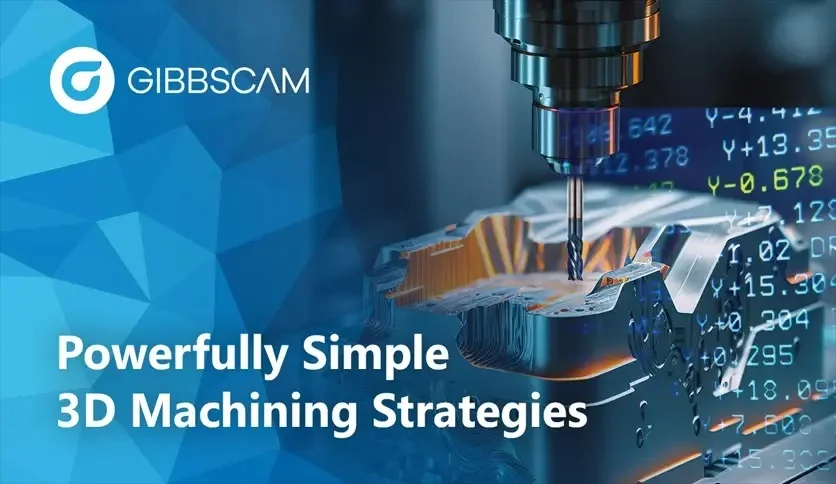
The cornerstone of GibbsCAM 2026 is its completely re-engineered Advanced 3D Machining engine, powered by ModuleWorks technology . This next-generation core delivers significant performance improvements, including faster toolpath generation, optimal toolpaths, and exceptional surface quality. Users benefit from smoother, more predictable toolpaths that translate into superior surface finishes and minimize the need for secondary finishing operations.
GibbsCAM Viewer for Enterprise Collaboration
The new GibbsCAM Viewer extends access to CAM data across the entire organization without compromising data security . This read-only tool allows operators, managers, and quality teams to:
-
Inspect parts and verify geometry
-
Analyze toolpaths
-
Generate reports
-
Improve collaboration across teams
By using the same familiar interface, the Viewer enhances communication, reduces errors, and keeps programming data secure.
Advanced Multi-Axis Machining Capabilities
GibbsCAM 2026 expands its multi-axis machining capabilities with advanced tilting strategies and smarter toolpath orientation . Key improvements include:
-
Enhanced AutoTilt functionality supporting bullnose tools
-
Two new strategies: Tilted into Plane and Tilt Tool in a User-Defined Plane
-
Improved automatic tilting kernel for consistent results
-
Enhanced multiblade machining with new Edge Finishing strategy
These upgrades give programmers precise control over tool axis orientation, enabling more stable and efficient machining operations.
Smarter Tool Management
The new Tool Usage Reporter provides operation-based tracking of all tools used in a project . This manager-style interface displays every operation linked to a selected tool, allowing users to quickly identify, select, or remove tool-linked operations. Additionally, the redesigned Tool List View offers a spreadsheet-style layout with clear column labels for efficient tool management.
Turning and MTM Enhancements
GibbsCAM 2026 delivers significant improvements for turning operations, including enhanced Variable-B Turning with a more intuitive, interactive workflow . Users can define tool angles directly along the cut path using control points, providing precise control over complex operations. For Multi-Sided Turning tools such as Sandvik Coromant’s CoroTurn Prime inserts, toolpath generation is now smarter and more efficient, maximizing insert geometry while maintaining safety.
Simulation and Workflow Improvements
The software includes numerous usability enhancements, including:
-
Precise geometry scaling and rotation capabilities
-
Improved stock definitions with cylindrical Shrink Wrap
-
Undo/Redo history navigation
-
Enhanced simulation playback with metallic rendering options
What’s New in GibbsCAM 2026
The latest version of GibbsCAM introduces several groundbreaking features that enhance productivity and expand capabilities. The highlight is the next-generation Advanced 3D Machining engine that dramatically improves calculation speeds and toolpath quality . This represents a significant technological leap forward for the software.
AI Integration
GibbsCAM 2026 introduces CloudNC CAM Assist, a cloud-based AI automation tool that generates complete 3-axis and 3+2 toolpaths directly from GibbsCAM session data . This dramatically reduces programming time and helps address the shortage of experienced programmers.
Partner Solutions Integration
The software now offers enhanced integration with partner solutions, including:
-
VERICUT Optimizer: Dynamically adjusts feed rates for 15-30% faster cycle times and extended tool life
-
ToolManageriQ: Provides centralized management of tools, holders, and fixtures through a robust SQL database
System Requirements for GibbsCAM 2026
To run GibbsCAM 2026 effectively, your computer should meet or exceed the following specifications :
| Component | Minimum Requirement | Recommended |
|---|---|---|
| Operating System | Windows 10 | Windows 11 with all updates |
| Processor | Intel Core i5 or AMD Ryzen | Intel Core i7/i9/Xeon or AMD Ryzen/Threadripper (4+ cores) |
| RAM | 16 GB | 32 GB or more for complex parts |
| Graphics Card | Quality 3D accelerated card | NVIDIA GeForce RTX or Quadro series with 4+ GB memory |
| Hard Drive | 2 GB available | 2 GB + additional for virtual memory |
Important considerations for graphics cards:
-
Avoid integrated Intel video chipsets
-
NVIDIA cards historically have fewer compatibility issues than AMD cards
-
Both gaming-grade (GeForce RTX) and workstation-grade (Quadro) cards work well
-
Avoid SLI mode configurations for optimal performance
Installation Guide
Installing GibbsCAM 2026 requires a valid license and follows a straightforward process :
Hardware Key License Installation
-
Verify system requirements: Ensure your computer meets the minimum specifications
-
Install hardware key driver: Install the appropriate Sentinel driver based on your key ID (starting with 3-6 uses Sentinel Protection Installer 7.7.X; starting with 7 uses Sentinel HASP/LDK Installer 8.XX)
-
Download GibbsCAM: Obtain the software from an authorized distributor
-
Install GibbsCAM: Run the installer and follow on-screen instructions
-
Activate license: Use the registration tool to enter your product code and activate the software
Network License Option (NLO) Installation
For organizations using network licensing, the process involves two phases :
Phase 1 – Server Setup:
-
Install the NLO server software
-
Run the Registration Tool with your product code
-
Verify the service is running via the Reprise License Server Administration page at
http://localhost:5054
Phase 2 – Client Setup:
-
Install GibbsCAM on each client workstation
-
Register using the same product code
-
Activate the product to retrieve license data from the server
How to Use GibbsCAM
Getting Started with GibbsCAM
GibbsCAM’s workflow follows an intuitive process that begins with importing or creating a CAD model and culminates in generating machine-ready G-code :
1. Import or Create Geometry
Begin by importing a CAD model in a supported format, or create geometry directly within GibbsCAM. The software supports all major CAD formats for seamless integration.
2. Define Stock and Setup
Define your raw material (stock) and establish the coordinate system for your part. GibbsCAM provides various stock definition options, including cylindrical Shrink Wrap for improved accuracy .
3. Select Tool and Strategy
Choose appropriate tools from the tool library and select machining strategies based on your operation type. The software offers comprehensive toolpath strategies for milling, turning, and specialized operations.
4. Generate Toolpath
Apply the selected strategy to create the toolpath. With GibbsCAM 2026’s new Advanced 3D Machining engine, this process is significantly faster than previous versions .
5. Simulate and Verify
Use the simulation features to visualize the machining process, detect potential collisions, and verify the program before sending it to the machine. The simulation now includes metallic rendering for enhanced visual clarity .
Best Practices for GibbsCAM Users
To maximize productivity with GibbsCAM:
-
Utilize the Tool Usage Reporter: Track tool usage across operations to optimize tool selection and reduce setup time
-
Leverage AI automation: Use CloudNC CAM Assist to generate complete 3-axis and 3+2 toolpaths for faster programming
-
Take advantage of partner integrations: Incorporate VERICUT Optimizer for improved feed rates and extended tool life
-
Implement team collaboration: Use GibbsCAM Viewer to enable team-wide review and verification without risking changes to production files
-
Maintain up-to-date hardware: Ensure your system meets recommended specifications for optimal performance
Best Use Cases
Multi-Task Machining (MTM)
GibbsCAM excels in programming complex multi-task machining centers. A notable application involves programming a blade component on a multi-axis turn-mill center . The process involved:
-
Preliminary turning operations to establish the basic shape
-
4-axis positioning for milling operations (C-axis indexing)
-
4-axis simultaneous machining for complex blade surfaces
-
Final machining to complete the part in a single setup
This approach eliminated the need for multiple setups, reducing potential errors and saving significant time.
Swiss-Style Machining
GibbsCAM’s expertise extends to Swiss-style lathes, offering specialized programming capabilities for these complex machines. The software supports an unlimited number of axes with any axis orientation, making it particularly well-suited for Swiss machining applications .
5-Axis Milling
With enhanced multiblade machining capabilities, GibbsCAM 2026 is ideal for complex 5-axis milling applications. The new Edge Finishing strategy delivers high-quality surface results while protecting delicate leading edges . Expanded tool support includes flat end mills, bullnose mills, and taper tools.
High-Volume Production
For companies manufacturing geometrically-demanding components in medium to high quantities, GibbsCAM provides the flexibility and precision needed to maximize machine utilization . The software’s module structure allows it to grow with your requirements.
Advantages and Limitations
Advantages
| Benefit | Description |
|---|---|
| Intuitive Interface | Shop-friendly design makes it accessible for users at all experience levels |
| Comprehensive Machining Support | One software solution covers all metal cutting machines |
| Advanced MTM Capabilities | Industry-leading support for multi-task machining and Swiss-style programming |
| Fast Programming | Can increase programming speed by up to 75% |
| Extensive Post-Processor Library | Over 10,000 verified post-processors available |
| AI Integration | CloudNC CAM Assist reduces programming time through automation |
| Strong Partner Ecosystem | Integration with VERICUT, ToolManageriQ, and Sandvik Coromant technologies |
Limitations
-
Resource Intensive: Requires powerful hardware for optimal performance, particularly with complex parts
-
Steep Learning Curve for Advanced Features: While the interface is intuitive, mastering advanced multi-axis features requires training and experience
-
Graphics Card Sensitivity: Performance is heavily dependent on graphics card quality; integrated GPUs perform poorly
Alternatives to GibbsCAM
Several alternatives are available for CNC programming, each with different strengths :
Mastercam
A comprehensive CAD/CAM solution offering a complete suite of tools from design through to manufacturing . It’s widely used in the industry and offers extensive training resources.
SprutCAM X
Provides streamlined workflow and comprehensive functionality compatible with any CNC machine . It offers efficient robot machining solutions for complex 3D movements.
hyperMILL
A high-end CAM software particularly strong for complex components and 5-axis machining . It offers broad machining strategies from 2.5D to 5-axis and mill turning.
NX CAM
Provides comprehensive and integrated NC programming capabilities in a single system . It enables consistent 3D models, data, and processes from planning to shop floor operations.
PowerMill
Expert CNC programming for complex 3- and 5-axis manufacturing . It offers rapid toolpath calculation and simulation capabilities.
Autodesk HSMWorks / Inventor CAM
Integrated CAD-embedded CAM solutions that allow programming within the design environment .
Frequently Asked Questions
How can I download GibbsCAM 2026 legitimately?
GibbsCAM 2026 can be obtained through authorized resellers and distributors. The software is available as a commercial product with various licensing options for different business needs . There is no legal “free download” version; however, GibbsCAM offers a 30-day money-back guarantee for customers .
What are the system requirements for GibbsCAM 2026?
GibbsCAM 2026 requires Windows 10 or 11, a minimum of 16GB RAM (32GB recommended for complex parts), an Intel Core i5/i7/i9/Xeon or AMD Ryzen/Threadripper processor, and a quality NVIDIA graphics card with 4+GB of video memory . The software is very graphics-intensive, so investing in a powerful GPU is essential.
What is the difference between the various GibbsCAM packages?
GibbsCAM offers three base packages: Production Milling (2-, 2.5-, and 3-axis milling), Production Turning (2-axis turning), and Production Milling and Turning (live tooling support) . Additional options can be added for multi-axis machining, MTM, and specialized applications.
Does GibbsCAM offer a student or educational version?
Yes, GibbsCAM offers two editions for academic institutions: the industrial GibbsCAM Classroom Edition and the personal GibbsCAM Student Edition .
How do I activate my GibbsCAM license?
GibbsCAM uses hardware key (USB dongle) or network licensing. For hardware keys, install the appropriate driver and run the registration tool to enter your product code . For network licenses, set up the server and install client software on each workstation.
How does GibbsCAM 2026 compare to previous versions?
GibbsCAM 2026 introduces a next-generation Advanced 3D Machining engine with significantly faster calculations and improved surface quality . It also adds AI automation through CloudNC CAM Assist, enhanced tool management with the Tool Usage Reporter, and improved collaboration features with GibbsCAM Viewer.
Can I use GibbsCAM for both milling and turning?
Yes, GibbsCAM supports both milling and turning operations within a single integrated interface . The software covers everything from simple 2-axis turning to complex multi-axis milling and multi-task machining.
Is there community support or training available for GibbsCAM?
GibbsCAM offers comprehensive support through authorized training centers and resellers. The company provides full support from analysis and implementation to post-processor development .
Final Thoughts
GibbsCAM 2026 represents a significant advancement in CAM software technology, delivering performance improvements that can dramatically enhance manufacturing productivity. The next-generation Advanced 3D Machining engine provides faster toolpath calculations and superior surface quality, while new features like AI-assisted programming and enhanced collaboration tools address modern manufacturing challenges.
For manufacturing professionals seeking a comprehensive CAM solution that can handle everything from simple turning to complex multi-axis machining, GibbsCAM 2026 offers a compelling combination of power and usability. The software’s intuitive interface makes it accessible to new users, while advanced capabilities support the most demanding applications.
Whether you’re programming a simple 2-axis lathe or a sophisticated multi-task machining center, GibbsCAM 2026 provides the tools and flexibility needed to optimize your manufacturing processes. With its strong partner ecosystem, extensive post-processor library, and commitment to innovation through AI integration and smart tool management, GibbsCAM continues to be a leading choice for CNC programmers worldwide.
Our Paid Service
“We do not sell or provide any software. We only offer professional support services. If any software on your system is not working properly, or you are facing installation errors, crashes, or any other technical issue — just contact us. We will help you fix the problem quickly and remotely via AnyDesk. No software will be provided from our side — only expert troubleshooting and support.”