
Overview of the Software
Table of Contents
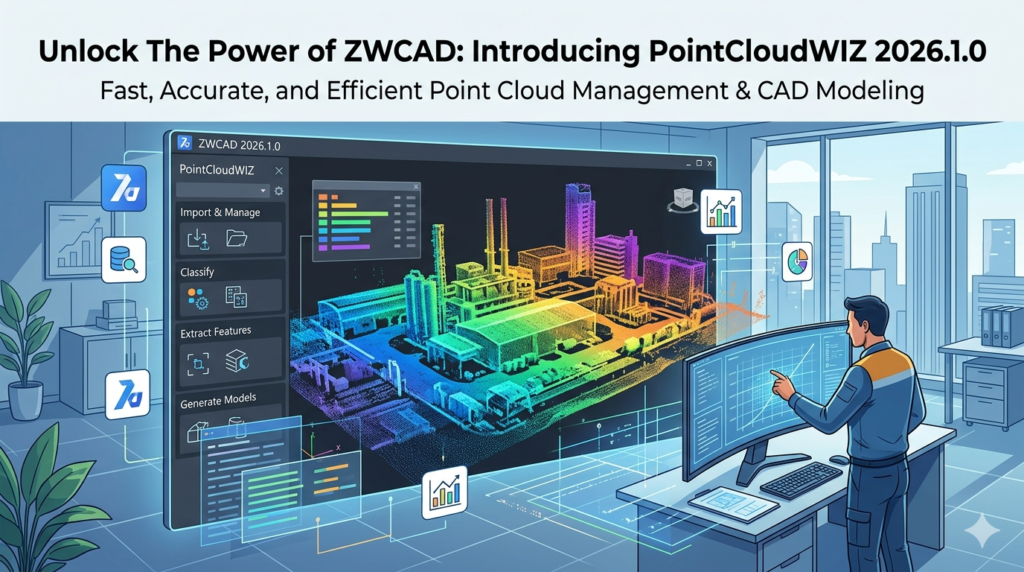
PointCloudWIZ for ZWCAD 2026.1.0 is a specialized plug-in designed to bridge the gap between 3D reality capture data and CAD design. As laser scanning and photogrammetry become industry standards, managing massive datasets—often consisting of millions of 3D coordinates—directly within ZWCAD is essential.
This tool transforms ZWCAD into a powerful environment for point cloud processing. Instead of relying on external viewers, users can import, visualize, edit, and model directly from LiDAR scans, drone imagery, or terrestrial laser scans. This version (2026.1.0) focuses on stability, faster rendering speeds, and enhanced compatibility with industry-standard file formats, making it a critical asset for surveyors, civil engineers, and architects.
Key Features
PointCloudWIZ offers a robust feature set tailored for professionals who need precision without sacrificing performance.
-
Direct LAS/LAZ Import: Supports the standard binary file formats for public lidar data exchange.
-
Intelligent Visualization: Apply color mapping by elevation, intensity, or classification to distinguish between ground, vegetation, and buildings.
-
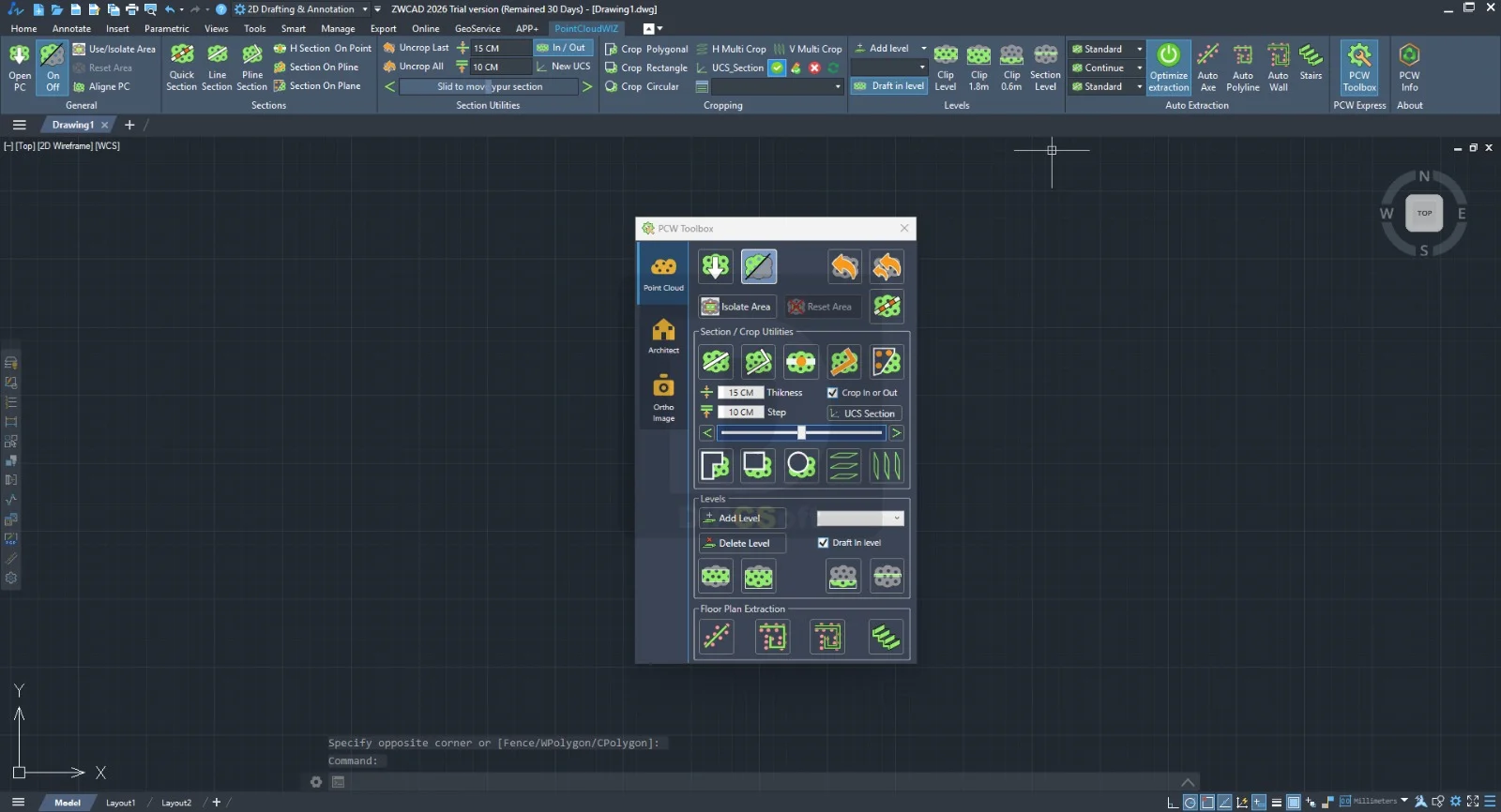
Clipping & Sectioning: Create dynamic 2D sections and 3D clipping boxes to isolate specific areas of interest.
-
Snapping to Points: Enables accurate drafting by snapping to individual points within the cloud, ensuring the digital model aligns perfectly with real-world data.
-
Point Cloud Classification Tools: Reclassify points (e.g., changing “noise” to “ground”) to clean up data before modeling.
What’s New in the Latest Version (2026.1.0)
The 2026.1.0 release focuses on performance and compatibility.
-
Enhanced Rendering Engine: Users can now load clouds of over 500 million points with reduced memory usage.
-
Support for ZWCAD 2026: This version is fully optimized for the API changes in ZWCAD 2026, resulting in faster command execution.
-
Real-time Point Selection: A new selection set management tool allows users to save and recall specific point groups.
-
Improved E57 Support: Native support for the ASTM E57 standard (common in third-party scanners like Faro and Leica) without intermediate conversion.
System Requirements
To run PointCloudWIZ effectively, your workstation must meet the following specifications for ZWCAD 2026.
Operating System:
-
Windows 11 (64-bit)
-
Windows 10 (64-bit)
Hardware:
-
CPU: Intel Core i7 or AMD Ryzen 7 (3.0 GHz or higher recommended for large datasets)
-
RAM: 16 GB minimum (32 GB or more required for clouds exceeding 100 million points)
-
GPU: Dedicated graphics card with 4GB VRAM (NVIDIA Quadro or GeForce RTX series recommended)
-
Storage: SSD with 20 GB free space for caching
Software Prerequisites:
-
ZWCAD 2026 (Professional or Standard)
Installation Guide
Installing the plug-in is straightforward, but requires the host application.
-
Download the installer: Obtain the official setup file for
PointCloudWIZ_2026.1.0.exe. -
Close ZWCAD: Ensure ZWCAD 2026 is not running to avoid file conflicts.
-
Run as Administrator: Right-click the installer and select “Run as administrator” to ensure registry keys are written correctly.
-
Select the Path: The installer usually auto-detects ZWCAD. Verify the path points to your ZWCAD 2026 installation folder.
-
Load the Plugin: Launch ZWCAD 2026. You should see the “PointCloudWIZ” tab appear on the ribbon. If not, type
NETLOADand manually select the.dllfile.
How to Use the Software
Maximizing the utility of PointCloudWIZ involves a standard workflow for scan-to-BIM.
Importing Data
-
Navigate to the PointCloudWIZ ribbon > Insert.
-
Select Import Point Cloud.
-
Choose your file (LAS, LAZ, E57, PCG).
-
Wait for the index to build (this creates a spatial index for faster panning and zooming).
Visualization and Navigation
-
Use the Style Manager to change the point display (By Elevation = thermal map; By Intensity = black/white).
-
Hold
Ctrl+Shiftand right-click to rotate the view around the cloud.
Creating Sections
-
Draw a line across your cloud where you want the cut.
-
Click Create Section.
-
The plugin generates a 2D polyline outline representing the slice of the building or terrain.
Best Use Cases
PointCloudWIZ serves multiple industries by converting raw scan data into actionable CAD geometry.
-
As-Built Documentation: Architects can trace existing floor plans from scans of historical buildings without manual tape measuring.
-
Topographic Mapping: Civil engineers extract contour lines from aerial drone lidar data for road design.
-
Industrial Plant Modeling: Engineers isolate pipe runs and steel structures from cluttered point clouds to create accurate 3D BIM models.
-
Quality Control (QC): Compare a finished construction slab to the original BIM model by overlaying the point cloud and checking deviation heatmaps.
Advantages and Limitations
Advantages
-
Native Workflow: Eliminates the need to convert data between different software suites.
-
Cost-Effective: Significantly cheaper than standalone point cloud software like Autodesk Recap.
-
Performance: Handles dense urban scans better than native ZWCAD geometry.
-
Precision: Snapping tools allow micrometer-level accuracy.
Limitations
-
No Meshing: The plugin visualizes points but does not generate solid meshes or surfaces automatically.
-
Color Limits: Very large E57 files with RGB colors may load slowly due to ZWCAD’s graphics pipeline.
-
Learning Curve: New users must understand point classification terminology (LAS 1.4 specs) to use filters effectively.
Alternatives to the Software
If PointCloudWIZ does not meet your specific needs, consider these alternatives.
| Software | Integration | Best For | Key Difference |
|---|---|---|---|
| PointSense | ZWCAD / BricsCAD | Plant & Building | Includes automatic feature extraction (walls, pipes). |
| CloudWorx | AutoCAD / BricsCAD | Large Infrastructure | Leica proprietary; excellent for high-speed navigation. |
| Undet for CAD | ZWCAD / AutoCAD | Cross-platform | Focuses on 2D vector extraction from 3D clouds. |
| MeshLab | Standalone (Free) | Open-source editing | Free but no CAD integration; manual export/import required. |
Frequently Asked Questions
Is PointCloudWIZ compatible with ZWCAD 2025?
Yes. While version 2026.1.0 is optimized for 2026, it maintains backward compatibility with ZWCAD 2025. However, the rendering engine enhancements are exclusive to the 2026 host.
Can I edit individual points inside ZWCAD?
Yes. You can select, delete, or reclassify noise points. Use the “Select by Rectangle” or “Select by Polygon” tools to isolate specific regions and delete stray points.
What is the maximum file size PointCloudWIZ can handle?
In theory, it supports files up to 1 billion points. In practice, with ZWCAD 2026 and 64GB RAM, users report stable performance with 350–400 million points.
Does this tool convert point clouds to a 3D solid?
No. PointCloudWIZ is a visualization and drafting aid. It provides the reference geometry. You must use native ZWCAD commands (EXTRUDE, LOFT, SURFACESCULPT) to manually create solids over the reference cloud.
How do I obtain a trial license?
Visit the official developer’s website to request a 14-day fully functional trial license. No payment or credit card is required for the evaluation period.
Why is my point cloud showing as random gray dots?
Your intensity or color mapping is likely turned off. Open the Style Manager and switch the visualization from “Intensity” to “By Elevation” or “True Color” if your LAS file contains RGB data.
Final Thoughts
PointCloudWIZ for ZWCAD 2026.1.0 is an essential utility for any professional integrating reality capture into their CAD workflow. While it does not replace dedicated BIM authoring tools, it excels at its core purpose: bringing massive, complex point cloud datasets into ZWCAD efficiently and stably.
For civil engineers needing terrain models or architects surveying historical facades, this plugin saves hours of guesswork by providing a verifiable, real-world digital twin inside your design environment. Evaluate the 14-day trial to see how it handles your specific dataset—specifically focusing on the new 2026 rendering engine for large vegetation or urban scans.
Our Paid Service
“We do not sell or provide any software. We only offer professional support services. If any software on your system is not working properly, or you are facing installation errors, crashes, or any other technical issue — just contact us. We will help you fix the problem quickly and remotely via AnyDesk. No software will be provided from our side — only expert troubleshooting and support.”