
Overview of the Software
Table of Contents
Luna Modeler is a cross-platform database diagram tool designed to simplify the complexity of relational database management systems (RDBMS). Unlike traditional drawing tools, Luna Modeler connects directly to your live database or scripts, allowing for bi-directional synchronization.
This software focuses on agile data modeling. It supports major database engines, including MySQL, PostgreSQL, MariaDB, SQL Server, Oracle, and SQLite. With version 13.6.x, the development team at Datensen has prioritized usability for both Linux and Windows environments, ensuring that database administrators (DBAs) can maintain referential integrity through visual ER diagrams without manual SQL coding.
Key Features
Luna Modeler distinguishes itself through a combination of visual simplicity and deep technical execution. Below are its core capabilities:
-
Visual Database Design: Create, edit, and delete tables, views, and relationships using an intuitive drag-and-drop interface. The editor supports crow’s foot notation and UML for entity-relationship diagrams.
-
Live Reverse Engineering: Import existing database schemas directly into the model. This feature analyzes table structures, primary keys, foreign keys, and indexes to generate a visual map instantly.
-
Forward Engineering (SQL Generation): Automatically generate DDL scripts (CREATE, ALTER) for multiple database platforms. This ensures your model translates into physical database code accurately.
-
Version Control Integration: Save models as XML files that integrate seamlessly with Git and SVN. This allows for proper diff views and collaborative data modeling within development teams.
-
PostgreSQL & MySQL Specifics: Full support for native data types (JSONB, Array, Enums) and procedural languages.
What’s New in Luna Modeler 13.6.2
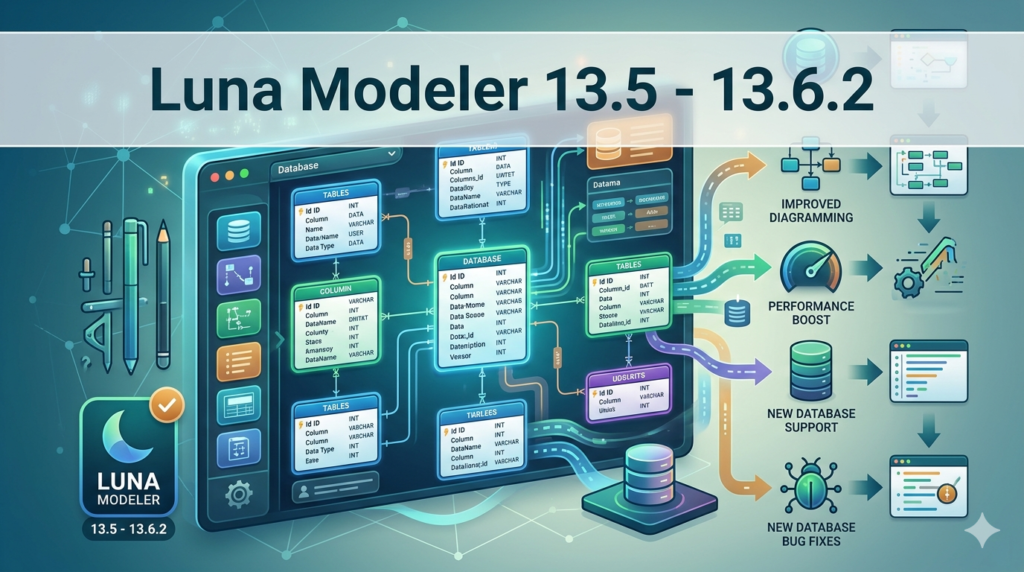
The latest iteration (building from 13.5 to 13.6.2) focuses on stability and modern data types:
-
PostgreSQL 16 Compatibility: Full support for new system catalogs and merge commands.
-
JSON Data Type Visualization: Improved rendering of complex nested JSON structures within the diagram editor.
-
MariaDB 11.x Support: Added compatibility for new storage engine options.
-
Export to PDF/HTML: New ability to generate documentation for non-technical stakeholders.
-
Performance Optimization: 20% faster rendering for databases containing over 200 tables.
System Requirements
Before installing Luna Modeler 13.6.2, ensure your environment meets these specifications:
| Component | Minimum Requirement | Recommended |
|---|---|---|
| Operating System | Windows 10, Ubuntu 20.04, macOS 11 | Windows 11 / Ubuntu 22.04 |
| RAM | 4 GB | 8 GB |
| Disk Space | 500 MB | 1 GB (for logs and exports) |
| Java Runtime | OpenJDK 11 | OpenJDK 17 |
| Database Drivers | JDBC drivers for target DB (e.g., PostgreSQL 42.x) | Latest JDBC version |
Installation Guide
Installing Luna Modeler is straightforward for both Windows and Linux distributions.
For Windows:
-
Download the
LunaModeler-x64.exefrom the official Datensen portal. -
Run the installer as Administrator.
-
Accept the EULA (End User License Agreement).
-
Select the installation path (Default:
C:\Program Files\LunaModeler). -
Launch the application and activate your trial license or enter a purchased key.
For Ubuntu/Debian (Linux):
-
Download the
.debpackage. -
Open terminal and run:
sudo dpkg -i lunamodeler_13.6.2_amd64.deb -
Resolve dependencies if necessary:
sudo apt-get install -f -
Run via application menu or
lunamodelercommand.
How to Use the Software
To maximize the utility of this visual database tool, follow this workflow for a typical reverse-engineering project.
Step 1: Create a New Model
Open the application and select “New Model”. Name your project (e.g., “Sales_Data_Vault”) and select the target database dialect (e.g., PostgreSQL).
Step 2: Reverse Engineer a Database
Navigate to Database > Import Database Schema.
-
Enter your connection string (Host, Port, Database name).
-
Input your username and password.
-
Click “Connect” and select the schemas to import. Luna Modeler will generate an ER diagram automatically.
Step 3: Modify the Logical Model
Click on a table (e.g., customers). Use the sidebar to:
-
Add columns: Specify name, data type (VARCHAR, INT), and constraints (NOT NULL).
-
Create relationships: Drag from a primary key to a foreign key in another table.
-
Update indexes: Check the “Indexed” box for high-traffic columns.
Step 4: Generate SQL or Alter Script
Once changes are made, go to File > Generate SQL.
-
Choose “ALTER Script” (to update an existing DB without destroying data).
-
Review the syntax in the console.
-
Click “Execute” to push changes directly, or “Copy to Clipboard” for manual deployment.
Best Use Cases
Luna Modeler is not a generic drawing tool; it solves specific software engineering problems.
-
Legacy System Documentation: If your company has a 5-year-old database with no documentation, use the reverse engineering feature to generate a visual map. This helps new developers understand the foreign key constraints quickly.
-
Agile Schema Migration: For teams using DevOps pipelines, the XML export allows you to version your database structure alongside your application code in Git. You can diff two commits to see exactly which column changed.
-
Cross-Platform Development: Developers moving from MySQL to PostgreSQL can model the logic in Luna Modeler and export the physical schema for both dialects, saving weeks of manual syntax conversion.
-
Educational Training: Instructors teaching relational database design can use the live editor to show students how normal forms (1NF, 2NF, 3NF) affect data redundancy in real time.
Advantages and Limitations
Advantages (Pros)
-
Cost Effective: More affordable than ER/Studio or SAP PowerDesigner.
-
Platform Agnostic: Unlike Microsoft Visio, it runs natively on Linux and Mac.
-
Version Control Ready: The XML format is
diff-friendly. -
Active Development: The 13.6.x series fixed over 50 bugs related to MariaDB triggers.
Limitations (Cons)
-
No Cloud-Native UI: Unlike dbdiagram.io or DrawSQL, it requires a local installation (no browser-only mode).
-
Learning Curve for Git: New users may struggle with merging XML conflicts if two people edit the same table in different branches.
-
Oracle Limited: Reverse engineering for Oracle may require specific permissions (SELECT_CATALOG_ROLE) that not all users have.
Alternatives to Luna Modeler
If Luna Modeler 13.6.2 does not fit your workflow, consider these alternatives based on your specific needs.
| Tool | Best For | Key Difference from Luna Modeler |
|---|---|---|
| MySQL Workbench | MySQL-only projects | Free and official, but lacks PostgreSQL/MariaDB support. |
| DbSchema | Interactive diagrams | More HTML documentation exports, but slower UI refresh rate. |
| Vertabelo | Web-based collaboration | No local file saving; subscription-only model. |
| DBeaver (ERD) | Database administration | Included for free in DBeaver, but diagram editing is less intuitive. |
| draw.io | Quick sketches | No SQL generation or reverse engineering capabilities. |
Frequently Asked Questions
1. Is Luna Modeler compatible with PostgreSQL 16?
Yes. Version 13.6.2 specifically introduced drivers and syntax validation for PostgreSQL 16, including support for the new MERGE command and system column visibility.
2. Can I generate a physical database from a diagram without writing SQL?
Absolutely. The Forward Engineering feature allows you to draw tables and relationships visually. The software automatically generates the necessary CREATE TABLE and ALTER TABLE DDL statements. You just click “Execute.”
3. Does the free trial allow reverse engineering of large databases?
Yes, the 30-day trial is fully functional but may display a watermark on exported images. It does not limit the number of tables you can reverse-engineer, but support for databases over 500 tables may require performance tuning.
4. How do I visualize JSON data types in the ER diagram?
In the latest version, when using PostgreSQL, the column type “JSONB” will highlight in blue. You can double-click the column to view a nested representation of the JSON keys within the properties pane.
5. Is this tool suitable for data warehousing (Star Schema)?
Yes. Luna Modeler handles dimensional modeling well. You can visually define fact tables (containing foreign keys) and dimension tables without manual joins.
6. Can I use Luna Modeler on a Linux server without a GUI?
No. Luna Modeler requires a graphical user interface (X11/Wayland) to run. For headless servers, you should generate scripts via the command line using a separate CI/CD tool or export the project file from a desktop machine.
7. How do I get support if my license key fails?
Visit the official Datensen support portal. Provide your purchase email and the license.log file found in %APPDATA%/LunaModeler/logs (Windows) or ~/lunamodeler/logs (Linux). They typically respond within 24 business hours.
Final Thoughts
Luna Modeler 13.6.2 strikes a rare balance between affordability and professional-grade functionality. While it may not match the enterprise heft of ERwin in terms of data lineage tracking, it outperforms most tools in the sub-$200 category regarding Git integration and cross-platform database support (MySQL, PostgreSQL, SQLite).
For the independent developer, DBA, or software team looking to move away from scattered Excel spreadsheets or outdated text scripts, this version provides a reliable, legal, and efficient workflow for visual database design. The latest update’s focus on JSON data types and PostgreSQL 16 makes it a future-proof investment for modern application development.
Our Paid Service
“We do not sell or provide any software. We only offer professional support services. If any software on your system is not working properly, or you are facing installation errors, crashes, or any other technical issue — just contact us. We will help you fix the problem quickly and remotely via AnyDesk. No software will be provided from our side — only expert troubleshooting and support.”