
Overview of the Software
Table of Contents
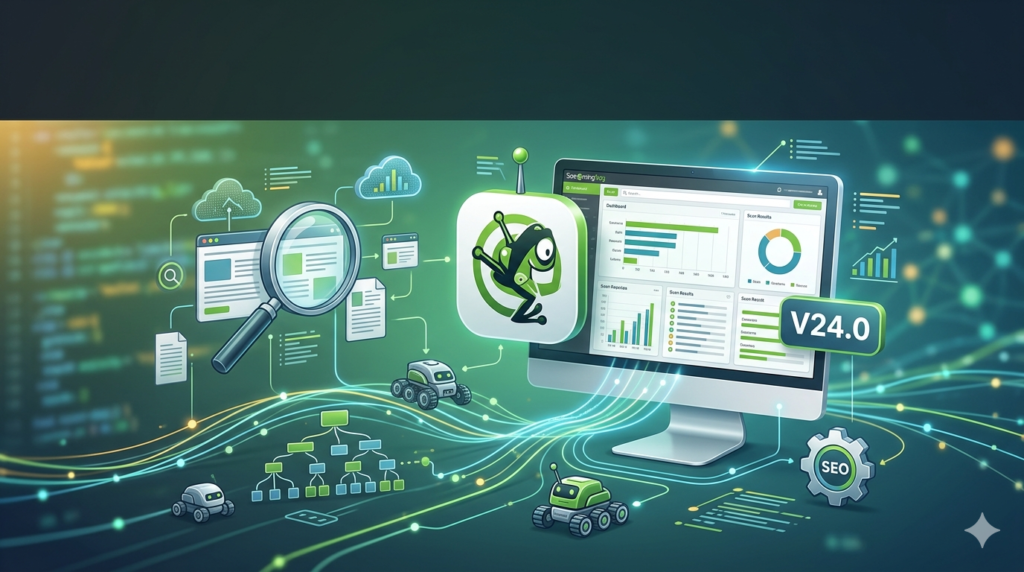
The Screaming Frog SEO Spider is a website crawler that analyzes technical SEO elements. It allows you to extract data about URLs, redirects, meta tags, and structured data. Unlike cloud-based tools, it runs locally on your machine, offering unlimited customization and privacy.
Version 24.0 focuses on automation and integration. The headline feature is the MCP server, which allows Large Language Models (LLMs) like Claude to control the crawler via natural language. This bridges the gap between manual data analysis and AI-driven decision making .
Key Features
While previous versions established the SEO Spider as an industry standard, version 24.0 solidifies its lead through advanced interoperability.
AI Integration (MCP Server)
The Screaming Frog SEO Spider MCP allows you to connect the tool to AI assistants. You can instruct the AI to run crawls, analyze link equity, or visualize data without clicking a single button in the GUI .
Advanced Crawl Comparison
The new “Auto Compare Crawls” feature for scheduled tasks automatically highlights changes between the last two crawls. This is essential for tracking the impact of development work on a live site .
Uncrawlable Link Detection
The tool now identifies links in HTML that do not follow Google’s best practices (e.g., <span href=""> or JavaScript navigation without proper attributes). This helps developers fix “crawlable but not recommended” link structures .
Enhanced Email Notifications
Crawl completion emails now include tables of issues found. If you use auto-compare, the email shows exactly what changed—such as new broken links or missing meta descriptions—since the last crawl .
What’s New in the Latest Version
Here is a detailed breakdown of the updates in Screaming Frog SEO Spider 24.0 :
-
Screaming Frog SEO Spider MCP (Model Context Protocol) : You can now run, analyze, and export crawls using node.js within Claude, LM Studio, and other AI chat assistants. This allows for complex data manipulation via natural language.
-
Auto Compare Crawls: Available for scheduled and CLI crawls. The system automatically compares the last two crawls in a project.
-
Email Attachments: You can now send specific crawl exports (e.g., “All Broken Links”) directly as zipped attachments to stakeholders or developers upon completion.
-
Uncrawlable Links Filter: A new filter in the “Links” tab identifies links that do not conform to standard
<a href="">syntax. -
Malformed URL Crawling: A new config option allows the spider to crawl and report on syntactically invalid URLs (e.g.,
hppts://). -
Usage Stats: A fun, local-only tracker showing how much time you have spent crawling (Help > Usage Stats).
-
Arm64 Linux Support: Native versions for Ubuntu and Fedora on Arm architecture are now available.
-
Data Studio Integration: Automated report naming has been reverted to “Data Studio” following Google’s naming changes.
-
Java 25: The software engine has been updated to Java 25.
System Requirements
Before installing version 24.0, ensure your hardware can handle the workload. The Screaming Frog SEO Spider is a memory-intensive application .
-
Operating System: Windows (64-bit), MacOS, or Ubuntu Linux.
-
Minimum RAM: 4GB (This will limit you to very small websites under 10k URLs).
-
Recommended RAM: 8GB – 16GB (Required for crawls over 200k URLs or when using JavaScript rendering).
-
Storage: SSD recommended. To crawl 1 million+ URLs, you need significant free space for the database storage mode.
-
Architecture: Version 24.0 requires a 64-bit OS .
Installation Guide
Upgrading to version 24.0 is straightforward, but note the licensing changes regarding legacy versions.
-
Download: Visit the official Screaming Frog website. Select the installer for your OS (Windows .exe, Mac .dmg, or Linux .deb).
-
Install (Windows): Run the
.exefile. For enterprise deployments, silent installation switches like/VERYSILENTare supported . -
License Activation: If you have a license key, enter it under
Configuration > Licensing. *Note: Older versions (pre-20) have had legacy keygen exploits patched. Version 24.0 requires a valid paid license for crawls exceeding 500 URLs* . -
First Run: Upon launching, configure your memory limits in
Config > Systemto allocate enough RAM based on your crawl size.
How to Use the Software
To maximize the benefits of version 24.0, integrate the new MCP features into your daily workflow.
Using the AI Integration (MCP)
-
Connect: Set up the MCP Server by following the documentation to connect Claude Desktop or LM Studio to the SEO Spider.
-
Prompt: Type a command in natural language, such as: “Crawl screamingfrog.co.uk, then group the URLs by content type and create a visualization of the site architecture.”
-
Execution: The AI will execute the crawl, manipulate the data, and return results or scripts for interactive visuals .
Setting Up Auto-Compare
-
Navigate to Scheduled Crawls.
-
Create a new task and select “Auto Compare Crawls” .
-
Run the crawl twice (or wait for the next scheduled run).
-
Check your email. The notification will display a comparison table highlighting pages added, removed, or changed in status.
Best Use Cases
Large-Scale Site Migrations
When moving from HTTP to HTTPS or changing CMS platforms, use Auto Compare Crawls to verify the redirect map. Version 24.0 allows you to export the comparison data to prove that URL structures were preserved .
QA for JavaScript Frameworks
Use the Uncrawlable Links filter to audit SPAs (Single Page Applications). If your React or Vue site uses <div onclick="location.href...">, Google may not treat these links the same as standard anchor tags. The new feature finds these so you can rewrite them .
Automated SEO Reporting
Leverage the Email Attachments feature. Schedule a weekly crawl of your 10,000-page e-commerce site. Set the notification to send the “Crawl Report” to your manager and the “Broken Links CSV” to your development team every Monday morning .
Advantages and Limitations
Advantages
-
AI Efficiency: The MCP server dramatically reduces the time spent clicking through filters to find specific data points.
-
Actionable Data: The new email notifications mean you don’t need to open the software to know if a critical page went missing.
-
Granular Control: The ability to detect syntax errors (
hppts://) shows a level of detail that helps catch typos in CMS hard-coded links .
Limitations
-
MCP Beta Status: Not every feature is currently supported via the MCP server. You will still need to use the GUI for deep configuration changes .
-
Learning Curve: Using the MCP requires setting up a local server environment, which may be intimidating for non-developers.
-
Cost: The full features require a paid license (approx. $259/year). The free version is limited to 500 URLs, which is insufficient for enterprise sites .
Alternatives to the Software
While Screaming Frog SEO Spider is the industry gold standard, consider these alternatives for specific use cases:
-
Sitebulb: Offers a more visually appealing interface and better “hints” for beginners, though it is generally slower than Screaming Frog for massive crawls.
-
DeepCrawl (now Lumar) : A cloud-based enterprise solution. Better for teams who need cloud distribution, but significantly more expensive.
-
Ahrefs Site Audit: A cloud-based crawler (requires an Ahrefs subscription). It scores your site health but lacks the granular desktop control of Screaming Frog.
-
Screaming Frog remains superior for local file analysis, log file parser integration, and now, AI automation via the 24.0 MCP update.
Frequently Asked Questions (FAQ)
Q: What is the Screaming Frog SEO Spider MCP?
A: MCP stands for Model Context Protocol. In version 24.0, it allows AI assistants like Claude to directly control the SEO Spider. You can type a command in English (e.g., “find all orphan pages”) and the AI will execute the crawl and analyze the results for you .
Q: Is Screaming Frog SEO Spider 24.0 free?
A: The software is free to download and use for crawling up to 500 URLs. To crawl larger websites or use all features of version 24.0, you need a paid license (currently $259.00 per year) .
Q: How do I compare two crawls in version 24.0?
A: You can use the new “Auto Compare Crawls” feature for scheduled tasks. For manual comparison, you can still save two projects and use the “Compare Crawls” feature, but the new auto-option simplifies this for recurring audits .
Q: Can I use version 24.0 to crawl JavaScript websites?
A: Yes. You need to enable “JavaScript Rendering” in the Config menu. However, note that JS rendering uses significantly more RAM and storage than standard crawling.
Q: Why is Screaming Frog reporting “Uncrawlable Links”?
A: This new feature identifies links that do not use a standard <a href=""> tag. While Google might still crawl them, they are not considered best practice. You should convert these to standard HTML links .
Q: Does the new MCP AI feature work with ChatGPT?
A: As of the initial 24.0 release, the MCP integration is tested with Claude and LM Studio. However, the system is designed to work with any AI assistant that supports the MCP standard .
Final Thoughts
Screaming Frog SEO Spider 24.0 represents a shift toward autonomous SEO. By integrating the MCP, Screaming Frog has turned a desktop tool into an agentic AI partner.
The addition of Auto Compare and email attachments solves the logistical nightmare of manual recrawls, while the uncrawlable link detection helps future-proof your site architecture. If you rely on technical SEO for your business, upgrading to version 24.0 is essential to leverage these time-saving automations .
Our Paid Service
“We do not sell or provide any software. We only offer professional support services. If any software on your system is not working properly, or you are facing installation errors, crashes, or any other technical issue — just contact us. We will help you fix the problem quickly and remotely via AnyDesk. No software will be provided from our side — only expert troubleshooting and support.”