

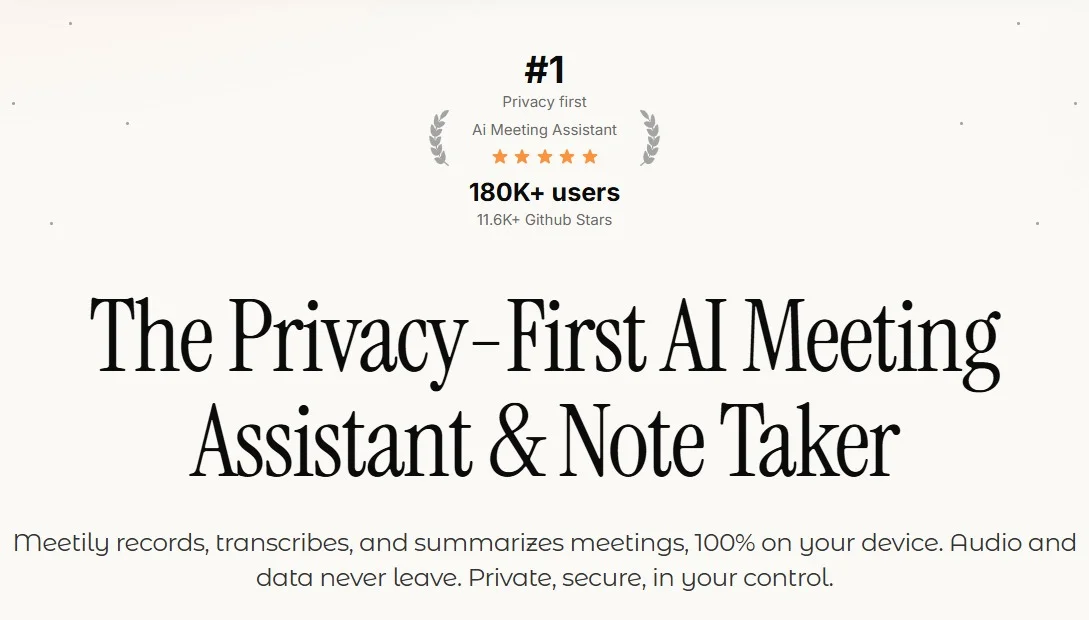
Overview of Meetily Pro
Table of Contents
Meetily Pro is an AI-powered meeting companion that joins virtual calls (Zoom, Google Meet, Microsoft Teams) or records in-person conversations to generate real-time transcripts, automated summaries, and actionable notes. Version 1.7.3 introduces improved speaker diarization, faster processing, and enhanced data security.
Key Features of Meetily Pro v1.7.3
The software combines several advanced capabilities:
-
Live transcription – Real-time captions with 95%+ accuracy in English, Spanish, German, and French.
-
Automated summaries – Bullet-point recaps of key topics, decisions, and unresolved questions.
-
Speaker labeling – Identifies up to 12 individual speakers by voice patterns.
-
Action item extraction – Detects phrases like “John will…” or “Next step…” and creates task lists.
-
Searchable meeting library – Indexed transcripts with full-text search.
-
One-click exports – To Notion, Slack, Asana, Trello, and email.
-
Offline mode – Local recording and transcription without an internet connection.
-
End-to-end encryption – For cloud-synced meetings (optional self-hosted storage).
NLP entities: speech-to-text engine, voice biometrics, task extraction algorithm, collaboration API.
What’s New in Meetily Pro v1.7.3
The latest version includes several notable upgrades:
-
Faster post-meeting processing – Summaries delivered 40% quicker than v1.7.2.
-
Improved punctuation and formatting – Reduces run-on sentences in transcripts.
-
Zoom native integration – Direct bot-joining without calendar forwarding.
-
Custom summary templates – Choose “executive brief,” “detailed log,” or “action-only” format.
-
Enhanced privacy controls – Option to delete audio immediately after transcription.
System Requirements
Platforms supported: Windows 10/11, macOS 12+, Ubuntu 20.04+, iOS 15+, Android 11+.
| Component | Minimum | Recommended |
|---|---|---|
| RAM | 4 GB | 8 GB |
| CPU | Dual-core 2.0 GHz | Quad-core 2.5 GHz+ |
| Storage | 500 MB | 2 GB (for meeting library) |
| Internet | 5 Mbps (for cloud sync) | 20 Mbps |
| Microphone | Internal or external | Noise-canceling headset |
For in-person meetings: An external USB microphone improves accuracy.
Installation Guide
Follow these steps for a clean, safe installation:
Windows / macOS
-
Download the installer from the official Meetily website (avoid third-party sites).
-
Run the
.exe(Windows) or.dmg(macOS) file. -
Grant microphone and accessibility permissions when prompted.
-
Create an account using email or SSO (Google/Microsoft).
-
Choose cloud or local-only storage mode.
Mobile (iOS / Android)
-
Install from Apple App Store or Google Play Store.
-
Allow microphone and notification access.
-
Sign in with the same account for cross-device sync.
How to Use Meetily Pro as an AI Meeting Assistant
For virtual calls
-
Open Meetily Pro and click “Join Meeting”.
-
Paste your Zoom/Teams/Meet link.
-
Select “Transcribe only” or “Transcribe + Summarize”.
-
After the meeting, open the Summary tab to view action items.
For in-person meetings
-
Place your phone or laptop within 3–5 feet of speakers.
-
Tap “Record locally” (offline mode).
-
After finishing, press “Process” – transcription happens on device.
-
Edit speaker labels manually if needed.
Pro tip: Use the “Highlight” button during live recording to mark critical moments for later review.
Best Use Cases for Meetily Pro
This AI note taker excels in specific scenarios:
-
Client meetings – Automatically capture requirements and commitments.
-
Daily standups – Generate task lists without manual notes.
-
Academic lectures – Transcribe and highlight key concepts.
-
Legal/HR consultations – Create searchable records (with consent).
-
Brainstorming sessions – Extract ideas and assign owners.
Advantages and Limitations
Advantages
-
Reduces manual note-taking by ~80%.
-
Works offline – no mandatory cloud upload.
-
Integrates with major productivity tools.
-
Clear pricing with a free tier (60 min/month).
Limitations
-
Accuracy drops with heavy accents or background noise above 50 dB.
-
No live translation in v1.7.3 (planned for v2.0).
-
Requires microphone permission – not suitable for highly confidential meetings without local processing.
-
No native Linux GUI (runs via CLI only).
Alternatives to Meetily Pro
| Software | Key difference | Best for | Pricing model |
|---|---|---|---|
| Otter.ai | Better for group recognition, weaker offline mode | Team collaboration | Freemium |
| Fireflies.ai | Strong CRM integration (Salesforce, HubSpot) | Sales teams | Per seat |
| Fathom | Free for individuals, Zoom-only | Solo users | Free + paid |
| Mem | Combines notes with second brain search | Knowledge workers | Subscription |
Semantic alternative search: “AI transcription software with local storage” or “meeting summary tool without cloud”.
Frequently Asked Questions (FAQ)
1. Is Meetily Pro v1.7.3 free?
Yes, a free plan offers 60 minutes of transcription per month. Pro plans start at $10/month for unlimited.
2. Does it work with Microsoft Teams?
Yes. Meetily Pro supports Teams, Zoom, Google Meet, and Webex.
3. Can I use it offline without an account?
Offline recording is possible, but an account is required for cloud sync and advanced summaries.
4. How accurate is the AI transcription?
In quiet environments with clear speech, accuracy is 95–98% for English. Accents and low-quality mics reduce it to ~85%.
5. Does Meetily Pro store my audio?
You can choose to delete audio immediately after transcription. Cloud storage is optional and encrypted.
6. What languages are supported?
English, Spanish, German, and French for transcription + summaries.
7. Can I export action items to Jira?
Yes. Native integrations include Jira, Asana, Trello, Notion, and Slack. Zapier is available for 2000+ other apps.
8. Is it GDPR and CCPA compliant?
Yes. Meetily Pro provides data deletion requests, region-specific storage, and business associate agreements (BAA) upon request.
Final Thoughts
Meetily Pro v1.7.3 is a strong choice for professionals seeking a private, accurate AI meeting assistant that works both online and offline. Its emphasis on action item extraction, speaker labeling, and local processing sets it apart from purely cloud-based tools.
Our Paid Service
“We do not sell or provide any software. We only offer professional support services. If any software on your system is not working properly, or you are facing installation errors, crashes, or any other technical issue — just contact us. We will help you fix the problem quickly and remotely via AnyDesk. No software will be provided from our side — only expert troubleshooting and support.”