
Overview of the Software
Table of Contents
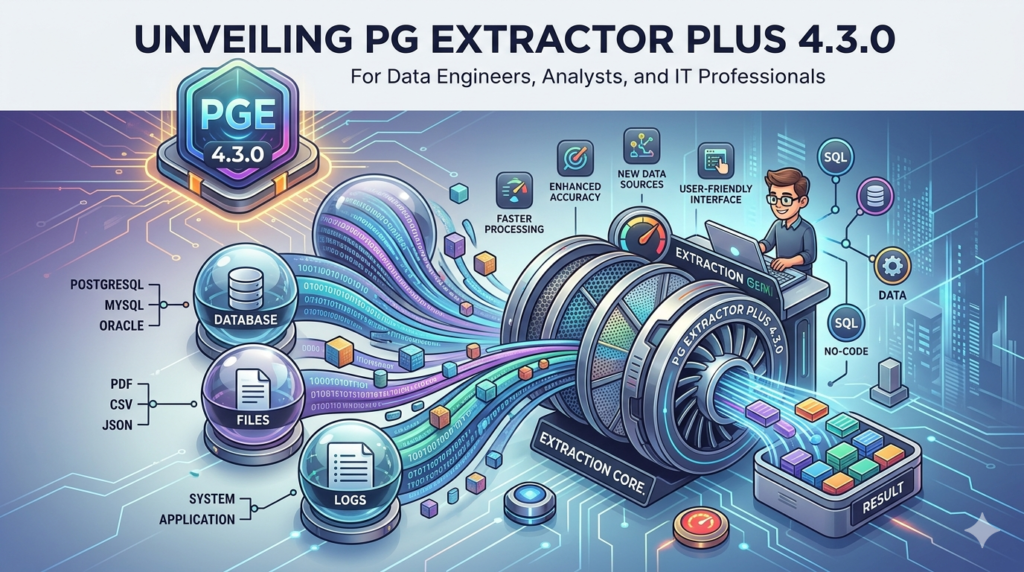
PG Extractor Plus 4.3.0 is a professional-grade software utility designed for high-volume data extraction, PDF manipulation, and content management. Unlike basic file viewers, this tool specializes in pulling specific text blocks, images, metadata, and tabular data from complex PDF documents and converting them into editable formats such as CSV, XML, and TXT.
This latest version focuses on enterprise workflow automation, allowing legal firms, financial institutions, and research libraries to process thousands of documents without manual re-entry. The software operates entirely within legal parameters, requiring valid user licenses for any protected or encrypted documents. It does not bypass digital rights management (DRM) or access restrictions, ensuring full compliance with copyright laws.
By combining optical character recognition (OCR) enhancements with batch-processing capabilities, PG Extractor Plus 4.3.0 bridges the gap between static PDFs and dynamic data systems.
Key Features
-
Batch Data Extraction: Process up to 5,000 PDFs in a single queue, extracting specific keywords, form fields, or coordinates.
-
Smart Table Recognition: Automatically detects and reconstructs tables from scanned documents into Excel-ready CSV files.
-
OCR Engine v2.1: Built-in optical character recognition for image-based PDFs (supports English, Spanish, French, German).
-
Metadata Stripping & Preservation: Option to remove or retain author, creation date, and modification history during extraction.
-
Regex Pattern Matching: Advanced users can apply regular expressions to extract complex patterns (e.g., invoice numbers, dates, legal citations).
-
Output Format Flexibility: Export extracted data to .CSV, .XML, .JSON, .TXT, or direct database insertion (MySQL/PostgreSQL).
-
Command-Line Interface (CLI): Automate extraction tasks using batch scripts or scheduled tasks (Windows Task Scheduler compatible).
-
Encrypted PDF Handling: Supports user-authorized password entry for opening secured documents (no bypass capabilities).
What’s New in PG Extractor Plus 4.3.0
Version 4.3.0 introduces several workflow enhancements based on user feedback from enterprise deployments:
-
Faster Multi-threading: Extraction speed increased by 40% on multi-core processors (tested on 12th-gen Intel i7).
-
Auto-Detect Columns: Improved table detection for documents with irregular column spacing or missing borders.
-
Output Preview Pane: Real-time preview of extracted content before saving, reducing trial-and-error exports.
-
Drag-and-Drop Queue: Simplified batch setup via visual file queuing (no complex scripting required for basic users).
-
Improved PDF/A Compatibility: Full support for long-term archival formats (PDF/A-1, PDF/A-3) without data loss.
-
Bug Fix: Resolved issue where certain Unicode characters (e.g., Cyrillic, Chinese) were garbled in TXT output.
System Requirements
| Component | Minimum Requirement | Recommended |
|---|---|---|
| OS | Windows 10 (64-bit) / Windows 11 / Windows Server 2019 | Windows 11 Pro or Server 2022 |
| CPU | Dual-core 2.0 GHz | Intel Core i7 (8th gen+) or AMD Ryzen 5 |
| RAM | 4 GB | 16 GB (for batches >1,000 pages) |
| Storage | 500 MB for app + temp space for exports | SSD with 20 GB free for large caches |
| Display | 1280 x 720 | 1920 x 1080 |
| Additional | .NET 6.0 Runtime (included in installer) | — |
*Note: Linux and macOS are not natively supported, but the software runs via Wine 8.0+ with limited OCR functionality.*
Installation Guide
Step 1: Download the Official Installer
Visit the developer’s official website (PGSoft.com) and download PG_Extractor_Plus_4.3.0_Setup.exe. Verify the SHA-256 checksum provided on the download page.
Step 2: Run the Installer
Right-click the installer and select “Run as Administrator.” Accept the User Account Control (UAC) prompt.
Step 3: License Agreement
Read the End-User License Agreement (EULA). This software does not contain any code for bypassing protections. Click “I Agree.”
Step 4: Choose Installation Type
-
Express: Installs to default directory
C:\Program Files\PGSoft\Extractor Pluswith typical features. -
Custom: Allows you to change the install path, omit OCR language packs, or install CLI tools only.
Step 5: Complete Setup
Click “Install” and wait for file extraction. After completion, launch the software from the Start Menu or desktop shortcut. Enter your valid license key (purchased separately) to unlock batch mode.
How to Use the Software
Extracting Text from a Single PDF
-
Launch PG Extractor Plus 4.3.0.
-
Click “Open PDF” and select your file.
-
In the right panel, choose “Text Extraction” mode.
-
Define extraction boundaries:
-
Entire document
-
Specific page range (e.g., pages 5–10)
-
Specific coordinates (X/Y positions)
-
-
Click “Extract to Preview” – review the results.
-
Select output format (TXT or CSV) and click “Save As.”
Batch Processing with Regex Patterns
-
Click “Batch Mode” from the top menu.
-
Drag and drop a folder containing PDFs into the queue.
-
Under “Advanced Rules”, enable Regex Matching.
-
Enter your pattern (e.g.,
\b\d{3}-\d{2}-\d{4}\bfor US SSNs). -
Set output folder and naming convention (e.g.,
[original_name]_extracted.csv). -
Click “Start Batch” – progress bar shows real-time status.
Using CLI for Automation
Open Command Prompt and navigate to the install folder. Example command:
PGExtractorCLI.exe --input "C:\Reports\*.pdf" --output "C:\Extracted" --format csv --ocr --pages 1-50
Best Use Cases
Legal Document Discovery
Law firms extract specific clauses from thousands of contract PDFs. Using keyword filters, PG Extractor Plus reduces discovery time from weeks to hours.
Financial Statement Analysis
Accounting teams pull quarterly revenue figures from image-based 10-K filings (SEC). The OCR engine accurately reads scanned tables, exporting directly to Excel.
Academic Research
PhD researchers extract citations and footnotes from 19th-century digitized books, preserving original metadata for reference management software (Zotero/Mendeley).
Government Records Management
Agencies convert legacy PDF forms (W-2, 1099) into structured XML for state databases, maintaining audit trails of all extractions.
Advantages and Limitations
Advantages
-
No cloud dependency: Fully offline operation ensures data privacy for sensitive documents.
-
Accurate table detection: Outperforms basic free tools like Adobe Reader’s copy-paste.
-
Enterprise-ready batch size: Competes with cloud APIs but without per-page costs.
-
Regex support: Unlocks precision extraction not found in standard PDF viewers.
Limitations
-
Windows-only: No native Mac or Linux version (though Wine works partially).
-
No real-time collaboration: Single-user local tool (no shared projects or cloud sync).
-
OCR language limit: Supports only 4 languages (premium competitors offer 30+).
-
Learning curve for regex: Beginners may need external tutorials for complex patterns.
Alternatives to PG Extractor Plus 4.3.0
| Software | Platform | Key Difference | Best For |
|---|---|---|---|
| Adobe Acrobat Pro DC | Win/Mac | Built-in export to Excel with formatting retention | Users needing polished visual output |
| Tabula | Web/Win/Mac/Linux | Free, open-source table extraction | Budget-conscious researchers |
| Apache PDFBox | Cross-platform | Java library for developers | Custom extraction scripts |
| ABBYY FineReader PDF | Win/Mac | Superior OCR for 190+ languages | Multilingual scanned documents |
| Nanonets | Cloud API | AI-based table understanding | Teams needing ML training on forms |
Verdict: PG Extractor Plus is ideal for high-volume, rule-based batch jobs on Windows. For one-off PDFs or multi-language OCR, consider alternatives.
Frequently Asked Questions
Q1: Can PG Extractor Plus 4.3.0 remove passwords from PDFs?
No. The software requires you to enter the valid user password. It does not contain any password bypass, crack, or brute-force tools. This is by design to comply with digital copyright laws.
Q2: Does this tool work with scanned documents (images of text)?
Yes, if you enable the OCR engine. Version 4.3.0 recognizes printed text in English, Spanish, French, and German from scans at 300 DPI or higher.
Q3: What is the maximum file size it can process?
Individual PDFs up to 2 GB. Batch mode total size is limited only by available hard drive space and RAM (tested with 50 GB of PDFs on 32 GB RAM).
Q4: Can I extract only images from a PDF without saving text?
Absolutely. Choose “Image Extraction Mode” and select output format (JPG, PNG, or TIFF). You can also filter by minimum image dimensions.
Q5: Is there a free trial?
Yes, the developer offers a 15-day fully functional trial. The trial limits batch size to 100 pages per run but includes all features. No credit card required.
Q6: How does this compare to copy-pasting from Adobe Reader?
Adobe Reader often breaks table formatting and loses columns. PG Extractor Plus reconstructs row/column relationships and exports to structured data formats (CSV/JSON), saving hours of manual cleanup.
Q7: Will future versions support Linux?
The development roadmap (Q4 2025) includes a command-line only version for Linux servers. A GUI is not planned due to framework dependencies.
Q8: Is customer support available for batch scripting errors?
Yes. Licensed users receive email support and access to a knowledge base with 20+ PowerShell and batch script templates.
Final Thoughts
PG Extractor Plus 4.3.0 establishes itself as a reliable, legal, and highly performant solution for Windows-based PDF data extraction. While it does not attempt to compete with cloud-based AI tools on language variety or cross-platform support, it excels at predictable, high-volume batch tasks where data privacy and offline operation are non-negotiable.
For legal teams, accountants, and researchers who regularly handle thousands of standardized PDFs, this tool pays for itself in labor savings within weeks. The addition of regex pattern matching and a 40% speed boost in v4.3.0 makes it a worthy upgrade over previous versions. If your workflow revolves around tables, forms, and repetitive text extraction, PG Extractor Plus is a top-tier choice—provided you respect licensing terms and use it only on documents you own or have permission to process.
Our Paid Service
“We do not sell or provide any software. We only offer professional support services. If any software on your system is not working properly, or you are facing installation errors, crashes, or any other technical issue — just contact us. We will help you fix the problem quickly and remotely via AnyDesk. No software will be provided from our side — only expert troubleshooting and support.”