
Overview of inLab CAM Software
Table of Contents
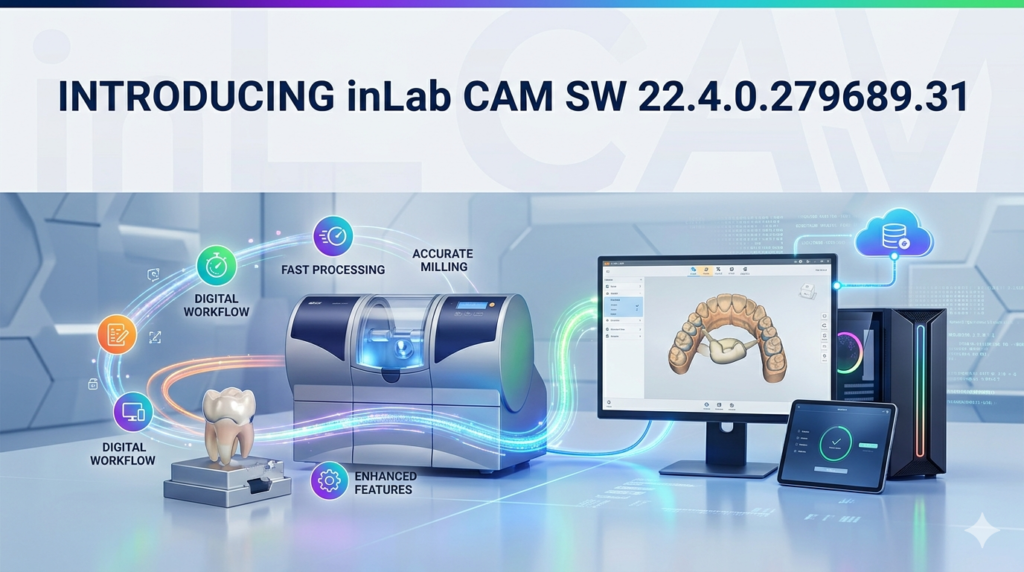
The inLab CAM SW 22.4.0.279689.31 is a professional-grade computer-aided manufacturing (CAM) software solution developed by Dentsply Sirona. Designed exclusively for dental laboratories and in-practice milling centers, this version translates digital dental designs (from intraoral scanners or CAD software) into precise toolpaths for CNC milling machines. The primary function of inLab CAM SW is to optimize material usage, reduce milling time, and ensure marginal integrity for restorations such as crowns, bridges, inlays, and implant abutments. This latest iteration focuses on algorithmic efficiency and expanded hardware compatibility.
Key Features
The software provides a robust toolset for dental technicians:
-
Nesting Algorithms: Automatically arranges multiple restorations on a single material block to minimize waste.
-
Toolpath Simulation: 3D collision detection and milling preview before physical production.
-
Material Library: Pre-configured parameters for zirconia, lithium disilicate, PMMA, wax, cobalt-chrome, and titanium.
-
Multi-Axis Support: Full 3-axis, 4-axis, and 5-axis simultaneous milling strategies.
-
Margin Line Detection: Automated identification of preparation margins for crown and bridge frameworks.
-
Spindle Load Optimization: Dynamic feed rate adjustment to prevent tool breakage.
What’s New in Version 22.4.0.279689.31
This specific build introduces several technical enhancements:
-
Adaptive Roughing Strategies: Reduces air-cutting time by up to 25% compared to previous versions.
-
Improved Spline Handling: Better surface smoothness for complex anatomical morphologies (e.g., occlusal fissures).
-
Expanded Post-Processor Library: Native support for newer milling units including CEREC MC XL, inLab MC X5, and third-party open-architecture mills (via generic G-code export).
-
Batch Processing Queue: Allows users to load multiple CAM jobs overnight for automated sequential milling.
-
Error Recovery Log: Detailed reporting on why a specific toolpath generation failed (e.g., undercuts, insufficient block thickness).
System Requirements
To run inLab CAM SW 22.4.0.279689.31 effectively, your workstation must meet these specifications:
| Component | Minimum Requirement | Recommended |
|---|---|---|
| OS | Windows 10 Pro (64-bit) | Windows 11 Pro (64-bit) |
| CPU | Intel Core i5 (8th gen) / AMD Ryzen 5 | Intel Core i7 (12th gen) / Ryzen 7 |
| RAM | 16 GB | 32 GB (for large implant cases) |
| GPU | Dedicated NVIDIA Quadro P1000 | NVIDIA RTX A2000 or higher |
| Storage | 256 GB SSD (50 GB free) | 512 GB NVMe SSD |
| Display | 1920 x 1080 (Full HD) | 3840 x 2160 (4K) for detailed toolpath viewing |
| Network | 1 Gbps LAN (for multi-device licensing) | 10 Gbps (lab server) |
Installation Guide
Follow these steps for a clean installation. Ensure you have an active license key from Dentsply Sirona; no activation bypass methods are supported or legal.
-
Backup existing jobs: Export any unsaved CAM projects from older versions.
-
Uninstall previous versions: Use Windows “Add or Remove Programs” to remove old inLab CAM builds.
-
Disable antivirus temporarily: Prevents false-positive blocking of the toolpath engine.
-
Run installer: Execute
inLab_CAM_22.4.0.279689.31.exeas Administrator. -
Select components: Choose your specific milling unit(s) from the list.
-
License activation: Enter your USB dongle or network license server address.
-
Material database update: Allow the installer to download the latest material parameters.
-
Restart workstation: Required for kernel-level drivers (especially for 5-axis kinematics).
How to Use the Software
A standard workflow in inLab CAM SW consists of four logical stages:
Importing the Design File
-
Supported formats: .STL, .PLY, .3MF, .SIRONA (native).
-
Load the restoration exported from inLab CAD or exocad.
Nesting and Material Selection
-
Click “Auto-Nest” – the software calculates optimal placement.
-
Manually rotate parts to avoid thin-wall areas.
-
Select the physical block type (e.g., “IPS e.max CAD LT A2”).
Toolpath Generation
-
Choose strategy: Fast (single sprue) vs. Precision (double sprue + fine finishing).
-
Set milling burr types: rough (2.0mm), semi-finish (1.0mm), finish (0.6mm).
-
Click “Calculate” – view the estimated milling time (e.g., 12:30 minutes).
Exporting to the Milling Unit
-
Send G-code via USB, local network, or save to a USB drive.
-
Initiate the job on your inLab MC XL or compatible mill.
Best Use Cases
inLab CAM SW 22.4.0.279689.31 excels in specific scenarios:
| Use Case | Why This Version Excels |
|---|---|
| High-volume zirconia crowns | Batch nesting reduces block waste by 18% |
| Implant-supported bridges (3+ units) | 5-axis collision avoidance prevents abutment screw channel damage |
| Pressable ceramic patterns | Ultra-smooth finishing paths eliminate post-milling grinding |
| Same-day dentistry (chairside) | Reduced calculation time (< 90 seconds for single crown) |
| Third-party mill integration | Generic G-code output works with Roland, Wieland, and vhf mills |
Advantages and Limitations
Advantages
-
Precision: Sub-10-micron toolpath accuracy.
-
Material savings: Dynamic nesting increases block yield.
-
Support for open architectures: Can export to non-Sirona mills.
-
Localized language support: UI available in English, German, French, Japanese, and Korean.
Limitations
-
No macOS or Linux support – Windows-only ecosystem.
-
Steep learning curve for technicians new to CAM.
-
Hardware lock – requires a USB dongle (no cloud licensing option).
-
Annual maintenance fee required for toolpath updates.
-
Simulation speed slows down with > 50 restorations in a single nest.
Alternatives to inLab CAM
Depending on your lab’s milling hardware and budget, consider these alternatives:
| Software | Best For | Key Difference from inLab CAM |
|---|---|---|
| HyperDENT | 5-axis simultaneous milling | More advanced collision avoidance but higher cost |
| MillBox | Open-format labs | Superior nesting density (+12% vs. inLab) |
| exocam | Integration with exocad CAD | Smoother design-to-manufacture workflow |
| blueskycam | Budget / small labs | Free tier available but fewer material presets |
| CEREC SW (integrated) | Chairside same-day | Cannot batch mill multiple patient cases |
Frequently Asked Questions
1. Is inLab CAM SW 22.4.0.279689.31 compatible with non-Sirona milling machines?
Yes. It exports generic G-code (ISO 6983) that can be post-processed for Roland, vhf, imes-icore, and other open-architecture mills.
2. How do I update my material library within the software?
Navigate to Settings > Material Database > Online Update. Ensure your maintenance contract is active.
3. What should I do if toolpath calculation fails due to “undercut detected”?
Return to your CAD software and add blocking-out geometry or change the insertion axis. inLab CAM does not modify STL mesh geometry.
4. Can I install this version on multiple workstations?
Only with a network floating license. The standard USB dongle restricts concurrent use to one activated PC.
5. Does this version support dry milling of zirconia?
Yes. Select the “zirconia – dry” strategy from the material library; the software automatically reduces feed rates and increases retraction speed.
6. How do I legally obtain a trial license?
Contact your local Dentsply Sirona distributor. They provide a 30-day time-limited license without hardware dongle. No cracked, patched, or keygen versions are legitimate.
7. Why does my antivirus flag the installation file?
Some heuristic engines mistakenly flag the toolpath generator (.dll files) due to low-level hardware access. Add the installation folder to your antivirus exclusions after verifying the SHA-256 checksum with Dentsply Sirona.
Final Thoughts
inLab CAM SW 22.4.0.279689.31 represents a mature, reliable solution for dental professionals who require repeatable milling precision. While it lacks native cloud licensing and macOS support, its adaptive roughing, batch queue, and expanded post-processor library make it a strong contender for medium-to-large labs using Sirona or open-architecture mills. For teams already invested in the inLab ecosystem, this version delivers measurable improvements in material yield and unattended overnight production. Always source the software directly from authorized distributors to ensure full technical support and compliance with dental device regulations.
Our Paid Service
“We do not sell or provide any software. We only offer professional support services. If any software on your system is not working properly, or you are facing installation errors, crashes, or any other technical issue — just contact us. We will help you fix the problem quickly and remotely via AnyDesk. No software will be provided from our side — only expert troubleshooting and support.”