
Overview of the Software
Table of Contents
ASN Filter Designer is an advanced software tool tailored for engineers, researchers, and developers working on real-time signal processing. Unlike generic mathematical computing platforms, this IDE is optimized for fixed-point and floating-point digital filter design.
Version 5.5.2 continues the legacy of providing a unified workflow. Users can design filters using pole-zero placement, FIR (Finite Impulse Response) or IIR (Infinite Impulse Response) methods, simulate the impact on real-world signals, and then generate ready-to-deploy code for various microcontroller architectures.
Key Features
The software distinguishes itself through a suite of professional DSP tools:
-
Interactive Filter Design: High-resolution graphical editors for magnitude, phase, and pole-zero plots.
-
Fixed-Point Analysis: Advanced simulation of quantization effects and numerical robustness to prevent filter instability.
-
FilterScript Language: A proprietary scripting engine allowing for mathematical prototyping and automation of filter tasks.
-
Signal Analyser: A real-time data visualization tool used to validate filter performance against live or recorded signals.
-
Deployment SDK: Direct code generation for ARM Cortex-M, Analog Devices SHARC, and generic C for embedded systems.
What’s New in Version 5.5.2 (14-April-2026)
The v5.5.2 update focuses heavily on professional output and algorithmic stability. Key enhancements include:
-
High-Resolution Chart Export: Users can now export design charts in high-resolution color or print-ready black-and-white formats for technical documentation.
-
Enhanced FilterScript: The
arbmagphase()function now includes pole-flipping support, and a new Whittaker-Shannon fractional delay filter example has been added to the library. -
Signal Analyser Robustness: Fixed critical bugs regarding data alignment and scaling when using
playbackoffset, ensuring that analytics no longer produce false warnings or NaN/Inf errors. -
Deployment Fixes: Resolved exception errors when deploying fixed-point FIR filters via the ARM wizard.
System Requirements
Before installing, ensure your development environment meets the following thresholds to guarantee numerical stability and performance:
-
Operating System: Windows 10 or Windows 11 (64-bit).
-
Processor: x86_64 architecture (Intel/AMD).
-
Memory: 8 GB RAM (16 GB recommended for large FFTs).
-
Storage: 500 MB available space.
-
Dependencies: .NET Framework 4.8 or later.
Installation Guide
To ensure a legally compliant and stable setup, follow these steps:
-
Download: Log in to your official AdvSolned account to download the
ASN_Filter_Designer_v5.5.2_setup.exe. -
Prerequisites: The installer will automatically verify if .NET Framework is present.
-
Execution: Right-click the installer and select “Run as Administrator” to ensure registry keys for the SDK are correctly written.
-
License Activation: Upon first launch, enter your valid commercial license key or start the 30-day fully functional trial.
-
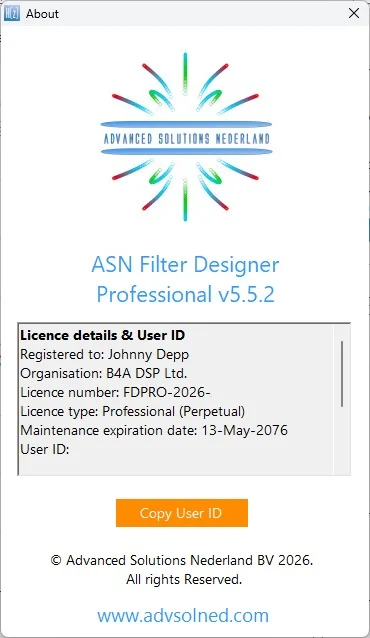
Verification: Check the “About” menu to confirm the build number is 5.5.2.
How to Use the Software
Understanding the workflow is essential for signal processing tasks:
1. Designing the Filter
Navigate to the Filter Specification panel. Use the graphical tools to draw your desired frequency response or input mathematical parameters for low-pass, high-pass, or band-stop configurations.
2. Scripting with FilterScript
For advanced users, switch to the FilterScript tab. Implement the new Whittaker-Shannon delay example to manage fractional delays in sample rate conversion.
3. Analysis
Run the Signal Analyser. Import a noisy .wav file or synthetic data. The v5.5.2 improvements ensure that detector behaviour remains stable without data clipping warnings.
4. Deployment
Once satisfied with the numerical robustness, open the Deployment Wizard. Select your target hardware (e.g., ARM Cortex-M) to generate production-ready C header files.
Best Use Cases
ASN Filter Designer is not a general drawing tool; it is an industrial-grade solution for:
-
Audio Processing: Designing crossover networks or room correction FIR filters.
-
Biomedical Engineering: Removing 50/60 Hz power line interference from ECG signals.
-
Telecommunications: Implementing matched filters and IQ imbalance correction.
-
Academic Research: Teaching the effects of coefficient quantization in university DSP courses.
Advantages and Limitations
Advantages
-
High Precision: Excellent handling of fixed-point numerical robustness.
-
Export Quality: New high-resolution chart exports are superior to screen capturing.
-
Embedded Focus: Direct path from design to C-code.
Limitations
-
Platform Specific: Only available for Windows (no native macOS or Linux support).
-
Learning Curve: Requires understanding of DSP terms (Nyquist, Z-transform) to use effectively.
Alternatives to the Software
While ASN Filter Designer is powerful, several alternatives exist depending on your budget and platform:
-
MATLAB DSP Toolbox: The industry standard, but comes with a high recurring subscription cost.
-
GNU Radio: An open-source alternative, though primarily focused on SDR (Software Defined Radio) with a steeper learning curve.
-
SigmaStudio: A free alternative from Analog Devices, but locked to their specific hardware peripherals.
Frequently Asked Questions
Is ASN Filter Designer free to use?
No, it is commercial software. However, the official website offers a fully functional 30-day trial period. The software does not support “cracks” or “keygens” ; using unauthorized versions poses security risks and lacks technical support.
What is the Whittaker-Shannon filter mentioned in v5.5.2?
It is a fractional delay filter added to the FilterScript examples. It allows designers to delay a signal by a non-integer number of samples, which is critical for beamforming and time alignment.
Does v5.5.2 support black-and-white printing?
Yes. The high-resolution chart export feature specifically includes support for black-and-white output, optimizing contrast for technical publications.
Why am I getting a “Nyquist-compliant” warning?
This occurs when the BLW tracker is enforcing upper frequency limits. At lower sampling rates, the filter design must respect the Nyquist frequency (half the sample rate) to avoid aliasing.
Can I use this for real-time audio effects?
Yes. The ARM wizard allows you to deploy fixed-point filters to microcontrollers, enabling real-time effects in hardware synthesizers or guitar pedals.
Final Thoughts
ASN Filter Designer v5.5.2 is a robust update for the professional DSP engineer. By focusing on high-resolution exports and fixing critical numerical bugs in the Signal Analyser, it enhances both the aesthetic output (documentation) and the mathematical safety (stability) of the software.
For engineers looking to move from floating-point simulation to fixed-point deployment without rewriting code, this IDE remains a top-tier choice in the Windows ecosystem.
Our Paid Service
“We do not sell or provide any software. We only offer professional support services. If any software on your system is not working properly, or you are facing installation errors, crashes, or any other technical issue — just contact us. We will help you fix the problem quickly and remotely via AnyDesk. No software will be provided from our side — only expert troubleshooting and support.”