
Overview of the Software
Table of Contents
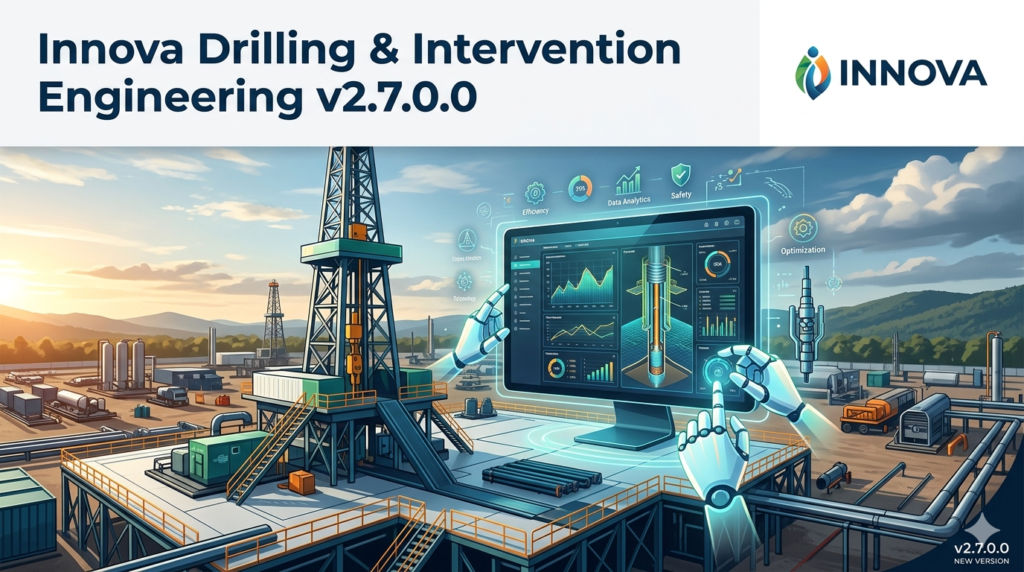
Innova Drilling & Intervention Engineering v2.7.0.0 is a specialized technical software suite designed for petroleum engineers, well planners, and drilling supervisors. The platform integrates real-time data analytics with physics-based modeling to optimize drilling parameters, manage wellbore stability, and plan safe intervention operations.
Unlike general engineering tools, this software focuses on hydraulics, torque and drag analysis, casing running simulations, and tubular stress calculations. It serves as a critical decision-support system for reducing non-productive time (NPT) and mitigating downhole risks.
Key Features of Innova Drilling & Intervention Engineering v2.7.0.0
The software delivers a comprehensive set of engineering modules. Below are the core capabilities:
-
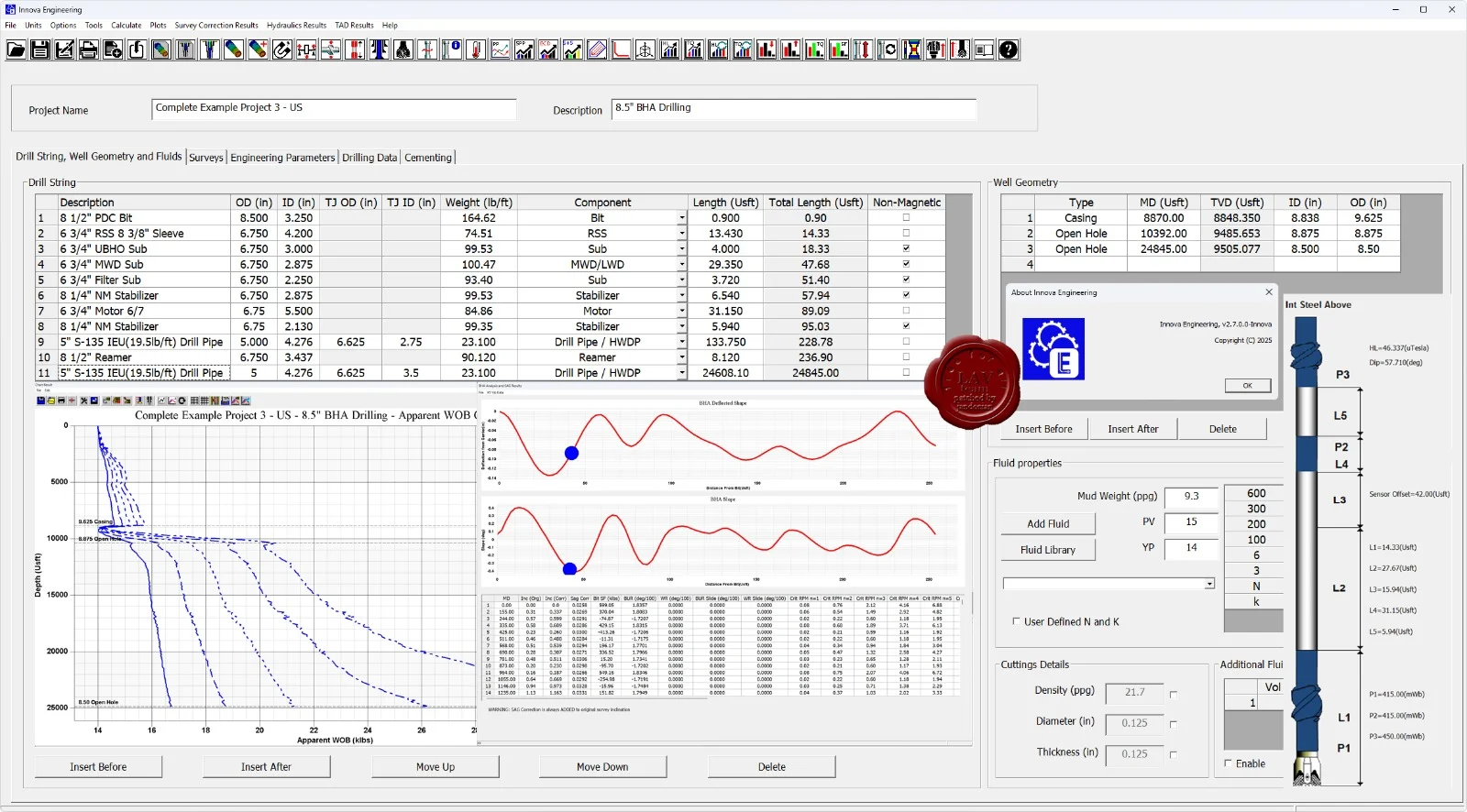
Torque and Drag Analysis: 3D wellbore friction modeling with sensitivity analysis for different bottom hole assemblies (BHA).
-
Hydraulics Optimization: Real-time calculation of equivalent circulating density (ECD), surge and swab pressures, and cuttings transport efficiency.
-
Well Control Simulation: Dynamic kick tolerance and volumetric well control methods.
-
Casing and Tubing Design: Burst, collapse, and axial load calculations according to API and ISO standards.
-
Intervention Planning: Coiled tubing and wireline stress analysis, including buckling prediction.
-
Reporting Engine: Automated generation of IADC daily drilling reports and end-of-well summaries.
Data Integration Capabilities
Version 2.7.0.0 supports WITSML and LAS 3.0 formats, enabling seamless import from surface logging units and downhole measurement while drilling (MWD) tools.
What’s New in Innova Drilling & Intervention Engineering v2.7.0.0
This latest release focuses on workflow automation and predictive analytics.
-
Machine Learning Module: Predictive stick-slip vibration alerts using historical drilling parameters.
-
Batch Processing Mode: Run 500+ sensitivity simulations in under 5 minutes.
-
Cloud Collaboration: Share engineering models with remote teams via encrypted cloud storage.
-
Updated Tubular Database: New catalogs from Tenaris, Vallourec, and TMK.
-
User Interface Refresh: Dark mode, customizable dashboards, and dockable tool windows.
Note: Version 2.7.0.0 is backward compatible with projects created in v2.5.x, but requires a database upgrade from v2.6.x.
System Requirements
Before installing, verify that your hardware and operating system meet the following specifications.
| Component | Minimum | Recommended |
|---|---|---|
| OS | Windows 10 Pro (64-bit) | Windows 11 Pro / Server 2022 |
| CPU | Intel Core i5 8th gen / AMD Ryzen 5 | Intel Core i7 / AMD Ryzen 7 (8+ cores) |
| RAM | 16 GB | 32 GB or more |
| GPU | Dedicated 2 GB VRAM (OpenGL 4.5) | 4 GB VRAM (NVIDIA Quadro or RTX) |
| Storage | 20 GB free SSD | 50 GB free NVMe SSD |
| Network | 10 Mbps for license validation | 100 Mbps for cloud sync |
Supported virtual environments: VMware ESXi 7.0 and Microsoft Hyper-V on Windows Server.
Installation Guide for Innova v2.7.0.0
Follow these steps for a clean, stable installation. Always use your official license file provided by the vendor.
Step-by-Step Installation
-
Uninstall previous versions via Windows Control Panel (back up your project folders first).
-
Disable antivirus temporarily to prevent false positives on engineering DLLs.
-
Run the installer
Innova_v2.7.0.0_Setup.exeas Administrator. -
Accept the EULA and select “Full Installation” (includes all modules).
-
Enter your license key (25-character alphanumeric code). Do not use any third-party key generators — they are illegal and often contain malware.
-
Select the database engine (SQLite for local use or SQL Server for teams).
-
Complete the installation and reboot your system.
Post-Installation Validation
After reboot, launch the software and navigate to Help > License Manager to confirm activation. Then run the built-in “Hardware Benchmark” test to optimize threading.
How to Use Innova Drilling & Intervention Engineering v2.7.0.0
This section provides a practical workflow for a typical well engineering task.
Creating a New Well Plan
-
Click File > New Project.
-
Enter well metadata: API number, operator name, surface coordinates.
-
Build the well trajectory using the Planar or 3D Bezier curve methods.
-
Assign casing and tubing strings from the tubular database.
Running a Torque and Drag Simulation
-
Navigate to the Drilling module.
-
Input the BHA components (bit, motor, stabilizers, drill pipes).
-
Set friction factors (axial and torsional). Defaults: 0.35 for open hole, 0.25 for cased hole.
-
Click Simulate > Rotary Drilling.
-
Review the output graphs: surface torque vs. depth, hookload, and buckling indicator.
Pro tip: Use the “Sensitivity” tab to automatically test friction factors from 0.2 to 0.6.
Best Use Cases for Innova Engineering v2.7.0.0
This software is not a general-purpose tool. It excels in specific high-stakes environments.
-
Offshore Deepwater Drilling: Manage narrow pore pressure / fracture gradient windows.
-
Extended Reach Drilling (ERD): Predict torque lock and optimize BHA for laterals > 10,000 ft.
-
High-Pressure High-Temperature (HPHT) Wells: Simulate gas solubility and hydrate formation.
-
Well Abandonment & Intervention: Plan cutting and pulling operations for aged infrastructure.
-
Training & Drilling Engineering Courses: Academic license available for universities.
Advantages and Limitations
A balanced evaluation helps users select the right tool for their workflow.
Advantages
-
High numerical accuracy validated against field data (errors < 3% on torque).
-
Native WITSML import eliminates manual data entry.
-
Batch simulation saves weeks of engineering time.
-
Compliance with NORSOK D-010 and API RP 96.
Limitations
-
Windows-only: No native macOS or Linux version (runs poorly under Wine).
-
Steep learning curve: Requires 2–3 weeks of formal training for junior engineers.
-
No real-time sensor feed: Cannot directly connect to WITS or Modbus RTU (requires middleware).
-
Cost: Commercial license starts at $18,500 per user/year (rental only, no perpetual option).
Alternatives to Innova Drilling & Intervention Engineering
Depending on your budget and workflow, consider these legitimate alternatives.
| Software | Best For | Platform | Approx. Annual Cost |
|---|---|---|---|
| Landmark Drillbench | Dynamic kick simulators | Windows | $25,000 |
| Schlumberger Drilling Office | Integrated operations | Windows/Linux | $22,000 |
| PE Office | Academic and small operators | Windows | $4,500 |
| OpenWells (P2 Energy) | Regulatory reporting | Web-based | $12,000 |
Frequently Asked Questions
1. Is Innova v2.7.0.0 compatible with Windows 11 24H2?
Yes. Full compatibility was certified in December 2024. Ensure you install the latest cumulative update from Microsoft.
2. Can I import directional surveys from a CSV file?
Absolutely. Use the built-in “Survey Importer” tool. Required columns: Measured Depth, Inclination, Azimuth. A template CSV is available in the Templates folder.
3. How do I obtain a temporary evaluation license?
Visit the official vendor portal. A 14-day fully functional trial is available for corporate email addresses (.com domain required). No crack or bypass is needed or legal.
4. Does the software support metric and imperial units?
Yes. Each project can define unit sets (SI, Oilfield, or Mixed). You cannot mix units within a single input table.
5. What is the difference between Innova Engineering and Innova Operations?
Engineering (v2.7) is for pre-well planning and offline modeling. Operations is a separate real-time product (v4.x) for rig-site monitoring.
6. How often are tubular databases updated?
Quarterly. You can manually download the latest catalog from the vendor’s FTP site (requires valid subscription).
7. My simulation shows “Negative Slack-off Weight” – what does that mean?
It indicates helical buckling in the drill pipe. Increase WOB or add a friction reducer to your mud system.
8. Can the software export to Landmark COMPASS or Schlumberger EDM?
Yes. Use the File > Export > Legacy Format menu. Supported: ASCII COMPASS, EDM XML, and WellView.
Final Thoughts
Innova Drilling & Intervention Engineering v2.7.0.0 stands as a robust, technically rigorous solution for upstream oil and gas engineers. Its strength lies in physics-based accuracy and batch automation, making it suitable for complex wells where conventional spreadsheet methods fail.
However, the high licensing cost and Windows-only constraint mean that smaller operators or academic users may prefer more affordable alternatives like PE Office. For enterprise drilling teams managing HPHT or ERD projects, the software’s ROI — through reduced stuck pipe incidents and optimized casing designs — typically justifies the investment.
Our Paid Service
“We do not sell or provide any software. We only offer professional support services. If any software on your system is not working properly, or you are facing installation errors, crashes, or any other technical issue — just contact us. We will help you fix the problem quickly and remotely via AnyDesk. No software will be provided from our side — only expert troubleshooting and support.”