
DiRootsOne Premium 2.7.2.0 is a powerful, multi-tool add-in for Autodesk Revit, designed to automate data management, sheet creation, and family parameter manipulation. This version introduces enhanced stability for large project files and new Excel-linked parameter mapping tools, making it a critical asset for BIM professionals seeking efficiency without manual errors.
Overview of the Software
Table of Contents
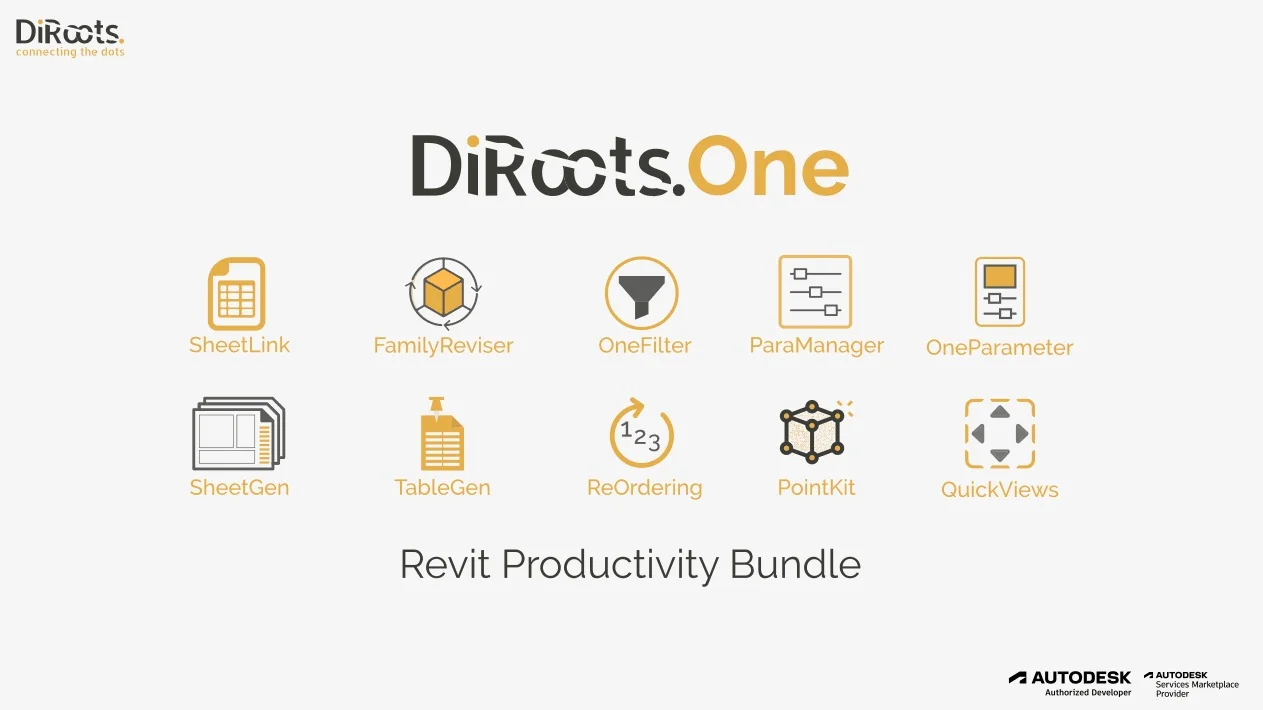
DiRootsOne Premium functions as a comprehensive suite of micro-applications inside Revit. Unlike standalone scripts, this software integrates directly into the Revit ribbon, offering tools for sheet generation, parameter management, and data import/export.
Version 2.7.2.0 builds on the core functionality by optimizing memory usage when handling complex Revit models. The software is developed by DiRoots Ltd., a company recognized for creating specialized productivity tools for the AEC (Architecture, Engineering, and Construction) industry. It supports Revit 2021–2025 and works exclusively on Windows 64-bit environments.
Key Features
The strength of DiRootsOne Premium lies in its modular design. Each tool addresses a specific pain point in Revit workflows.
-
Sheet Generator (Sheets+) : Create, duplicate, and manage drawing sheets in bulk using Excel or CSV templates.
-
Parameter Manager (Parameters+) : Add, modify, or remove project parameters and shared parameters across multiple categories simultaneously.
-
Data Import/Export (Excel+) : Bidirectionally link Revit schedules with Microsoft Excel, supporting real-time updates.
-
Family Processor (Families+) : Load, replace, or purge families from external libraries without opening individual family files.
-
Re-numbering Tool (ReNumber+) : Automatically renumber elements (doors, windows, rooms) based on custom rules or sorting criteria.
-
Find & Replace (Text+) : Search and replace text within any Revit parameter across all project elements.
What’s New in DiRootsOne Premium 2.7.2.0
Version 2.7.2.0 focuses on performance and precision. Key updates include:
-
Optimized Excel+ Mapping: Improved handling of merged cells and named ranges in Excel files.
-
Batch Parameter Linking: Link up to 500 parameters to Excel cells in one operation without crashing.
-
Family+ Preview: Visual thumbnails of families before batch loading.
-
Sheets+ Sorting Logic: New alphabetical and numerical sort options for sheet naming conventions.
-
Bug Fixes: Resolved an issue where Parameter+ could not delete instance parameters from linked models.
System Requirements
To run DiRootsOne Premium 2.7.2.0 effectively, your system must meet the following requirements:
| Component | Minimum | Recommended |
|---|---|---|
| Operating System | Windows 10 (64-bit) | Windows 11 (64-bit) |
| Revit Version | Revit 2021 | Revit 2024 or 2025 |
| RAM | 8 GB | 16 GB or more |
| Disk Space | 500 MB free | 1 GB free |
| Excel | Excel 2016 (Desktop) | Excel 365 (Desktop) |
| .NET Framework | .NET 4.8 | .NET 4.8 |
Note: The software requires a full installation of Revit Desktop. Revit LT is partially supported (Sheets+ and Excel+ work; Family+ has limitations).
Installation Guide
Follow this step-by-step process to install DiRootsOne Premium 2.7.2.0 legally and safely. No license bypass or unauthorized activation methods are required or endorsed.
-
Download the official installer from the DiRoots website or authorized Autodesk App Store.
-
Close all instances of Revit before running the installer.
-
Run
DiRootsOne_Premium_2.7.2.0.exeas administrator. -
Select your Revit version(s) when prompted. You can install for multiple versions (e.g., Revit 2023 and 2024).
-
Accept the license agreement. Review the free trial terms or enter your Premium license key if already purchased.
-
Complete installation and launch Revit.
-
Verify installation: A new “DiRootsOne” tab should appear in the Revit ribbon.
How to Use the Software (Practical Workflows)
Using DiRootsOne Premium effectively requires understanding its core modules. Below are three common tasks.
Generating 100 Sheets from Excel (Sheets+)
-
Prepare an Excel file with columns:
Sheet Number,Sheet Name,Discipline. -
In Revit, go to DiRootsOne → Sheets+ .
-
Click Import from Excel and select your file.
-
Map columns to Revit fields using the dropdown menu.
-
Click Generate Sheets. The software creates all sheets in seconds.
Bulk Updating Parameter Values (Parameters+)
-
Open Parameters+ from the DiRootsOne tab.
-
Select a category (e.g., “Doors”).
-
Choose Instance Parameters or Type Parameters.
-
Use the filter to find parameters like “Fire Rating”.
-
Select multiple elements from the list and click Edit Values.
-
Apply new values to all selected elements simultaneously.
Syncing a Revit Schedule with Excel (Excel+)
-
Create a Revit schedule (e.g., “Door Schedule”).
-
Open Excel+ .
-
Select Export to Excel as a starting template.
-
Modify data in Excel (do not change column headers).
-
Return to Revit, open Excel+ again, and choose Import from Excel.
-
Map columns and click Update. Only changed values will be written back.
Best Use Cases for DiRootsOne Premium
This software excels in scenarios where repetitive data entry or multi-file management slows down BIM workflows.
| Use Case | Why DiRootsOne Premium Works |
|---|---|
| Large residential projects | Generate hundreds of unit sheets from a master Excel file. |
| Hospital/airport renovations | Batch-rename room numbers and parameters across thousands of rooms. |
| Family library cleanup | Replace outdated door families with new versions across an entire project. |
| QA/QC data checks | Export all parameters to Excel for validation, then re-import corrections. |
| Coordination with cost estimators | Share live parameter data with QS teams via Excel without Revit licenses. |
Advantages and Limitations
Advantages
-
Time savings: Reduces sheet creation from hours to minutes.
-
Excel integration: No need for Dynamo scripting or API coding.
-
Bulk operations: Works on hundreds of elements simultaneously.
-
Undo support: Most actions are undoable within Revit.
-
Regular updates: Active development and support from DiRoots.
Limitations
-
Revit-only: Does not work with other BIM tools like ArchiCAD or BricsCAD.
-
Excel dependency: Requires Excel Desktop (not Excel for web or macOS version).
-
Learning curve: New users may need 1–2 days to master all modules.
-
Premium cost: Free version limits exports to 100 rows per operation.
-
Large models: On projects over 500 MB, some operations may take 10–15 seconds.
Alternatives to DiRootsOne Premium
Depending on your budget and technical skill, consider these alternatives:
| Software | Best For | Key Difference |
|---|---|---|
| RushFORWARD Projects | Enterprise BIM management | Cloud-based, no Excel required |
| BIM One | Parameter management | Focuses only on shared parameters |
| pyRevit | Advanced scripting | Free but requires Python knowledge |
| Ideate Software (BIMLink) | Excel-Revit linking | More expensive, deeper reporting |
| Revit built-in Schedules | Basic data editing | Free, but no bulk import/export features |
For most professionals, DiRootsOne Premium balances cost and ease of use better than custom scripting, while offering more features than Revit’s native tools.
Frequently Asked Questions (FAQ)
Is DiRootsOne Premium compatible with Revit 2026?
As of version 2.7.2.0, Revit 2026 is not officially supported. However, DiRoots typically releases updates within 6–8 weeks of a new Revit version. Check their official website for the latest compatibility matrix.
Can I use DiRootsOne Premium on multiple computers with one license?
Yes. The Premium license is user-based, not machine-based. You can install and activate the software on up to two computers (e.g., office and home) as long as you are the sole user.
Does DiRootsOne Premium work with Revit Server or BIM 360?
Yes. Excel+ and Parameters+ work with cloud workshared models. However, Family+ may experience delays when loading families into BIM 360-hosted projects due to file transfer latency.
What happens if I uninstall DiRootsOne Premium after creating sheets?
Uninstalling the software does not delete any Revit elements (sheets, parameters, families) created while it was active. Only the add-in interface is removed.
Is there a free version of DiRootsOne?
Yes. The free “DiRootsOne Free” includes all tools but limits Excel+ exports to 100 rows per operation and disables batch family replacement. The Premium license removes all limits.
Does the software support languages other than English?
The user interface is in English only. However, Excel+ can read and write parameter values in any Unicode language (e.g., Arabic, Chinese, German) without data loss.
How do I get support for DiRootsOne Premium 2.7.2.0?
Support is available via the official DiRoots forum and email helpdesk. A valid Premium license includes priority email responses within 24 business hours.
Final Thoughts
DiRootsOne Premium 2.7.2.0 stands out as a reliable, time-tested tool for Revit data management. Its modular design allows you to use only what you need, while the deep Excel integration bridges the gap between BIM models and traditional spreadsheets.
For teams struggling with manual sheet numbering, scattered parameter values, or slow family replacements, this software delivers immediate value. Version 2.7.2.0’s performance optimizations make it suitable for large-scale projects without frustrating crashes or lag.
Our Paid Service
“We do not sell or provide any software. We only offer professional support services. If any software on your system is not working properly, or you are facing installation errors, crashes, or any other technical issue — just contact us. We will help you fix the problem quickly and remotely via AnyDesk. No software will be provided from our side — only expert troubleshooting and support.”