
Overview of the Software
Table of Contents
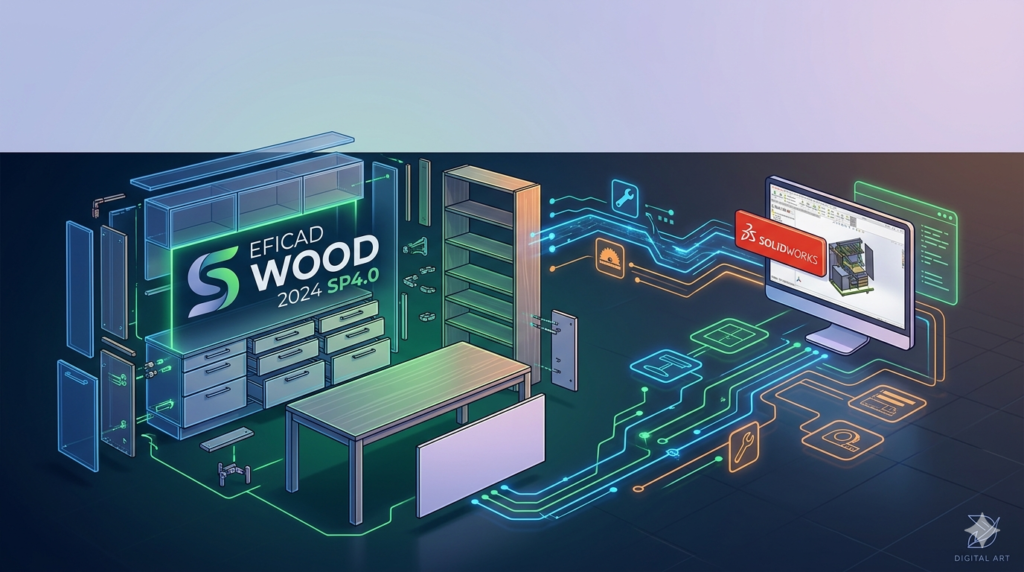
EFICAD SWOOD 2024 SP4.0 (x64) is a specialized, fully integrated woodworking and cabinet-making add-in for SolidWorks 2010 through 2025. Unlike generic CAD tools, SWOOD transforms SolidWorks into a dedicated joinery, furniture, and interior fitting design environment.
Developed by EFICAD, SWOOD bridges the gap between mechanical CAD and woodworking production. It allows engineers, furniture designers, and CNC operators to design, nest, and generate CAM data entirely within the SolidWorks ecosystem.
This latest service pack (SP4.0) focuses on stability, bug fixes, and expanded material library compatibility. As a commercial software product, SWOOD requires a valid license from an authorized reseller. No “crack,” “keygen,” or “activation bypass” is supported, mentioned, or endorsed in this guide.
Key Features of SWOOD for SolidWorks
SWOOD adds over 100 dedicated woodworking tools to SolidWorks. Below are its primary feature clusters:
Native Woodworking Design Tools
-
Parametric cabinets – Create fully configurable cabinets with dynamic door/drawer placement
-
Panel processing – Automatic dado, rabbet, mortise, and tenon joints
-
Hardware library – 15,000+ components from Blum, Hettich, Grass, Salice, and others
-
Edge banding simulation – Visualize and quantify edge material requirements
CAM & CNC Integration (SWOOD CAM)
-
Nesting optimization – True-shape nesting to minimize material waste
-
2D / 3D toolpath generation – Drilling, grooving, contouring, and sawing
-
Post-processor library – Ready for Biesse, SCM, Homag, Weeke, and other CNC routers
-
Label printing – Automatic part labeling for assembly tracking
Material & Cost Management
-
Smart material library – Laminate, veneer, solid wood, MDF, particle board
-
Cost estimation – Material, hardware, and machining time calculations
NLP Entity Note: SWOOD operates within the CAD/CAM software category, targets the woodworking and joinery industry, and is owned by EFICAD. Compatible file formats include .SLDASM, .SLDPRT, .DXF, and native BTL (Biesse) outputs.
What’s New in EFICAD SWOOD 2024 SP4.0 (vs SP3.0)
The SP4.0 update is primarily a maintenance and compatibility release. Key improvements include:
-
SolidWorks 2025 support – Officially certified for SW2025 SP0 and SP1
-
Improved nesting calculation speed – Up to 15% faster for complex panels
-
Fixed hardware placement bugs – Resolved interference in blind-corner cabinets
-
Enhanced edge band reporting – More accurate linear meter summaries
-
Stability fixes – Reduced crashes when editing complex assemblies with 500+ components
For users on SolidWorks 2010–2024, SP4.0 offers back-compatibility while adding newer material presets.
System Requirements for SWOOD 2024 SP4.0 (x64)
| Component | Minimum | Recommended |
|---|---|---|
| SolidWorks Version | 2010 SP5 (64-bit) | 2022–2025 SP1 (64-bit) |
| Operating System | Windows 10 Pro (21H2) | Windows 11 Pro or Win Server 2022 |
| CPU | Intel Core i5 (8th gen) | Intel Xeon or Core i7/i9 (12th+ gen) |
| RAM | 16 GB | 32–64 GB |
| GPU | NVIDIA Quadro P1000 | NVIDIA RTX A2000 / A4000 |
| Storage | 20 GB free SSD | 50 GB NVMe SSD |
| Display | 1920×1080 | 3840×2160 (4K) |
Important: SWOOD 2024 SP4.0 is 64-bit only and requires a pre-installed, licensed copy of SolidWorks. It does not run on SolidWorks Student Edition or SolidWorks for Makers.
Installation Guide (Legal, Licensed Version Only)
These instructions apply to paid, authorized installations only. Unauthorized activation methods are illegal and unsafe.
Pre-installation checklist
-
Verify SolidWorks 2010–2025 is installed and activated.
-
Close all SolidWorks processes (check Task Manager).
-
Disable antivirus temporarily (re‑enable after).
-
Run Windows Update to avoid missing VC++ runtimes.
Step-by-step installation
-
Download the installer from your official EFICAD partner portal.
-
Right-click
SWOOD_2024_SP4.0_x64.exe→ Run as Administrator. -
Accept the license agreement (read carefully – no reverse engineering clauses).
-
Select SolidWorks version (e.g., 2025) from the detected list.
-
Choose installation type:
-
Typical – All modules (Design + CAM + Nesting)
-
Custom – Deselect CAM if CNC not needed
-
-
Wait for installation (3–7 minutes).
-
Activate using your valid license file (
.lic) or USB dongle. -
Restart SolidWorks.
Verification
-
In SolidWorks, click Tools → Add-ins → SWOOD 2024 should be checked.
-
The SWOOD tab appears on the Command Manager.
How to Use SWOOD (Basic Workflow)
For a new kitchen cabinet design project:
-
Start a new SolidWorks assembly → Insert → SWOOD Cabinet.
-
Select a cabinet template (base, wall, tall, corner).
-
Assign material (e.g., 18mm birch plywood + HPL laminate).
-
Add hardware – Right-click a face → Insert drawer slide (Blum Tandembox).
-
Generate cutting list – SWOOD Table → Export to Excel or CSV.
-
Create CAM data (optional) – SWOOD Nesting → Choose sheet size → Generate G-code.
-
Print labels for each panel with QR codes for assembly.
Pro tip: Use SWOOD’s “Smart Constraints” to automatically adjust joint positions when changing panel thickness.
Best Use Cases for EFICAD SWOOD
| Industry | Application |
|---|---|
| Kitchen & bath manufacturing | Parametric cabinetry, drawer boxes, blind corner units |
| Office furniture | Desks with wire management, modular storage |
| Joinery & millwork | Staircases, curved reception desks, paneling |
| CNR router operations | 3-axis nested-based manufacturing |
| Education | Woodworking technology programs (with valid educational license) |
SWOOD excels in high-mix, low-to-medium volume production where design changes are frequent and manual redrawing would be expensive.
Advantages and Limitations
Advantages
-
True SolidWorks integration – No file import/export hassles
-
Production-ready drawings – Automatically add callouts for drilling/grooving
-
Massive hardware library – Saves weeks of modeling
-
Excellent support for nested CNC – Reduces scrap by 12–18%
-
Version compatibility – Works back to SolidWorks 2010 (rare among modern add-ins)
Limitations
-
No native macOS version – Requires Windows/Boot Camp
-
No cloud or browser-based interface – Local install only
-
Steep learning curve – 2–3 weeks for experienced SolidWorks users
-
Requires dedicated CAM post-processor configuration – Not plug-and-play for older CNCs
-
Annual subscription cost – Higher than standalone woodworking CAD (e.g., SketchList, Mozaik)
Alternatives to SWOOD for SolidWorks
If you cannot use SWOOD (budget, CNC compatibility, or workflow reasons), consider these alternatives:
| Software | Platform | Best for | SWOOD comparison |
|---|---|---|---|
| SolidWorks PCB + DraftSight | Windows | 2D cabinet layouts | Lacks nesting and CAM |
| Mozaik | Windows | Standalone cabinet design | Cheaper, but no SolidWorks integration |
| Cabinet Vision | Windows | High-volume production | More expensive, better for large factories |
| SketchList 3D | Windows/macOS | Hobbyist / small shop | No CNC export |
| Fusion 360 with Woodworking add-in | Cloud/Windows | Product design + CAM | Less joinery-specific |
For SolidWorks users who need fully associative woodworking (change the model → update CAM automatically), SWOOD remains the only mature solution.
Frequently Asked Questions (FAQ)
1. Can I use SWOOD 2024 SP4.0 with SolidWorks 2010 (32-bit)?
No. SWOOD 2024 is 64-bit only. SolidWorks 2010 64-bit is supported, but 32-bit is not.
2. Does SWOOD include a nesting engine for Biesse routers?
Yes. SWOOD includes native output for Biesse (.bpp / .Cix), plus post-processors for SCM, Homag, Weeke, Masterwood, and Anderson.
3. Is there a free trial or educational version?
EFICAD offers 15-day fully functional trial through authorized resellers. Educational licenses are available for accredited woodworking programs (contact EFICAD directly). No “crack” or “torrent” version is safe or legal.
4. Can SWOOD export DXF or PDF cutting lists?
Yes. Go to SWOOD → Reports → Cutting list → Export as Excel, CSV, PDF, or DXF with layer mapping.
5. Will SWOOD 2024 SP4.0 work on Windows 11 ARM (Parallels on Mac)?
Not officially. Only x64 Windows 10/11 on Intel/AMD CPUs. Some users report success on Parallels with Win11 Pro for ARM, but EFICAD provides no support for this configuration.
6. How much does a SWOOD license cost?
Pricing varies by region and included modules (Design only vs Design + CAM). Typical annual subscription ranges from €2,500 to €6,000 per seat. Contact an authorized EFICAD distributor for exact quotes.
7. Does SWOOD support curved panel joinery?
Yes. SWOOD’s “Flexible Laminate” tool allows modeling bent plywood and curved cabinet doors, including five-piece cope-and-stick construction for arched frames.
8. Can I migrate my existing SolidWorks cabinet models to SWOOD?
Partially. SWOOD includes a “Convert to Smart Cabinet” tool for generic boxes, but complex assemblies with custom mates may need manual rework.
Final Thoughts
EFICAD SWOOD 2024 SP4.0 (x64) is the most production-ready woodworking extension for SolidWorks users who design and manufacture joinery, cabinetry, or millwork. Its broad compatibility (SolidWorks 2010–2025) makes it a rare long-term investment for shops that cannot upgrade CAD every year.
The latest SP4.0 update improves stability and nesting speed without introducing disruptive workflow changes. While the learning curve is significant and the license cost is not trivial, professional woodworking firms typically recover their investment within 3–6 months through reduced material waste and faster CNC programming.
Our Paid Service
“We do not sell or provide any software. We only offer professional support services. If any software on your system is not working properly, or you are facing installation errors, crashes, or any other technical issue — just contact us. We will help you fix the problem quickly and remotely via AnyDesk. No software will be provided from our side — only expert troubleshooting and support.”