
Overview of the Software
Table of Contents
Corridor EZ is an essential utility for land development professionals who use Autodesk Civil 3D. Unlike standalone alternatives that require learning a new ecosystem, Corridor EZ operates entirely within the Civil 3D Toolspace, acting as a “command center” for road design .
The software bridges the gap between 2D linework and 3D intelligent models. It takes standard Civil 3D alignments and transforms them into production-ready corridor models. It is particularly valuable for subdivisions, where designers must manage multiple intersections, cul-de-sacs, and dynamic curb returns simultaneously .
Key Features
Corridor EZ is packed with features specifically tailored to enhance the Civil 3D experience .
Project Assist AI
The standout feature is the Subdivision Design AI engine. It analyzes alignment naming conventions and geometry to deduce design intent. It can automatically generate a full subdivision road network—including profiles, surfaces, and feature lines—in minutes rather than days .
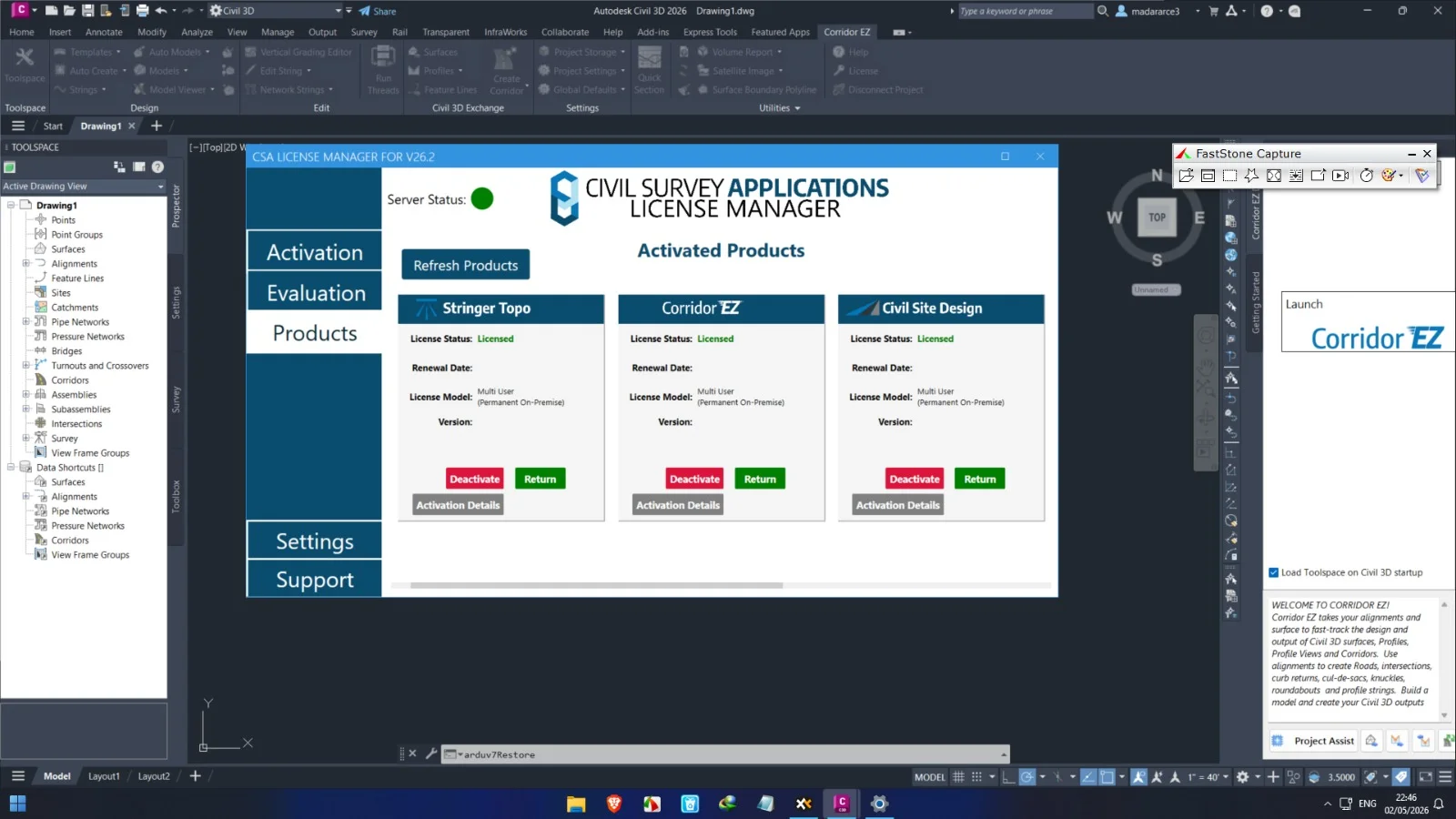
Corridor EZ Toolspace
The tool replaces the cluttered Civil 3D ribbon with a logical, workflow-based interface. It provides one-click access to strings, templates, and corridors, significantly reducing the time spent hunting for commands .
Automated Target Mapping
One of the most tedious aspects of Civil 3D is manually mapping targets (widths, slopes, surfaces). Corridor EZ automates this process, pushing the correct settings into the corridor behind the scenes .
Sectional Volumes Tool (v25.1+)
The latest version introduces advanced sectional volumes reporting, offering improved accuracy over the standard Civil 3D volume dashboard for earthwork calculations .
Island & Intersection Integration
The software streamlines the process of integrating complex geometry like traffic islands, bus bays, and parking lot knuckles, which are typically difficult to manage in native Civil 3D .
What’s New in the Latest Version
The development cycle for Corridor EZ is closely tied to the Autodesk release cycle. Version 25.1 (supporting Civil 3D 2025/2026) introduced several key enhancements .
-
Enhanced 4K Monitor Support: Full support for high-resolution displays added in version 24.1 and refined in later builds ensures the UI scales correctly on modern laptops and external monitors .
-
Advanced Sectional Volumes: A new reporting tool that provides granular control over cut and fill calculations directly from the corridor model.
-
AI Workflow Refinements: Improvements to the AI engine allow it to better recognize custom alignment usages, such as differentiating between a standard road and a parking lot curb return.
System Requirements
Because Corridor EZ runs inside Autodesk Civil 3D, its hardware requirements mirror the host software. However, due to the AI and 3D modeling load, specific hardware is recommended .
Operating System: 64-bit Windows 10 or Windows 11 (Corridor EZ does not support macOS or ARM processors) .
Processor: 3+ GHz base speed recommended (Intel Core i7/i9 or AMD Ryzen 7/9).
Memory (RAM):
-
Minimum: 8 GB
-
Recommended: 32 GB (Crucial for large subdivisions and Project Assist AI) .
Graphics Card: Dedicated GPU required for Model Viewer. -
Recommended: 8 GB VRAM (NVIDIA Quadro or GeForce RTX series) with DirectX 12 compliance .
Disk Space: SSD required; 20 GB free space (beyond Civil 3D installation).
Installation Guide
Installing Corridor EZ is straightforward, but it requires an active license of the supported Civil 3D version (2021–2026) .
-
Download the Installer: Obtain the latest
.exefile from the official Corridor EZ portal. -
Close Civil 3D: Ensure all Autodesk applications are closed before proceeding.
-
Run as Administrator: Right-click the installer and select “Run as Administrator” to ensure registry keys are written correctly.
-
Follow the Wizard: Accept the license agreement (note: this is a commercial license, not a crack or keygen).
-
Launch Civil 3D: Upon restart, the “Corridor EZ” tab will appear on the ribbon. You must enter your valid license key to deactivate “Trial Mode” .
How to Use the Software: Workflow Guide
Using Corridor EZ changes the traditional Civil 3D workflow from manual construction to automated generation .
Step 1: Prepare the Base Data
Construct your existing ground surface and draw centerline alignments for your roads in standard Civil 3D. Name your alignments logically (e.g., “Main Street,” “Alley A”).
Step 2: Launch Project Assist AI
In the Corridor EZ Toolspace, click the AI Auto-Create button. The software will scan your drawing. It will present a form guessing the “Usage” of each alignment (e.g., Road, Curb Return, Cul-de-sac) .
Step 3: Confirm Design Intent
Review the AI’s suggestions. Tell the software which alignments are cul-de-sacs or parking lanes. Confirm the workflow.
Step 4: Generate the Model
Click “Create.” Corridor EZ will automatically:
-
Build assemblies at significant changes.
-
Map targets to surfaces and widths.
-
Generate a dynamic corridor.
-
Create a PDF design log explaining the steps taken .
Step 5: Refine and Output
Use the Toolspace to right-click on the generated model and select “Create Civil 3D Corridor.” You can then extract feature lines for site grading or generate section views .
Best Use Cases
Corridor EZ is not a general drafting tool; it is a niche tool for specific high-repetition tasks .
-
Subdivision Land Development: The primary use case. For housing tracts with dozens of lots and intersecting local roads, the AI reduces design time from weeks to days.
-
Commercial Site Design: Quickly model parking lots, entry roads, and bus bays.
-
Emergency Iterations: When a client changes the lot layout at the last minute, Corridor EZ allows the engineer to rebuild the corridor logic almost instantly rather than manually fixing every region.
Advantages and Limitations
Advantages
-
Speed: Reported to reduce corridor creation time by up to 80% compared to native Civil 3D workflows .
-
Usability: New designers can produce senior-level results because the software handles complex target mapping automatically .
-
Consistency: Eliminates human error in assembly application and region splitting.
Limitations
-
Strictly Windows: No support for Bootcamp, Parallels, or native Mac hardware .
-
Graphics Dependency: The Model Viewer tool requires a high-performance dedicated graphics card; integrated Intel graphics often result in display errors .
-
Cost: It is a premium add-on, whereas some alternatives like Sincpac-C3D offer different pricing models (though not direct feature parity).
-
No Standalone Mode: You cannot use it without an existing, licensed copy of Autodesk Civil 3D.
Alternatives to the Software
Engineers looking for similar functionality may consider these Corridor EZ alternatives .
| Software | Platform | Best For | Key Difference |
|---|---|---|---|
| Corridor EZ | Civil 3D Add-On | Subdivisions, Speed | Keeps you in the native Autodesk environment. |
| Civil 3D Native Tools | Native Civil 3D | Full control, complex interchanges | Manual, slow, requires deep expert knowledge. |
| Carlson Software | Standalone / IntelliCAD | Surveying & Total Station | Requires learning a new UI; acts as a CAD replacement. |
| Bentley OpenRoads | Standalone | Large-scale infrastructure (DOT) | BIM-focused, better for highways, harder learning curve. |
Frequently Asked Questions
1. What versions of Civil 3D are compatible?
Corridor EZ supports Windows-based versions 2021, 2022, 2023, 2024, 2025, and 2026 .
2. Does Corridor EZ work with 4K monitors?
Yes. Native 4K support was added in version 24.1. Ensure your graphics drivers are up to date to avoid UI scaling issues .
3. Is this a replacement for Civil 3D?
No. Corridor EZ is an add-on that enhances Civil 3D. You must have an existing, valid license of Autodesk Civil 3D to use it .
4. Does it work with Apple/Mac hardware?
No. The software requires the Windows version of Civil 3D. It will not run on the native Mac version of AutoCAD/Civil 3D .
5. How does the AI feature work?
The “Project Assist AI” analyzes your alignment names and geometry. For example, if it sees short alignments connecting a road to a lot, it assumes they are cul-de-sac returns and applies the correct template automatically .
6. Do I need a high-end graphics card?
For basic corridor creation, standard cards work. However, to use the Model Viewer and 3D visualization tools effectively, a dedicated graphics card (NVIDIA RTX series) with at least 8GB VRAM is strongly recommended .
Final Thoughts
For land development firms heavily invested in the Autodesk ecosystem, Corridor EZ is a force multiplier. It does not change the underlying power of Civil 3D, but it changes the accessibility of that power. By automating the most labor-intensive and error-prone parts of the corridor modeling process, it allows civil engineers to reclaim hours of their week.
While it is not a replacement for the nuanced manual control required for massive highway interchanges, it is arguably the best tool on the market for rapid subdivision and residential road design. The addition of the Project Assist AI in recent versions ensures that even junior designers can produce models with the consistency of a 20-year veteran, provided they have a dedicated graphics card and a valid Windows license .
Our Paid Service
“We do not sell or provide any software. We only offer professional support services. If any software on your system is not working properly, or you are facing installation errors, crashes, or any other technical issue — just contact us. We will help you fix the problem quickly and remotely via AnyDesk. No software will be provided from our side — only expert troubleshooting and support.”