
Geoactive Interactive Petrophysics Software Overview
Table of Contents
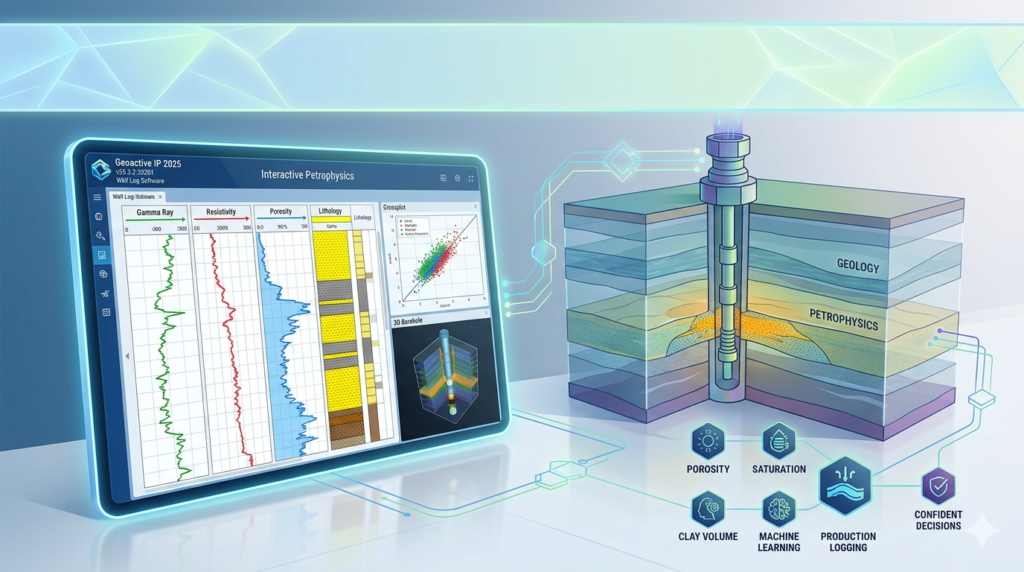
Geoactive Interactive Petrophysics is a specialized software platform designed to bridge the gap between raw well log data and actionable reservoir insights. Unlike generic data analysis tools, Geoactive is built specifically for petrophysicists, geoscientists, and drilling engineers who need to calculate porosity, water saturation, and lithology without manual spreadsheet errors.
In this guide, we analyze its core modules, real-world performance, system requirements, and how it compares to industry giants like Techlog and Interactive Petrophysics (IP).
What is Geoactive Interactive Petrophysics?
Geoactive Interactive Petrophysics is a Windows-based desktop application that transforms well log data (LAS, ASCII, DLIS) into visual formation models. It automates the multimineral analysis, shale volume estimation, and permeability prediction that are critical for reducing dry-hole risk in exploration wells.
It follows a “data-in, insight-out” workflow:
-
Import – Load wireline logs, core data, and formation tops.
-
Calibrate – Set reservoir parameters (e.g., Rw, a, m, n).
-
Compute – Run built-in deterministic or probabilistic models.
-
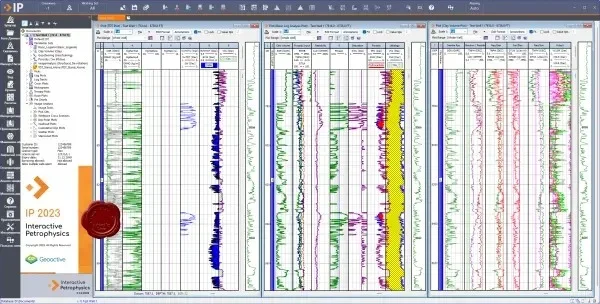
Visualize – Interactive multi-track displays, crossplots, and histograms.
-
Export – Deliver results to 3D reservoir models or reports.
Key Features & Benefits
-
Multi-Well Environment – Work with dozens of wells in a single project. Compare porosity trends across a field.
-
Advanced Crossplot Library – Create Pickett plots, Hingle plots, and neutron-density overlays with real-time zone filtering.
-
Uncertainty Analysis – Monte Carlo simulations to quantify confidence in Sw, phi, and net pay.
-
Batch Processing – Run the same petrophysical model on 100+ wells overnight.
-
Lithology Templates – Pre-built models for carbonates, shaly sands, and unconventional reservoirs.
These features directly address the petrophysicist’s pain points: reducing interpretation time from days to hours and ensuring consistency across a multi-well study.
Real-World Use Cases
| Industry Role | How Geoactive Helps |
|---|---|
| Exploration Geologist | Rank prospects by comparing reservoir quality maps. |
| Petrophysics Consultant | Deliver auditable, standardized log analysis reports to clients. |
| Reservoir Engineer | Export porosity-feet and hydrocarbon pore volume for simulation input. |
| University Research | Teach well log interpretation with real-world datasets. |
| Drilling Engineer | Predict overpressure zones using sonic and resistivity logs. |
Example: A North Sea operator reduced log analysis time by 60% after moving from legacy spreadsheets to Geoactive’s batch processing suite.
System Requirements (Recommended)
To run Geoactive without lag on large datasets (500+ wells):
-
OS: Windows 10 Pro / 11 (64-bit)
-
Processor: Intel Core i7 or AMD Ryzen 7 (4+ cores)
-
RAM: 16 GB minimum (32 GB for multi-well projects)
-
Storage: 512 GB SSD (with 10 GB free for temp files)
-
GPU: Dedicated GPU with 2GB VRAM for 3D visualizations
-
Display: 1920×1080 or higher
Installation & How It Works (Legit Workflow)
Since Geoactive is a paid commercial application, you cannot download a “full version” from third-party archives safely. Follow this legitimate process:
-
Visit the official vendor (search: “Geoactive Interactive Petrophysics official”).
-
Request a demo – Most vendors provide a 14-30 day trial with feature limits.
-
Purchase a license – Options include single-user node-locked, network floating, or annual subscription.
-
Download the installer – Use the secure link sent after purchase.
-
Activate online or offline – Enter the license key provided.
Why Geoactive Matters in 2026
The industry is moving toward automated formation evaluation due to data overload. Legacy tools require 10+ clicks per well. Geoactive reduces that to 3 steps per model. For companies evaluating 500+ wells per year, that translates to $50k+ in staff time savings.
However, it is not for everyone. If you need full petrophysical inversion (simultaneous optimization of all logs), you might prefer Techlog or IP.
Trust & Safety Notice
ArchiveLabs is an independent review site. We do not distribute cracked software, keygens, or “unlimited PC” licenses. Doing so violates copyright laws and puts your company data at risk. All trademarks belong to their respective owners.
Frequently Asked Questions (FAQs)
1. Is Geoactive Interactive Petrophysics free?
No. It is commercial software. Legitimate pricing is typically 5,000–15,000 per license depending on modules. Some vendors offer academic discounts.
2. Can Geoactive run on macOS or Linux?
Not natively. You would need a Windows virtual machine (Parallels, VMware) or dual-boot setup.
3. What file formats does it import?
LAS 1.2/2.0, DLIS, LIS, ASCII, Excel (CSV), and core photography tables.
4. How does Geoactive compare to Interactive Petrophysics (IP)?
Geoactive is stronger for batch processing and multi-well projects. IP is favored for complex mineral solving in carbonates. Both produce industry-standard outputs.
5. Is training required to use it?
Yes, basic petrophysics knowledge is mandatory. Geoactive provides video tutorials, but 2–3 days of formal training is recommended for advanced multimineral analysis.
6. Can I transfer a license to another computer?
Usually yes, via a license deactivation/reactivation portal. Check your End User License Agreement (EULA).