
Overview of the Software
Table of Contents
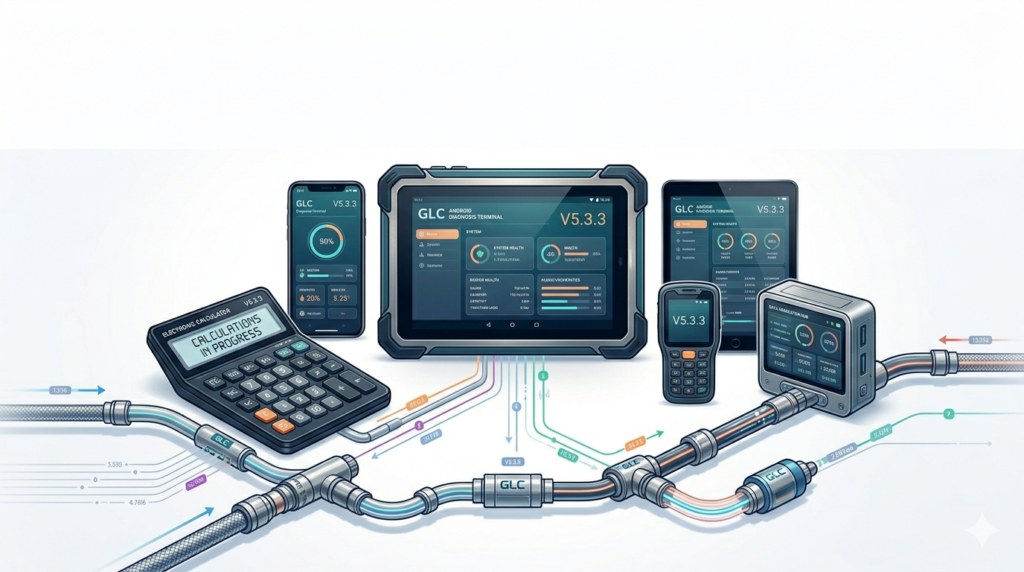
The GLC Android Diag Terminal + E-Calc V5.3.3 is a specialized software suite designed for automotive technicians, electronics engineers, and DIY enthusiasts who work with vehicle diagnostic systems and electronic component calculations. Unlike generic diagnostic tools, this software combines a powerful Android-based diagnostic terminal with a dedicated electronics calculator module, allowing users to troubleshoot vehicle faults, compute resistor values, and analyze circuit parameters directly from their Android device.
This version, V5.3.3, builds on the software’s reputation as a reliable utility for on-the-go diagnostics. It is legally distributed as a professional-grade application requiring a valid license or hardware interface (e.g., OBD2 adapter). The software is not freeware; it supports legitimate use through authorized downloads, ensuring compliance with manufacturer standards.
Key Features
-
Integrated Diagnostic Terminal – Connect to various vehicle ECUs (Electronic Control Units) via OBD2, CAN bus, or K-Line interfaces.
-
Electronics Calculator Module – Perform real-time calculations for resistors, capacitors, LEDs, ohms law, power dissipation, color band decoding, and SMD code lookup.
-
Multi-Protocol Support – Works with ISO 9141, KWP2000, CAN, and UDS protocols, making it suitable for European, Asian, and domestic vehicles.
-
Live Data Graphing – View real-time sensor data (RPM, temperature, oxygen levels) in graphical format.
-
DTC Library – Built-in database of over 15,000 Diagnostic Trouble Codes (DTCs) with detailed descriptions and probable causes.
-
Component Pinout Diagrams – Visual references for common sensors, actuators, and connectors.
-
Data Logging & Export – Save diagnostic sessions and calculation results as CSV or PDF for reporting.
What’s New in Version 5.3.3
-
Enhanced CAN bus stability for vehicles manufactured after 2020.
-
New LED resistor calculator for automotive lighting retrofits.
-
Improved device pairing with Bluetooth OBD2 adapters (ELM327 v1.5+).
-
Bug fixes for Android 14 (API level 34) compatibility.
-
Faster DTC search with predictive text filtering.
-
Added dark mode for reduced eye strain during extended use.
System Requirements
| Component | Minimum Requirement |
|---|---|
| Operating System | Android 8.0 (Oreo) or higher |
| RAM | 2 GB (4 GB recommended) |
| Storage | 150 MB free space (additional 500 MB for logs) |
| Display | 5 inches or larger, 720p+ |
| Connectivity | Bluetooth 4.0+ or USB-OTG for OBD2 adapter |
| Optional | Internet connection for DTC metadata updates |
Note: The software does not unlock hardware limitations. A compatible OBD2 interface must be purchased separately from authorized vendors.
Installation Guide
Since the software is distributed via official channels (e.g., developer website or authorized app store), follow these steps:
-
Verify device compatibility – Ensure your Android device meets the system requirements.
-
Download the official APK or installer – Obtain the software only from the developer’s official website or a trusted repository like Google Play (if listed). Avoid third-party APK sites.
-
Enable “Install from unknown sources” (if needed) – For direct APK installation, go to Settings → Security → Enable unknown sources. Disable it after installation.
-
Run the installer – Open the downloaded file and follow the on-screen prompts.
-
Activate license – Enter your purchased license key or pair the software with your hardware interface (e.g., USB dongle).
-
Connect OBD2 adapter – Pair Bluetooth or connect USB-OTG adapter before launching the app.
-
Grant permissions – Allow location (for Bluetooth scanning) and storage (for logs) when prompted.
How to Use the Software
Performing a Vehicle Diagnosis
-
Connect your OBD2 adapter to the vehicle’s DLC port (usually under the steering wheel).
-
Launch the app and select Diagnostic Terminal.
-
Tap Connect – choose Bluetooth or USB based on your adapter.
-
Select the vehicle make and model (or use automatic protocol detection).
-
Tap Read DTCs to retrieve fault codes.
-
Use Live Data to monitor sensors while the engine runs.
Using the Electronics Calculator
-
Switch to the Calculator tab.
-
Choose a function: Resistor color bands, SMD code converter, Ohm’s law, or LED series resistor.
-
Input values (e.g., supply voltage, LED forward voltage, current).
-
The tool outputs the required component value and recommended wattage.
-
For SMD resistors, simply enter the 3/4-digit code to get resistance and tolerance.
Best Use Cases
-
Mobile automotive diagnostics – Mechanics working in remote locations without a laptop.
-
Student learning – Electronics students practicing resistor decoding and circuit laws.
-
Custom vehicle lighting – Calculating LED resistors for turn signals or interior lights.
-
Fleet maintenance – Quick DTC scanning across multiple vehicles.
-
Component-level repair – Identifying passive components on damaged ECUs.
Advantages and Limitations
Advantages
-
Combines two essential tools (diagnostic scanner + engineering calculator) in one app.
-
Works offline for most core features (only DTC metadata updates require internet).
-
Clean UI with dark mode for workshop environments.
-
Frequent updates with protocol improvements.
Limitations
-
Requires a compatible, legally obtained OBD2 interface (sold separately).
-
No iOS version available.
-
Advanced bidirectional controls (e.g., actuation tests) are limited compared to PC-based tools like TechStream or VCDS.
-
Not meant for deep ECU flashing or immobilizer programming.
Alternatives to the Software
| Software | Key Difference | Platform |
|---|---|---|
| Torque Pro | Focuses only on OBD2 diagnostics; no calculator module | Android |
| Car Scanner ELM OBD2 | Good UI but lacks electronics calculator | Android/iOS |
| ElectroDroid | Excellent component calculator but no vehicle diagnostics | Android |
| OBD Auto Doctor | User-friendly for beginners, limited advanced electronics | Android/PC |
If you need both diagnostic and electronics calculation in one Android app, GLC V5.3.3 remains a unique hybrid. For pure diagnostics, Torque Pro is a lightweight alternative; for pure electronics, ElectroDroid is more comprehensive.
Frequently Asked Questions
Q1: Is GLC Android Diagnosis Terminal V5.3.3 free to use?
No, it is a paid software requiring a valid license. Any website offering a “crack” or “unlock code” is distributing unauthorized copies. Always purchase from the official developer.
Q2: Can I use this software without an OBD2 adapter?
You can use the electronics calculator module without an adapter, but the diagnostic terminal requires a physical or Bluetooth OBD2 interface.
Q3: Does this software work with Android 14?
Yes, version 5.3.3 includes updates for Android 14 stability. Earlier versions may have compatibility issues.
Q4: What is the difference between GLC and generic ELM327 apps?
Generic ELM327 apps only read basic OBD2 data. GLC adds the electronics calculator, component pinouts, and a larger DTC library. However, GLC still requires an ELM327 or similar compatible interface.
Q5: Can I use this software on a Windows PC or iPhone?
No. The terminal is designed exclusively for Android. For Windows, consider PC-based diagnostic tools.
Q6: How do I update to V5.3.3?
Download the update from the official source. Licensed users typically receive in-app update notifications or can log into their account on the developer’s website.
Q7: Does the calculator module support SMD components?
Yes. It includes a lookup table for 3-digit, 4-digit, and EIA-96 SMD resistor codes, plus SMD capacitor marking decoding.
Final Thoughts
The GLC Android Diagnosis Terminal + Electronice Calculator V5.3.3 fills a specific niche for automotive professionals and advanced hobbyists who want a single Android-based tool for both vehicle diagnostics and electronics calculations. It is not a replacement for full-scale PC diagnostic suites, but it excels as a portable, secondary tool for field use, quick checks, and learning.
For best results, purchase a quality OBD2 adapter from a reputable brand, install only from official sources, and keep the software updated to V5.3.3 for Android 14 support. Avoid any website offering “free activation” – such files are often malware and violate software licensing terms.
If you primarily work with circuit design, pair this app with a dedicated electronics reference. If diagnostics are your only need, a simpler OBD2 scanner may suffice. However, for users who frequently toggle between reading vehicle fault codes and calculating resistor values, GLC V5.3.3 remains a uniquely productive solution.
Our Paid Service
“We do not sell or provide any software. We only offer professional support services. If any software on your system is not working properly, or you are facing installation errors, crashes, or any other technical issue — just contact us. We will help you fix the problem quickly and remotely via AnyDesk. No software will be provided from our side — only expert troubleshooting and support.”