

Overview of the Software
Table of Contents
In today’s fast-paced digital media landscape, efficient video playback and production software is critical for broadcasters, event producers, and content creators. Playout Movie Max 9 is a professional-grade software solution designed to bridge the gap between high-end broadcast requirements and user-friendly content management.
Unlike basic media players, this software functions as a complete video playout server and editing suite. It supports high-resolution formats, real-time previewing, and multi-layer sequencing. Whether you are managing a live event, a TV channel, or a corporate video feed, Playout Movie Max 9 provides the stability and features required for seamless operation. This tool focuses on legitimate, licensed use for professional environments, ensuring full compliance with industry standards.
Key Features of Playout Movie Max 9
The software stands out due to its robust feature set tailored for reliability and creative control. Below are the core functionalities:
-
Multi-Format Playout Engine: Supports native playback of MP4, MOV, AVI, MKV, and high-resolution ProRes files without transcoding.
-
Real-Time Video Routing: Allows users to switch between live inputs (cameras) and pre-recorded clips with frame-accurate precision.
-
Advanced Playlist Automation: Create, save, and schedule unlimited playlists. Features include automatic transitions, fade-to-black, and logo overlays.
-
GPU-Accelerated Rendering: Leverages your graphics card for smooth playback of 4K and 8K timelines, reducing CPU load.
-
Audio Mixing Suite: Built-in 10-channel audio mixer with VU meters, gain control, and external audio interface support.
-
Live Text & Graphics Overlay: Insert lower thirds, scrolling news tickers, and countdown timers during live playback.
User Interface Accessibility
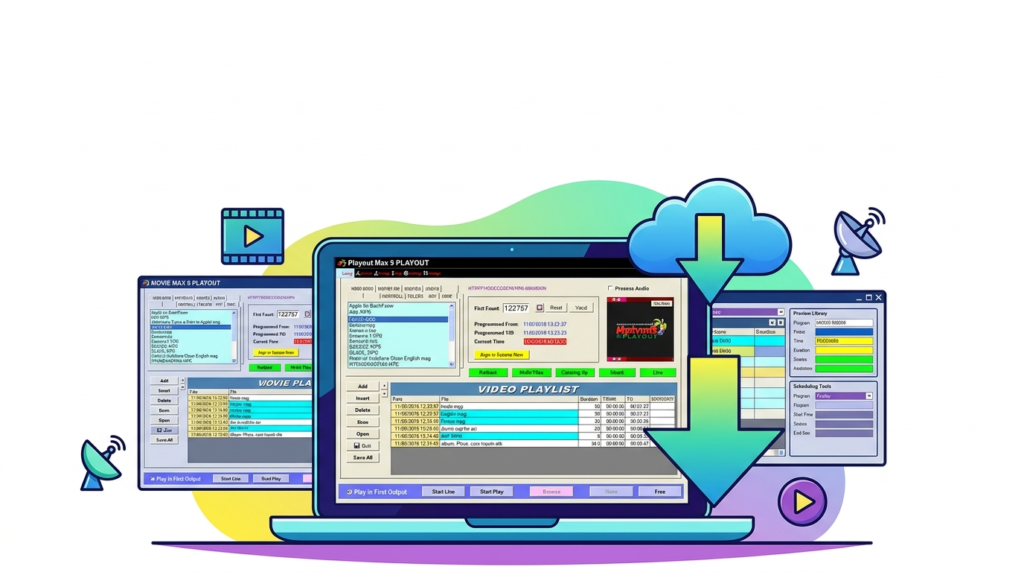
The dashboard is organized into three main panels: the media bin (left), the preview monitor (center), and the playlist timeline (bottom). This layout minimizes clicks and allows operators to execute commands during live broadcasts without distraction.
What’s New in the Latest Version (Version 9.2)
Version 9 introduces significant performance and workflow upgrades compared to previous releases. Key improvements include:
-
NDI 5 Integration: Native support for Network Device Interface (NDI) allows Playout Movie Max 9 to receive video feeds over standard Ethernet networks from any NDI-compatible camera or software.
-
Touchscreen Mode: A redesigned UI preset for touch monitors, making it ideal for live event booths and house-of-worship operators.
-
Smart Rendering Cache: The software now pre-renders only complex transition layers, reducing export times by up to 40% for standard cuts.
-
Enhanced Closed Captioning: Support for importing .SRT and .VTT files for broadcast compliance.
System Requirements
To run Playout Movie Max 9 effectively, your workstation should meet the following specifications.
| Component | Minimum Requirement | Recommended Requirement |
|---|---|---|
| OS | Windows 10 (64-bit) / macOS 12 | Windows 11 / macOS 14 (Sonoma) |
| CPU | Intel i5 (8th Gen) or AMD Ryzen 5 | Intel i7 (12th Gen) or AMD Ryzen 7 |
| RAM | 8 GB | 16 GB (32 GB for 4K workflows) |
| GPU | Intel UHD Graphics 630 | NVIDIA GeForce RTX 3060 or higher |
| Storage | 500 GB HDD (7200 RPM) | 1 TB NVMe SSD |
| Network | 100 Mbps | 1 Gbps (for NDI streaming) |
Installation Guide
Follow these steps to install the licensed version of Playout Movie Max 9. Note: You must purchase a valid license key from the official developer.
Step-by-Step Process
-
Download: Visit the official Playout Movie Max website and navigate to the “Downloads” section. Select the version matching your operating system.
-
Run Installer: Right-click the downloaded
.exe(Windows) or.dmg(macOS) file and select “Run as Administrator.” -
Accept License Agreement: Read the End-User License Agreement (EULA). Accept the terms to proceed.
-
Choose Installation Path: Select the default directory (
C:\Program Files\Playout Movie Max) or create a custom folder. -
Select Components: Choose whether to install optional codecs or NDI tools. For most users, the “Full Installation” is recommended.
-
Activate License: Upon first launch, enter your 16-digit product key. Activation requires an internet connection.
-
Driver Installation: If prompted, allow the installation of virtual audio or video drivers. Restart your computer to finalize.
How to Use the Software
Creating Your First Playout Playlist
-
Launch the Software: Open Playout Movie Max 9 from your desktop shortcut.
-
Create a New Project: Go to
File > New Project. Name your project and select the frame rate (e.g., 29.97 fps for North America, 25 fps for Europe). -
Import Media: Click the “Import” button in the Media Bin. Select your video files (MP4, MOV, etc.). The software will generate thumbnails and analyze audio waveforms.
-
Build the Playlist: Drag clips from the Media Bin to the Playlist Timeline. Rearrange clips by dragging them up or down.
-
Apply Transitions: Right-click between two clips and select “Crossfade” or “Dip to Black.” Adjust the duration (default: 1 second).
-
Preview: Press the “Spacebar” to preview your playlist. Use the “Program Monitor” to see the final output.
-
Export or Playout:
-
To save as a file: Click
Export > MP4 (H.264). -
To play live: Connect your monitor via HDMI/SDI and click “Start Playout.”
-
Pro Tip for Live Events
Always enable the “Safe Mode” toggle in the settings menu. This feature creates a RAM buffer of 5 seconds, preventing audio dropouts if your hard drive slows down temporarily.
Best Use Cases
Playout Movie Max 9 is not a general consumer player; it is optimized for specific professional scenarios:
-
Broadcast Television (Community Channels): Reliable 24/7 automation for local ad insertion and program scheduling.
-
Live Event Production (Concerts & Conferences): Play backing tracks, interstitials, and sponsor reels during speaker transitions.
-
Corporate Digital Signage: Loop training videos or marketing materials on in-house displays without manual restart.
-
House of Worship Streaming: Integrate with streaming software (OBS, vMix) via NDI or virtual camera output for hybrid services.
Advantages and Limitations
Advantages (Pros)
-
Stability: Crashes are rare due to the isolated render engine.
-
Low Latency: Sub-frame latency (approx. 2-3 frames) when switching between live sources.
-
No Watermark: The licensed version outputs clean video with no branding overlay.
-
Hardware Flexibility: Runs on standard Windows gaming PCs; no proprietary broadcast hardware is required.
Limitations (Cons)
-
No Native 3D Editing: Unlike Adobe Premiere Pro or DaVinci Resolve, this software cannot create complex 3D animations. It is a playout tool, not a compositor.
-
Audio Limiting: The built-in audio compressor is basic. For professional mixing, route audio to external software via virtual cables.
-
Learning Curve for Beginners: The terminology (EAS, timecode, genlock) assumes prior broadcast knowledge.
Alternatives to the Software
If Playout Movie Max 9 does not fit your workflow, consider these legitimate alternatives:
| Software | Best For | Key Difference |
|---|---|---|
| OBS Studio | Free live streaming | No native playlist automation; requires plugins. |
| vMix | Advanced live production | Higher cost ($350+) but includes more virtual sets. |
| Millumin | Interactive art installations | Mac-exclusive; excellent for projection mapping. |
| CasparCG | Broadcast graphics | Open-source but requires manual coding/configuration. |
Frequently Asked Questions (FAQ)
Q1: Is Playout Movie Max 9 compatible with macOS on Apple Silicon (M1/M2)?
Yes. Version 9.2 and later runs natively on Apple M1, M2, and M3 chips via Rosetta 2, with full native support coming in Q3 2024.
Q2: Can I use Playout Movie Max 9 for 24/7 automated TV channels?
Yes. The software includes a “Scheduler” module (accessible via Tools > Scheduler) that allows you to load different playlists based on the time of day.
Q3: Does the software support Blackmagic Design DeckLink cards?
Yes. Playout Movie Max 9 fully integrates with DeckLink, Intensity, and UltraStudio capture cards for SDI input/output.
Q4: How do I get a legal commercial license?
Visit the official Playout Movie Max website. Licenses are sold as a perpetual license (one-time fee) or a monthly subscription for the cloud sync feature.
Q5: Why does my video lag during playback?
Ensure your GPU drivers are updated and that your video files are not stored on a USB 2.0 external drive. Move files to an internal NVMe SSD for 4K playback.
Q6: Can I insert live IP streams (RTMP, SRT) into a playlist?
Yes. In the Media Bin, click “Add Stream URL” and enter the rtmp:// or srt:// address. The software treats the stream as a live clip.
Final Thoughts
Playout Movie Max 9 successfully fills a specific niche: reliable, software-only video playout for professionals who cannot tolerate buffering or interface lag. While it does not replace full-featured non-linear editing systems (NLEs) like Premiere Pro, it excels as a playback workhorse for live events, digital signage, and automated broadcast.
For users seeking a legal, stable alternative to consumer media players, this software offers excellent value. The new NDI 5 integration and touchscreen support make it a future-ready tool for broadcast engineers and event technicians. Always download the software directly from the official developer to ensure you receive updates and malware-free executables.
Our Paid Service
“We do not sell or provide any software. We only offer professional support services. If any software on your system is not working properly, or you are facing installation errors, crashes, or any other technical issue — just contact us. We will help you fix the problem quickly and remotely via AnyDesk. No software will be provided from our side — only expert troubleshooting and support.”