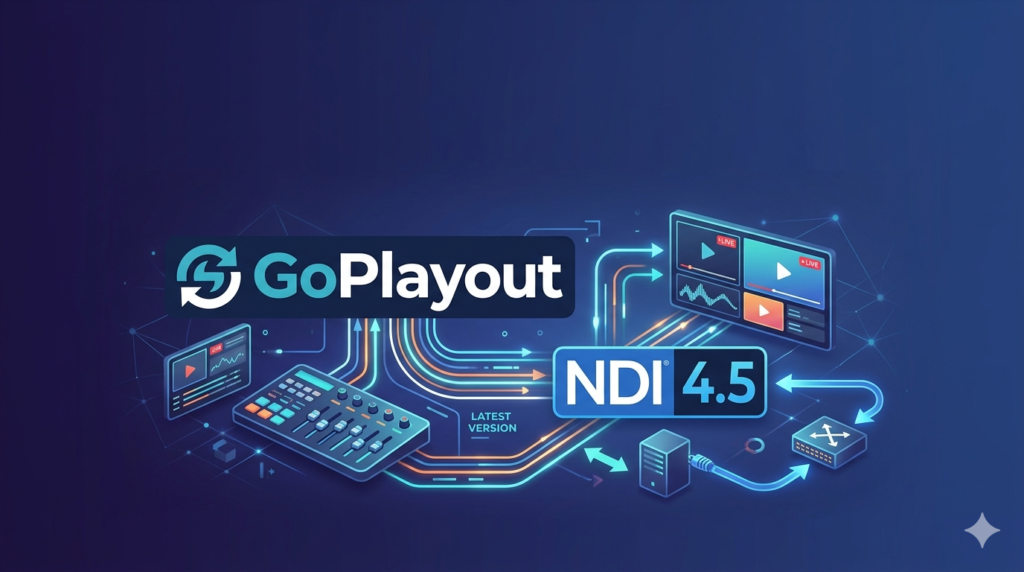


Download the GoPlayout Latest Version with NDI 4.5 (Complete Broadcast Playout Guide) from this link…

Overview of GoPlayout Software
Table of Contents
GoPlayout is a Windows-based professional video playout software designed for television channels, sports stadiums, internet broadcasters, and house of worship (HOw) environments. Unlike traditional hardware playout servers, GoPlayout turns a standard PC into a powerful broadcast tool capable of playing video files, managing live inputs, and streaming to RTMP destinations.
The latest version with NDI 4.5 (Network Device Interface) support allows users to send and receive high-quality, low-latency video over standard IP networks. This eliminates the need for dedicated SDI cables and capture cards in many workflows.
Screenshot


Key Features of GoPlayout (Latest Version)
The software balances ease of use with professional automation. Below are the core features of the current release.
NDI 4.5 Integration (Primary Upgrade)
-
Two-way NDI support: Receive NDI streams from other software (e.g., vMix, OBS) and output your playout as an NDI source.
-
Low-latency IP workflow: Route video across your facility without dedicated SDI infrastructure.
-
Compatibility: Works with any NDI-compatible camera, intercom, or graphics system.
Intuitive Media Management
-
Windows Explorer integration: Monitor and add media directly from your file system.
-
Drag-and-drop playlist editing: Rearrange events instantly.
-
Trim controls: Set precise in-points and out-points for each clip without altering source files.
Advanced Playlist Automation
-
Unlimited playlist events: No artificial limits on show length or clip count.
-
Separate scheduler application: Plan days or weeks in advance.
-
Live input preview: Monitor live sources before switching to air.
Flexible Output Options
-
Full-screen output to projectors or displays.
-
Blackmagic Design card support for SDI/HDMI output.
-
RTMP streaming to CDNs like Twitch, YouTube Live, or Facebook Live.
-
Now with NDI 4.5 output for IP-based distribution.
What’s New in the Latest Version (NDI 4.5 Update)
If you are familiar with older versions of GoPlayout, the update to NDI 4.5 introduces three major improvements:
-
Native NDI discovery: The software automatically detects NDI sources on your network without manual IP entry.
-
Improved latency performance: Sub-frame latency when sending or receiving NDI streams on Gigabit networks.
-
Simultaneous NDI send/receive: You can take an NDI input, mix it with your playlist, and re-output the result as a new NDI stream.
System Requirements
To run the GoPlayout latest version with NDI 4.5 smoothly, your broadcast PC should meet these specifications.
| Component | Minimum Requirement | Recommended Requirement |
|---|---|---|
| OS | Windows 10 64-bit | Windows 11 64-bit |
| CPU | Intel Core i5 (6th gen) | Intel Core i7 (10th gen) or AMD Ryzen 7 |
| RAM | 8 GB | 16 GB |
| GPU | Intel HD Graphics 630 | NVIDIA GTX 1660 or better (for NDI) |
| Network | Gigabit Ethernet (for NDI) | 2.5 Gigabit Ethernet |
| Storage | SATA SSD (for OS) | NVMe SSD + separate media drive |
NDI-Specific Requirements
-
A managed Gigabit switch.
-
Disable Wi-Fi when using NDI 4.5 to avoid packet loss.
-
Use Cat6 or better cabling for long runs.
Installation Guide (Legal & Safe Method)
Follow these steps to install the legitimate version of GoPlayout. Do not search for cracked or pirated copies, as they often contain malware and offer no technical support.
-
Download the official installer: Visit the developer’s website and download the latest setup file.
-
Verify file integrity: Check the SHA-256 hash if provided.
-
Disable antivirus temporarily (optional): Some security tools flag broadcast software. Add an exception instead of disabling permanently.
-
Run as administrator: Right-click the installer and select “Run as administrator.”
-
Accept the license agreement: Read the EULA carefully.
-
Choose components: Ensure “NDI 4.5 Tools” is selected.
-
Complete installation: Restart your PC when prompted.
How to Use GoPlayout with NDI 4.5
Once installed, setting up your first playout channel takes less than 10 minutes.
Step 1 – Configure Video Output
-
Open GoPlayout.
-
Go to Settings > Video Output.
-
Select your primary display or Blackmagic device.
-
Enable NDI Output and name your stream (e.g., “Channel 1 Playout”).
Step 2 – Build a Playlist
-
Drag video files (MP4, MOV, AVI) from Windows Explorer into the playlist window.
-
Right-click any clip to set in/out points.
-
Insert live NDI sources by selecting “Add Live Input > NDI Source” and choosing a camera from the list.
Step 3 – Automate with the Scheduler
-
Launch the separate GoPlayout Scheduler application.
-
Create a new event: time, playlist file, and repeat pattern.
-
The main software will load the correct playlist automatically at the scheduled time.
Best Use Cases for GoPlayout with NDI 4.5
The combination of traditional playout and modern NDI 4.5 unlocks several professional workflows.
24/7 Internet Channel
-
Setup: One PC running GoPlayout with an MP4 playlist.
-
Output: RTMP stream to YouTube Live.
-
NDI role: A second PC sends graphics overlays via NDI.
Sports Stadium Replay & Ads
-
Setup: Two cameras connected via NDI to the stadium server.
-
Output: Full-screen to scoreboard and concourse TVs.
-
NDI role: Instant replay clips are inserted into the playlist as NDI records.
House of Worship (HOW) Broadcast
-
Setup: PTZ cameras over NDI, sermon recording in playlist.
-
Output: Simultaneous live stream and in-house projection.
-
NDI role: Remote volunteer watches the NDI output to verify broadcast quality.
Advantages and Limitations
Advantages
-
Cost-effective: Lower entry price than hardware servers.
-
IP-native: NDI 4.5 removes SDI cable clutter.
-
Lightweight: Runs on standard PC hardware.
-
Beginner-friendly: Clean interface with drag-and-drop.
Limitations
-
Windows-only: No native macOS or Linux version.
-
No built-in CG (character generator): Requires external software for complex titles.
-
NDI bandwidth: 4.5 uses approximately 100–200 Mbps per stream; older networks may struggle.
-
No multi-channel support: One license = one playout channel.
Alternatives to GoPlayout
If GoPlayout does not fit your needs, consider these legitimate alternatives.
| Software | Best For | NDI Support | Pricing Model |
|---|---|---|---|
| vMix | Live production + playout | Yes (vMix 4K) | One-time purchase |
| OBS Studio | Free, basic playout | Via plugin | Free (open source) |
| Playdeck | TV channel automation | Limited | Subscription |
| CasparCG | Professional broadcast CG | Yes | Free (requires setup) |
Frequently Asked Questions (FAQ)
Is the GoPlayout latest version with NDI 4.5 free?
No, GoPlayout is commercial software. The developer offers a trial version with limitations. Full functionality requires a purchased license.
Can I use GoPlayout without NDI?
Yes. NDI 4.5 is an optional feature. You can use the software with SDI cards, RTMP, or simple file playback only.
Does NDI 4.5 work over Wi-Fi?
Technically yes, but not recommended for production. Wi-Fi introduces packet loss and jitter. Always use wired Gigabit Ethernet for NDI.
What video formats are supported?
GoPlayout supports common broadcast formats: MP4 (H.264/H.265), MOV, AVI, MXF, and MPEG-2.
Can I schedule a live NDI input to air at a specific time?
Yes. Use the Scheduler application to change the playlist at a given time. The new playlist can contain a live NDI source as its first item.
Is there a remote control app?
No official remote app exists. However, you can control GoPlayout via third-party TCP/UDP commands or Windows Remote Desktop.
How do I update to NDI 4.5 if I have an older version?
Download the latest installer from the official website. Install over your existing version. Your playlists and settings will remain intact.
Final Thoughts
The GoPlayout latest version with NDI 4.5 successfully bridges the gap between traditional broadcast automation and modern IP video workflows. It is not the most feature-rich playout system on the market, but its strength lies in simplicity, stability, and the powerful NDI integration.
For small TV channels, sports venues, and houses of worship, this software offers a reliable, legally safe, and cost-effective path to professional broadcasting. Always download software from official sources, respect licensing terms, and leverage NDI 4.5 to build a flexible, future-ready production environment.
Our Paid Service
Looking for full-version software without limitations? You’re in the right place. Instead of wasting time on unreliable or outdated sources, unlock a powerful bundle of 10k+ premium tools covering marketing, SEO, broadcasting, automation, and business productivity — all in one place at an affordable price. This collection is specially curated for freelancers, agencies, and business owners who want fast, real results with professional tools.
Direct contact: Telegram ID :
Join Us For Update Telegram Group :
Join Us For Updated WhatsApp group:
You Can test through AnyDesk before Buying,
And When You Are Satisfied, Then Buy It.
Unlimited PCs/Users.
Join today and upgrade your workflow with premium tools.