
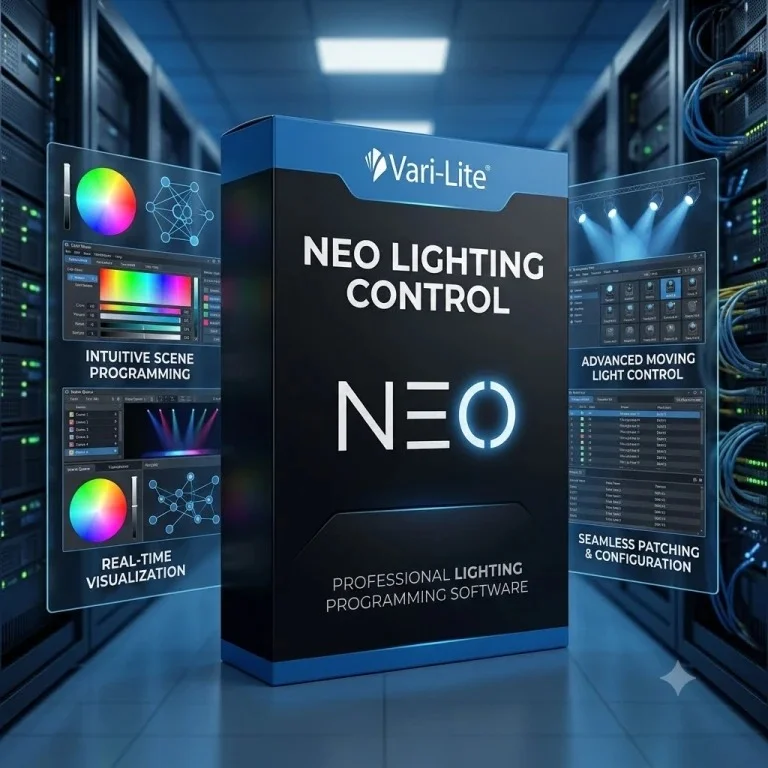
Overview of Vari-Lite NEO Lighting Control Software
Table of Contents
Vari-Lite NEO is a professional theatrical lighting control software application known for its flexibility and power. It combines an easy-to-use Graphical User Interface (GUI) with a powerful command-line operation, a feature with a strong legacy in Strand lighting consoles . The software is designed to adapt to various workflows, functioning effectively in native theatrical environments, as a cue-only console, or as a direct-action console, providing users with significant operational flexibility .
NEO software displays extensive information on-screen, enabling programmers to work faster and more efficiently. As a professional solution, it supports control of a limitless number of multi-attribute LED, conventional, and generic luminaires through its comprehensive fixture library .
Key Features of NEO 4.2
The NEO 4.2 update introduces significant enhancements alongside the core features that make the platform a professional standard.
Expanded Free Access for All Users
A major development is the expansion of the free software license. NEO 4.2 allows users to access professional lighting control for free, licensed for 4 Universes (2048 DMX channels) for 24 hours at a time. Users can simply restart the software to renew the 24-hour counter, making it a practical and accessible tool for various applications .
Redesigned User Interface
The 4.2 update features a redesigned Cue List window and a new “Side Bar.” These interface elements have been re-engineered to be cleaner, more consistent, and more useful, streamlining the programming workflow .
Integrated Communication and Task Management
A new “Messaging & Tasks” window facilitates communication and collaboration across a lighting network. Operators can send messages and share “To-Do” lists directly within the software, improving coordination on complex shows .
Wireless Control with Vari-Lite Remote
NEO 4.2 introduces a WebSocket interface to support the new Vari-Lite Remote app. Available on the Apple App Store and Google Play, the app provides full console control from a mobile device . Key functionalities include:
-
Command Line Access: Execute real-time commands .
-
Cue Playback Control: Trigger cue lists remotely .
-
Groups & Palettes: Access and apply programming elements instantly .
-
Advanced Color Picker: Dial in precise colors .
-
Magic Sheets: Visualize the rig and select fixtures intuitively .
What’s New in the Latest Version (NEO 4.2)
Launched in December 2024, NEO 4.2 represents a significant step forward . Beyond the key features mentioned, this update includes over 100 other enhancements and bug fixes. The goal of this release is to make professional lighting control more accessible to everyone, from students learning the craft to experienced programmers on major tours .
System Requirements
To use the free NEO PC software, a Windows-based computer is required. For using the software with dedicated hardware like the NEO Compact 10 PC Wing, a USB 3.0 connection is necessary . The software is the core application, and its full feature set can be accessed either through a PC or in conjunction with Vari-Lite or Strand NEO hardware.
Installation Guide
Installing the NEO PC Software
The primary method for using NEO software is by downloading it directly from the official Vari-Lite or Strand Lighting websites. The process is straightforward: download the installer, run it on a Windows PC, and follow the on-screen instructions to complete the setup. This is how users can access the free lighting console on a laptop .
Connecting a NEO Fader Wing or PC Wing
For users who require physical faders and a tactile interface, connecting a hardware wing is a simple process :
-
Place the wing on a flat, sturdy surface next to the computer or console.
-
Connect the provided USB cable from the wing to the host PC.
-
Connect the power cable to the wing and the console’s accessory power output (or an optional power supply).
-
The wing is now ready for use.
Note: A maximum of three wings can be connected to a single NEO console .
How to Use the Software
NEO combines a visual interface with a powerful command line.
Core Interface Concepts
The software is built around managing Cue Lists, Groups, Palettes, and Effects . Users can program complex lighting states by selecting fixtures, adjusting parameters like intensity, color, and position, and then recording these states as cues.
The interface provides dedicated windows for:
-
Cue Lists: Managing the sequence of cues in a show .
-
Groups: Organizing fixtures into selectable groups for quick control .
-
Palettes: Storing frequently used colors, positions, or beam parameters .
-
Effects: Creating and editing dynamic chases, waves, and other moving effects .
Key Buttons and Functions
Several keys are central to the NEO workflow :
-
[Live]: The main viewport showing all active output.
-
[Blind]: Allows for programming and editing without affecting the live output.
-
[PATCH]: Used for assigning and configuring fixtures.
-
[Record] and [Update]: Used to save and modify cues and other data.
-
[Go] and [Stop]: Used for cue playback.
Best Use Cases for NEO 4.2
NEO 4.2 is versatile enough to be used in a wide range of scenarios .
-
Education: Students can run their own instance of the software on their laptops, facilitating learning and practice.
-
Rental Companies: The software provides an ideal tool for workbench testing of lighting stock.
-
Professional Programmers: Pre-visualization of shows and creation of complex multi-user programming environments.
-
Live Operators: The free software can serve as an affordable automatic tracking backup system alongside a physical NEO X console.
-
Remote Control: The new Vari-Lite Remote app allows technicians to be anywhere in the venue to focus lights or trigger cues while still having full console control.
Advantages and Limitations
Advantages
-
Free Access: Professional-grade software is now more accessible than ever.
-
Professional Features: Offers advanced tools for complex theatrical productions.
-
Flexibility: Can be used with just a PC or with a variety of hardware wings and consoles.
-
Collaboration: Built-in messaging and task management improves team workflow.
-
Remote Control: The new app provides unprecedented freedom of movement.
Limitations
-
Platform: The PC software is limited to the Windows operating system.
-
Hardware Licensing: While the software is free, full integration with hardware wings requires purchasing the physical devices.
-
24-Hour Licensing: The free 4-universe license requires a software restart every 24 hours.
Alternatives to NEO
The professional lighting control market includes several competitors to NEO, such as:
-
ETC Eos Family: A dominant platform in the US and global theatre market, known for its powerful tracking and cueing system.
-
GrandMA by MA Lighting: The industry standard for live events, concerts, and television, featuring an extremely powerful and flexible parameter-based system.
-
Chamsys MagicQ: A popular and cost-effective solution offering a free PC version with a wide range of hardware options.
Frequently Asked Questions
Is Vari-Lite NEO software free to use?
Yes, the NEO PC software can be downloaded for free. The latest version, 4.2, is licensed for 4 Universes (2048 channels) for 24 hours at a time, with the option to restart the software to renew the license .
What is the Vari-Lite Remote app?
The Vari-Lite Remote app is a mobile application that provides full remote control of a NEO console from anywhere in the venue. It is available for iOS and Android devices and was introduced with the NEO 4.2 update .
Can I use NEO software without a hardware console?
Absolutely. You can download and install the NEO software on a Windows laptop to use as a virtual console. This is perfect for learning, pre-visualization, and small-scale shows .
What are the system requirements for NEO 4.2?
The primary requirement is a Windows PC. For integration with hardware like the NEO Compact 10 PC Wing, a USB 3.0 port is required .
How can I connect a NEO Fader Wing to my console?
Connecting a NEO Playback Wing or Submaster Wing is a simple plug-and-play process. Connect the wing via USB, power it, and it is ready to use with your NEO console .
Does NEO software support wireless DMX?
Yes, while the PC itself outputs data via protocols like Art-Net or sACN, hardware solutions like the DTneo+ ballast include built-in wireless options such as Bluetooth mesh and CRMX for wireless control of fixtures .
Final Thoughts
The release of Vari-Lite NEO 4.2 marks a significant moment for the professional lighting industry. By making a free lighting console on your laptop available to everyone, Vari-Lite is lowering the barrier to entry for aspiring lighting professionals while providing a powerful and versatile tool for seasoned programmers. The combination of an intuitive interface, powerful command-line capabilities, integrated collaboration features, and new remote control options positions NEO 4.2 as a compelling choice for any lighting professional or student looking to expand their toolkit.
Our Paid Service
“We do not sell or provide any software. We only offer professional support services. If any software on your system is not working properly, or you are facing installation errors, crashes, or any other technical issue — just contact us. We will help you fix the problem quickly and remotely via AnyDesk. No software will be provided from our side — only expert troubleshooting and support.”