
Overview of Chaos Envision
Table of Contents
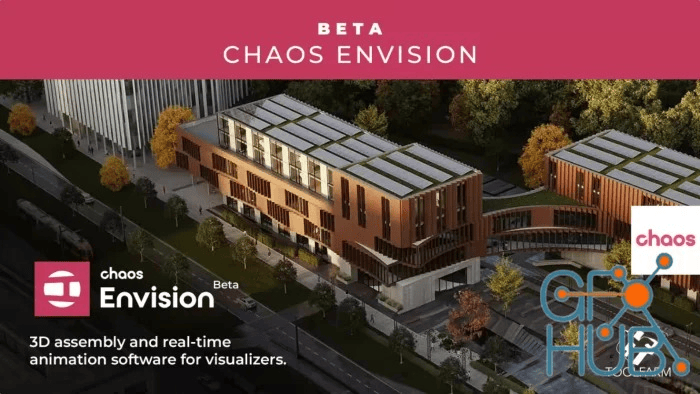
Chaos Envision is a powerful real-time 3D visualization and presentation software designed to transform how architects, designers, and visualization professionals communicate complex design ideas. Moving beyond static renders, it provides a robust platform for creating immersive, interactive experiences. By enabling real-time ray tracing, advanced scene management, and cinematic storytelling, Chaos Envision bridges the gap between design intent and stakeholder understanding.
As a key component of the broader Chaos ecosystem, which includes industry-standard tools like V-Ray and Enscape, Envision ensures seamless interoperability. This allows for a non-destructive workflow where design iterations can be presented instantly without the need for repetitive data preparation, ultimately saving valuable time and enhancing creative collaboration.
Key Features
Chaos Envision is packed with features that cater to the needs of modern architectural workflows:
-
Real-Time 3D Assembly: Experience photorealistic rendering instantly, allowing for immediate feedback and iteration.
-
Advanced Scene Scaling: Effortlessly manage complex, detail-heavy designs with powerful scene scaling capabilities that maintain performance.
-
Robust Asset Integration: Import models directly without data loss, ensuring material and geometry integrity.
-
AI-Enhanced Environment: Leverage AI-powered tools to intelligently populate scenes with realistic vegetation, optimize lighting, and enhance overall visual clarity.
-
Cinematic Storytelling: Go beyond static views with guided walkthroughs, interactive scenarios, and construction phasing to create compelling narratives.
-
Full Ray-Tracing: Utilize both offline and real-time ray tracing for unparalleled light accuracy and shadow definition.
-
Immersive Environmental Controls: Dynamically adjust lighting, weather, cloud cover, and time of day to set the perfect mood for presentations.
-
4D Animated Content: Populate scenes with life using a library of animated humans and crowds, adding scale and realism.
-
Integrated Cosmos Library: Access a vast, high-quality library of assets and entourage directly within the application to quickly enrich any scene.
What’s New in Version 1.5.0
Version 1.5.0 focuses on enhancing stability, performance, and integration, ensuring a smoother workflow from design to presentation. Key improvements include:
-
Enhanced .vrscene Import: Improved support for scenes exported from V-Ray and Enscape, ensuring materials, lights, and assets load with greater fidelity and speed.
-
Refined Animation Workflow: Optimizations for path-based animations and construction sequences, making it easier to create complex motion graphics.
-
Updated Cosmos Library: Expanded the library with new assets, including a wider variety of vegetation, furniture, and animated characters.
-
Performance Optimizations: Improved handling of large, complex scenes, resulting in higher frame rates and more responsive navigation during real-time walkthroughs.
-
Stability Fixes: Addressed minor bugs to provide a more reliable and predictable user experience.
System Requirements
To ensure optimal performance with Chaos Envision 1.5.0, your system should meet the following recommendations:
| Component | Minimum Requirement | Recommended Specification |
|---|---|---|
| Operating System | Windows 10 (64-bit) | Windows 11 (64-bit) |
| Processor (CPU) | 1 GHz or faster | 2.4 GHz or faster (Intel Core i7/i9 or AMD Ryzen 7/9) |
| Memory (RAM) | 8 GB | 16 GB or more |
| Hard Disk Space | 10 GB (SSD) | 10 GB (NVMe SSD for faster asset loading) |
| Graphics Card (GPU) | NVIDIA RTX series (Driver 515+) or AMD RX 6000 series | NVIDIA RTX 3080 or higher (Driver 530+) |
Installation Guide
Installing Chaos Envision is a straightforward process. Follow these steps to get started:
-
Download the Installer: Log in to your Chaos account on the official Chaos website and navigate to the product downloads section for Chaos Envision.
-
Run the Installer: Locate the downloaded
.exefile and run it as an administrator to ensure all components are correctly installed. -
Accept the License Agreement: Read and accept the End-User License Agreement (EULA) to proceed with the installation.
-
Select Installation Path: Choose the destination folder for the software or use the default location.
-
Complete Installation: Click “Install” and wait for the process to finish. Once complete, you can launch Chaos Envision from the Start Menu or desktop shortcut.
-
Activate License: Upon first launch, you will be prompted to sign in with your Chaos account credentials and activate your license (trial or subscription).
How to Use the Software
Chaos Envision is designed to be intuitive, allowing users to move from import to interactive presentation in minutes.
-
Import Your Project: The primary workflow begins by importing a
.vrscenefile from V-Ray or Enscape. Drag and drop the file directly into the Envision interface to load the entire scene, including all geometry, materials, and lights. -
Enhance the Scene: Use the Cosmos library to add entourage like trees, cars, and people. Activate the AI-enhanced vegetation tool to populate the landscape with realistic flora. Adjust environmental settings to set the perfect lighting and weather conditions.
-
Create an Interactive Story:
-
Set Cameras: Create specific camera angles to highlight key design features.
-
Build a Sequence: Arrange your cameras in the sequence editor to create a guided walkthrough or flyover.
-
Animate Elements: Use the animation tools to show construction phasing, moving elements like doors or vehicles, or create path-based camera flythroughs.
-
-
Present and Share: Present directly from the application, navigating your story sequence in real-time. You can also export videos of your walkthroughs or generate interactive web links to share with clients for remote collaboration.
Best Use Cases
Chaos Envision excels in scenarios where clear, compelling communication is paramount:
-
Client Design Presentations: Replace static renderings with immersive, real-time walkthroughs. Clients can feel the scale and flow of a space, leading to faster approvals and fewer misunderstandings.
-
Internal Design Reviews: Quickly iterate on design variations. Test different materials, lighting scenarios, and layouts on the fly during team meetings without needing to re-render.
-
Construction Phasing & Logistics: Use 4D animation to clearly demonstrate the sequence of construction, helping stakeholders understand the building process and identify potential logistical issues.
-
Marketing & Sales: Create cinematic flythroughs and immersive experiences for marketing materials, websites, and sales centers to pre-sell projects with high emotional impact.
-
Public Consultation: For urban planning projects, use interactive scenes to gather feedback from the community, allowing residents to explore the proposed design in a tangible way.
Advantages and Limitations
Advantages
-
Real-Time Feedback: Instantaneous visualization allows for immediate design iteration and faster decision-making.
-
Seamless Ecosystem Integration: Works flawlessly with V-Ray and Enscape, making it a perfect extension for existing Chaos users.
-
Cinematic Quality: Delivers stunning, photorealistic results suitable for high-end presentations and marketing materials.
-
User-Friendly Interface: Intuitive tools make it accessible for both visualization specialists and architects without a dedicated rendering background.
-
Enhanced Storytelling: Powerful animation and sequencing tools enable the creation of compelling narratives that static media cannot achieve.
Limitations
-
Hardware Dependent: Requires a powerful, modern GPU (NVIDIA RTX series or AMD equivalent) to run smoothly, particularly for large, complex scenes.
-
Learning Curve for Advanced Features: While basic navigation is simple, mastering the full animation and sequencing tools may require a learning investment.
-
Limited to Chaos Ecosystem: While it supports generic formats, it is most powerful and efficient when used within the Chaos V-Ray/Enscape pipeline.
Alternatives to the Software
While Chaos Envision is a leading solution for real-time architectural storytelling, several alternatives exist in the market:
| Software | Primary Focus | Key Differentiator |
|---|---|---|
| Twinmotion | Real-time Visualization | Direct integration with CAD/BIM software like Revit and Archicad; powerful, simple-to-use environment tools. |
| Lumion | Architectural Rendering | Known for its vast library of assets and ease of use, focusing on creating beautiful stills and videos quickly. |
| Unreal Engine (UE) | High-End Real-Time 3D | The industry standard for ultra-high-fidelity, interactive experiences; requires more technical expertise for architectural workflows. |
| D5 Render | Real-time Ray Tracing | Gaining popularity for its high-quality real-time ray tracing performance and direct integration with major 3D modeling software. |
Frequently Asked Questions
Q1: Is Chaos Envision a replacement for V-Ray?
No. Chaos Envision is a presentation and real-time visualization tool. V-Ray is a photorealistic render engine. They are complementary; V-Ray is used to create the high-quality source assets and scenes, while Envision is used to bring them to life for interactive presentations.
Q2: Can I use Chaos Envision with Revit, SketchUp, or Rhino?
Yes, indirectly. You would use V-Ray or Enscape to export your project from Revit, SketchUp, or Rhino into the .vrscene format, which can then be imported into Chaos Envision.
Q3: What is the Cosmos library?
The Cosmos library is an integrated, cloud-based asset library provided by Chaos. It contains thousands of high-quality 3D models, materials, and HDRI skies that you can drag and drop directly into your Envision scenes to enrich your environment.
Q4: Can I create videos with Chaos Envision?
Absolutely. You can record your walkthroughs, animations, and camera sequences to export high-quality MP4 videos for sharing with clients or on social media.
Q5: What is the advantage of the .vrscene format?
The .vrscene format is a universal, human-readable file format that carries all scene data, including geometry, materials, lights, and cameras. This ensures that when you move a file from one Chaos application to another, no data is lost, and the visual fidelity remains consistent.
Q6: Does Chaos Envision support VR headsets for immersive walkthroughs?
Yes, Chaos Envision includes support for VR headsets, allowing clients and stakeholders to experience designs at a 1:1 scale for a truly immersive review.
Final Thoughts
Chaos Envision is a game-changing solution for architects and visualization professionals seeking to elevate their design communication. By blending the speed of real-time rendering with the quality of cinematic storytelling, it empowers users to move beyond static images and create compelling, interactive narratives.
Its seamless integration with the Chaos ecosystem, combined with powerful features like AI-enhanced environments and advanced animation, makes it a valuable asset for firms looking to improve client engagement, streamline design reviews, and win more business. For anyone invested in high-quality architectural visualization, Chaos Envision represents a significant step forward in how design ideas are shared, experienced, and understood.
Our Paid Service
“We do not sell or provide any software. We only offer professional support services. If any software on your system is not working properly, or you are facing installation errors, crashes, or any other technical issue — just contact us. We will help you fix the problem quickly and remotely via AnyDesk. No software will be provided from our side — only expert troubleshooting and support.”