
Overview of the Software
Table of Contents
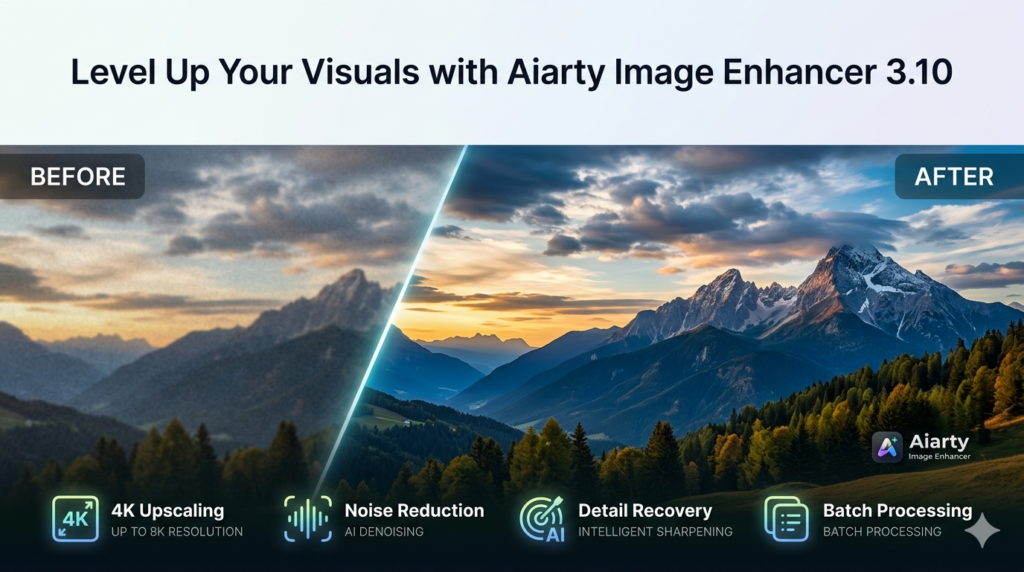
Aiarty Image Enhancer 3.10 is a cutting-edge generative AI image enhancement software designed to transform low-quality visuals into stunning, high-resolution masterpieces. In an era where visual content dominates, this tool addresses the critical need for image restoration, offering solutions for deblurring, denoising, sharpening, and intelligent upscaling.
Unlike traditional photo editors that rely on manual adjustments, Aiarty leverages advanced deep learning algorithms to analyze and reconstruct images. It doesn’t just stretch pixels; it intelligently generates realistic details where they are missing, making it possible to enlarge images to resolutions as high as 32K without sacrificing quality. This version, 3.10, continues to refine these capabilities, solidifying its position as a powerful tool for photographers, graphic designers, e-commerce professionals, and content creators.
Key Features
Aiarty Image Enhancer 3.10 is built on a foundation of sophisticated AI models. Its core features are designed to tackle the most common image quality issues with a single click.
-
AI-Powered Denoising: The software employs deep learning algorithms to effectively remove digital noise and grain from images. This process reconstructs smooth surfaces and sharpens edges, dramatically improving clarity and overall visual fidelity, especially in photos taken in low-light conditions.
-
Intelligent Deblurring: With a one-click solution, Aiarty tackles blurry, grainy, or pixelated images. It analyzes the motion blur or focus issues and intelligently reconstructs sharp lines and details, saving images that would otherwise be unusable.
-
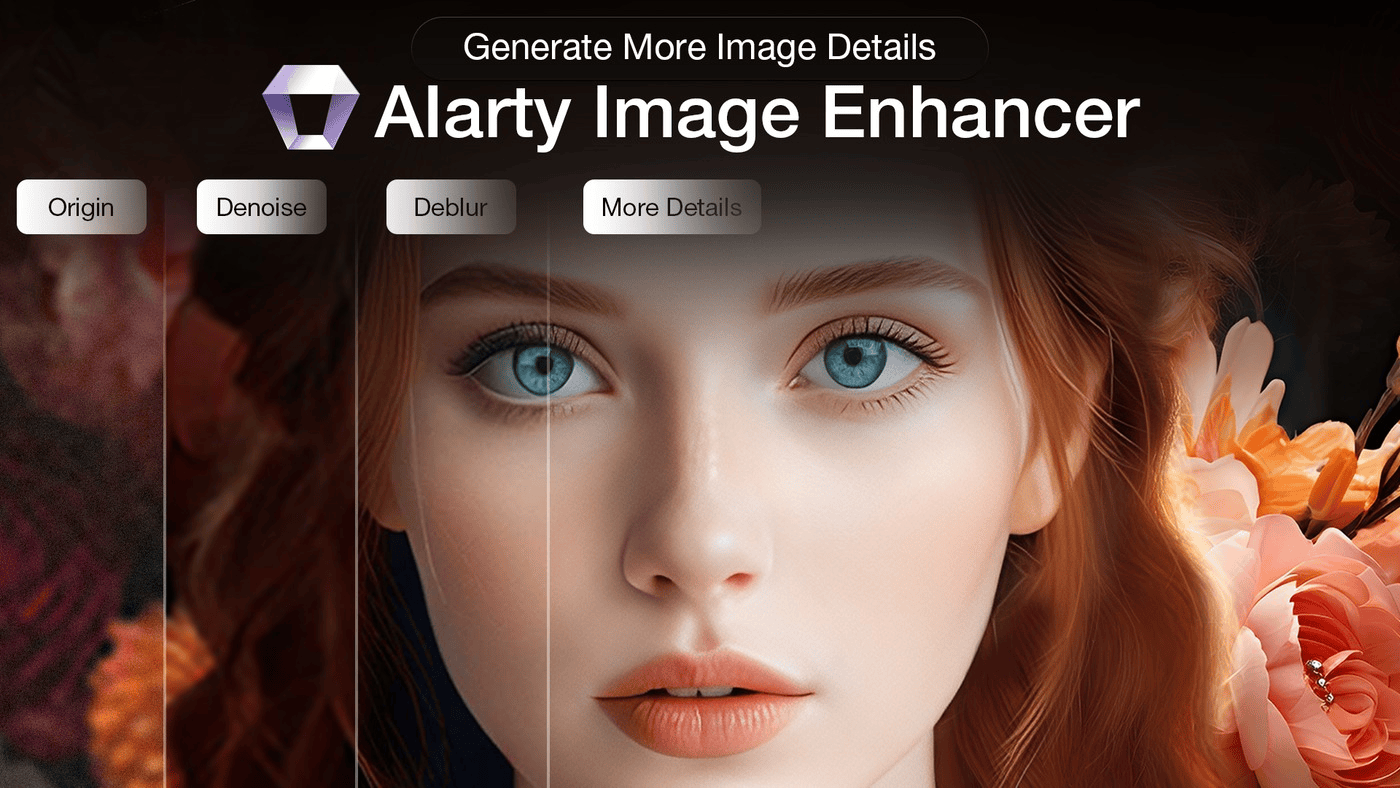
Generative Detail Enhancement: This is where the “generative AI” aspect truly shines. A specially trained AI model is dedicated to preserving and generating intricate details. It excels at recreating natural textures like skin pores, individual hairs, fabric weaves, and fine lines, ensuring the enhanced image remains realistic rather than artificially smooth.
-
Massive AI Upscaling: Go beyond standard resolution limits. Aiarty can upscale any image to stunning 4K, 8K, 10K, and even an industry-leading 32K resolution. This capability is crucial for large-format printing, digital billboards, and high-end video production where extreme detail is non-negotiable.
-
Three Specialized AI Models: Aiarty provides tailored solutions for different scenarios, ensuring optimal results without a one-size-fits-all approach.
-
More-detail GAN: Ideal for portraits, wildlife, and detailed textures. This model prioritizes generating sharpness and perceptual quality.
-
Smooth Diff: Perfect for images that need gentle restoration, such as landscapes or scanned documents. It preserves the original fidelity while flawlessly eliminating artifacts.
-
Real-Photo: Specifically optimized for photographs, this model balances deblurring, denoising, and detail recovery to restore old or poorly shot photos to their original glory.
-
-
Efficient Batch Processing: Designed for productivity, Aiarty supports batch processing capable of handling over 1000 images simultaneously. This makes it a scalable solution for businesses managing large product catalogs, real estate portfolios, or archival projects.
What’s New in Version 3.10
While building on a stable foundation, version 3.10 introduces refinements that enhance both performance and output quality.
-
Optimized AI Algorithms: The core AI models have been fine-tuned for faster processing speeds and improved accuracy in detail generation, particularly in complex textures and backgrounds.
-
Enhanced Batch Processing Stability: Improvements have been made to ensure the batch processing function runs more smoothly, reducing memory usage and preventing crashes when handling extremely large queues of high-resolution images.
-
Refined UI for Workflow: Minor user interface tweaks have been implemented to streamline the workflow, making it even easier to navigate between model selection, preview, and output settings.
System Requirements
Before installing, ensure your system meets the following requirements for optimal performance, especially for handling high-resolution upscaling.
Operating System:
-
Windows 11, 10 (64-bit only)
-
macOS 10.15 (Catalina) or later
Hardware:
-
Processor: Intel Core i5 or AMD Ryzen 5 equivalent or higher
-
RAM: 8 GB minimum (16 GB or more recommended for 32K upscaling)
-
Graphics: A dedicated GPU with 4GB+ VRAM is highly recommended for faster AI processing.
-
Storage: 1 GB of free hard disk space for installation; additional space for project files.
Installation Guide
Getting started with Aiarty Image Enhancer 3.10 is a straightforward process.
-
Download: Visit the official Aiarty website and download the installer for your operating system (Windows or macOS).
-
Run Installer: Locate the downloaded file (e.g.,
Aiarty_Image_Enhancer_Setup.exe) and double-click to run it. -
Follow Prompts: Follow the on-screen installation wizard. You can choose the installation directory and create desktop shortcuts.
-
Launch Application: Once the installation is complete, launch Aiarty Image Enhancer from your Start Menu or Applications folder.
-
Activate (Optional): If you have a license key, enter it in the registration window to unlock all features. Otherwise, you can use the trial version to test the software’s capabilities.
How to Use the Software
Aiarty Image Enhancer is designed for simplicity, allowing both professionals and beginners to achieve high-quality results in minutes.
-
Add Images: Click the “Add Images” button or drag and drop your files directly into the application window. You can add multiple files for batch processing.
-
Select an AI Model: In the settings panel, choose the AI model that best suits your image type.
-
Use More-detail GAN for portraits or complex textures.
-
Use Smooth Diff for landscapes or graphics that don’t require artificial detail.
-
Use Real-Photo for general photo restoration.
-
-
Choose Output Size: Select your desired scaling factor (e.g., 2x, 4x) or a target resolution (e.g., 4K, 8K, 32K).
-
Preview: Click the “Preview” button to see a side-by-side comparison of the original and enhanced image. This allows you to fine-tune your settings before final processing.
-
Export: Once satisfied, click “Run” or “Export All” to begin processing. The software will apply the AI enhancements and save the high-resolution output to your specified folder.
Best Use Cases
Aiarty Image Enhancer 3.10 is a versatile tool with applications across multiple industries and creative fields.
-
E-commerce Product Photography: Instantly enhance product images to make them crisp and professional. Upscale photos to show fine details like fabric texture or product stitching, increasing customer confidence and reducing return rates.
-
Portrait and Wedding Photography: Salvage slightly out-of-focus shots or reduce noise from high-ISO settings. The “More-detail GAN” model excels at enhancing skin, hair, and eyes for breathtaking, high-resolution prints.
-
Print and Publishing: Upscale low-resolution images to meet the high dpi requirements for magazines, billboards, and large-format prints without the need for costly reshoots.
-
Archival and Restoration: Breathe new life into old, scanned family photos. The denoise and deblur features can remove scanner artifacts and restore faded details, preserving memories in stunning clarity.
-
Game Asset and Texture Creation: Enhance and upscale textures for game development or modding, achieving higher fidelity visuals from original source materials.
Advantages and Limitations
Understanding the strengths and weaknesses of any tool is crucial for making an informed decision.
Advantages
-
Exceptional Upscaling: The ability to reach 32K resolution is a standout feature, surpassing most competitors.
-
Generative Detail: Instead of simply smoothing, the AI intelligently creates realistic details, particularly for skin and textures.
-
User-Friendly Interface: The one-click workflow and batch processing make it accessible to non-technical users.
-
Versatile Models: Having three distinct AI models ensures optimal results for a wider range of image types.
Limitations
-
Hardware Dependent: Performance, especially at higher upscales, relies heavily on having a modern, dedicated GPU.
-
Generative Artifacts: While powerful, the generative AI can occasionally introduce unexpected artifacts in very complex scenes, requiring a review of the output.
-
No Macros/Plugins: It functions as a standalone application; there is no plugin version for software like Adobe Photoshop or Lightroom, which might disrupt some professional workflows.
Alternatives to the Software
While Aiarty Image Enhancer is a powerful tool, several alternatives exist in the market, each with its own focus.
| Software | Key Focus | Best For |
|---|---|---|
| Topaz Gigapixel AI | Dedicated, high-quality upscaling. Known for detail preservation and a wide range of AI models. | Professionals needing the absolute best-in-class upscaling, often for large prints. |
| Adobe Photoshop | Industry-standard image editing with built-in “Super Resolution” in Camera Raw. | Users who already subscribe to Adobe Creative Cloud and need a comprehensive editing suite. |
| HitPaw Photo Enhancer | User-friendly interface with a focus on portrait enhancement and a wide variety of preset models. | Beginners or social media managers looking for a simple, all-in-one tool. |
| Let’s Enhance | A cloud-based solution that requires no software installation. | Teams or individuals who prefer a web-based workflow for occasional use. |
Frequently Asked Questions
Q1: What is the maximum resolution I can upscale to with Aiarty Image Enhancer 3.10?
A: Aiarty Image Enhancer supports upscaling to an impressive 32K resolution, making it suitable for the most demanding large-format printing and professional video production needs.
Q2: Is the software free to use?
A: The software is available for a free trial, which allows you to test its features and capabilities. To remove watermarks and unlock full functionality, including unlimited batch processing and all output formats, a paid license is required.
Q3: Which AI model should I use for enhancing a low-resolution portrait?
A: For portraits and images with fine details like skin, hair, and eyes, the More-detail GAN model is highly recommended. It is specifically trained to generate realistic, sharp details while effectively deblurring and denoising.
Q4: Does Aiarty Image Enhancer work on Mac?
A: Yes, Aiarty Image Enhancer 3.10 is compatible with macOS 10.15 (Catalina) and later versions, ensuring a smooth experience for Mac users.
Q5: Can I use this software for upscaling AI-generated art?
A: Absolutely. Aiarty is an excellent tool for refining AI-generated images. It can add fine detail, correct minor artifacts, and upscale the artwork to print-ready resolutions.
Q6: Does it support batch processing for a large number of images?
A: Yes, a key feature is its efficient batch processing capability, which is designed to handle over 1000 images simultaneously, making it ideal for high-volume business workflows.
Q7: What file formats can I export?
A: Aiarty Image Enhancer supports exporting to common image formats, including JPG, PNG, and TIFF, giving you flexibility for web use, editing, or archival storage.
Q8: Will using this software slow down my computer?
A: Processing is hardware-intensive, especially when upscaling to 4K and above. A computer with a dedicated GPU (graphics card) and sufficient RAM will perform the tasks much faster. You can continue using your computer for other light tasks while processing in the background.
Final Thoughts
Aiarty Image Enhancer 3.10 stands out in the crowded field of AI image enhancement by offering a compelling blend of raw power and user-friendly design. Its unique strength lies in its ability to not only upscale images to staggering resolutions but to intelligently generate the missing details that make an image look truly authentic.
While it demands a capable system to fully leverage its 32K upscaling, the results for photographers, e-commerce businesses, and digital artists are undeniable. By providing three specialized AI models, it ensures versatility across different use cases. For anyone looking to salvage low-quality images or push their creative projects to the highest possible resolution, Aiarty Image Enhancer 3.10 is a robust and legally safe investment.
Premium Software Support Service
If you need professional help with software installation, setup, or technical configuration, our team is available to assist you.
Contact & Support
For quick assistance and latest updates, connect with us using the links below:
🔹 Direct Telegram Support
https://t.me/PlayoutKing
🔹 Official Telegram Updates Group
https://t.me/yourgroup
Service Policy
- Remote testing available through AnyDesk before confirmation.
• Verify the setup and performance before completing the order.
• Support available for single or multiple systems.
• Step-by-step guidance to ensure smooth installation and working environment.
Our goal is to provide reliable technical assistance so your software runs smoothly without interruptions.