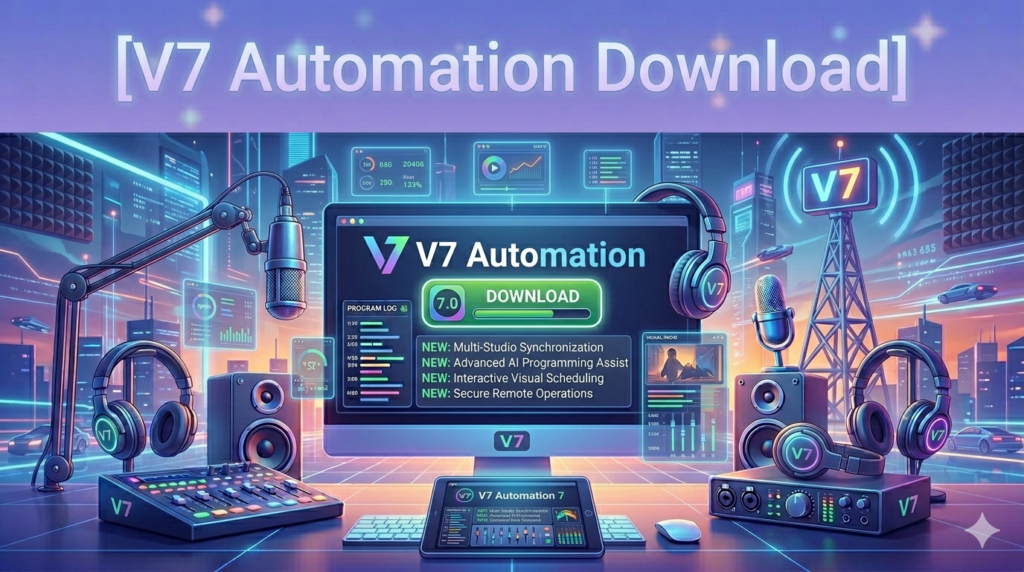


Download V7 Automation Software (Comprehensive Guide to Features), Setup, and Use Cases from this link…

Overview of V7 Automation
Table of Contents
In the fast-paced world of radio broadcasting, maintaining a seamless listener experience while managing complex playlists, live segments, and commercial breaks is a significant challenge. V7 Automation software addresses these demands by providing a robust, all-in-one solution designed to streamline radio station operations.
This platform serves as a centralized hub for broadcast management, combining an intuitive user interface with powerful backend algorithms. It is engineered to reduce manual workload, minimize the risk of dead air, and provide broadcasters with the tools needed to deliver a polished and professional broadcast. Whether you are managing a small community station or a large-scale commercial network, V7 Automation offers a scalable foundation for modern radio broadcasting.
Key Features
V7 Automation is built around a core set of features that prioritize operational efficiency and audio quality. Below is an analysis of its primary functional components.
-
Intuitive User Interface: The software is designed with a focus on usability. Its dashboard provides a clear overview of current playout, upcoming tracks, and system status, significantly reducing the learning curve for new operators.
-
Dynamic Playlist Management: At the heart of the system is a sophisticated scheduling engine. It allows broadcasters to create rules-based playlists that automatically rotate content based on criteria such as artist separation, genre, time of day, and song tempo.
-
Seamless Live Broadcasting: V7 Automation excels at integrating live content with automated schedules. Operators can switch between pre-scheduled automation and live input (microphones or external mixers) with a single click, ensuring smooth transitions.
-
Advanced Monitoring & Reporting: The platform includes real-time analytics tools that track listener counts, song rotation compliance, and advertising spot delivery. These insights are crucial for making data-driven programming decisions.
-
Ad Insertion & Monetization: The software features a dedicated traffic and billing module that automates the scheduling of commercials. It ensures that advertising spots are played at the correct times and in the correct order, maximizing revenue potential.
-
Multi-Platform Broadcasting: It supports simultaneous streaming to multiple platforms and formats, ensuring that a station’s content is accessible on FM transmitters, web streams, and mobile apps without requiring separate management tools.
What’s New in the Latest Version
While specific version numbers evolve, recent updates to the V7 Automation ecosystem have focused on enhancing stability, security, and remote accessibility.
-
Cloud-Based Management: Newer iterations introduce cloud synchronization, allowing station managers to update playlists, import music, and monitor broadcasts remotely without needing to be physically present in the studio.
-
Enhanced Audio Processing: Updates often include refined audio codec support and sound processing plugins, ensuring that broadcasts maintain high fidelity across FM, HD Radio, and online streams.
-
Improved Database Security: The latest versions incorporate stronger database encryption and automated backup features to protect against data loss, ensuring that music libraries and schedules are safeguarded.
-
Simplified License Management: The software now features a more streamlined licensing activation process, allowing for easier installation and transfers between studio machines while remaining fully compliant with licensing agreements.
System Requirements
To run V7 Automation effectively, your broadcast hardware should meet the following recommended specifications. These ensure stable performance, especially during live broadcasts.
| Component | Recommended Specification |
|---|---|
| Operating System | Windows 10 Pro / Windows 11 Pro (64-bit) |
| Processor | Intel Core i5 (6th generation or newer) or AMD equivalent |
| RAM | 8 GB (16 GB recommended for larger music libraries) |
| Storage | 256 GB SSD for OS and software; additional HDD/SSD for audio library |
| Audio Hardware | Professional sound card or USB audio interface with ASIO drivers |
| Network | Stable broadband internet connection for streaming and updates |
| Additional | Second monitor recommended for playlist management and live assist |
Installation Guide
Proper installation is critical for system stability. Follow these steps for a compliant and functional setup.
-
Backup Existing Data: If this is an upgrade or migration, ensure all music files, playlists, and scheduling data are backed up to an external drive.
-
Download the Installer: Obtain the official installation package from the authorized V7 Automation website or your licensed distributor. Always use official sources to ensure software integrity.
-
Disable Antivirus Temporarily: To prevent installation conflicts, temporarily disable real-time antivirus scanning. Re-enable it immediately after installation.
-
Run as Administrator: Right-click the installer file and select “Run as Administrator” to grant necessary permissions.
-
Follow the Setup Wizard:
-
Accept the End User License Agreement (EULA).
-
Choose the installation directory (default is recommended).
-
Select components (e.g., “Full Installation” for a main studio PC or “Remote Client” for a newsroom PC).
-
-
Activate the Software: Upon first launch, enter your valid license key. This authenticates your copy and unlocks all features. Activation requires an internet connection.
-
Configure Audio Devices: Navigate to the settings menu to map the software’s output channels (e.g., Program, Preview, Microphone) to the correct audio interface inputs/outputs.
How to Use the Software
V7 Automation is designed to operate in three primary modes. Understanding these modes is key to mastering the workflow.
1. Manual (Live Assist) Mode
In this mode, the operator has full control.
-
Importing Tracks: Drag and drop audio files (MP3, WAV, AAC) from your library into the “Playlist” window.
-
Cueing: Select a track and click the “Cue” button to load it into the player. This allows the operator to set the start point without playing it on air.
-
Playing: Click “Play” to start the selected track. Use crossfaders to blend the end of one song into the beginning of the next for a smooth transition.
2. Automatic (Scheduler) Mode
This mode is used for unattended broadcasting.
-
Creating a Schedule: Go to the “Scheduler” tab. Right-click on a time slot to add an event.
-
Setting Events: Events can be “Play File” (a specific song or jingle), “Run Script” (a set of rules), or “Load Playlist” (a pre-made block of content).
-
Importing Music: Use the “Music Database” tool to scan folders. The software analyzes the BPM, key, and intro/outro times of tracks to facilitate smooth automated mixing.
3. Voice Tracking
This feature allows presenters to record their voice segments for shows that will air later.
-
Select the playlist segment you wish to voice-track.
-
Click the “Voice Track” button.
-
Speak into the microphone as the software plays the intro of the next song in your headphones.
-
The software saves the audio and automatically places it between songs in the schedule.
Best Use Cases
V7 Automation is a versatile platform suited for various broadcasting scenarios:
-
24/7 Fully Automated Stations: For stations that run without a live DJ (e.g., during overnight hours or for music-only formats), the scheduler ensures continuous, legal, and compliant playout.
-
Live-Assist Radio: DJs can use the “Live Assist” mode to manage song requests, take calls, and control the flow of music in real-time while the software handles the hard cuts and sound processing.
-
Internet Radio & Podcast Networks: Because of its multi-platform streaming capabilities, it is an excellent choice for internet broadcasters looking for professional-level scheduling and monetization features similar to terrestrial radio.
-
Corporate & Retail Audio: Beyond traditional radio, businesses use V7 Automation to manage background music systems, corporate audio networks, and pre-recorded announcements with precise scheduling.
Advantages and Limitations
Advantages
-
Stability: Renowned for its ability to run for weeks without crashing, crucial for 24/7 operations.
-
Comprehensive Feature Set: Combines music scheduling, playout, and traffic/billing in one suite, reducing the need for third-party plugins.
-
Flexible Audio Support: Supports a wide range of audio formats and professional sound cards.
-
Scalability: Works for small setups as well as large networks with multiple studios and satellite locations.
Limitations
-
Windows Dependency: The software is designed exclusively for the Windows ecosystem, which may be a drawback for studios using macOS or Linux servers.
-
Learning Curve for Advanced Features: While the basic interface is intuitive, mastering the database management, complex scheduling rules, and SQL reporting requires dedicated training.
-
Cost: As a professional broadcast solution, the licensing model may be cost-prohibitive for hobbyists or very small community projects compared to open-source alternatives.
Alternatives to the Software
If V7 Automation does not align with your specific technical or budgetary requirements, consider these alternatives:
| Software | Primary Focus | Key Differentiator |
|---|---|---|
| RadioDJ | Free Radio Automation | A popular open-source alternative with a strong community, though it requires more technical setup. |
| Airtime Pro | Cloud-Based Automation | A subscription-based, fully cloud-hosted solution that is ideal for internet radio stations. |
| StationPlaylist | Studio Playout | A strong competitor focused on the live-assist DJ experience with a clean, simple interface. |
| Zetta | Enterprise Automation | A high-end solution (by RCS) designed for large media groups requiring complex traffic and billing integrations. |
Frequently Asked Questions
1. Can V7 Automation be used for internet radio only, or does it require a physical FM transmitter?
The software is designed to be hardware-agnostic. It can be used exclusively for internet radio by routing the output stream to an encoding software like BUTT or an Icecast/Shoutcast server without needing any FM hardware.
2. Does the software support remote voice tracking?
Yes, V7 Automation supports remote voice tracking. Modern versions allow presenters to log in via a remote connection, view the playlist for their timeslot, record their breaks, and upload them to the main studio server for automated playback.
3. Is it possible to integrate a live phone system (call screener) with V7 Automation?
Yes. It integrates with professional broadcast phone systems via hardware interfaces. This allows the software to automatically trigger a “phone” channel, mute the music, and apply a specific audio mix for callers on-air.
4. How does the software ensure compliance with music licensing regulations?
The software logs every song and advertisement played. Station managers can export these logs (typically in CSV or PDF format) to submit to Performing Rights Organizations (PROs) like ASCAP, BMI, or SOCAN to ensure proper royalty payments.
5. What is the primary difference between the “Standard” and “Professional” editions?
The “Professional” edition typically includes advanced features such as satellite syndication support, multiple audio outputs for separate recording streams, and more sophisticated traffic and billing modules for handling advertising inventory.
Final Thoughts
V7 Automation software stands as a pillar of reliability in the broadcast industry, offering a mature ecosystem that balances the need for automated efficiency with the flexibility required for creative live shows. Its strength lies in its ability to reduce human error—preventing dead air and ensuring advertisers get the airtime they paid for—while providing the tools needed to adapt to a multi-platform media landscape.
By investing in this type of professional software, broadcasters are not just purchasing a piece of software; they are securing a stable infrastructure that supports content creation, audience engagement, and revenue generation. As the radio industry continues to evolve with streaming and on-demand content, V7 Automation provides the scalable backbone necessary to meet these new challenges head-on.
Premium Software Support Service
If you need professional help with software installation, setup, or technical configuration, our team is available to assist you.
Contact & Support
For quick assistance and latest updates, connect with us using the links below:
🔹 Direct Telegram Support
https://t.me/PlayoutKing
🔹 Official Telegram Updates Group
https://t.me/yourgroup
Service Policy
- Remote testing available through AnyDesk before confirmation.
• Verify the setup and performance before completing the order.
• Support available for single or multiple systems.
• Step-by-step guidance to ensure smooth installation and working environment.
Our goal is to provide reliable technical assistance so your software runs smoothly without interruptions.