
Overview of RIB Candy
Table of Contents
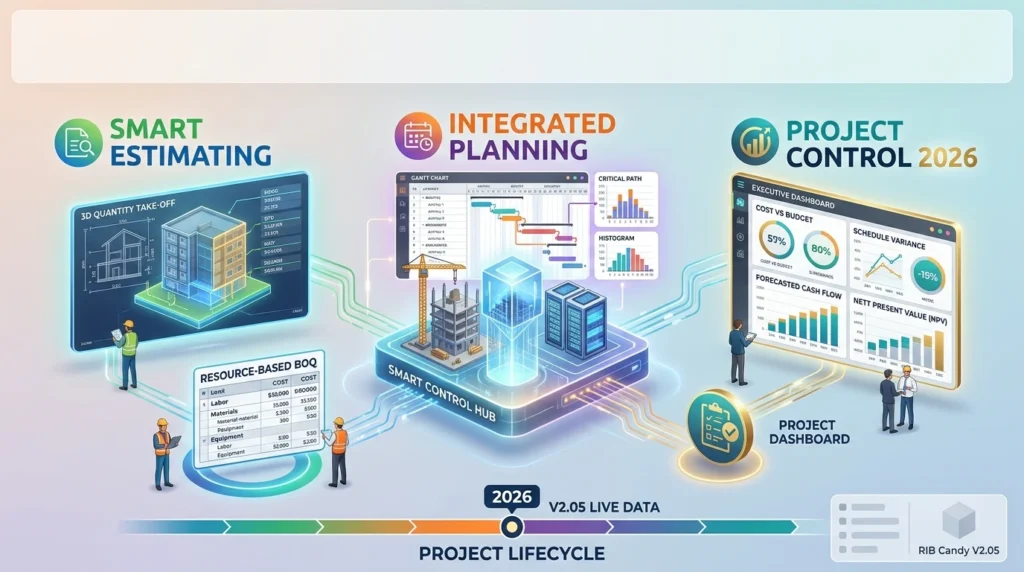
RIB Candy is not a single-purpose tool. It is a modular construction project management platform that follows a project from tender stage to final certificate. The core workflow links three data sets that are often kept separate in other systems: quantities, costs, and time.
At its foundation, Candy uses First Principles Resource-Based Estimating. This means costs are built from labour, materials, and plant inputs rather than from historical rates alone. The resulting estimate can flow directly into planning, procurement, and site valuation without re-keying data.
The software is available in two deployment models: a traditional desktop licence for on-premise or LAN installation, and Candy Cloud, a fully managed Desktop-as-a-Service option hosted on Microsoft Azure or Amazon AWS. The cloud version removes the need for local hardware and allows single or multi-user access from any location.
Key Features
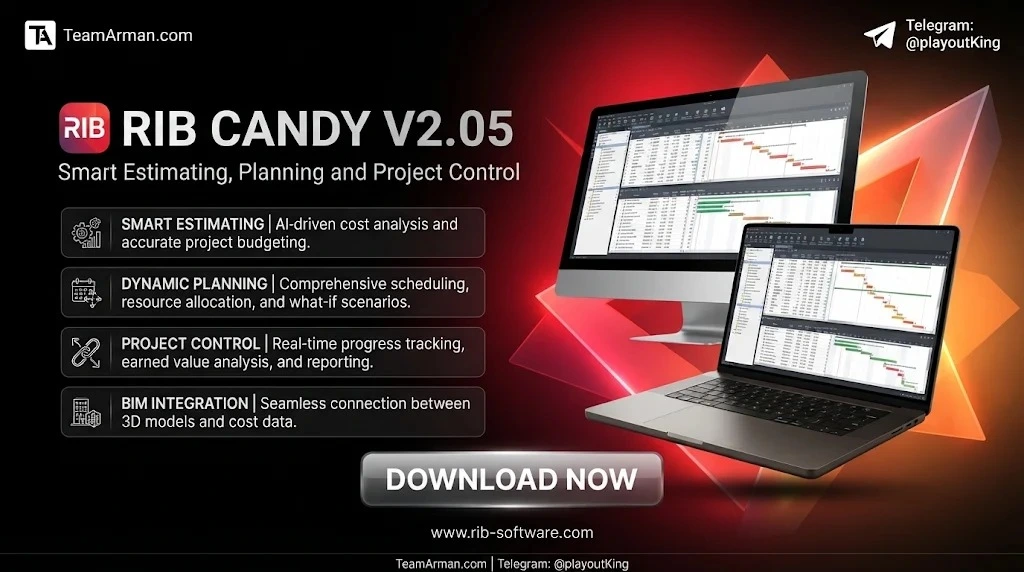
RIB Candy V2.05 includes a suite of integrated modules designed for contractors, estimators, quantity surveyors, and project controls professionals.
Quantity Takeoff (QTO)
The QTO module provides an on-screen takeoff solution for extracting quantities from 2D drawings and compiling Bills of Quantities electronically. Because takeoff data is fully integrated with estimating and project controls, the quantities become the single source of truth for progress measurement and final account valuations.
Estimating
Candy’s estimating engine supports first-principles resource-based pricing with manual rate entry or Excel imports. It generates tender and resource analysis data that flows from bid stage into project execution. The software supports multiple tender versions, production coding, and resource libraries, which helps estimators maintain consistency across bids.
Planning and Scheduling
The planning module uses a critical path network designed for the built environment. It links time and money, allowing users to view cost-loaded schedules, resource histograms, and cash flow projections from the same data set. The planning tools are built to be usable by non-planners as well as professional schedulers.
Forecasting
Candy’s forecasting module combines the estimate, valuation data, and time schedule to produce quantity, value, and resource forecasts. A distinctive capability is the ability to allocate BOQ items to one or many activities and specify the proportion assigned to each, which supports feasibility analysis and progress monitoring.
Cash Flow Analysis
The cash flow module builds a financial model of the project drawing from both the estimate and the programme. Users can test variations such as payment delays, retentions, and cost closure dates, and include the latest bid figures as they become available.
Valuations and Subcontract Management
Candy maintains continuity between estimating and post-tender commercial control. The valuations module gives the project team access to estimate information for variation and final account management, including budget/allowable comparisons, over/under claim insight, and cost-to-complete reporting. Subcontractor monitoring and adjudication tools are integrated into the same workflow.
What’s New in the Latest Version (V2.05)
RIB Software maintains Candy through regular version updates rather than annual rebranding cycles. The V2.05 designation reflects the current release track for the desktop and cloud environments. While RIB does not publish a public changelog for every point release, the 2025–2026 product direction has focused on several areas:
-
Cloud and remote access improvements: Candy Cloud is available on both Microsoft Azure and Amazon AWS, with a managed Desktop-as-a-Service architecture intended for distributed teams.
-
Continued integration with BuildSmart and Connect: The broader RIB ecosystem links Candy’s estimating and project control data with procurement and accounting workflows.
-
Evolving QTO and 2D takeoff capabilities: On-screen takeoff from 2D drawings remains a core focus, with tighter integration between takeoff quantities and downstream estimate line items.
For a definitive list of changes in a specific V2.05 build, existing customers should consult the release notes provided through the RIB client portal or contact their local support office. RIB also offers a 14-day free trial of the evaluation version for teams assessing the software.
System Requirements
RIB Candy is a Windows-compatible application. Exact hardware specifications depend on whether the software is installed as a single-user desktop, a network workstation, or accessed through Candy Cloud.
Desktop and Network Installation
-
Operating system: Windows (the installer is a Windows-compatible executable, approximately 10 MB compressed).
-
Deployment: The licence can be installed on a local area network (LAN) to make it available to multiple users. A network installation involves setting up a Candy Application Server and configuring data location permissions.
-
PDF output: The Candy PDF Writer should be installed only after Candy has been run at least once, per RIB’s installation guidance.
Candy Cloud
The hosted deployment removes local hardware constraints. RIB states that Candy Cloud requires no special hardware requirements and provides high levels of data security and privacy through its Azure or AWS infrastructure.
For detailed network configuration, file system permissions, and IT administrator guidance, RIB publishes a Candy Network Installation for System Administrators document and a Candy File System Mechanism and Requirements paper.
Installation Guide
The installation process differs depending on whether you are deploying on-premise or using the cloud service.
On-Premise or Network Installation
-
Download the installer from the RIB client resources page or the Candy website. The installation file is a compressed Windows executable.
-
Run the installer on the target workstation or server.
-
Configure the application server if deploying on a LAN, so that the licence and shared data are available to multiple users.
-
Set folder access rights according to the Candy File System Mechanism guidance to ensure that all users can read and write to the required data directories.
-
Install the PDF Writer only after Candy has been launched successfully at least once.
-
Load the demonstration job if desired: in the Job Manager, select Job > Recover job(s) > from Folder and browse to the downloaded demo file.
Candy Cloud
Cloud deployment is managed by RIB. Users access Candy through a hosted Desktop-as-a-Service environment on Azure or AWS, with no local installation of the core application required. RIB provides onboarding and licence configuration for cloud customers as part of the service agreement.
How to Use the Software
RIB Candy is designed around a connected workflow rather than isolated tasks. The following sequence reflects the typical project lifecycle.
Step 1: Compile Quantities with QTO
Start by extracting quantities from 2D drawings using the Quantity Takeoff module. The output is an electronic Bill of Quantities linked to the estimate.
Step 2: Build the Estimate
Price the BOQ using first-principles resource-based estimating. Enter labour, material, and plant rates manually, or import pricing data from Excel. The resource library and production coding tools help maintain consistency across tender items.
Step 3: Link the Programme to the Estimate
Build a critical path schedule and allocate BOQ items to activities. Candy allows one item to be split across multiple activities, with specified proportions, so that time and cost are genuinely linked.
Step 4: Forecast and Model Cash Flow
Use the forecasting and cash flow modules to project quantities, values, and resource requirements over the programme. Test variations such as retention, payment delays, and bid adjustments to understand financial exposure.
Step 5: Control the Project Post-Tender
During construction, use the valuations and subcontract management modules to track progress against the estimate, manage variations, monitor over/under claims, and produce cost-to-complete reporting.
User reviews consistently note that the software becomes significantly more efficient once a master database and resource library are established. New users should expect a learning curve, but RIB provides accredited training and 24/7 support to shorten it.
Best Use Cases
RIB Candy is best suited to contractor-side estimating and project control, rather than owner-side project management or accounting.
Ideal Scenarios
-
Tendering for complex civil and building projects: The combination of QTO, first-principles estimating, and multiple tender versions supports repeatable BOQ structures and controlled scope changes.
-
Projects requiring a linked BOQ and programme: Candy’s ability to allocate BOQ items to activities and produce cost-loaded schedules is a differentiator for progress monitoring and earned value analysis.
-
Organisations transitioning from Excel-based estimating: Estimators report that Candy is faster than Excel once the master resource file is in place and shared across the team.
-
Contractors needing post-tender commercial control: The valuations module extends the estimate into variation management and final account preparation without re-keying data.
Where Candy May Not Fit
Candy is an estimating and project control tool, not a general ledger accounting system. It also has limited native support for collaborative remote workflows outside the Candy Cloud environment, and some users report that the interface and post-tender tools feel dated compared with newer cloud-native platforms.
Advantages and Limitations
Advantages
-
Integrated data model: Quantities, estimate, programme, cash flow, and valuations share one data environment, reducing duplication and reconciliation effort.
-
First-principles estimating strength: Candy is widely regarded as a strong tool for resource-based pricing, particularly for complex civil and building work.
-
Established industry adoption: Decades of use in construction means many estimators and quantity surveyors are already familiar with the Candy workflow, simplifying onboarding across teams.
-
Support and training: RIB provides 24/7 support and accredited training courses, and the vendor is responsive to user feedback.
Limitations
-
Interface and usability: Multiple reviewers describe the interface as outdated and post-tender navigation as cumbersome, with a noticeable learning curve for new users.
-
Remote collaboration: Users in large, distributed organisations report that remote desktop and cloud collaboration have not fully met their security or interface requirements, and network master libraries can be unstable on cloud storage.
-
No public pricing: RIB does not publish a standard price list; pricing is quote-based and depends on single-user versus multi-user licensing and deployment model.
-
Accounting integration gap: Candy is not an accounting system, so organisations still need a separate financial platform for statutory accounting and e-invoicing.
Alternatives to RIB Candy
The 2026 construction software market offers several alternatives, each with a different centre of gravity.
PlanSwift (by ConstructConnect)
PlanSwift is a takeoff and estimating tool known for an intuitive interface for users familiar with blueprints. It is often positioned as easier to learn than Candy, but it does not provide the same depth of integrated planning and post-tender project control.
Procore
Procore is a broad cloud-based construction management platform covering project management, quality, safety, and financials. It is stronger than Candy in field collaboration and owner/developer workflows but is not built around first-principles estimating in the same way.
Autodesk Construction Cloud (including Autodesk Build)
Autodesk Construction Cloud combines design and construction data in a connected environment. It is a natural fit for organisations already using Autodesk design tools, but its estimating depth is generally considered less specialised than Candy’s resource-based approach.
Buildertrend and Contractor Foreman
These platforms target residential and light commercial builders with all-in-one project management and estimating at lower price points. They are not direct substitutes for Candy’s civil and heavy construction estimating depth.
Sage Estimating and Explorer Eclipse
Sage Estimating and Explorer Eclipse appear in comparison sets with Candy for estimating and job costing. Explorer Eclipse lists a starting price around $200 per month, comparable to Candy’s publicly listed entry point on Capterra.
The right alternative depends on whether the priority is estimating depth and BOQ linkage (where Candy remains competitive) or cloud collaboration, interface modernity, and field mobility (where newer platforms have an advantage).
Frequently Asked Questions
Is RIB Candy suitable for small construction businesses?
Candy is primarily designed for contractor organisations with dedicated estimating and project controls functions. Small residential builders may find lighter tools such as Buildertrend or Contractor Foreman more proportionate to their workflow and budget. However, smaller civil contractors with complex BOQ structures can still benefit from Candy’s estimating depth.
How much does RIB Candy cost in 2026?
RIB does not publish a fixed price list. Pricing is quote-based and depends on whether you need a single-user or multi-user licence, and whether you choose desktop or Candy Cloud deployment. Capterra lists a starting price of US$200 per month for reference, and a 14-day free trial is available for evaluation.
Does RIB Candy work on Mac or mobile devices?
The desktop application is Windows-compatible. However, Candy Cloud is a hosted Desktop-as-a-Service solution that can be accessed from any location or device with an internet connection, which provides indirect access from Mac, tablet, or Chromebook environments.
Can I use RIB Candy without an internet connection?
Yes, the on-premise desktop or LAN installation runs locally and does not require continuous internet access. Candy Cloud, by contrast, requires an internet connection because the application is hosted on Azure or AWS.
How does Candy compare with Excel for estimating?
Estimators who use Candy consistently report that it is faster and more accurate than Excel once the master resource file and libraries are established and shared across the team. The trade-off is the initial setup effort required to build the resource database and learn the software’s workflow.
Does RIB Candy integrate with accounting software?
Candy is not an accounting system, but it is designed to integrate with related platforms. In the RIB ecosystem, Candy connects with BuildSmart for procurement and accounts workflows, enabling cost-versus-allowable control across estimating and site operations.
Is there a free version of RIB Candy?
RIB offers a free evaluation version and a 14-day free trial for prospective customers. There is no permanently free tier. Educational licences are available for full-time students and eligible lecturers through RIB’s university programme.
What training is available for new Candy users?
RIB provides accredited training courses in various locations, along with manuals for individual modules. Support is available 24/7 by phone, chat, and remote services, and the support staff are construction professionals rather than generalist help-desk agents.
Final Thoughts
RIB Candy V2.05 remains a serious estimating and project control tool for contractor organisations that need to link quantities, costs, and time in a single data environment. Its strengths are in first-principles estimating, BOQ-to-programme integration, and post-tender commercial control—areas where many general-purpose construction platforms are thinner.
The software is not without friction. Reviewers consistently point to an ageing interface, a learning curve, and collaboration limitations outside the cloud deployment. Organisations evaluating Candy in 2026 should weigh those usability factors against the depth of its estimating and project control functionality, and should take advantage of the free trial and structured training to assess fit before committing to a licence.
For contractors whose core challenge is pricing complex work accurately and controlling it from tender to final account, Candy remains a relevant and capable platform in the 2026 software landscape. For teams whose priority is cloud-native collaboration or residential-scale simplicity, the alternatives discussed above may offer a better day-to-day experience.
Our Paid Service
“We do not sell or provide any software. We only offer professional support services. If any software on your system is not working properly, or you are facing installation errors, crashes, or any other technical issue — just contact us. We will help you fix the problem quickly and remotely via AnyDesk. No software will be provided from our side — only expert troubleshooting and support.”