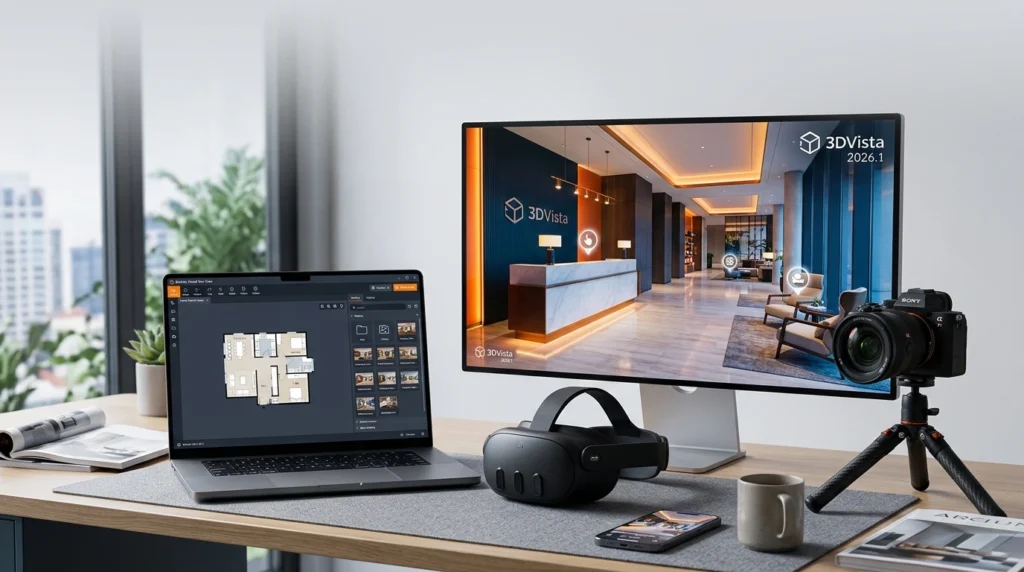

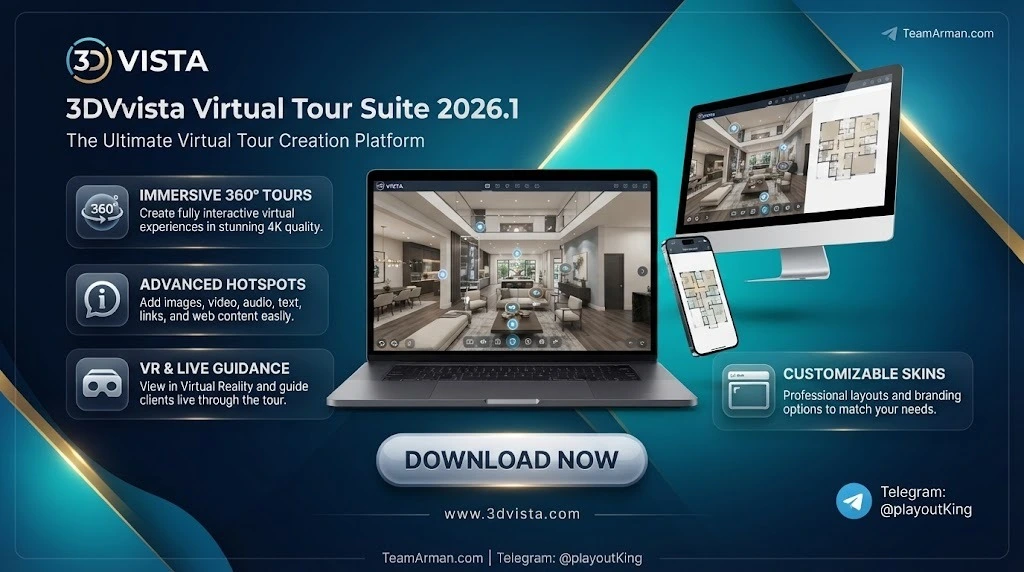
Overview of 3DVista Virtual Tour Suite
Table of Contents
3DVista Virtual Tour Suite is developed by 3DVista, a company focused exclusively on virtual tour software. The suite is available in two primary editions: the Standard version (€199, one-time) and Virtual Tour Pro (€499, one-time). Both are perpetual licenses; the Pro edition adds unlimited tours, advanced hotspot logic, e-learning features, and the bundled Stitcher 4 application for high-quality panorama assembly.
The software occupies a distinct position in the virtual tour market. Cloud platforms such as Kuula and CloudPano meter publishing by subscription, and a tour disappears when payment stops. 3DVista meters nothing: tours are exported as files, can be hosted on any web server or LMS, and remain functional indefinitely. This makes it a preferred choice for agencies, educators, and facility teams that need durable, offline-capable, and fully branded experiences.
The toolset covers hotspots, 360° video, floor plans, adaptive HDK, live guided tours, VR deployment, e-learning scoring, and multilingual content. Tours play in any modern browser on desktop, mobile, and tablet without plugins or special drivers. Dedicated VR apps extend the same content to Meta Quest, Pico, and HTC headsets via a published folder and a free companion app.
Key Features
Interactive hotspot system. Hotspots can carry images, text, video, audio, web frames, and custom actions. The hotspot editor works in the actual spherical environment, so placement matches what the viewer sees. Image-based hotspots allow clickable objects within a panorama rather than generic markers.
Multi-format media support. The suite handles standard panoramas, 360° video, stereo 360° (3D) video, 3D models (GLB/GLTF), and Gaussian Splatting models (PLY, SOG) in the 3D tab. Audio sources include standard files, MP4 audio, and ambisonic audio.
Skin and interface customization. The skin editor gives full control over the tour’s visual layer—containers, viewers, titles, buttons, and popups—without writing code from scratch. The 2026.1 update adds Background Blur options for skins and popups, allowing content behind overlays to be softly defocused for cleaner visual hierarchy.
VR and offline deployment. Tours can be published for browser viewing, embedded in websites, or exported to VR device folders for offline playback through the 3DVista VR app on Quest, Pico, and HTC hardware.
E-learning and LMS integration. Question cards, scores, badges, report windows, and timeout controls are built into the tour logic. 3DVista supports automatic LMS integration, making it suitable for compliance training and onboarding programs.
Automatic panorama connection. The “Connect Panoramas” feature uses visual recognition to detect spatial relationships between images and auto-creates horizon-level or floor-level hotspots. It works on selections of five or more panoramas and substantially reduces manual linking time on large projects.
What’s New in 2026.1
The 2026.1 update is focused on audio realism, Mac performance, and visual polish.
Ambisonic audio and spatial audio options. Ambisonic audio is a 360° sound format that carries directional information around the listener. 2026.1 adds support for importing ambisonic audio as a source and for 360° videos that contain ambisonic audio tracks. Spatial Audio options for video hotspots and panorama audio let individual sounds behave as positioned elements within the scene rather than flat background playback. The implementation supports First-Order Ambisonics (FOA), the most common ambisonic format; higher-order formats are not supported.
Native Apple Silicon support. Version 2026.1 runs natively on Macs with Apple Silicon chips (arm64 architecture), removing the performance overhead of running through translation layers. This is the headline upgrade for Mac-based production teams working with large panorama sets or 360° video.
Background Blur for skins and popups. Designers can now apply blur to the background behind skin elements and popup windows, improving readability and visual separation without opaque overlays.
MP4 as an audio source. MP4 files are now accepted as audio input, simplifying workflows where audio is delivered in video containers.
For projects that already contain 360° videos, applying the new ambisonic processing may require clearing the project cache so the videos are reprocessed with the updated audio pipeline.
System Requirements
3DVista Virtual Tour Suite runs on Windows and macOS. The developer’s guidance has remained consistent across recent versions, and 2026.1 does not introduce a higher baseline.
Windows: Windows 10 or Windows 11 (64-bit). The installer is an EXE package for x64 architecture.
macOS: macOS 11 (Big Sur) or newer is recommended for the 2026.1 generation. Native Apple Silicon support requires an M-series Mac; Intel Macs remain supported.
Hardware (both platforms): 8 GB RAM minimum, 16 GB strongly recommended. Intel Core i5 minimum; i7 or equivalent recommended. An SSD improves project loading and caching performance, particularly with large 360° video files. A dedicated GPU is not a strict requirement for authoring, but VR playback performance depends on the headset’s own hardware.
A 30-day full-feature trial is available from the developer’s website, so hardware compatibility can be verified before purchase.
Installation Guide
Step 1 — Obtain the installer. Download the 2026.1 installer from the official 3DVista website or retrieve it through the WinGet package 3DVista.VirtualTour on Windows. The trial and licensed versions use the same installer; licensing is applied after installation.
Step 2 — Run the installer. On Windows, the package is a standard NSIS EXE. A silent install switch (/S) is available for managed deployments. On macOS, mount the disk image and drag the application to the Applications folder.
Step 3 — Activate the license. Enter the license key on first launch. The Pro edition includes Stitcher 4 and one year of upgrades; the Standard edition covers core tour authoring.
Step 4 — Optional: install the VR companion app. For headset playback, install the free 3DVista VR app from the Meta Quest, Pico, or HTC store, then transfer published tour folders to the device.
Step 5 — Verify the environment. Open a sample project or the trial content and preview a tour in the default browser to confirm that WebGL, audio, and video playback function correctly. If 360° videos were created in an earlier version, clear the project cache after upgrading to 2026.1 so ambisonic processing is applied.
How to Use the Software
The 3DVista workflow follows a project-based structure: import media, arrange scenes, build the interface, add interactions, and publish.
Create a project and import panoramas. From the launch screen, choose “New project +,” select a skin template (for example, Basic → Empty), and import panorama images through “Import Panorama”. The bundled Stitcher 4 can assemble RAW or bracketed photos into finished equirectangular panoramas before import.
Set panorama order and scene names. In the Project → PlayList tab, drag panoramas into the intended sequence and confirm that each scene is included in the playlist. Scene titles are set in Panorama Settings and can be dynamic in the skin.
Build or customize the skin. The skin is the tour’s interface layer. Use containers, a web frame, title elements, and navigation buttons to control layout. The skin editor exposes size, position, alignment, opacity, and layout behavior for each element. Background Blur (new in 2026.1) can be applied to skins and popups from the style controls.
Add hotspots and interactions. Open a panorama, switch to Hotspots, and place image, text, video, audio, or web-frame hotspots in the spherical view. Each hotspot can trigger actions such as opening a panorama, showing a component, playing media, or executing JavaScript. For projects with many interconnected panoramas, use “Connect Panoramas” to auto-generate links between five or more selected scenes.
Preview and publish. Preview in the internal viewer or in a browser to test navigation, media playback, and hotspot behavior. Publishing exports a self-contained folder that can be uploaded to a web server, embedded via iframe, delivered through an LMS, or copied to a VR headset for offline playback.
Best Use Cases
Real estate and architecture. 3DVista produces branded, self-hosted property tours with floor plans, hotspot details, and optional 3D model overlays. The perpetual license suits agencies that publish many tours per year and want to avoid per-tour hosting fees.
Training and onboarding. E-learning question cards, scoring, timeout logic, and LMS integration make the suite viable for compliance and safety training. The ability to deploy offline to VR headsets is a practical advantage for industrial and manufacturing environments where connectivity is limited.
Museums, tourism, and cultural heritage. Spatial audio and ambisonic 360° video in 2026.1 add atmosphere to guided tours, exhibitions, and virtual visits where sound contributes to presence and orientation.
Educational courseware. Multilingual support extends to audio, video, 360° video, floor plans, and popup images, allowing a single tour to serve audiences in multiple languages without duplicating the project structure.
Facility documentation and virtual factory tours. Hotspot layers can carry maintenance information, safety annotations, and process documentation. The offline-first architecture means the tour remains accessible on a factory floor or in a remote site without cloud dependency.
Advantages and Limitations
Advantages
-
Perpetual license with no publishing meter. The €499 Pro license covers unlimited tours and hosting wherever you choose; tours survive cancellation because they are files, not subscriptions.
-
Depth of interactivity. The hotspot action system, skin editor, e-learning logic, and 3D/Gaussian Splatting support go beyond what most cloud-based builders offer.
-
Offline and VR-ready output. Tours can be delivered to Quest, Pico, and HTC headsets without an internet connection.
-
2026.1 performance and audio upgrades. Native Apple Silicon support and ambisonic/spatial audio meaningfully improve Mac workflows and immersive realism.
Limitations
-
Steeper learning curve than cloud builders. Kuula and CloudPano are faster to learn for simple 360° photo tours; 3DVista’s skin system and action logic require investment to use well.
-
No integrated cloud hosting. You must arrange your own hosting, LMS delivery, or file distribution. 3DVista offers optional hosting, but it is not bundled with the perpetual license.
-
Higher upfront cost. The Pro edition costs more than a month of most subscription platforms. The economics favor users who publish regularly and want long-term ownership.
-
Ambisonic support is first-order only. Higher-order ambisonic formats are not supported in 2026.1.
Alternatives to the Software
Pano2VR. The closest direct competitor among desktop builders. Pano2VR is rated higher for ease of use and value-for-money in head-to-head comparisons, while 3DVista is rated higher for functionality in some feature sets. Pano2VR starts at €499 one-time and is a strong choice if skin simplicity and a gentler learning curve are priorities.
Kuula. A browser-based 360° tour builder with a free tier and fast publishing. It is simpler and cheaper to start, but the tour lives on Kuula’s platform and branding is limited compared with a built 3DVista tour.
CloudPano. A subscription cloud platform starting around $19/month (billed annually). It is suitable for affordable professional 360° tours where per-project publishing is acceptable, but it does not offer a perpetual self-hosted file model.
Matterport. Best for measured 3D models and digital twins of physical spaces. It charges per active space and does not produce a self-hosted tour file. 3DVista is the stronger option for training pipelines and offline deployment, while Matterport leads on spatial measurement accuracy.
Shapespark. A subscription-based platform with offline scene support. It sits between cloud convenience and desktop control, but its offline output is limited compared with 3DVista’s full folder-based deployment.
Frequently Asked Questions
Is 3DVista Virtual Tour Suite a one-time purchase or a subscription?
The core software is sold as a perpetual license. The Standard edition is €199 one-time; Virtual Tour Pro is €499 one-time and includes Stitcher 4, three optional months of hosting, and one year of upgrades. Optional hosting and analytics plans are available separately but are not required to build or publish tours.
What is new in version 2026.1?
The 2026.1 update adds ambisonic audio support (including 360° video with ambisonic tracks), Spatial Audio options for hotspots and panorama audio, native Apple Silicon compatibility, Background Blur for skins and popups, and MP4 audio support.
Does 3DVista run natively on Apple Silicon Macs?
Yes. Version 2026.1 adds native support for Macs with Apple Silicon chips (arm64), so the application no longer relies on translation layers on M-series hardware.
Can I create virtual tours without an internet connection?
Yes. 3DVista is a desktop authoring tool, and published tours can be hosted locally, on an intranet, or copied to a VR headset for offline playback. The software does not require a cloud connection to build or export a tour.
Does 3DVista support VR headsets?
Yes. Tours can be published for Quest, Pico, and HTC devices and viewed through the free 3DVista VR app. The tour folder is copied to the headset and played offline.
Is there a free trial?
Yes, a 30-day trial with full functionality is available from the 3DVista website. It is the same installer as the licensed version, so hardware and workflow compatibility can be evaluated before purchase.
How does 3DVista compare with Kuula or CloudPano?
Kuula and CloudPano are cloud platforms optimized for speed and simplicity. 3DVista is a desktop builder optimized for control, ownership, and offline deployment. If you need a branded tour that you own as a file and can host anywhere, 3DVista is the stronger fit; if you need a quick tour published today on a hosted link, a cloud platform will be faster.
What audio formats does 2026.1 support for immersive sound?
The suite supports First-Order Ambisonics (FOA) audio as an import format and within 360° videos. FOA uses four channels to encode directionality. Higher-order ambisonic formats are not supported in this version. MP4 files can also be used as audio sources.
Final Thoughts
3DVista Virtual Tour Suite 2026.1 is not the fastest way to publish a 360° tour, and it is not the cheapest option for a one-off project. It is, however, one of the most complete desktop authoring environments for professionals who need tours they own, can host anywhere, and can deploy to VR headsets without a subscription tether. The 2026.1 update addresses two historical weak points—immersive audio and Mac performance—without raising the hardware baseline or changing the licensing model. For agencies, training teams, and institutions that publish virtual tours repeatedly and value long-term control over per-tour convenience, the Pro edition’s perpetual license remains a defensible investment. For occasional users or those who prioritize instant cloud publishing, a subscription platform will likely be the more practical starting point.
Our Paid Service