

Overview of Mobatec Modeller
Table of Contents
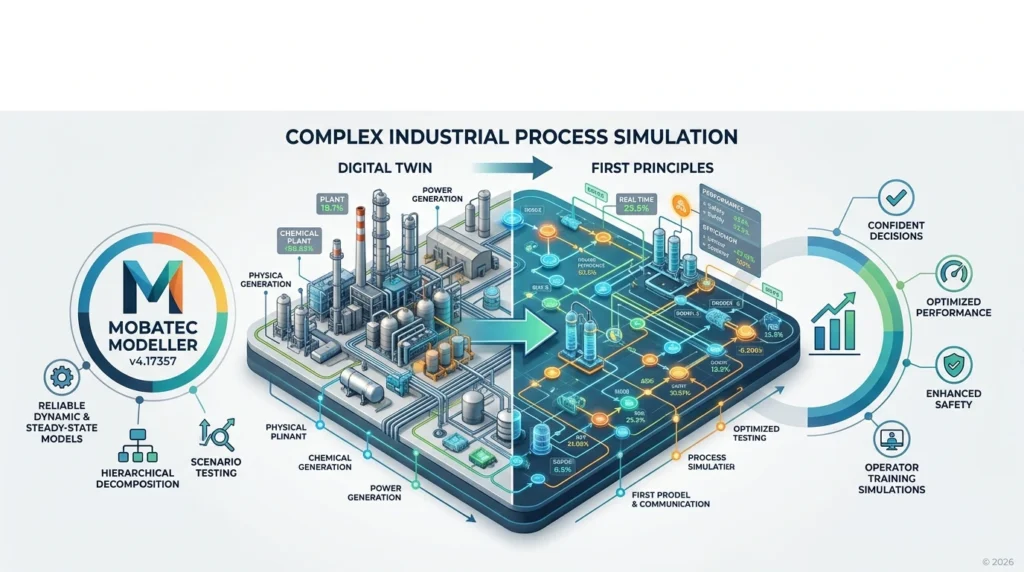
Mobatec Modeller is a specialized process modelling and simulation tool developed by Mobatec, a company recognized for delivering innovative solutions in the chemical and process engineering sector. This software complex provides a robust environment for creating steady-state and dynamic models of industrial processes, making it an essential tool for process engineers, researchers, and technical professionals.
The software supports equation-oriented modelling, allowing users to define complex systems through mathematical equations and relationships. Unlike traditional flowsheet-based simulators, Mobatec Modeller offers greater flexibility in model construction, enabling users to capture intricate process behaviors with precision.
The v4.17357 release represents a significant update in the 2026 software lineup, incorporating user feedback and technological advancements to deliver improved performance, accuracy, and usability for professionals working with complex industrial processes.
Key Features
Mobatec Modeller v4.17357 includes a comprehensive suite of features designed to address the diverse needs of process modelling professionals:
Advanced Modelling Capabilities
-
Equation-oriented modelling environment for flexible and precise process representation
-
Steady-state and dynamic simulation for comprehensive process analysis
-
Custom model development with support for user-defined equations and correlations
-
Multiphase flow modelling for complex fluid systems
-
Reaction kinetics modelling for chemical process simulation
Thermodynamic and Physical Property Systems
-
Extensive component database with thousands of chemical compounds
-
Multiple thermodynamic property packages for accurate phase equilibrium calculations
-
Integration with industry-standard property databases
-
Support for electrolyte systems and non-ideal mixtures
User Interface and Workflow
-
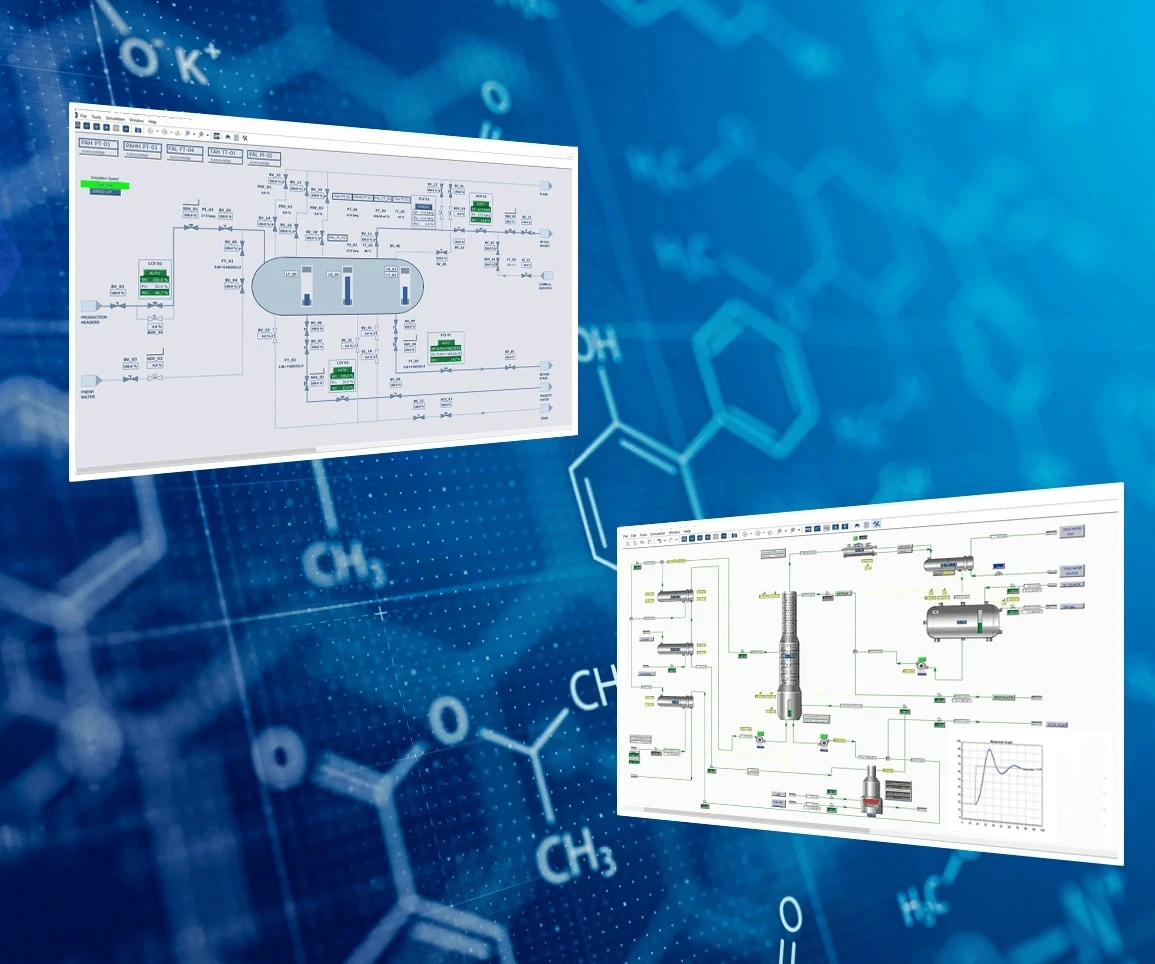
Intuitive graphical user interface for model construction and visualization
-
Drag-and-drop model building for rapid process configuration
-
Real-time simulation monitoring with dynamic result displays
-
Comprehensive plotting and analysis tools for result interpretation
Solver and Computational Engine
-
Robust numerical solvers for handling complex equation systems
-
Automatic initialization routines for faster convergence
-
Parallel computation support for improved simulation speed
-
Optimization algorithms for process design and parameter estimation
Integration and Compatibility
-
CAPE-OPEN compliance for interoperability with other simulation tools
-
Excel integration for data exchange and reporting
-
Python scripting support for advanced automation and customization
-
Export capabilities to common engineering file formats
What’s New in Mobatec Modeller v4.17357
The 2026 release of Mobatec Modeller introduces several enhancements and new capabilities:
Performance Improvements
-
30% faster simulation convergence through optimized solver algorithms
-
Enhanced parallel processing for multi-core systems
-
Reduced memory footprint for large-scale models
-
Improved numerical stability for challenging process conditions
New Features
-
Expanded thermodynamic database with updated parameters for emerging compounds
-
Enhanced Python API for greater scripting flexibility
-
New visualization options for 3D process representation
-
Improved reporting module with customizable templates
Bug Fixes and Stability
-
Resolved compatibility issues with latest operating systems
-
Fixed convergence problems in specific thermodynamic packages
-
Improved error handling and diagnostic messages
-
Enhanced stability for long-running dynamic simulations
System Requirements
Minimum Requirements
-
Operating System: Windows 10 (64-bit) or Windows 11
-
Processor: Intel Core i5 or equivalent AMD processor
-
RAM: 8 GB
-
Storage: 5 GB available disk space
-
Display: 1920 x 1080 resolution
-
Additional: .NET Framework 4.8 or higher
Recommended Requirements
-
Operating System: Windows 11 (64-bit)
-
Processor: Intel Core i7 or AMD Ryzen 7
-
RAM: 16 GB or higher
-
Storage: 10 GB SSD
-
Display: 2560 x 1440 or higher resolution
-
Additional: Dedicated graphics card for enhanced visualization
Supported Platforms
-
Windows desktop environments
-
Compatible with virtualization platforms (VMware, Hyper-V)
-
Network license server support for enterprise deployments
Installation Guide
Installing Mobatec Modeller v4.17357 involves the following steps:
Step 1: Obtain Licensed Software
-
Purchase a legitimate license from the official Mobatec website or authorized resellers
-
Receive your license key and download link via email
-
Ensure your system meets the minimum requirements
Step 2: Download and Prepare
-
Download the installer package from the official source
-
Verify the file integrity using the provided checksum
-
Temporarily disable antivirus software if it interferes with installation
Step 3: Run the Installer
-
Right-click the installer and select “Run as Administrator”
-
Follow the on-screen prompts to select installation location
-
Accept the license agreement terms
Step 4: Activate Your License
-
Launch Mobatec Modeller after installation
-
Enter your license key when prompted
-
Complete the activation process online or via offline activation
Step 5: Verify Installation
-
Open a sample model to confirm proper functionality
-
Check that all modules are accessible
-
Configure any additional settings as needed
How to Use Mobatec Modeller
Getting Started with Process Modelling
-
Create a New Project: Launch the software and start a new modelling project
-
Define Components: Select chemical components from the database or define custom compounds
-
Select Thermodynamic Package: Choose appropriate property methods for your system
-
Build Your Model: Construct process flowsheets or define equations for your system
-
Configure Equipment: Specify parameters for reactors, separators, heat exchangers, and other units
-
Run Simulation: Execute steady-state or dynamic simulation
-
Analyze Results: Review outputs, generate plots, and validate model behavior
Model Development Best Practices
-
Start with simplified models and gradually add complexity
-
Validate individual unit operations before connecting them
-
Use consistent units throughout your model
-
Document assumptions and parameter sources
-
Perform sensitivity analysis to understand model behavior
Advanced Techniques
-
Parameter Estimation: Use experimental data to fit model parameters
-
Optimization Studies: Identify optimal operating conditions
-
Dynamic Analysis: Study process responses to disturbances
-
Custom Model Development: Create specialized models using the equation editor
Best Use Cases
Mobatec Modeller is particularly suited for the following applications:
Chemical Process Design
-
Reactor design and optimization
-
Separation process simulation
-
Heat integration studies
-
Process debottlenecking
Petrochemical Industry
-
Refinery process modelling
-
Gas processing simulation
-
Polymer production modeling
Pharmaceutical Manufacturing
-
API synthesis process development
-
Crystallization process design
-
Drying and formulation modeling
Academic and Research Applications
-
Process systems engineering research
-
Model development and validation
-
Teaching process simulation concepts
Energy and Utilities
-
Power plant cycle modeling
-
Carbon capture process simulation
-
Hydrogen production process design
Advantages and Limitations
Advantages
-
Flexible Modelling Environment: Equation-oriented approach allows representation of complex systems not easily handled by flowsheet simulators
-
Accurate Thermodynamics: Comprehensive property packages ensure reliable phase equilibrium calculations
-
Dynamic Simulation: Capability to model time-dependent process behavior
-
Customization: Open architecture enables user-defined models and correlations
-
CAPE-OPEN Compliance: Interoperability with other industry-standard tools
-
Strong Technical Support: Access to documentation and support from Mobatec
Limitations
-
Learning Curve: Equation-oriented approach requires understanding of mathematical modelling concepts
-
Limited Flowsheet Interface: Less intuitive for users accustomed to unit-operation-based simulators
-
Computational Requirements: Complex models may require significant computing resources
-
License Cost: Professional licensing may be substantial for individual users
-
Platform Limitation: Primarily designed for Windows environments
Alternatives to Mobatec Modeller
Professionals seeking process modelling software may consider these alternatives:
Aspen Plus / Aspen HYSYS
-
Industry-standard flowsheet simulator
-
Extensive property databases
-
Broad adoption in chemical and petroleum industries
-
Higher licensing costs
gPROMS
-
Advanced equation-oriented modelling platform
-
Strong dynamic simulation capabilities
-
Popular in pharmaceutical and specialty chemical sectors
ChemCAD
-
Affordable process simulation software
-
User-friendly interface
-
Suitable for smaller engineering firms
DWSIM
-
Open-source process simulator
-
Free to use and distribute
-
Good for educational purposes and basic simulations
PRO/II
-
Comprehensive process simulation package
-
Strong in refining and petrochemical applications
-
Part of the AVEVA software suite
Comparison Considerations
When evaluating alternatives, consider factors such as modelling approach, thermodynamic accuracy, dynamic capabilities, integration requirements, support availability, and total cost of ownership.
Frequently Asked Questions
What is Mobatec Modeller used for?
Mobatec Modeller is used for steady-state and dynamic simulation of industrial processes. Engineers use it to design, analyze, and optimize chemical processes, develop mathematical models, and study process behavior under various conditions.
What are the key differences between Mobatec Modeller and Aspen Plus?
Mobatec Modeller uses an equation-oriented approach, providing greater flexibility for custom model development. Aspen Plus uses a flowsheet-based approach with unit operation blocks. Mobatec is often preferred for research and specialized applications requiring custom equations.
Can Mobatec Modeller handle dynamic simulations?
Yes, Mobatec Modeller supports both steady-state and dynamic simulations. This allows users to study process responses to disturbances, evaluate control strategies, and analyze time-dependent behavior.
Is Mobatec Modeller CAPE-OPEN compliant?
Yes, Mobatec Modeller supports CAPE-OPEN standards, enabling interoperability with other compliant simulation tools and property packages.
What programming languages can be used with Mobatec Modeller?
Mobatec Modeller supports Python scripting for automation and customization. Users can also define custom equations and models using the built-in equation editor.
How does Mobatec Modeller handle thermodynamic properties?
The software includes comprehensive thermodynamic property packages covering equations of state, activity coefficient models, and specialized correlations for various chemical systems. The component database includes thousands of compounds.
What training resources are available for Mobatec Modeller?
Mobatec provides documentation, tutorials, and example models. Training courses and technical support are available through the company. Online resources and user communities also provide learning opportunities.
Can I use Mobatec Modeller for academic research?
Yes, Mobatec Modeller is suitable for academic research applications. The flexible modelling environment allows researchers to implement novel models and study complex process phenomena. Academic licensing options may be available.
Final Thoughts
Mobatec Modeller v4.17357 represents a mature and capable process modelling solution for professionals dealing with complex industrial processes. Its equation-oriented approach offers flexibility that traditional flowsheet simulators may not provide, making it valuable for research applications, custom model development, and advanced process analysis.
The 2026 release brings meaningful performance improvements and feature enhancements that strengthen the software’s position in the process simulation market. For engineers and researchers requiring precise control over model formulation and thermodynamic calculations, Mobatec Modeller provides a reliable platform for achieving accurate simulation results.
While the learning curve may be steeper than flowsheet-based alternatives, the investment in mastering this tool pays dividends for those working with challenging modelling problems. Organizations should evaluate their specific requirements, existing workflows, and integration needs when considering Mobatec Modeller as part of their process engineering software toolkit.
For the most current information on features, licensing, and support, visit the official Mobatec website or contact their sales team directly.
Our Paid Service
“We do not sell or provide any software. We only offer professional support services. If any software on your system is not working properly, or you are facing installation errors, crashes, or any other technical issue — just contact us. We will help you fix the problem quickly and remotely via AnyDesk. No software will be provided from our side — only expert troubleshooting and support.”