

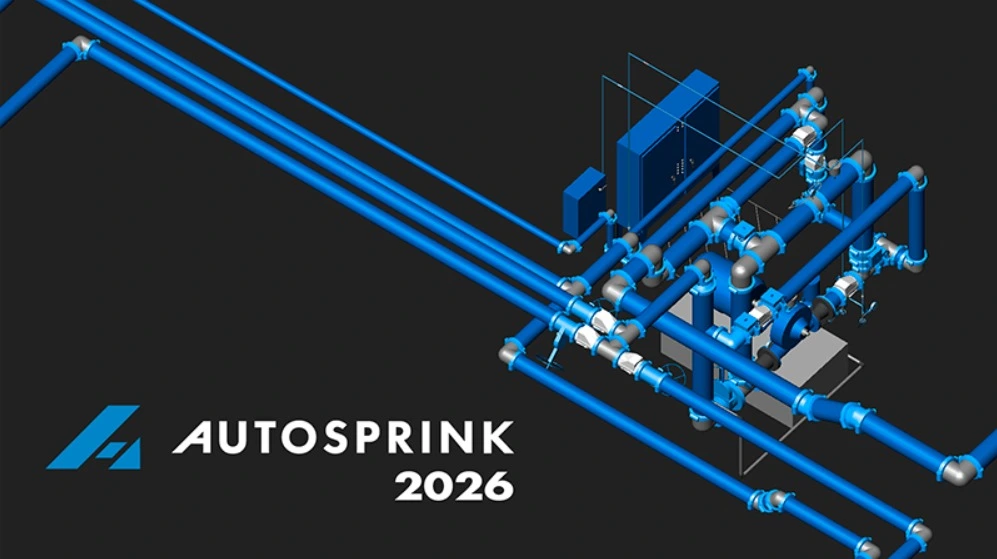
Overview of the Software
Table of Contents
AutoSPRINK is a specialized Computer-Aided Design (CAD) and hydraulic analysis tool tailored specifically for the fire protection industry. Unlike generic CAD software, AutoSPRINK is built from the ground up to understand the nuances of NFPA standards, pipe schedules, and fluid dynamics.
The Platinum edition is the highest tier of the software, offering the full suite of design, calculation, and BIM coordination tools. Version 21.3.6.0 is a significant update that bridges the gap between 2D schematic design and 3D spatial coordination. It allows users to perform complex hydraulic calculations in real-time while designing, ensuring that the system layout is not only spatially feasible but also hydraulically sound before final documentation.
Key Features
AutoSPRINK 2026 Platinum is packed with features designed to streamline the workflow from concept to construction.
-
Intelligent Hydraulic Calculations: The software utilizes advanced algorithms to perform node-based hydraulic analysis. It automatically adjusts pipe sizes and calculates pressure requirements based on the latest NFPA 13 standards.
-
3D BIM Coordination: Seamless integration with industry-standard BIM platforms allows for clash detection. You can identify where sprinkler lines conflict with structural elements or HVAC ducts before installation begins.
-
Automated Bill of Materials (BOM): Generate accurate material lists directly from the design model. This reduces estimating errors and waste.
-
Stocklist & Fabrication: The Platinum version includes tools for creating detailed fabrication lists, complete with cut lengths and pipe schedules, optimizing the fabrication process.
-
Auto-Quad & Layout Tools: Advanced automation for head placement and pipe routing significantly reduces manual drafting time.
-
Cloud Collaboration: Improved tools for sharing models and data across project teams, facilitating better communication between the designer and the contractor.
What’s New in the Latest Version
Version 21.3.6.0 introduces several refinements aimed at increasing productivity and accuracy.
-
Enhanced NFPA 13, 14, and 20 Compliance: Updated code libraries ensure that all designs meet the most recent fire safety regulations.
-
Improved User Interface (UI): The property panes and toolbars have been refined for a cleaner, more intuitive user experience, reducing the learning curve for new users.
-
Faster Calculation Engine: Optimized backend processing allows for quicker recalculations on large, complex projects, saving hours of waiting time.
-
Better DXF/DWG Import/Export: Improved fidelity when importing architectural backgrounds or exporting designs to other CAD platforms.
-
Expanded Manufacturer Content: New updates to the manufacturer parts library, including the latest sprinkler heads and valves from major vendors.
System Requirements
To ensure optimal performance of AutoSPRINK 2026 Platinum, your workstation should meet the following specifications:
Minimum Requirements:
-
OS: Windows 10 (64-bit) or Windows 11.
-
Processor: Intel Core i5 or AMD Ryzen 5 equivalent.
-
RAM: 16 GB.
-
Graphics: Dedicated GPU with at least 4GB VRAM (DirectX 11 compatible).
-
Storage: 10 GB available space (SSD recommended).
-
Display: 1920×1080 resolution.
Recommended Requirements:
-
OS: Windows 11 (64-bit).
-
Processor: Intel Core i7/i9 or AMD Ryzen 7/9.
-
RAM: 32 GB or higher (essential for large 3D BIM projects).
-
Graphics: NVIDIA RTX series or AMD Radeon Pro with 8GB+ VRAM.
-
Storage: NVMe SSD for faster load times.
-
Display: Dual monitors or 4K resolution.
Installation Guide
Installing AutoSPRINK 2026 Platinum requires a valid license. Follow these steps for a standard installation:
-
Verify System Requirements: Ensure your PC meets the specifications listed above.
-
Download the Installer: Log into your official AutoSPRINK user portal and download the setup file for v21.3.6.0.
-
Close Background Applications: It is recommended to close other heavy applications (like AutoCAD or Revit) during installation.
-
Run the Installer: Right-click the downloaded
.exefile and select “Run as Administrator.” -
Follow the Wizard: Accept the End User License Agreement (EULA) and choose your installation directory.
-
License Activation: Upon first launch, you will be prompted to activate the software using your license key or network license server details.
-
Restart: A system restart is recommended to finalize the registration of DLL files and drivers.
How to Use the Software
While AutoSPRINK is a deep program, the general workflow follows a logical sequence:
-
Step 1: Project Setup: Start a new project by selecting the appropriate NFPA standard and units (Imperial or Metric).
-
Step 2: Import Background: Import an architectural floor plan (DXF/DWG) to serve as a reference.
-
Step 3: Define Hazards: Specify the occupancy hazard classification for different areas (e.g., Light Hazard, Ordinary Hazard).
-
Step 4: Layout Heads: Use the “Auto-Place” tools or manually insert sprinkler heads, ensuring proper spacing and coverage.
-
Step 5: Pipe Routing: Connect the heads to the mains and risers. The software will automatically suggest pipe sizes based on flow.
-
Step 6: Hydraulic Calculation: Run the calculation engine. The software will highlight areas where pressure exceeds limits.
-
Step 7: Optimization: Adjust pipe sizes or layouts to achieve a balanced system.
-
Step 8: Output: Generate reports, including hydraulic calculation summaries, bill of materials, and detailed CAD drawings.
Best Use Cases
AutoSPRINK 2026 Platinum is versatile but excels in specific scenarios:
-
Commercial High-Rises: Managing the complex hydraulic calculations required for tall buildings where pressure zoning is critical.
-
Industrial Facilities: Designing systems for high-hazard occupancies like manufacturing plants or chemical storage, where precise flow rates are life-saving.
-
BIM Coordination Projects: When fire protection must be integrated into a Revit or Navisworks model, AutoSPRINK ensures the sprinkler system fits within the structural constraints.
-
Retrofit Projects: Analyzing existing buildings to see if current piping can support system upgrades without costly replacement.
Advantages and Limitations
Advantages:
-
Industry Standard: It is widely recognized as the gold standard for fire sprinkler hydraulic calculations.
-
Code Compliant: Built-in checks help prevent costly design errors that violate fire codes.
-
Time-Saving: Automation of pipe sizing and material lists drastically reduces manual drafting time.
-
Accuracy: High-fidelity calculations reduce the risk of over-designing (wasting money) or under-designing (safety risk).
Limitations:
-
Learning Curve: The software is powerful but complex; new users may require training to master the full feature set.
-
Hardware Intensive: Large 3D models require powerful workstations to run smoothly.
-
Cost: As a premium professional tool, the license cost is significant and geared toward businesses rather than hobbyists.
Alternatives to the Software
While AutoSPRINK is a leader, users may consider these alternatives depending on their specific needs:
-
HydraCAD: A popular add-on for AutoCAD that offers similar hydraulic calculation and design capabilities.
-
SprinkCAD: Known for its user-friendly interface and integration with AutoCAD, often used for smaller projects.
-
Revit (with MEP Fabrication): Autodesk Revit is the standard for BIM, though its fire protection calculation capabilities are less specialized than AutoSPRINK without third-party plugins.
-
Elite Fire: A software focused on fire alarm and sprinkler design with a focus on cost estimation.
Frequently Asked Questions
Q: Is AutoSPRINK 2026 compatible with AutoCAD?
A: AutoSPRINK is a standalone CAD engine, but it can import and export DWG and DXF files, allowing for interoperability with AutoCAD.
Q: Can AutoSPRINK perform calculations for NFPA 13D (residential)?
A: Yes, the software includes modules for residential design (NFPA 13D) as well as commercial (NFPA 13) and standpipe systems (NFPA 14).
Q: How do I update my manufacturer parts library?
A: The software includes a “Live Update” feature that connects to the AutoSPRINK cloud server to download the latest product data from manufacturers.
Q: Does the software support 3D modeling?
A: Yes, AutoSPRINK Platinum supports full 3D modeling, allowing you to design in an isometric view and detect clashes with other building systems.
Q: What is the difference between the Standard and Platinum versions?
A: The Platinum version includes advanced features like Stocklist, Fabrication, and full 3D BIM coordination, whereas the Standard version focuses primarily on design and hydraulic calculations.
Q: Is training available for new users?
A: Yes, AutoSPRINK offers official training courses, tutorials, and a comprehensive knowledge base to help users get certified.
Final Thoughts
AutoSPRINK 2026 Platinum v21.3.6.0 remains a formidable tool in the arsenal of any fire protection engineer. Its ability to blend rigorous hydraulic calculations with intuitive design and 3D BIM coordination makes it a valuable investment for firms looking to improve efficiency and accuracy. While the learning curve is steep and the hardware demands are high, the payoff in code compliance and project accuracy is substantial. For professionals serious about fire safety design, this software sets the standard for excellence.
Our Paid Service